 0
comments
0
comments
Install Cairo Dock 3.0.2 in Ubuntu 12.04 Precise/11.10 Oneiric/11.04 Natty/10.10 Maverick/10.04 Lucid/Linux Mint (New Release)

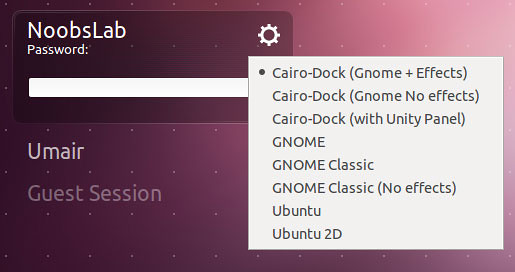
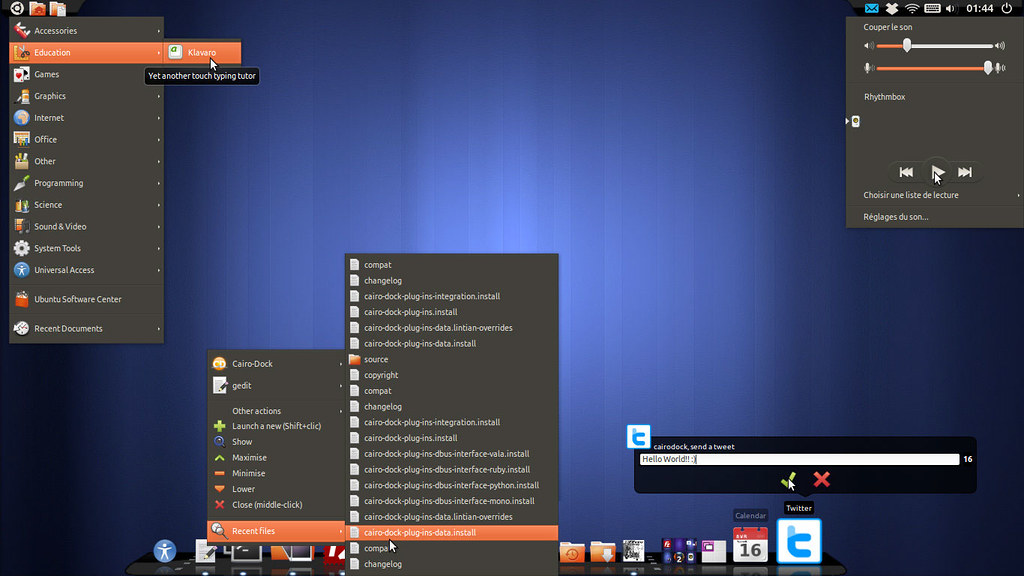
Cairo Dock includes many plugins/applets such as: weather, clock, Messaging Menu, system monitor, keyboard indicators, custom icons, notification area, clipboard manager, and many other plugins.


What's New in Cairo Dock 3.0.2?
Core:
Plug-ins:
To Install Cairo Dock in Ubuntu/Linux Mint (Press Ctrl+Alt+T) and copy the following commands in the Terminal:
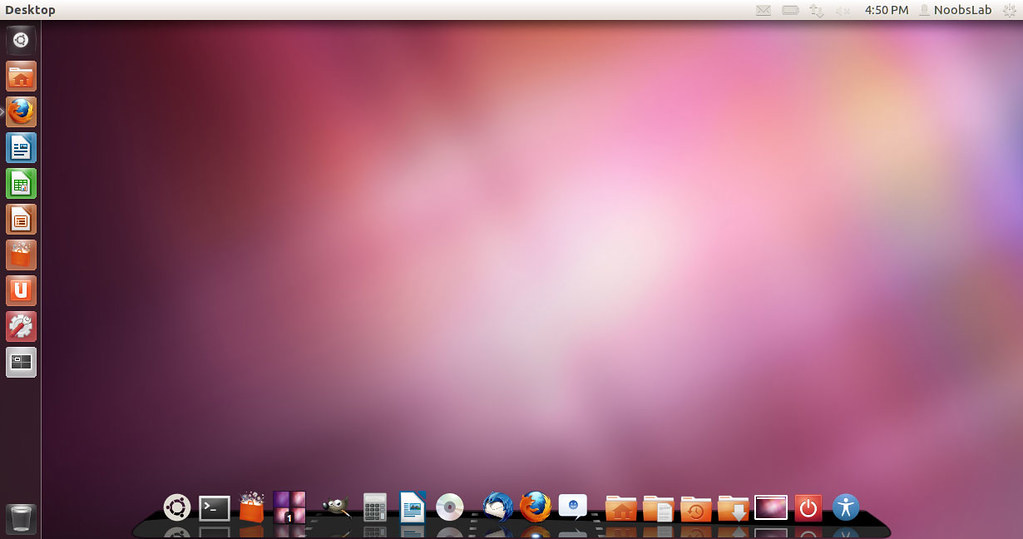
Cairo Dock includes many plugins/applets such as: weather, clock, Messaging Menu, system monitor, keyboard indicators, custom icons, notification area, clipboard manager, and many other plugins.
Core:
- Main GUI: Fixed a crash when hovering group buttons too quickly
- Main GUI: The dialog and preview didn't appear when hovering the button
- Accelerators: On recent distro, 'Control' key is now called 'Primary'
- Icon Mgr: Added a mutex because of occasional crashes with gtk_icon_theme_lookup_icon
- Icon Mgr: Don't call a 'change-icon' callback when clicking or scrolling on an icon, and trigger an unneeded animation on the icon
- Dock Mgr: Avoid emitting an 'enter' event when not needed
- Class Mgr: Fixed 2 typos (special case for kdesu and not kdes)
- Class Mgr: Remove launching options (%U) in quick-list Exec command
- Dialogues: Prevent closing the dialog unexpectedly when clicking on it, if the click is actually inside the interactive widget
- Background: When set to 'always visible', applets' background couldn't be turned off
- Added a workaround for the Unity-panel which has a wrong window type
- Po: Updated translations: thanks to all contributors
Plug-ins:
- AlsaMixer: Fix: double-clicking did nothing if we didn't open the menu of the applet
- DND2Share: Pastebin: Their public API is no longer available -> ported to the new API
- GMenu: Fixed a bug that made sub-menus be too small, and therefore have to be scrolled + code cleaning
- Logout: When the menu is reversed (top dock), select the last item so that it's the same as the normal menu (ie, the 'shutdown' item)
- MusicPlayer: Prevented a warning message: when changing song, we don't receive this value: Position => no need to display a warning message each time
- MusicPlayer: Allow recently played files in the menu (Recent-Files)
- MusicPlayer: Fixed a bug that prevented the player from being launched the 2nd time in some cases
- MusicPlayer: Added raise and quit methods in the menu when the player is in the systray (without that it's hard to display the window
- MusicPlayer: Used toggle buttons for Shuffle and Repeat properties
- Recent-Events: If the file doesn't exist, don't display it in the 'Recent Files' menu
- Recent-Events: Prevent doubles in the menu list
- Po: Updated translations: thanks to all contributors (added Croatian)
- Shortcuts: Fixed a small bug with bookmarks (extra new lines were disrupting Thunar)
- Status-Notifier: Added the marshaller for the XAyatanaNewLabel signal
- Systray (old): Force the icons size to 24px, to avoid buggy programs to display their icon with a wrong size
- Third-party applets: Reposition their right-click menu, so that it's the same as a normal menu (on top of the icon and no scroll needed)
- Fix 3.0.1 regression: GMenu, Switcher, Quick-Browser and Terminal: CAIRO_DOCK_FORCE_ICON_IN_MENUS was not defined in plug-ins (these applets didn't contain any icons except if 'menus-have-icons' [gd]conf key was enabled)
To Install Cairo Dock in Ubuntu/Linux Mint (Press Ctrl+Alt+T) and copy the following commands in the Terminal:
That's it. Enjoy
- sudo add-apt-repository ppa:cairo-dock-team/ppa
- sudo apt-get update
- sudo apt-get install cairo-dock cairo-dock-plug-ins
Source: glx-dock.org


