 0
comments
0
comments
Install Mate Desktop 1.4 in Ubuntu 12.10 Quantal/Ubuntu 12.04 Precise/Linux Mint
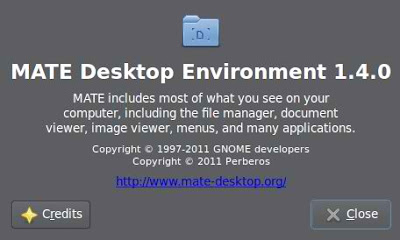
The GNOME 2 Fork 'Mate' is a desktop environment. If you wish to use this desktop environment on Ubuntu 12.04 Precise to replace your current Unity or Gnome Shell interface, then follow the instructions given below.

Changes and improvements in Mate 1.4:
To install Mate desktop in Ubuntu 12.10/Linux Mint 14 open Terminal (Press Ctrl+Alt+T) and copy the following commands in the Terminal:
The GNOME 2 Fork 'Mate' is a desktop environment. If you wish to use this desktop environment on Ubuntu 12.04 Precise to replace your current Unity or Gnome Shell interface, then follow the instructions given below.


Changes and improvements in Mate 1.4:
- Numerous bug fixes
- mate-keyring and libmatekeyring backends updated and now integrate properly
- caja-dropbox package now available
- New themes added to mate-notification-daemon
- Removed indicator-applet-session
- File sharing now available via bluetooth
- Added option to use fast alt-tabbing when compositing is enabled in marco
- mate-icon-theme-faenza now available
- mate-character-map now available
- mate-screensaver now supports GDM user switching
- Removed nyancat from the mate-desktop about dialog
- Forked libwnck (now libmatewnck)
- Caja improvements:
- Restored toggle button for text based location bar
- Bookmarks can now be opened in the places side pane via the enter and space keys
- Added a button to get the difference between files in the file conflict dialog
To install Mate desktop in Ubuntu 12.10/Linux Mint 14 open Terminal (Press Ctrl+Alt+T) and copy the following commands in the Terminal:
To install Mate desktop in Ubuntu 12.04/Linux Mint 13 open Terminal (Press Ctrl+Alt+T) and copy the following commands in the Terminal:
- sudo add-apt-repository "deb http://packages.mate-desktop.org/repo/ubuntu quantal main"
- sudo apt-get update
- sudo apt-get install mate-archive-keyring
- sudo apt-get update
- sudo apt-get install mate-core
- sudo apt-get install mate-desktop-environment
That's it, Enjoy
- sudo add-apt-repository "deb http://packages.mate-desktop.org/repo/ubuntu precise main"
- sudo apt-get update
- sudo apt-get install mate-archive-keyring
- sudo apt-get update
- sudo apt-get install mate-core
- sudo apt-get install mate-desktop-environment
Source: Mate Desktop


