Warung Bebas
Showing posts with label pdf. Show all posts

Friday, 14 December 2012

Install Calibre Library in Ubuntu 12.10/12.04/Linux Mint

Install Calibre 0.9.9 Library in Ubuntu 12.10 Quantal/Ubuntu 12.04 Precise/Linux Mint 14/13

Calibre is a free and open source e-book library management application developed by users of e-books for users of e-books.
calibre

It has a cornucopia of features divided into the following main categories:
  1. Library Management
  2. E-book conversion
  3. Syncing to e-book reader devices
  4. Downloading news from the web and converting it into e-book form
  5. Comprehensive e-book viewer
  6. Content server for online access to your book collection

Bug Fixes:
  • Fix rich text delegate not working with Qt compiled in debug mode.
  • When deleting all books in the library, blank the book details panel
  • Conversion: Fix malformed values in the bgcolor attribute causing conversion to abort
  • Conversion: Fix heuristics applying incorrect style in some circumstances
  • Possible fix for 64bit calibre not starting up
Improved news sources:
  • Sivil Dusunce
  • Anchorage Daily News
  • Le Monde
  • Harpers
  • New York Times
  • Weblogs SL
  • Zaman Gazetesi
  • Aksiyon Dergisi
  • Endgadget
  • Metro UK
  • Heise Online

To install Calibre 0.9.9 in Ubuntu 12.10 Quantal open Terminal (Press Ctrl+Alt+T) and copy the following commands in the Terminal:
  • sudo add-apt-repository ppa:n-muench/calibre
  • sudo apt-get update
  • sudo apt-get install calibre
To install Calibre 0.9.9 in Ubuntu 12.04 Precise/Linux Mint 13 open Terminal (Press Ctrl+Alt+T) and copy the following commands in the Terminal:
  • sudo add-apt-repository ppa:n-muench/calibre2
  • sudo apt-get update
  • sudo apt-get install calibre
That's it, Enjoy
Source: Calibre

Monday, 5 November 2012

Install Calibre 0.9.5 Library in Ubuntu 12.10/12.04/Linux Mint (New Release)

Install Calibre 0.9.5 Library in Ubuntu 12.10 Quantal/Ubuntu 12.04 Precise/Linux Mint 12

Calibre is a free and open source e-book library management application developed by users of e-books for users of e-books.
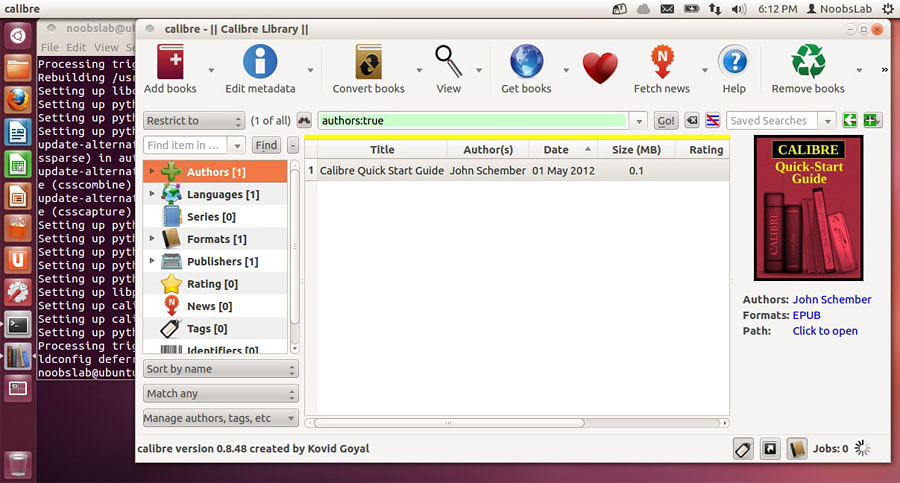
calibre

It has a cornucopia of features divided into the following main categories:
  1. Library Management
  2. E-book conversion
  3. Syncing to e-book reader devices
  4. Downloading news from the web and converting it into e-book form
  5. Comprehensive e-book viewer
  6. Content server for online access to your book collection
New Features:
  • Font embedding: Add support for the CSS 3 Fonts module, which means you can embed font families that have more that the usual four faces, with the full set of font-stretch and font-weight variations. Of course, whether the fonts actually show up on a reader will depend on the readers' support for CSS 3.
  • Sharing by email: Allow specifying an 'alias' or friendly name by which to identify each email recipient.
  • Embedding fonts: Allow adding ttf/otf font files to calibre directly to be used for embedding. That way the fonts do not have to be installed system wide. You can add a font to calibre via the 'Add fonts' button in the font chooser dialog for embedding fonts.
  • E-book viewer: Add the ability to rotate images to the popup image viewer.
  • Generate cover: Speedup searching the system for a font that can render special characters
  • A new custom font scanner to locate all fonts on the system. Faster and less crash prone that fontconfig/freetype
  • Font family chooser: Show the faces available for a family when clicking on the family
Bug Fixes:
  • Get Books: Fix eHarlequin and Kobo stores.
  • Kobo driver: Fix a bug that could cause the on device book matching to fail in certain circumstances.
  • Kobo driver: When using a SD card do not delete shelves that contain on books on the card (there might be books in the shelf in the main memory).
  • Workaround for bug in the windows API CreateHardLink function that breaks using calibre libraries on some networked filesystems.
  • Template editor: Use dummy metadata instead of blank/unknown values
  • Windows: abort setting of title/author if any of the books' files are in use. Results in less surprising behavior than before, when the title/author would be changed, but the on disk location would not.
New news sources:
  • Pravda in english, italian and portuguese by Darko Miletic
  • Delco Times by Krittika Goyal
Improved news sources:
  • Financial Times UK
  • Science AAAS
  • The Atlantic

To install Calibre 0.9.5 in Ubuntu 12.10 Quantal open Terminal (Press Ctrl+Alt+T) and copy the following commands in the Terminal:
  • sudo add-apt-repository ppa:n-muench/calibre
  • sudo apt-get update
  • sudo apt-get install calibre
To install Calibre 0.9.5 in Ubuntu 12.04 Precise/Linux Mint 13 open Terminal (Press Ctrl+Alt+T) and copy the following commands in the Terminal:
  • sudo add-apt-repository ppa:n-muench/calibre2
  • sudo apt-get update
  • sudo apt-get install calibre
That's it, Enjoy
Source: Calibre

Thursday, 1 November 2012

Install Adobe Acrobat Reader in Ubuntu 12.10/12.04/Linux Mint

Install Adobe Acrobat Reader in Ubuntu 12.10 Quantal/Ubuntu 12.04 Precise/Linux Mint

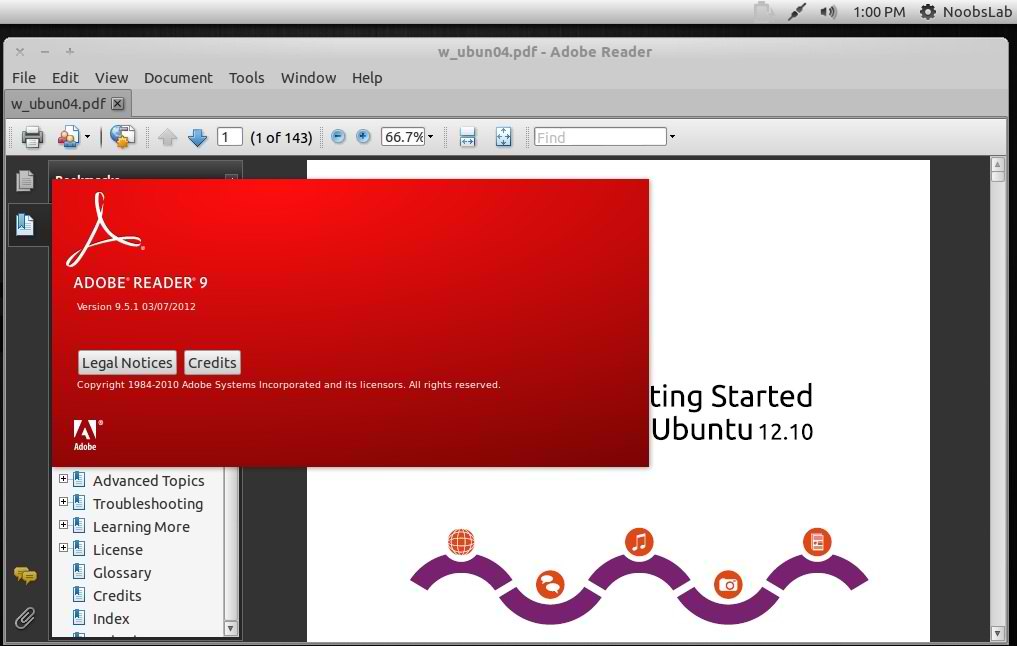
Adobe Reader is an application to Read PDF files, also in Adobe Reader you can print and comment on pdf documents. It's the only PDF file reader which can open and interact with all type of PDF content including multimedia and forms.
adobe reader

adobe reader

To install Adobe Reader in Ubuntu/Linux Mint open Terminal (Press Ctrl+Alt+T) and copy the following commands in the Terminal:
  • sudo add-apt-repository "deb http://archive.canonical.com/ precise partner"
  • sudo apt-get update
  • sudo apt-get install acroread
That's it, Enjoy


Just the Life of Eddie Copyright © 2012 Best Celebrity Wallpaper -- Powered by Blogger