 0
comments
0
comments
Install Wallch Wallpaper Changer in Ubuntu 12.04 Precise Pangolin/11.10 Oneiric/Linux Mint 13/12
Wallch is a wallpaper changer for Gnome which can change the desktop wallpaper after an adjustable time. It has a friendly and easy to use graphical interface. Wallch also supports Live Earth wallpaper which updates every 1/2 hour.

Wallch Features:


To install Wallch wallpaper changer in Ubuntu 12.04 Precise/Linux Mint 13 open Terminal (Press Ctrl+Alt+T) and copy the following commands in the Terminal:
Wallch is a wallpaper changer for Gnome which can change the desktop wallpaper after an adjustable time. It has a friendly and easy to use graphical interface. Wallch also supports Live Earth wallpaper which updates every 1/2 hour.
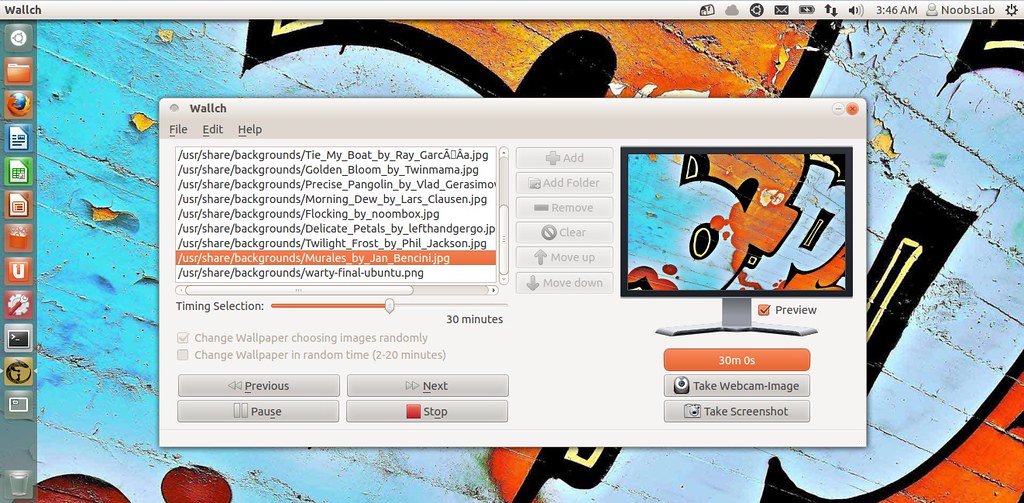
Wallch Features:
- Live Earth Wallpaper
- Picture of The Day
- Folder Monitoring
- Unity Integration
- Statistics
- Features JPG, PNG, GIF, and BMP support
- Radom image changing
- Desktop/Sound notification
- History Logging
- Taking screenshot
- Taking webcam image
Easily Add to Startup
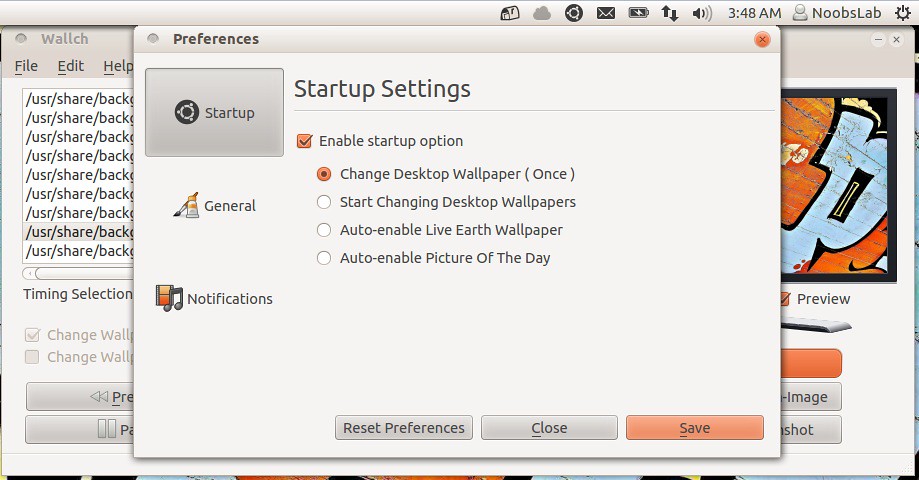
Live Earth include

To install Wallch wallpaper changer in Ubuntu 12.04 Precise/Linux Mint 13 open Terminal (Press Ctrl+Alt+T) and copy the following commands in the Terminal:
To install Wallch wallpaper changer in Ubuntu 11.10 Oneiric/Linux Mint 12 open Terminal (Press Ctrl+Alt+T) and copy the following commands in the Terminal:
- sudo add-apt-repository ppa:wallch/version-3-ppa
- sudo apt-get update
- sudo apt-get install wallch
That's it, Enjoy
- sudo add-apt-repository ppa:wallch/wallch-ppa
- sudo apt-get update
- sudo apt-get install wallch
Source: Wallch


