 0
comments
0
comments
Install Mac OS X Lion Theme on Ubuntu 11.10 Oneiric Ocelot/Linux Mint 12
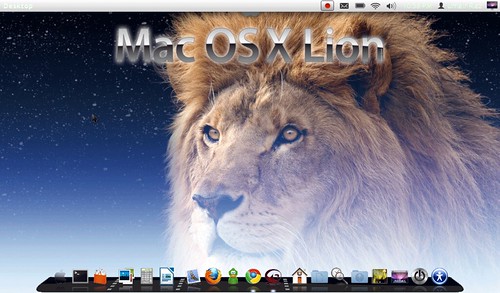
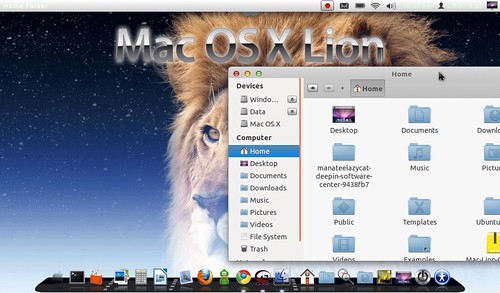
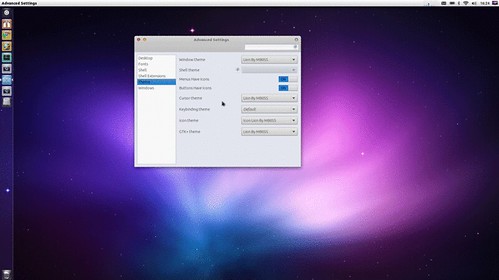
This Mac OS X Lion theme made for GTK3 version, Here is the Author Page on DevianArt.
Now a Days Most Peoples are looking forward to MacBuntu 11.10 but it is still not release, Which will be based on LMDE. So here is a Alternative of Macbuntu 11.10.
Note: Here is Mac OS X Lion theme for Ubuntu 12.04 Precise Pangolin
Now Install Mac OS X Lion Theme
(1). Install Cursors:
Install Cursors
(2). Install Theme:
Open Terminal (Press Ctrl+Alt+T) and copy the following commands in the Terminal:
Open Terminal (Press Ctrl+Alt+T) and copy the following commands in the Terminal:
Now Install Cairo Dock from following link:
Cairo Dock for Ubuntu
Now apply theme:
Install Gnome Tweak Tool with following command:
This Mac OS X Lion theme made for GTK3 version, Here is the Author Page on DevianArt.
Now a Days Most Peoples are looking forward to MacBuntu 11.10 but it is still not release, Which will be based on LMDE. So here is a Alternative of Macbuntu 11.10.
Now Install Mac OS X Lion Theme
(1). Install Cursors:
Install Cursors
(2). Install Theme:
Open Terminal (Press Ctrl+Alt+T) and copy the following commands in the Terminal:
(3). Install Icons:
- mkdir ~/.themes
- wget -O Mac-Lion-Theme.tar.gz http://goo.gl/qKwNY
- tar -xzvf Mac-Lion-Theme.tar.gz -C ~/.themes
or use ppa- sudo add-apt-repository ppa:noobslab/themes
- sudo apt-get update
- sudo apt-get install mac-lion-theme
Open Terminal (Press Ctrl+Alt+T) and copy the following commands in the Terminal:
- mkdir ~/.icons
- wget -O Mac-Lion-Icons.tar.gz http://goo.gl/MjEGC
- tar -xzvf Mac-Lion-Icons.tar.gz -C ~/.icons
or use ppa- sudo add-apt-repository ppa:noobslab/themes
- sudo apt-get update
- sudo apt-get install mac-lion-icons
Now Install Cairo Dock from following link:
Cairo Dock for Ubuntu
Now apply theme:
Install Gnome Tweak Tool with following command:
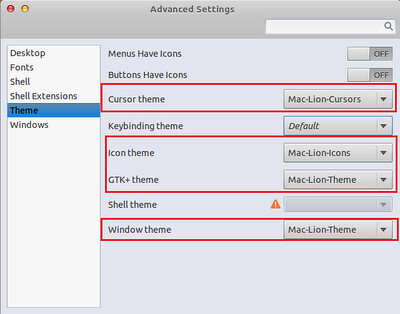
Now go to dash and search for "Advance Settings" and open it. Now follow the picture to apply theme.
- sudo apt-get install gnome-tweak-tool
Source: MBOSSG Author from DevianArt
That's it, Enjoy


