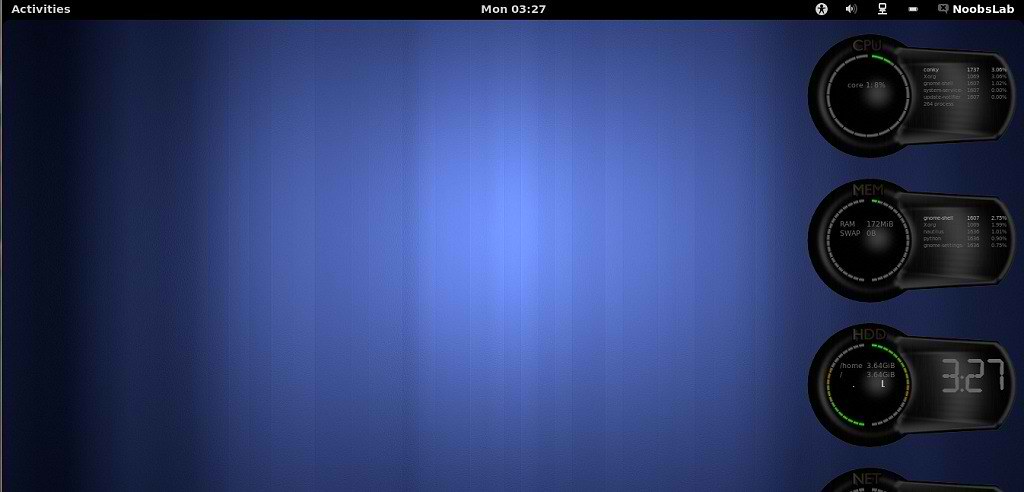
Previous NoobsLab shared many conky versions infinity, tron, lua, People really like those versions. So now brought to you this conky version. It was available only for 2 cores and only some desktop support but I make it available for all Cpu and for all Desktops. It has name 2 cores but I am wondering which name should write for this conky.
Install Conky in Ubuntu/Linux Mint open terminal (Press Ctrl+Alt+T) and copy the following commands in the Terminal:
Install by yourself in other distro's.
- sudo apt-get install conky conky-all
First of all Download Startup script with following commands:
Now open Startup Applications > click Add > New Dialog box will open click on Browse > Now (Press Ctrl+H) see following screenshot.
- wget -O .start-conky http://goo.gl/6RrEw
- chmod +x .start-conky

1: Cores Conky for (Unity, Gnome Classic, Mate, and other):

To install Cores Conky on Ubuntu/Linux Mint open Terminal (Press Ctrl+Alt+T) and copy the following commands in the Terminal:
- wget -O cores-conky-u.zip http://goo.gl/mNNgF
- unzip cores-conky-u.zip && sudo rm cores-conky-u.zip
2: Cores Conky for (Gnome Shell and Cinnamon):

To install Cores Conky on Ubuntu/Linux Mint open Terminal (Press Ctrl+Alt+T) and copy the following commands in the Terminal:
That's it, Enjoy
- wget -O cores-conky-gs.zip http://goo.gl/SgTwH
- unzip cores-conky-gs.zip && sudo rm cores-conky-gs.zip
Source: conky cores


