0
comments
0
comments
Download and Convert Videos with ClipGrab in Ubuntu 12.10 Quantal/Ubuntu 12.04 Precise/Ubuntu 11.10/Previous Ubuntu versions/Linux Mint
ClipGrab is a free software for downloading and converting online videos from many sites like YouTube or Vimeo.
ClipGrab can download from the following sites: YouTube, Clipfish, Collegehumor, Dailymotion, MyVideo, MySpass, Sevenload, Tudou, Vimeo.
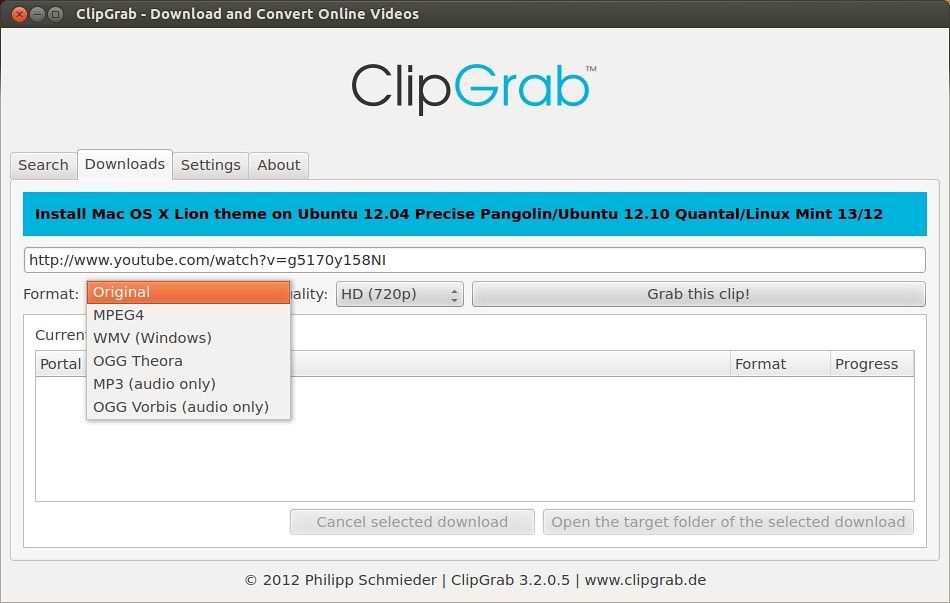
Downloaded videos can be converted to the following file formats: WMV, MPEG4, OGG Theora, MP3 (audio only), OGG Vorbis (audio only).


ClipGrab can download from the following sites: YouTube, Clipfish, Collegehumor, Dailymotion, MyVideo, MySpass, Sevenload, Tudou, Vimeo and others.
Downloaded videos can be converted to the following file formats: WMV, MPEG4, OGG Theora, MP3 (audio only), OGG Vorbis (audio only).
ClipGrab isn't limited to the sites listed above, because many more sites are supported �unofficially� through the automatic site-recognition of ClipGrab - just try it!
By the way, ClipGrab can also download HD videos from sites that have support for high definition (e.g. YouTube or Vimeo).
>> For Ubuntu 12.10 Quantal
To Install ClipGrab in Ubuntu 12.10 Quantal open Terminal (Press Ctrl+Alt+T) and copy the following commands in the Terminal:
>> For Ubuntu 12.04/11.10/Previous Versions
To Install ClipGrab in Ubuntu/Linux Mint open Terminal (Press Ctrl+Alt+T) and copy the following commands in the Terminal:
ClipGrab is a free software for downloading and converting online videos from many sites like YouTube or Vimeo.
ClipGrab can download from the following sites: YouTube, Clipfish, Collegehumor, Dailymotion, MyVideo, MySpass, Sevenload, Tudou, Vimeo.
Downloaded videos can be converted to the following file formats: WMV, MPEG4, OGG Theora, MP3 (audio only), OGG Vorbis (audio only).
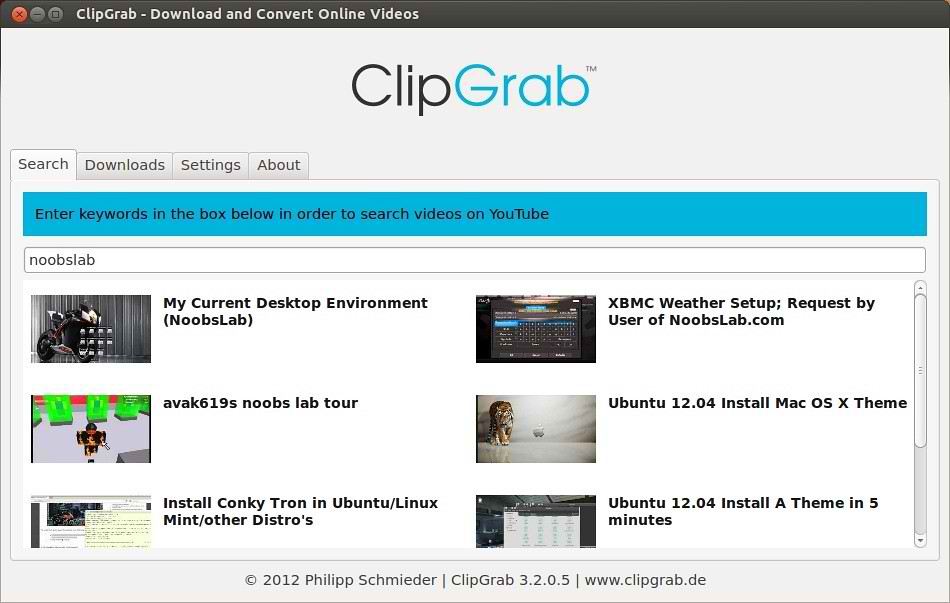
ClipGrab can download from the following sites: YouTube, Clipfish, Collegehumor, Dailymotion, MyVideo, MySpass, Sevenload, Tudou, Vimeo and others.
Downloaded videos can be converted to the following file formats: WMV, MPEG4, OGG Theora, MP3 (audio only), OGG Vorbis (audio only).
ClipGrab isn't limited to the sites listed above, because many more sites are supported �unofficially� through the automatic site-recognition of ClipGrab - just try it!
By the way, ClipGrab can also download HD videos from sites that have support for high definition (e.g. YouTube or Vimeo).
>> For Ubuntu 12.10 Quantal
To Install ClipGrab in Ubuntu 12.10 Quantal open Terminal (Press Ctrl+Alt+T) and copy the following commands in the Terminal:
- sudo add-apt-repository ppa:noobslab/initialtesting
- sudo apt-get update
- sudo apt-get install clipgrab
>> For Ubuntu 12.04/11.10/Previous Versions
To Install ClipGrab in Ubuntu/Linux Mint open Terminal (Press Ctrl+Alt+T) and copy the following commands in the Terminal:
That's it, Enjoy
- sudo add-apt-repository ppa:clipgrab-team/ppa
- sudo apt-get update
- sudo apt-get install clipgrab
Source: Clipgrab-team