 0
comments
0
comments
Install Cairo Dock 3.1 in Ubuntu 12.10 Quantal/Ubuntu 12.04 Precise/11.10 Oneiric/11.04 Natty/10.10 Maverick/10.04 Lucid/Linux Mint (New Release)
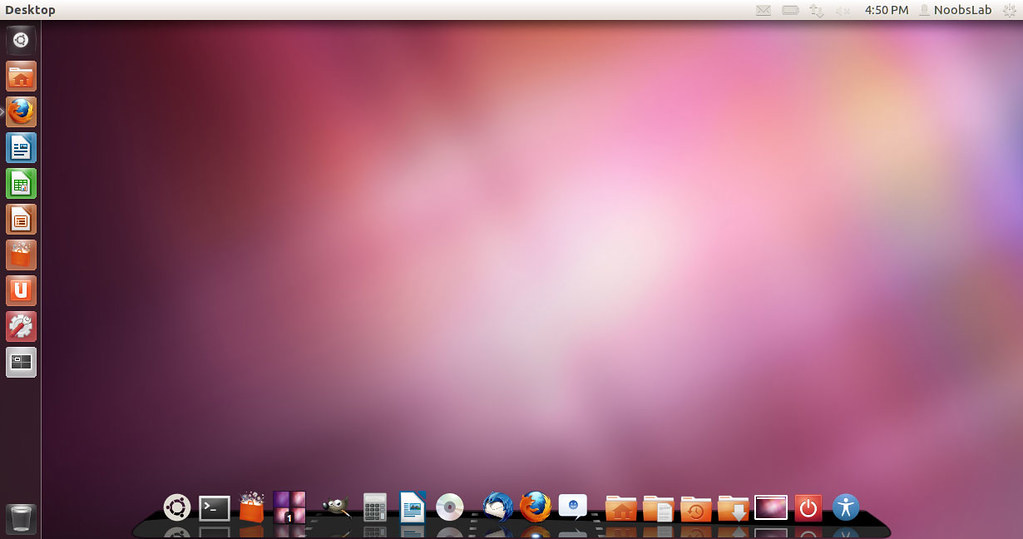
Cairo-Dock is a pretty, fast and customizable desktop interface. You can see it as a good alternative/addition to Unity, Gnome-Shell, Xfce-panel, KDE-panel, etc
Here is a short summary of the improvements and new features in this version 3.1. Cairo-Dock sits in the centre of your desktop, allowing you to monitor and control your favourite apps: music players, chat messengers, twitter, torrents downloaders, RSS feeds, calendar/tasks, weather, mail checkers, etc, and a powerful taskbar.

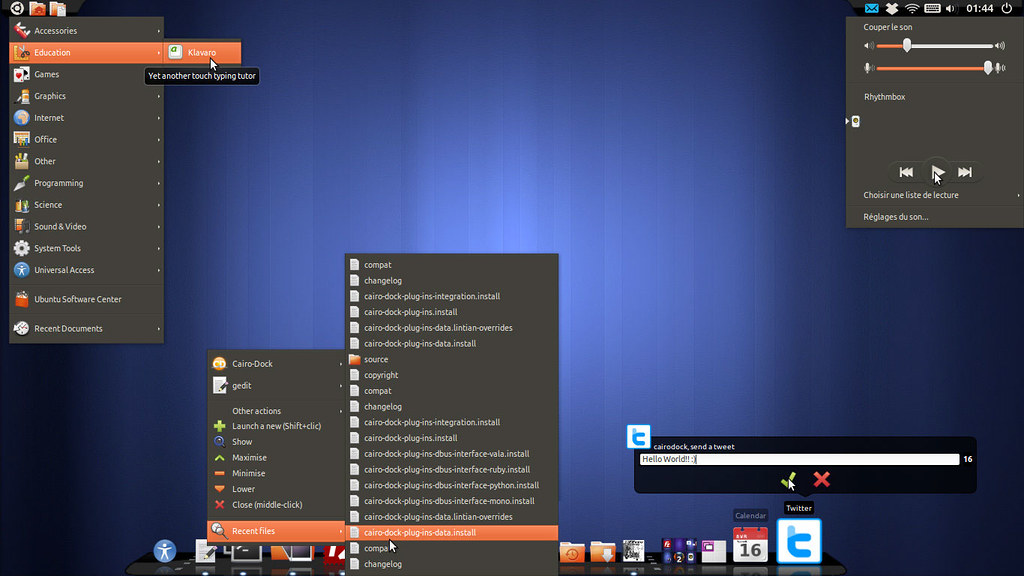
Cairo Dock includes many plugins/applets such as: weather, clock, Messaging Menu, system monitor, keyboard indicators, custom icons, notification area, clipboard manager, and many other plugins.

What's New in Cairo Dock 3.1?
Main Changes:
To Install Cairo Dock in Ubuntu/Linux Mint (Press Ctrl+Alt+T) and copy the following commands in the Terminal:
Cairo-Dock is a pretty, fast and customizable desktop interface. You can see it as a good alternative/addition to Unity, Gnome-Shell, Xfce-panel, KDE-panel, etc
Here is a short summary of the improvements and new features in this version 3.1. Cairo-Dock sits in the centre of your desktop, allowing you to monitor and control your favourite apps: music players, chat messengers, twitter, torrents downloaders, RSS feeds, calendar/tasks, weather, mail checkers, etc, and a powerful taskbar.
Cairo Dock includes many plugins/applets such as: weather, clock, Messaging Menu, system monitor, keyboard indicators, custom icons, notification area, clipboard manager, and many other plugins.
What's New in Cairo Dock 3.1?
Main Changes:
- Better integration of Unity: support of the Launcher API and better support of indicators
- All configuration windows have been merged into a single one.
- Added progress bars in several applets and in the Dbus API
- The Music Player applet can control players in the systray.
- Icons of the taskbar can be separated from launchers or not
- The advanced mode of the configuration panel has been improved (thanks to SQP!)
- Messaging Menu has been rewritten for newer versions and two new 'indicator' applets have been added:
- Printers-Menu: it shows active print jobs.
- and Sync-Menu: e.g. on Ubuntu 12.10, it collects status information data from processes that involve some form of synchronisation with servers; such as about apps like Ubuntu One.
- various bug fixes and improvements
- The dock now supports XRandr which should replace Xinerama and help the dock to manage multi-monitors.
- Progress bars can now be customised (in the advanced mode of the configuration panel / 'Indicators' module).
- We can drop .sh files into the dock to quickly create a new launcher.
- The "Lock icons position" now only block the icons position but we can still add new launchers/files from the menu/file manager.
- QuickList menu entries are now translated if it's available.
- We can now launch the dock with '-W' (--metacity-workaround) option which is a workaround for window managers (e.g. Metacity) not handling the opacity correctly (if your subdock/dock/dialogues are invisible).
- Window's actions have been merged into a single menu entry (right-click menu).
- The default view now use all the screen space to avoid the jitter of the dock when it is resized (visible only if your window manager doesn't resize it correctly).
- Labels in vertical dock now ends with a gradation.
- The dock now supports animated images with variable rate (have a look to the new 'Busy' animation when the Weather applet is downloading data or when you're uploading files with the 'Drop to Share' applet).
- Clock: We can now easily add a new task by doing a right click on the calendar.
- Drop to Share: Supported text files (now it uploads the content of text files to servers like pastebin).
- Applications Menu: used gio to launch the menu entries, so that the event is stored in Zeitgeist.
- Mail: Improved the look of the icon and its dialogue.
- MusicPlayer: Prevented displaying quicklists, since the applet already provides all the common actions for any player.
- Notification Area: displayed the title, the label and the description (if they are available) on the label of the icon.
- PowerManager: displayed the details of all batteries (and not only the first one) and modify the icon if the battery is removed/added.
- QuickBrowser: Added drag support (e.g. to quickly drop file into GMail in order to join this file to the mail).
- Recent-Events: prevented double entries in the menu list and unavailable files.
- Recent Events: added recent applications.
- Shortcuts: added the possibility to launch nautilus-connect-server from its menu
- Shortcuts: Move 'Home' directory to the bookmark list
- Stack: it now supports all URI extensions, not only files from the file system but also files from servers or even from the trash.
- Switcher: Added new options and modify the lists of options. Now we can have a very simple drawing (like Swichter applet of the Gnome-Panel).
- Added an option to have progress bars in a few applet (Sound Control, Wifi, PowerManager, etc.).
- A new 'third-party' applet is available: YoutubeDL to easily download Youtube videos (thanks to Brian).
- Twitter applet now supports Identi.ca.
- 3 new themes are available.
- The code has been cleaned in order to remove most warnings when we compile it with -Wall (and -Wextra for the core).
- Translations have been updated.
To Install Cairo Dock in Ubuntu/Linux Mint (Press Ctrl+Alt+T) and copy the following commands in the Terminal:
That's it. Enjoy
- sudo add-apt-repository ppa:cairo-dock-team/ppa
- sudo apt-get update
- sudo apt-get install cairo-dock cairo-dock-plug-ins
Source: glx-dock.org


