Warung Bebas
Showing posts with label gnome. Show all posts

Tuesday, 30 October 2012

Install NouveGnome Icons in Ubuntu 12.10/12.04/11.10/Linux Mint

Install NouveGnome Gray/Color Icons in Ubuntu 12.10 Quantal/Ubuntu 12.04 Precise/11.10/11.04/10.10/10.04/Linux Mint

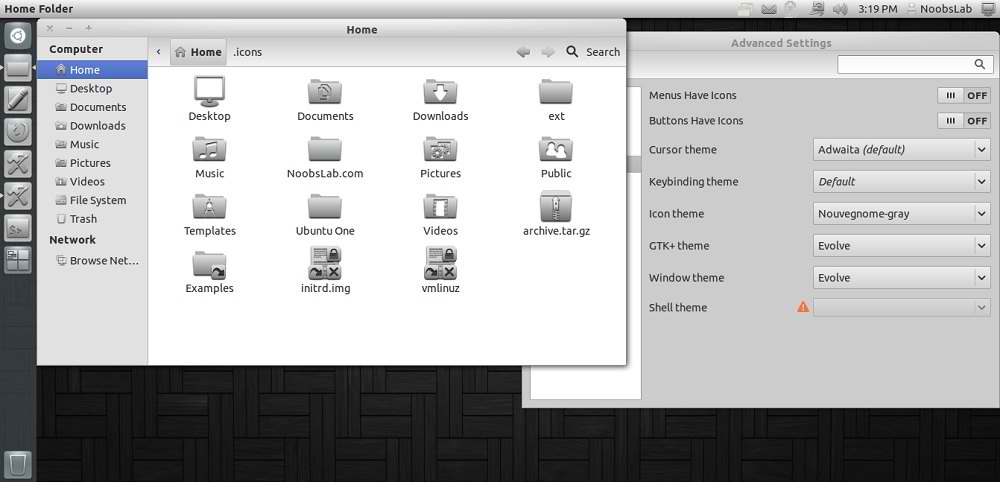
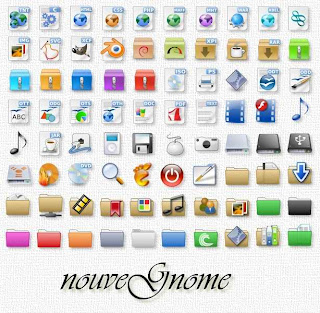
NouveGnome-Gray icons designed for Gnome and to be use with dark themes. It looks beautiful with every theme, you can give a try.
NouveGnome-Colors looks good with light themes, Author mentioned these icons are not completed yet but you can install them.
You can use Gnome-tweak-tool or Ubuntu-Tweak to change icons. Also Checkout Icons Collection.

1: NouveGnome-Gray Icons
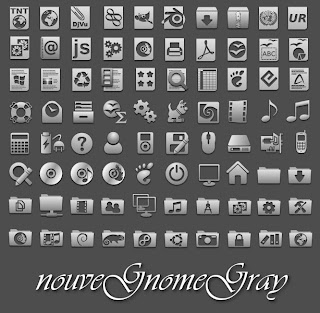
icons

ubuntu icons

To install NouveGnome-Gray icons in Ubuntu/Linux Mint open Terminal (Press Ctrl+Alt+T) and copy the following commands in the Terminal:
  • sudo add-apt-repository ppa:noobslab/icons
  • sudo apt-get update
  • sudo apt-get install nouvegnome-gray

2: NouveGnome-Color Icons
icons

linux icons

To install NouveGnome-Color icons in Ubuntu/Linux Mint open Terminal (Press Ctrl+Alt+T) and copy the following commands in the Terminal:
  • sudo add-apt-repository ppa:noobslab/icons
  • sudo apt-get update
  • sudo apt-get install nouvegnome-color
You can install these icons on other distributions from here.
That's it, Enjoy

Friday, 19 October 2012

Ubuntu Gnome Remix 12.10 Has Been Released

The Ubuntu GNOME Remix is a mostly pure GNOME desktop experience built from the Ubuntu repositories. As this is our first release, there are still a few minor issues, but we proudly recommend the Ubuntu GNOME Remix to anyone interested in using Ubuntu with the best of what GNOME has to offer.
What's Included:
  • The Ubuntu GNOME Remix ships with GNOME 3.6. Please see the GNOME Release Notes to see what's new in 3.6.
  • GNOME Shell 3.6.1 and GDM 3.6.1. Among other improvements, the login and lock screen have been redesigned.
  • Web (epiphany-browser).
  • Abiword for word processing and Gnumeric for spreadsheets.
  • Evolution as email client.
  • Software (gnome-package-kit), which also includes its own update manager. You can install updates by opening Software and clicking Check for Updates in the Software app menu.
  • GNOME Classic (gnome-panel 3) is included but GNOME Shell is the default session if your hardware supports it.
  • Tweak Tool and dconf Editor are provided for customizing advanced settings.
  • Cheese is a fun webcam app.
  • Gwibber allows you to easily connect via social media.
  • The complete GNOME Games collection.
  • Rhythmbox is the default music player.
  • Shotwell is the default photo manager.
  • Useful utilities like Simple Scan and Transmission.

Known issues:
As is to be expected, there are some significant known bugs that you may run into with this first release. The ones we know about at this point (and some of the workarounds), are documented here so you don't need to spend time reporting these bugs again:
  • Evolution doesn't add Gmail accounts. On the final page of the setup wizard, uncheck the boxes to add Contacts & Calendar sync to work around this issue. This will be fixed in an update shortly. (1049028)
  • Keyboard layout doesn't show in GNOME Shell top bar (1045914). This won't be fixed for 12.10 as the new keyboard status menu requires a newer version of ibus than will be available in Ubuntu 12.10. ibus has a lot of reverse dependencies that would need to be rebuilt for the new ibus version.
  • There are two Online Accounts entries in System Settings. One is the GNOME tool which you can use for Contacts, Documents, and Evolution. The other is Ubuntu's tool for Empathy, Gwibber, Shotwell, and if you install it, Unity. Hopefully for 13.04, we'll be able to use just one tool. (1040193)
  • The category headings in System Settings have ugly "missing icon" icons (934335)
  • The system status menu (the "cog" indicator at the far right in GNOME Clasic) doesn't show up in some cases or display correctly when using the default Adwaita theme or the accessibility themes (975563).
  • A separate ubuntu-control-center will not make it into Ubuntu 12.10 but may still happen for 13.04.
  • Virtualbox drm driver fails to auto-load (Debian:686994).

Download: 
Ubuntu-Gnome-Remix-12.10-i386 (Mirror 1 | Mirror 2 | Torrent)
Ubuntu-Gnome-Remix-12.10-amd64 (Mirror 1 | Mirror 2 | Torrent)


Wednesday, 10 October 2012

Install Gnome Tweak Tool 3.6 in Ubuntu 12.10 Quantal Quetzal

Install Gnome Tweak Tool 3.6 in Ubuntu 12.10 Quantal, Previous Gnome Tweak Tool Versions in Ubuntu 12.04 Precise/11.10 Oneiric/11.04

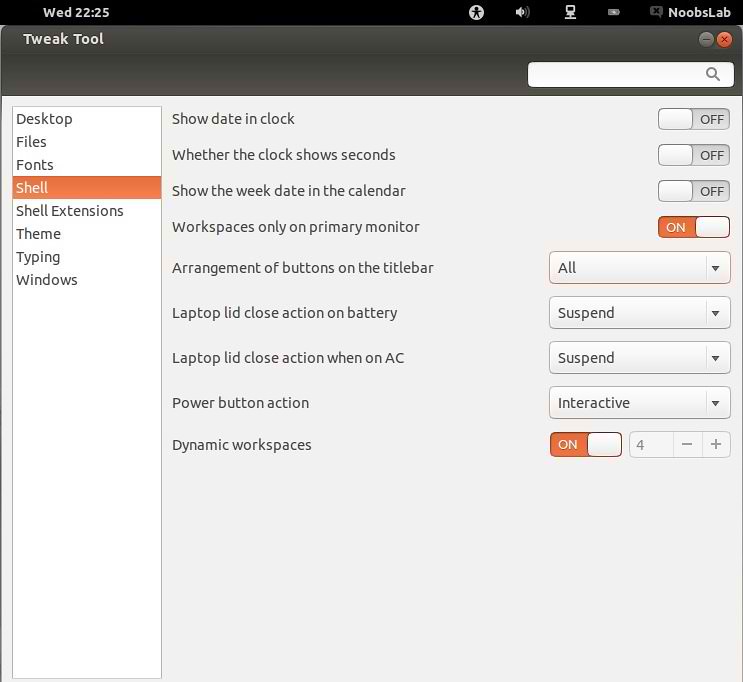
Gnome Tweak Tool is a tool to customize advanced GNOME 3 options. Gnome Tweak Tool is also known as Advanced Settings. Gnome tweak tool that allows users to change Gnome Shell and GTK themes, enable/disable extensions, set fonts preferences, set desktop functionality and so much more was a little late to update to 3.6.0 but it brought some long awaited things to be happy about!
Screen Shots
Support typing options has been added

What's New:
  • An incompatibility with new gnome-shell extensions has been fixed.
  • User can now configure extension preferences.
  • Support for input sources has been added.
  • Support typing options has been added.
  • A lot of translation improvements have been implemented.
  • Support power-button action has been added.

To install Gnome Tweak Tool in Ubuntu/Linux Mint open Terminal (Press Ctrl+Alt+T) and copy the following command in the Terminal:
  • sudo apt-get autoclean && sudo apt-get update
  • sudo apt-get install gnome-tweak-tool
That's it, Enjoy

Thursday, 27 September 2012

Gnome 3.6 has been Released (Screen Shots)

The GNOME Project is proud to present GNOME 3.6, the third update to the 3.x series. This latest version of GNOME 3 includes a number of new features and enhancements, as well as many bug fixes and minor improvements. Together, they represent a significant upgrade to the GNOME 3 user experience.

Andreas Nilsson, President of the GNOME Foundation, said: �The GNOME Foundation is proud to present this latest GNOME release, and I would like to congratulate the GNOME community on its achievement.� He described the release as �an important milestone in our mission to bring a free and open computing environment to everyone.
gnome
Highlights for this release include:
  • Big improvements to notifications, including a redesigned Message Tray, smarter notifications, and other tweaks and refinements.
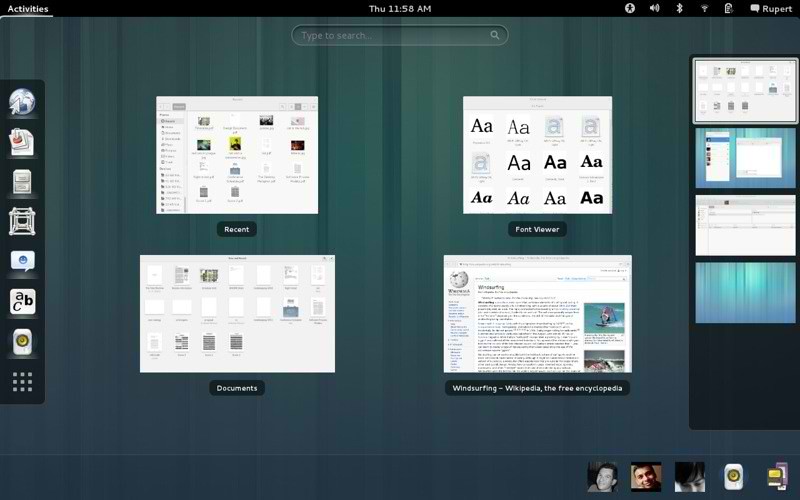
  • An enhanced Activities Overview with an improved layout.
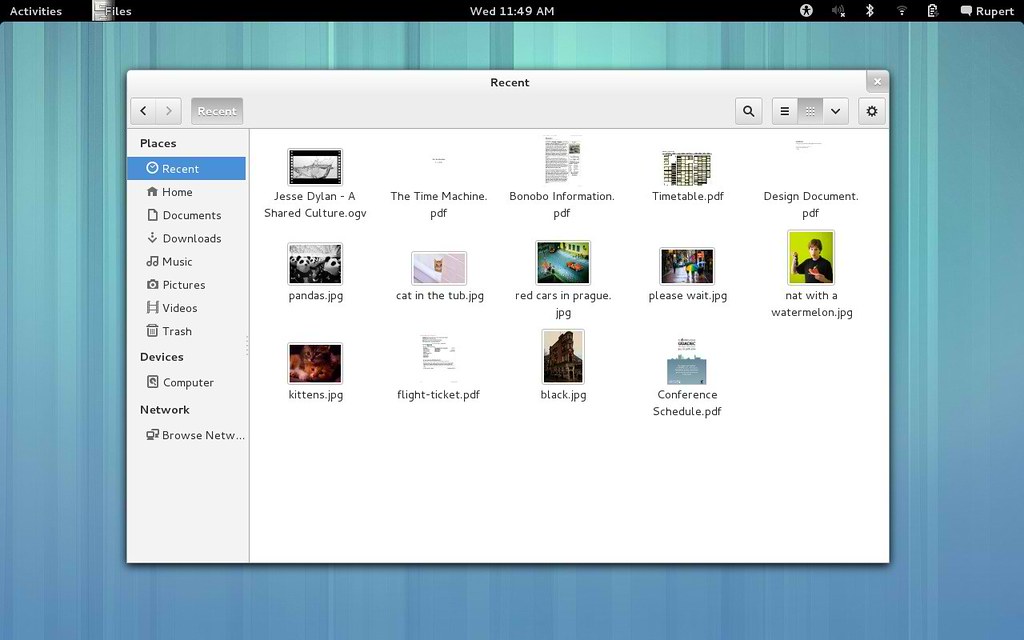
  • A greatly enhanced Files application, with functional file search, a new Recent location, redesigned interface and lots of bug fixes and handy new features.
  • Integrated Input Sources, which makes inputting different character sets (eg. Japanese or Chinese) fast and easy.
  • Accessibility on demand, meaning that universal access features like the Orca screen reader can be enabled with the push of a button.
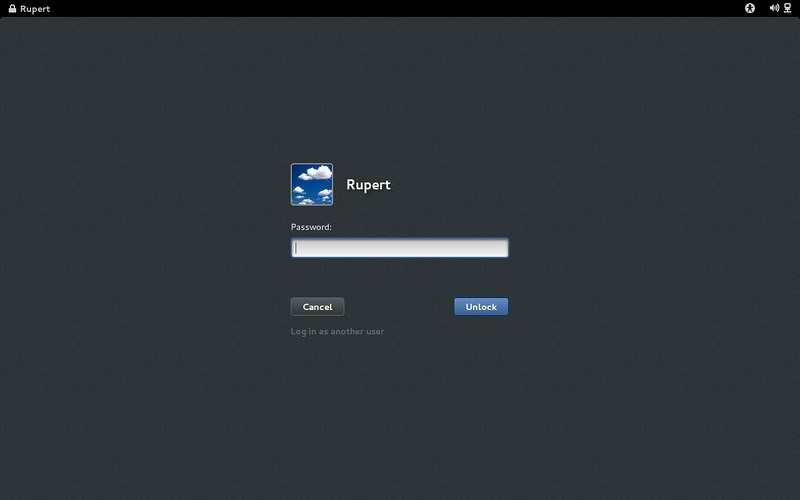
  • A new Lock Screen. This provides an attractive view when the device is locked, plus handy functionality like media controls and notifications.
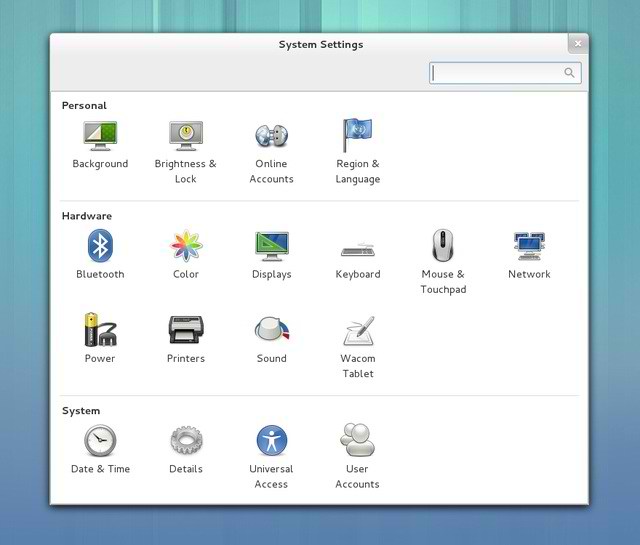
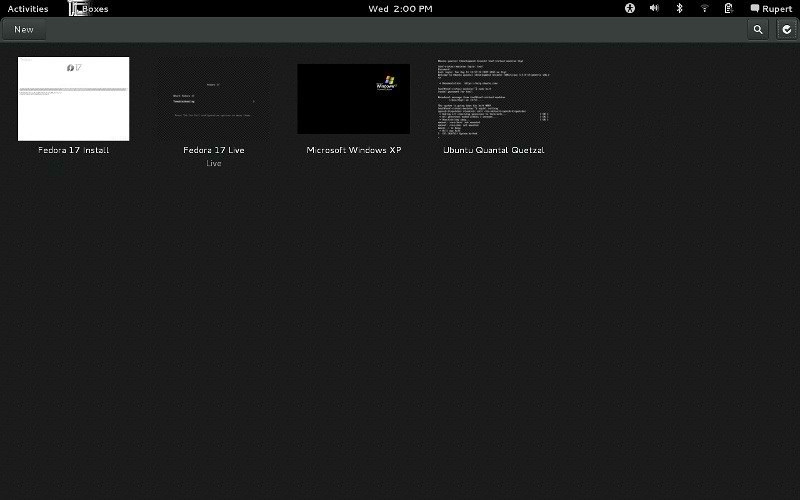
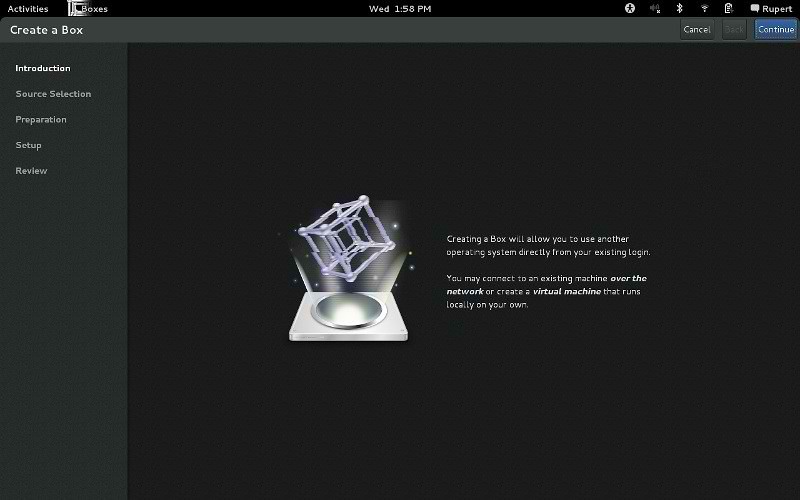
There are many other enhancements in GNOME 3.6, including Online Accounts support for Microsoft Exchange, Facebook and Windows Live, much improved System Settings and a redesigned User Menu. Many GNOME applications have also received improvements, including Web, Empathy, Disk Usage Analyzer, Disks and the Font Viewer. This release also includes the first major release of Boxes, an application for using remote systems and virtual machines, and a development preview of the new Clocks application.
You can read about all the changes included in GNOME 3.6 in the release notes.

Screen Shots

gnome 3.6
Lock Screen

gnome
Login Screen

gnome 3
Activities Overview

gnome 3.6
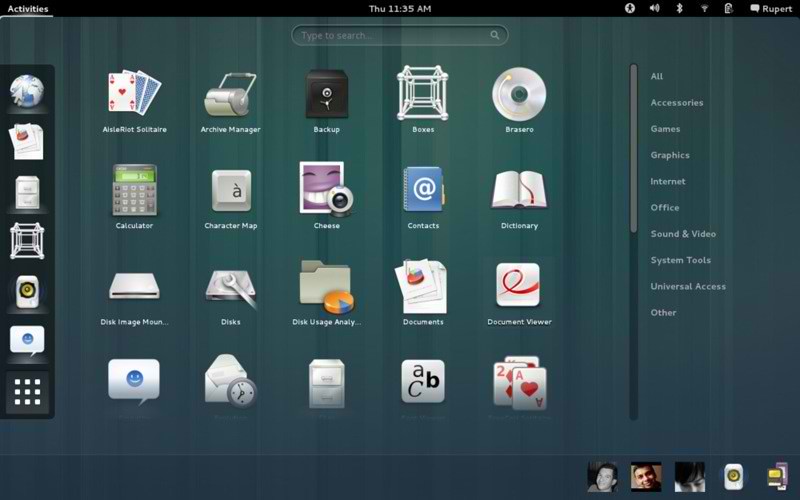
Applications Overview

gnome
System Settings

ubuntu gnome
Message Tray

linux gnome
Boxes Overview

gnome
Boxes

gnome 3.6
Disk Analyzer

gnome
Clocks

gnome
Input Sources

gnome
Recent Files


Just the Life of Eddie Copyright © 2012 Best Celebrity Wallpaper -- Powered by Blogger