 0
comments
0
comments
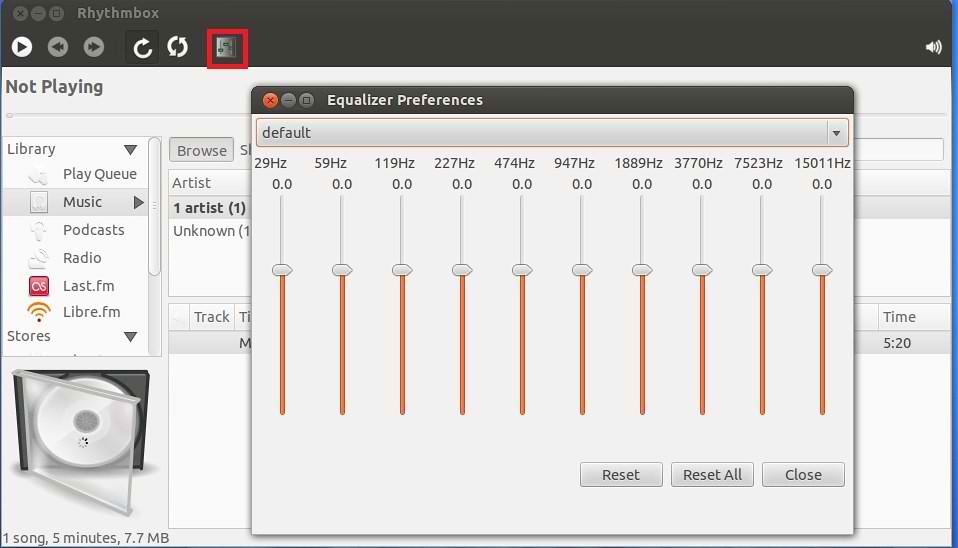
Rhythmbox is default Audio player in Ubuntu 12.04 Precise. Rhythmbox doesn't have Equalizer. So now you can install plugins for Rhythmbox, these package include following plugins: Equalizer, Jump-to-Playing, Tray Icon, Microblogger, Tablature plugin, JumpToWindow and more.


To install Equalizer and other plugins for Rhythmbox in Ubuntu/Linux Mint open Terminal (Press Ctrl+Alt+T) and copy the following commands in the Terminal:
That's it, Enjoy
To install Equalizer and other plugins for Rhythmbox in Ubuntu/Linux Mint open Terminal (Press Ctrl+Alt+T) and copy the following commands in the Terminal:
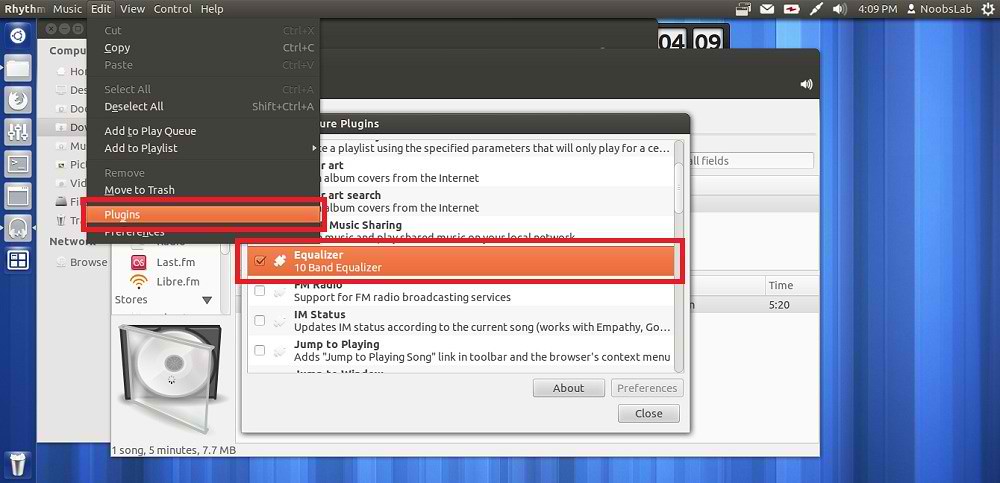
After installation go to "Edit" -> "Plugins" -> Enable "Equalizer"
- sudo add-apt-repository ppa:fossfreedom/rhythmbox-plugins
- sudo apt-get update
- sudo apt-get install rhythmbox-plugin-complete
That's it, Enjoy
Source: Ask Ubuntu


