Warung Bebas
Showing posts with label skype. Show all posts

Thursday, 15 November 2012

Install latest Skype 4.1 in Ubuntu 12.10/12.04/Linux Mint 14/13 (New Release)

Install latest Skype 4.1 in Ubuntu 12.10 Quantal/Ubuntu12.04 Precise/11.10 oneiric/11.04/10.10/10.04/9.10/Linux Mint Versions

Skype allows people to communicate with each other by messaging, voice calling and video calling over internet. Skype also provides services for phone calls on the telephone networks. Everybody can call on Skype network free of charge there is no limit of call, on the other side Skype charge users for calling to land-line and mobile phones. Skype becomes popular among users for its additional features, like file sharing, screen sharing, video conferencing.
Linux skype

skype ubuntu

>> Also Install Skype Wrapper

To install skype in Ubuntu/Linux Mint open Terminal (Press Ctrl+Alt+T) and copy the following commands in the Terminal:
  • wget -O skype http://download.skype.com/linux/skype-ubuntu-precise_4.1.0.20-1_i386.deb
  • sudo dpkg -i skype
  • sudo apt-get -f install && sudo rm skype
That's it, Enjoy

Monday, 15 October 2012

Install Latest Skype 4 in Ubuntu 12.10/12.04/Linux Mint

Install latest Skype 4 in Ubuntu 12.10 Quantal/Ubuntu12.04 Precise/11.10 oneiric/11.04/10.10/10.04/9.10/Linux Mint Versions

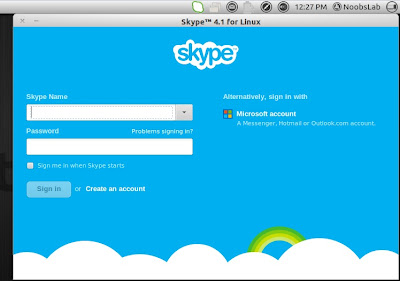
Skype allows people to communicate with each other by messaging, voice calling and video calling over internet. Skype also provides services for phone calls on the telephone networks. Everybody can call on Skype network free of charge there is no limit of call, on the other side Skype charge users for calling to land-line and mobile phones. Skype becomes popular among users for its additional features, like file sharing, screen sharing, video conferencing. I think you know more about Skype, so it's enough intro :).
Linux skype

>> Also Install Skype Wrapper

To install skype in Ubuntu/Linux Mint open Terminal (Press Ctrl+Alt+T) and copy the following commands in the Terminal:
  • sudo add-apt-repository "deb http://archive.canonical.com/ $(lsb_release -sc) partner"
  • sudo apt-get update
  • sudo apt-get install skype && sudo apt-get -f install
That's it, Enjoy

Saturday, 22 September 2012

Install Skype Wrapper in Ubuntu/Linux Mint (New Release)

Install Skype Wrapper in Ubuntu 12.10 Quantal/Ubuntu 12.04 Precise/Ubuntu 11.10 Oneiric/11.04 natty/10.10 Maverick/10.04 Lucid/Linux Mint 13/12/11/10/9 (New Release)

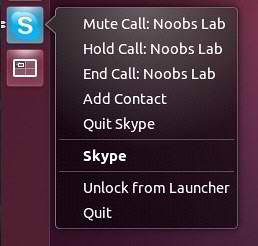
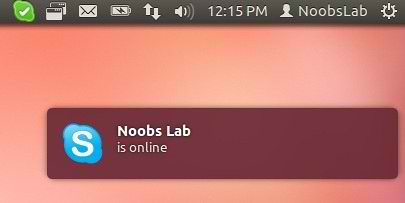
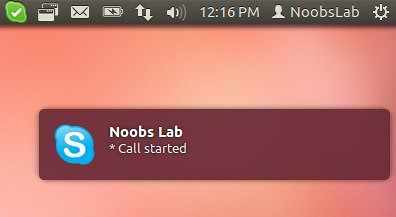
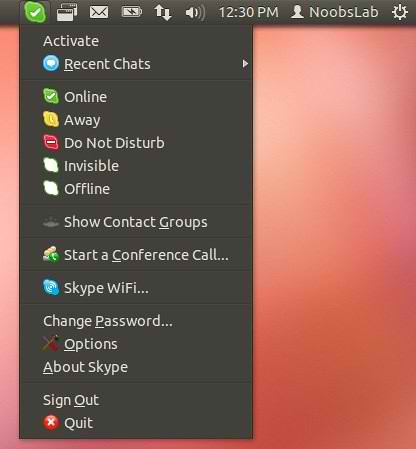
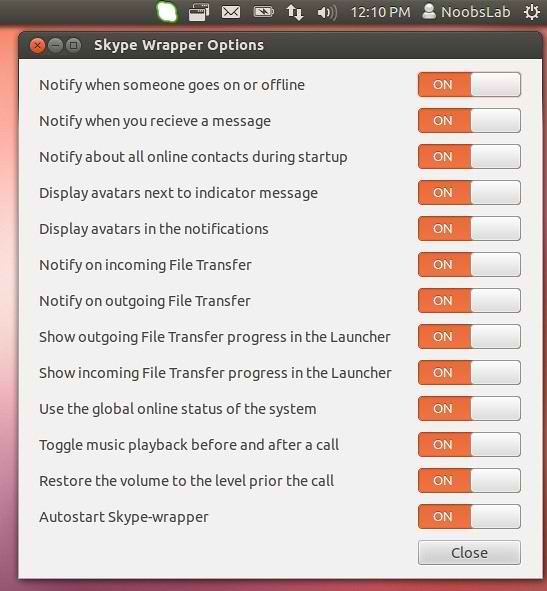
Skype-wrapper is a third-party tool for Skype to show notifications, quick-list in unity and other environments. It also has Ubuntu messaging menu integration and quick-list access to control Skype easily.

Skype-Wrapper wrote Description:
"Skype-wrapper will also now launch automatically on start-up and wait till skype is launched. With skype 4.0 we recommend to add Skype to the launcher. If you want to use skype without skype-wrapper you have to deactivate autostart in the skype-wrapperer-settings found in the app-list."

skype wrapper

skype wrapper

skype wrapper

skype wrapper

skype wrapper

What's new:
  • Auto-Start Skype-Wrapper
  • Messaging Menu Integration
  • Notifications
  • Toggle playback before and after calls
  • New setting interface
  • Unity launcher integration counts and bar
  • New entries in Quick-list
  • More see in Skype-wrapper settings

To install Skype-Wrapper in Ubuntu/Mint open Terminal (Press Ctrl+Alt+T) and copy the following commands in the Terminal:
  • sudo add-apt-repository ppa:skype-wrapper/ppa
  • sudo apt-get update
  • sudo apt-get install skype-wrapper
After installation logout and login back then sign-in to skype.
Source: skype-wrapper

Thursday, 14 June 2012

Install Skype 4.0 in Ubuntu/Linux Mint (New Release)

Install Skype 4.0.0.8 in Ubuntu 12.04 Precise/11.10 Oneiric/11.04 Natty/10.10 Maverick/10.04 Lucid/Linux Mint 13/12/11/10/9

Microsoft releases Skype 4.0.0.8 version for Linux. Skype allows people to communicate with each other by messaging, voice calling and video calling over internet. Skype also provides services for phone calls on the telephone networks. Everybody can call on Skype network free of charge there is no limit of call, on the other side Skype charge users for calling to land-line and mobile phones. Skype becomes popular among users for its additional features, like file sharing, screen sharing, video conferencing. I think you know more about Skype, so it's enough intro :).

Linux skype


To install skype in Ubuntu/Linux Mint open Terminal (Press Ctrl+Alt+T) and copy the following commands in the Terminal:
If you have already skype then remove it:
  • sudo apt-get remove skype skype-bin

Install Skype on Ubuntu 32bit
  • wget -O skype http://download.skype.com/linux/skype-ubuntu_4.0.0.8-1_i386.deb
  • sudo apt-get install libxss1
  • sudo dpkg -i skype
  • sudo apt-get -f install && sudo rm skype
Install Skype on Ubuntu 64bit
  • wget -O skype http://download.skype.com/linux/skype-ubuntu_4.0.0.8-1_amd64.deb
  • sudo apt-get install libxss1 lib32stdc++6 lib32asound2 ia32-libs libc6-i386 lib32gcc1
  • sudo dpkg -i skype
  • sudo apt-get -f install && sudo rm skype

That's it, Enjoy

Monday, 28 May 2012

Install Skype in any Ubuntu/Linux Mint Version

Install Skype in Ubuntu 12.04 Precise/11.10 oneiric/11.04/10.10/10.04/9.10/Linux Mint Versions

Skype allows people to communicate with each other by messaging, voice calling and video calling over internet. Skype also provides services for phone calls on the telephone networks. Everybody can call on Skype network free of charge there is no limit of call, on the other side Skype charge users for calling to land-line and mobile phones. Skype becomes popular among users for its additional features, like file sharing, screen sharing, video conferencing. I think you know more about Skype, so it's enough intro :).

Linux skype

To install skype in Ubuntu/Linux Mint open Terminal (Press Ctrl+Alt+T) and copy the following commands in the Terminal:
  • sudo add-apt-repository "deb http://archive.canonical.com/ $(lsb_release -sc) partner"
  • sudo apt-get update
  • sudo apt-get install skype && sudo apt-get -f install
That's it, Enjoy
 

Just the Life of Eddie Copyright © 2012 Best Celebrity Wallpaper -- Powered by Blogger