0
comments
0
comments
Faience GTK + Gnome Shell Theme and Faience/Faenza Icon for Ubuntu 12.10 Quantal/Ubuntu 12.04 Precise/Linux Mint 14/13
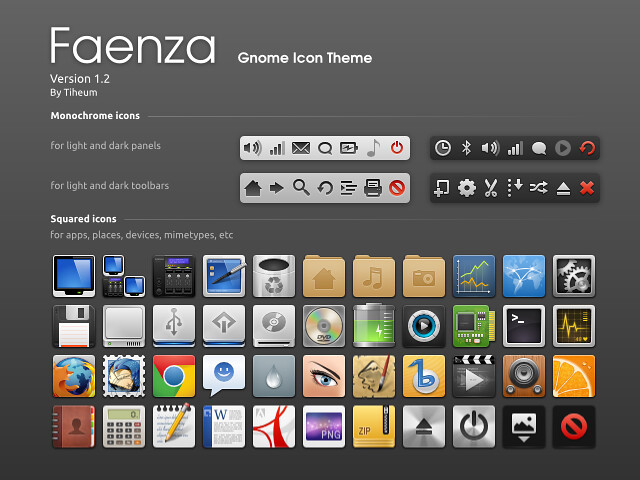
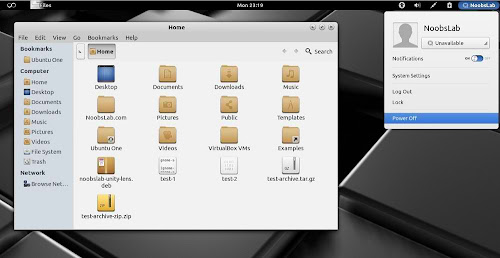
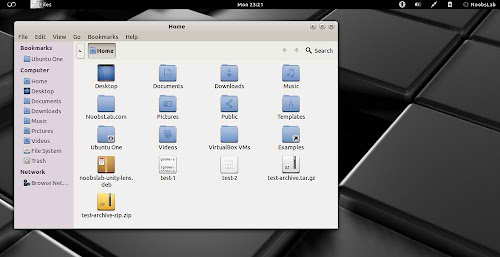
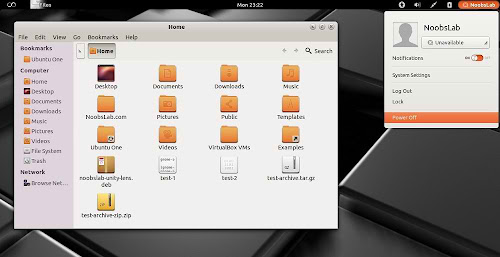
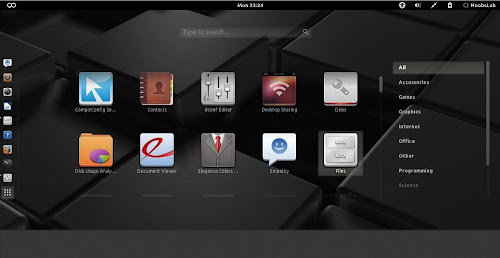
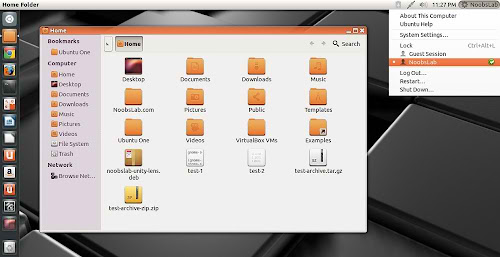
Faience is light and cool theme for GTK and GnomeShell, Faience icon theme is based on Faenza and include GTK3, GTK2, Metacity and Gnome-Shell themes. Faience icon and theme match with each other and looks cool on desktop.
What's new in this theme update:
To install Faience theme and Faience/Faenza icons in Ubuntu/Linux Mint open Terminal (Press Ctrl+Alt+T) and copy the following commands in the Terminal:
Faience is light and cool theme for GTK and GnomeShell, Faience icon theme is based on Faenza and include GTK3, GTK2, Metacity and Gnome-Shell themes. Faience icon and theme match with each other and looks cool on desktop.


What's new in this theme update:
- GTK3: transitions on buttons are disabled to speed up the rendering of the theme when switching from one window to another and avoid memory leaks on some distros
- GS: add a background on the dash launcher which make it more usable with the great 'dash to dock' extension
- New Faience-Ocre (for Gnome-Shell) and Faience-Claire (for Unity) GTK2, GTK3 and metacity themes
- GTK3: fixed the background colour of Nautilus canvas items when the right-click menu is displayed
- GTK3: added animations to buttons
- GTK3: improved the overall look of Gnome Documents
- GTK3: removed the stripes on progressbars
- GS: new design for modal dialogs and GDM
- GS: updated assets to match better the GTK3 widgets
- GTK2: removed the 1-pixel border along the vertical scrollbars for maximized windows (the problem persists with GTK3 applications).
To install Faience theme and Faience/Faenza icons in Ubuntu/Linux Mint open Terminal (Press Ctrl+Alt+T) and copy the following commands in the Terminal:
That's it
- sudo add-apt-repository ppa:tiheum/equinox
- sudo apt-get update
- sudo apt-get install faience-theme
- sudo apt-get install faience-icon-theme faenza-icon-theme
Source: tiheum