Warung Bebas
Showing posts with label icons. Show all posts

Thursday, 24 January 2013

Faience Themes and Faience/Faenza icons for Ubuntu 12.10/12.04/Linux Mint

Faience GTK + Gnome Shell Theme and Faience/Faenza Icon for Ubuntu 12.10 Quantal/Ubuntu 12.04 Precise/Linux Mint 14/13

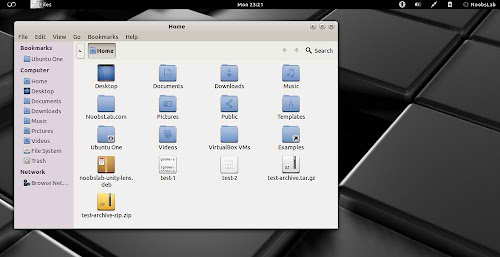
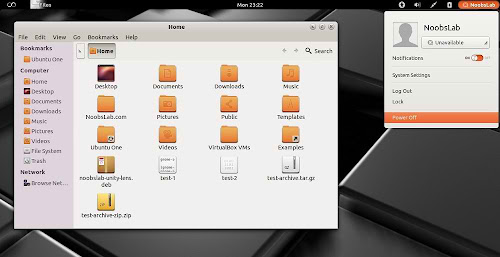
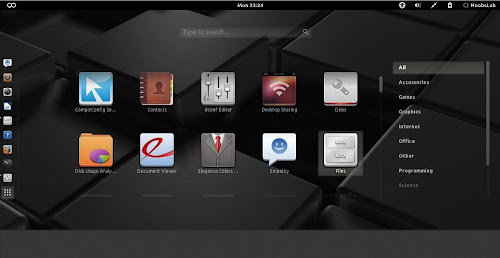
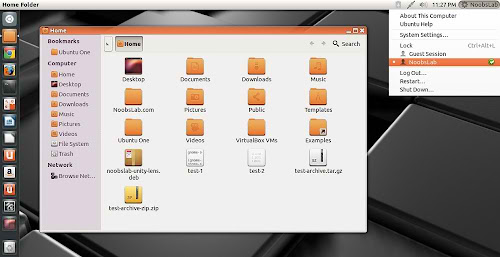
Faience is light and cool theme for GTK and GnomeShell, Faience icon theme is based on Faenza and include GTK3, GTK2, Metacity and Gnome-Shell themes. Faience icon and theme match with each other and looks cool on desktop.
faience theme

faience theme

faience theme

faience theme

faience theme

What's new in this theme update:
  • GTK3: transitions on buttons are disabled to speed up the rendering of the theme when switching from one window to another and avoid memory leaks on some distros
  • GS: add a background on the dash launcher which make it more usable with the great 'dash to dock' extension
  • New Faience-Ocre (for Gnome-Shell) and Faience-Claire (for Unity) GTK2, GTK3 and metacity themes
  • GTK3: fixed the background colour of Nautilus canvas items when the right-click menu is displayed
  • GTK3: added animations to buttons
  • GTK3: improved the overall look of Gnome Documents
  • GTK3: removed the stripes on progressbars
  • GS: new design for modal dialogs and GDM
  • GS: updated assets to match better the GTK3 widgets
  • GTK2: removed the 1-pixel border along the vertical scrollbars for maximized windows (the problem persists with GTK3 applications).

To install Faience theme and Faience/Faenza icons in Ubuntu/Linux Mint open Terminal (Press Ctrl+Alt+T) and copy the following commands in the Terminal:
  • sudo add-apt-repository ppa:tiheum/equinox
  • sudo apt-get update
  • sudo apt-get install faience-theme
  • sudo apt-get install faience-icon-theme faenza-icon-theme
That's it
Source: tiheum

Thursday, 17 January 2013

Royal-Linux Themes and Icons for Ubuntu 12.04/11.10/Linux Mint (GTK + Gnome Shell + Cinnamon)

Royal-Linux Themes for Ubuntu 12.04 Precise/Ubuntu 11.10 Oneiric/Linux Mint 13/12
Royal-Linux Icons for Ubuntu 13.04 Raring/Ubuntu 12.10 Quantal/Ubuntu 12.04 Precise/Ubuntu 11.10 Oneiric/Linux Mint 14/13/12

Royal-Linux is Ubuntu based distribution, Themes and Icons was from first release of Royal-Linux. Currently themes only compatible with GTK 3.4/3.2 and available for Gnome Shell, Cinnamon, GTK. Probably Royal-Linux Theme will update themes for latest GTK Version. Gnome Shell themes are compatible with all shell versions. These themes and icons are nicely design and looks beautiful on desktop. There is Royal-Linux distribution available for download.
GTK Themes and Icons Screen-Shots
ubuntu themes

GTK themes

GTK themes

ubuntu GTK themes

Cinnamon Themes and Icons Screen-Shots
cinnamon themes

cinnamon themes

ubuntu cinnamon themes

cinnamon themes

Gnome-Shell Themes
Gnome Shell themes

GnomeShell themes

ubuntu Gnome Shell themes

Gnome Shell themes

Download zonColor Wallpapers

To install Royal-Linux Icons in Ubuntu 13.04/12.10/12.04/11.10/Linux Mint 14/13/12 open Terminal (Press Ctrl+Alt+T) and copy the following commands in the Terminal:
  • sudo add-apt-repository ppa:noobslab/icons
  • sudo apt-get update
  • sudo apt-get install royal-linux-icons
To install Royal-Linux Themes in Ubuntu 12.04/11.10/Linux Mint 13/12 open Terminal (Press Ctrl+Alt+T) and copy the following commands in the Terminal:
  • sudo add-apt-repository ppa:noobslab/themes
  • sudo apt-get update
  • sudo apt-get install royal-linux-themes
That's it
Source: Linux Royal

Monday, 24 December 2012

New Icons set iNX for Ubuntu 12.10/12.04/13.04/Linux Mint

New Icons set iNX for Ubuntu 12.10 Quantal/Ubuntu 12.04 Precise/Ubuntu 13.04/Ubuntu 11.10/11.04/10.10/10.04/Linux Mint/Other Ubuntu based distributions

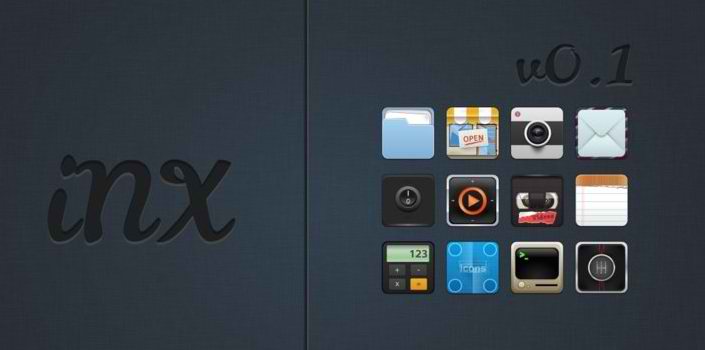
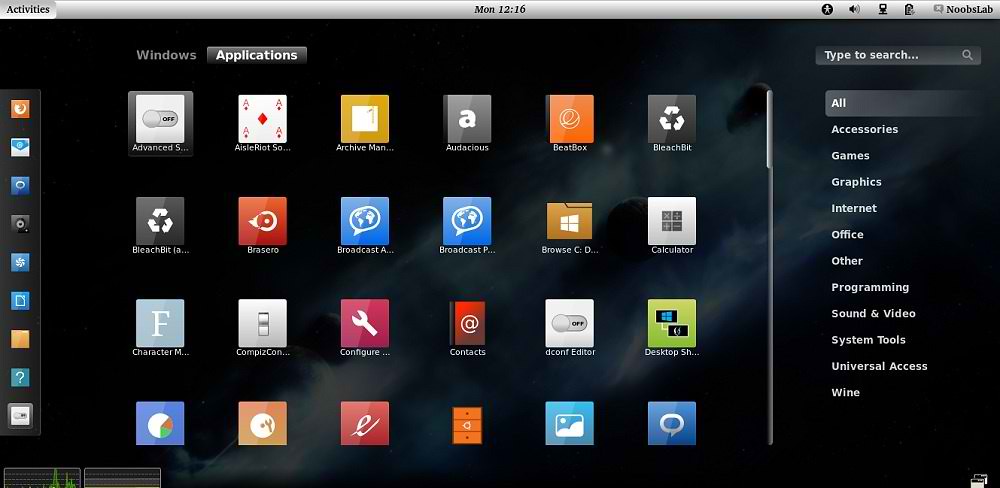
iNX is dark icons which looks perfect with light themes. iNX is an Icon set based on the look and feel of iOS. These icons are basically inspired by elementary and Matrilineare icons. iNX contains a beautiful set of Icons tailored for those that want a good looking workspace. From the menus to the applications. Beauty, everywhere.This set inherits icons from Nitrux Icons.
inx icons

inx icons

inx icons

To install iNX Icons in Ubuntu/Linux Mint open Terminal (Press Ctrl+Alt+T) and copy the following commands in the Terminal:
  • sudo add-apt-repository ppa:noobslab/nitrux-os
  • sudo apt-get update
  • sudo apt-get install inx-icons
That's it, Enjoy
Source: iNX

Sunday, 23 December 2012

Potenza and Potenza Orange icons for Ubuntu/Linux Mint

Install Potenza-Icons in Ubuntu 12.10 Quantal/Ubuntu 12.04 Precise/Ubuntu 13.04/Ubuntu 11.10 Oneiric/Any Ubuntu or Linux Mint

Poteza icons are wonderful which is made by Mystras team. They tried to create complete set of icons for Linux. These icons can fit with every theme, even theme is light or dark icons looks cool. Author mention this icon set was inspired by Faenza. New Potenza-Orange icons set has been released this time, It also looks really beautiful on desktop.

Check icons collection
You can use Gnome-tweak-tool or Ubuntu-Tweak to change icons.

1: Potenza Icons
These icons also include Potenza Dark which display dark icons on light theme panel.
linux icons

ubuntu icons

To install Potenza icons in Ubuntu/Linux Mint open Terminal (Press Ctrl+Alt+T) and copy the following commands in the Terminal:
  • sudo add-apt-repository ppa:noobslab/potenza
  • sudo apt-get update
  • sudo apt-get install potenza

2: Potenza Orange Icons
potenza orange

potenza orange

To install Potenza-Orange icons in Ubuntu/Linux Mint open Terminal (Press Ctrl+Alt+T) and copy the following commands in the Terminal:
  • sudo add-apt-repository ppa:noobslab/potenza
  • sudo apt-get update
  • sudo apt-get install potenza-orange
That's it, Enjoy
Thanks AlessandroBo mpadre for tip

Sunday, 9 December 2012

Hi-Light Icons for Ubuntu 12.10/12.04/11.10/Linux Mint 14/13/12 (Updated to 3.2)

Install Hi-Lights Icons on Ubuntu 12.10 Quantal/Ubuntu 12.04 Precise/Ubuntu 11.10/13.04 Raring/Linux Mint  14/13/12 

Hi-Lights icons are fancy set of icons for Linux, which is made by Author olegvbal and available on gnome-look.org for other Linux distributions. These looks looks cool very every kind of theme, You can use these icons with dark themes and also with light themes. Now Hi-Light icons updated to 3.2 version: 26 icons has been Redrawn, 40 New icons added and Artifacts has been removed from icons.

hi-light icons

icons

Check icons collection
You can use Gnome-tweak-tool or Ubuntu-Tweak to change icons.

To install Hi-Lights icons on Ubuntu/Linux Mint open Terminal (Press Ctrl+Alt+T) and copy the following commands in the Terminal:
  • sudo add-apt-repository ppa:noobslab/icons
  • sudo apt-get update
  • sudo apt-get install hi-lights-icons
That's it, Enjoy
Source: Hi-Lights

Friday, 7 December 2012

Install Matrilineare Icons in Ubuntu 12.10/12.04/11.10/Linux Mint (New Icon Set)

Install Matrilineare Icons in Ubuntu 12.10/12.04/11.10/11.04/10.10/10.04/Linux Mint 14/13/12/11/10/9/Any Ubuntu Based Distribution

Matrilineare Icons designed by sora-meliae. These icons are simple, elegant and looks cool with every theme. These icons arrived to version 0.2 and hopefully icon developer will release next version and fix if there is any bug. If you found any bug or missing icon report to author.
ubuntu icons

Matrilineare icons

gnome icons

To install Matrilineare icons in Ubuntu/Linux Mint open Terminal (Press Ctrl+Alt+T) and copy the following commands in the Terminal:
  • sudo add-apt-repository ppa:noobslab/icons
  • sudo apt-get update
  • sudo apt-get install matrilineare

That's it, Enjoy
Source: Matrilineare

Wednesday, 5 December 2012

Install FS-Icons in Ubuntu/Linux Mint/Fedora/Other Distros

Install FS-Icons in Ubuntu 12.10/12.04/Any Ubuntu Version/Linux Mint/Fedora/Other Distros

Fs-Icons are specially designed for Ubuntu, It looks nice with every dark or light themes. Fs-Icons now contains 4 sets with light and dark mono icons. You can switch between them for your theme compatibility. These icons are still in Alpha version, hopefully they will release these icons soon. If you found any missing icon, Report to the developer from given source link. Personally I like these Icons for everyday use.
Fs-Version
fs icons

Fs-megypt Version
fs icons

Fs-Sky Version
fs icons

Fs-uva Version
fs icons

Checkout other Icons collection
You can use Gnome-tweak-tool or Ubuntu-Tweak to change themes.

To install FS-Icons in Ubuntu/Linux Mint open Terminal (Press Ctrl+Alt+T) and copy the following commands in the Terminal:
  • mkdir ~/.icons
  • wget -O fs-icons-0.6.tar.bz2 http://goo.gl/SvpzE
  • tar -xjvf fs-icons-0.6.tar.bz2 -C ~/.icons
That's it, Enjoy
Source: FS Icons

Friday, 30 November 2012

Install Latest Nitrux-OS Icons in Ubuntu 12.10/12.04/11.10/Linux Mint (New Update)

Install Nitrux-OS Icons in Ubuntu 12.10/Ubuntu 12.04/Ubuntu 11.10/11.04/10.10/10.04/13.04/Linux Mint 14/13/12/10/9 (Updated to 2.2B Version)

Nitrux-OS Icons are available in different versions, it seems really cool in Linux. Icons Author did really good job. You can checkout other icons collection.
Ubuntu Icons

Screen Shots of Nitrux-OS Icons Versions
Nitrux
Ubuntu Icons

Nitrux-Azure
Ubuntu Icons

Nitrux-Buttons
Ubuntu Icons

Nitrux-Clear-All
Ubuntu Icons

Nitrux-Colors
Ubuntu Icons

Nitrux-Dark
dark Icons

Nitrux-Mint
Ubuntu Icons

To install Nitrux-OS icons in Ubuntu/Linux Mint open Terminal (Press Ctrl+Alt+T) and copy the following commands in the Terminal:
  • sudo add-apt-repository ppa:noobslab/nitrux-os
  • sudo apt-get update
  • sudo apt-get install nitrux-icons
That's it, Enjoy
Source: Nitrux-OS

Thursday, 29 November 2012

Install Potenza-Icons in Ubuntu 12.10/12.04/Any Ubuntu or Linux Mint or Other Distro

Install Potenza-Icons in Ubuntu 12.10 Quantal/Ubuntu 12.04 Precise/Ubuntu 11.10 Oneiric/Any Ubuntu or Linux Mint or Any Linux Distribution

Poteza icons are wonderful which is made by Mystras team. They tried to create complete set of icons for Linux. These icons can fit with every theme, even theme is light or dark icons looks cool. Author mention this icon set was inspired by Faenza.
linux icons

ubuntu icons

Check icons collection
You can use Gnome-tweak-tool or Ubuntu-Tweak to change icons.

To install Potenza icons in Ubuntu/Linux Mint open Terminal (Press Ctrl+Alt+T) and copy the following commands in the Terminal:
  • mkdir ~/.icons
  • wget -O potenza.tar.gz http://goo.gl/7ToLI
  • tar -xzvf potenza.tar.gz -C ~/.icons && sudo rm potenza.tar.gz
That's it, Enjoy
Thanks AlessandroBo mpadre for tip

Saturday, 10 November 2012

Install Hi-Lights Icons on Ubuntu 12.10/12.04/11.10/Linux Mint (New Icon Set)

Install Hi-Lights Icons on Ubuntu 12.10 Quantal/Ubuntu 12.04 Precise/Ubuntu 11.10/Linux Mint  13/12 (New Icon Set)

Hi-Lights icons are fancy set of icons for Linux, which is made by Author olegvbal and available on gnome-look.org for other Linux distributions. These looks looks cool very every kind of theme, You can use these icons with dark themes and also with light themes.


ubuntu icons

Check icons collection
You can use Gnome-tweak-tool or Ubuntu-Tweak to change icons.

To install Hi-Lights icons on Ubuntu/Linux Mint open Terminal (Press Ctrl+Alt+T) and copy the following commands in the Terminal:
  • sudo add-apt-repository ppa:noobslab/icons
  • sudo apt-get update
  • sudo apt-get install hi-lights-icons
That's it, Enjoy
Source: Hi-Lights

Tuesday, 6 November 2012

Install Fs-Icons in Ubuntu 12.10/12.04/Linux Mint (New Icons)

Install Fs-Icons in Ubuntu 12.10 Quantal/Ubuntu 12.04 Precise/Linux Mint 13 (New Icons)

Fs-Icons specially designed for Ubuntu distribution, It really looks cool with every light or dark theme on Ubuntu. Personally I experienced these icons very beautiful and complete set for Ubuntu.
Check source link to download for other distribution (Extract to one of these location /usr/share/icons or ~/.icons).
ubuntu icons

Check icons collection
You can use Gnome-tweak-tool or Ubuntu-Tweak to change icons.

To install Fs-Icons in Ubuntu 12.10/12.04/Mint 13 open Terminal (Press Ctrl+Alt+T) and copy the following commands in the Terminal:
  • sudo add-apt-repository ppa:noobslab/icons
  • sudo apt-get update
  • sudo apt-get install fs-icons
That's it, Enjoy
Source: FS-Icons

Tuesday, 30 October 2012

Install NouveGnome Icons in Ubuntu 12.10/12.04/11.10/Linux Mint

Install NouveGnome Gray/Color Icons in Ubuntu 12.10 Quantal/Ubuntu 12.04 Precise/11.10/11.04/10.10/10.04/Linux Mint

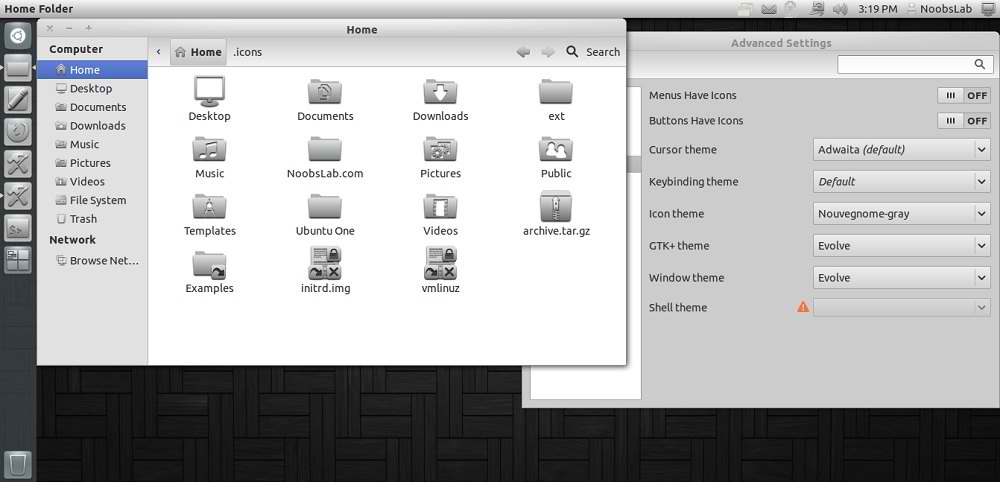
NouveGnome-Gray icons designed for Gnome and to be use with dark themes. It looks beautiful with every theme, you can give a try.
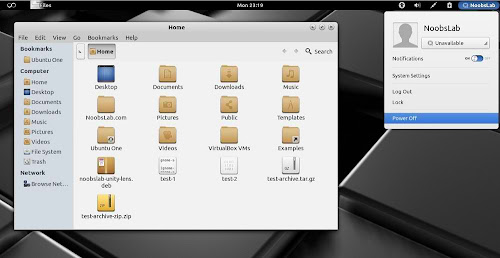
NouveGnome-Colors looks good with light themes, Author mentioned these icons are not completed yet but you can install them.
You can use Gnome-tweak-tool or Ubuntu-Tweak to change icons. Also Checkout Icons Collection.

1: NouveGnome-Gray Icons
icons

ubuntu icons

To install NouveGnome-Gray icons in Ubuntu/Linux Mint open Terminal (Press Ctrl+Alt+T) and copy the following commands in the Terminal:
  • sudo add-apt-repository ppa:noobslab/icons
  • sudo apt-get update
  • sudo apt-get install nouvegnome-gray

2: NouveGnome-Color Icons
icons

linux icons

To install NouveGnome-Color icons in Ubuntu/Linux Mint open Terminal (Press Ctrl+Alt+T) and copy the following commands in the Terminal:
  • sudo add-apt-repository ppa:noobslab/icons
  • sudo apt-get update
  • sudo apt-get install nouvegnome-color
You can install these icons on other distributions from here.
That's it, Enjoy
 

Just the Life of Eddie Copyright © 2012 Best Celebrity Wallpaper -- Powered by Blogger