Warung Bebas
Showing posts with label beatbox. Show all posts

Sunday, 14 October 2012

Install BeatBox Player 0.7 in Ubuntu 12.10/12.04/Linux Mint (New Release)

Install BeatBox Player 0.7 in Ubuntu 12.10 Quantal/Ubuntu 12.04 Precise/Linux Mint 13

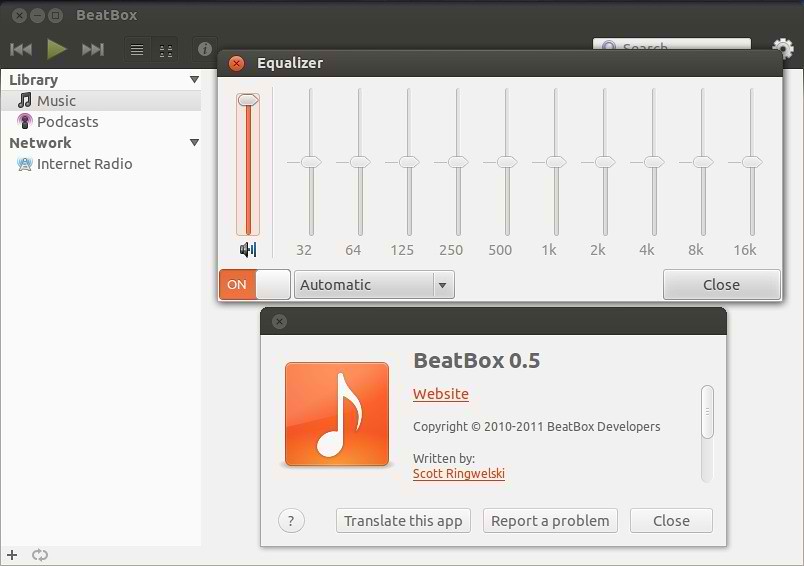
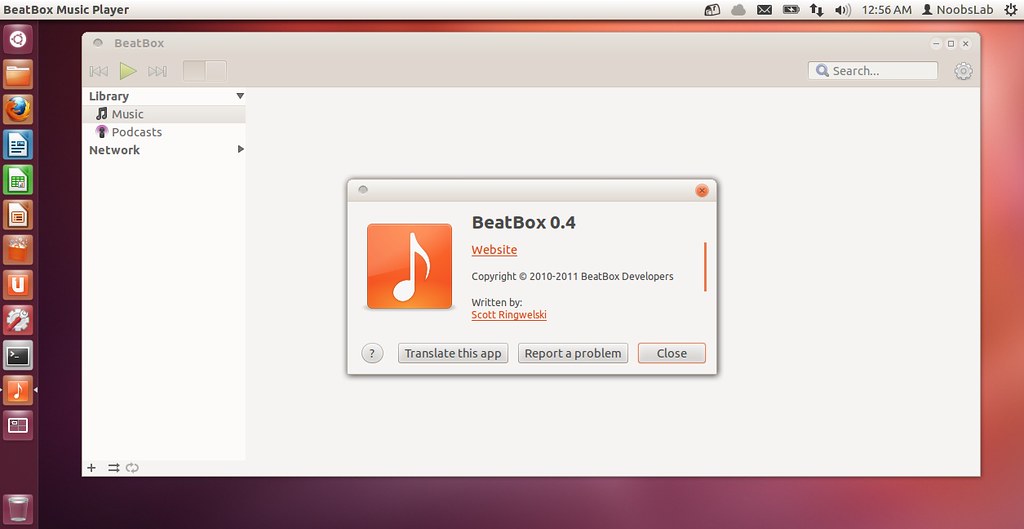
BeatBox is a Audio player for the linux operating system that is fast, simple, and beautiful. BeatBox is an easy to use, stable, fast and good looking music library organizer written in vala.
Features include:
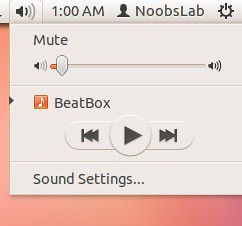
  • Sound Menu support
  • Two Views � Album art and �list�
  • CD Playback
  • iPod Syncing
  • Auto-fetching of missing album art
  • Album art renderer in �List View�
  • Scrobble support
  • Equaliser

To install BeatBox in Ubuntu/Mint open Terminal (Press Ctrl+Alt+T) and copy the following commands in the Terminal:
  • sudo add-apt-repository ppa:sgringwe/beatbox
  • sudo apt-get update
  • sudo apt-get install beatbox
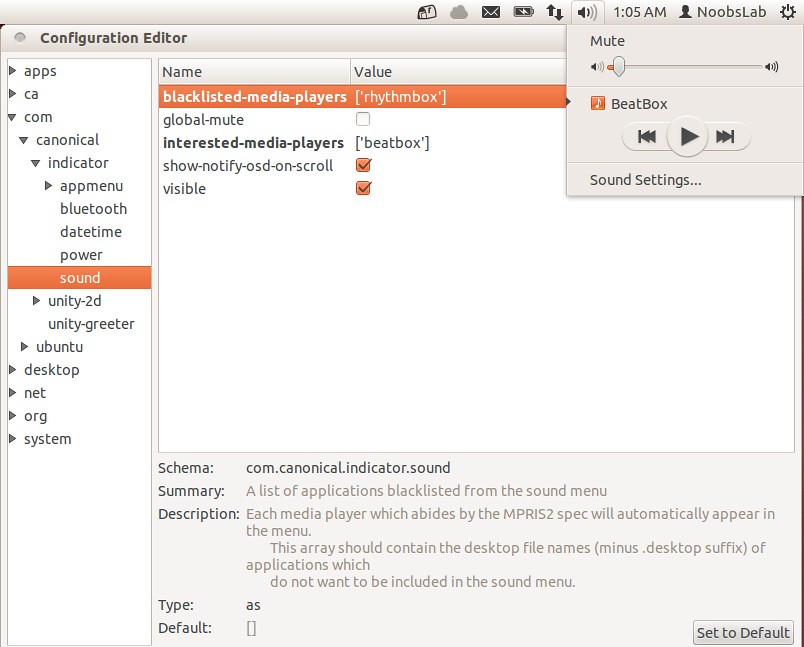
To add BeatBox in sound menu do following, Enter following command to install dconf-tools:
  • sudo apt-get install dconf-tools
Go to Dash open "Dconf-Editor" and see the following picture
beatbox

Friday, 10 August 2012

Install BeatBox 0.6 in Ubuntu/Linux Mint (New Release)

Install BeatBox Player in Ubuntu 12.04 Precise/Linux Mint 13

BeatBox is a Audio player for the linux operating system that is fast, simple, and beautiful. BeatBox is an easy to use, stable, fast and good looking music library organizer written in vala.
Features include:
  • Sound Menu support
  • Two Views � Album art and �list�
  • CD Playback
  • iPod Syncing
  • Auto-fetching of missing album art
  • Album art renderer in �List View�
  • Scrobble support
  • Equaliser

Release Notes 0.6, Some of the new noticeable features are:
  • Shuffle is no longer visual.
  • New top display UI.
  • Closing while playing hides the window, and a new exit app menu option allows you to force close the app.
  • Can now be set as default music player
  • Faster startup time
  • Option to eject devices from sidebar
  • Nicer album view popup
  • Sidebar inline toolbar

To install BeatBox in Ubuntu 12.04/Mint 13 open Terminal (Press Ctrl+Alt+T) and copy the following commands in the Terminal:
  • sudo add-apt-repository ppa:sgringwe/beatbox
  • sudo apt-get update
  • sudo apt-get install beatbox
To add BeatBox in sound menu do following, Enter following command to install dconf-tools:
  • sudo apt-get install dconf-tools
Go to Dash open "Dconf-Editor" and see the following picture
beatbox

Saturday, 16 June 2012

Install BeatBox 0.5 in Ubuntu 12.04/Linux Mint 13 (New Release)

Install BeatBox Player in Ubuntu 12.04 Precise/Linux Mint 13

BeatBox is a music player for the linux operating system that is fast, simple, and beautiful.


beatbox

Features include:
  • Sound Menu support
  • Two Views � Album art and �list�
  • CD Playback
  • iPod Syncing
  • Auto-fetching of missing album art
  • Album art renderer in �List View�
  • Scrobble support
  • Equaliser

To install BeatBox in Ubuntu 12.04/Mint 13 open Terminal (Press Ctrl+Alt+T) and copy the following commands in the Terminal:
  • sudo add-apt-repository ppa:sgringwe/beatbox
  • sudo apt-get update
  • sudo apt-get install beatbox
To add BeatBox in sound menu do following, Enter following command to install dconf-tools:
  • sudo apt-get install dconf-tools
Go to Dash open "Dconf-Editor" and see the following picture
beatbox

Thursday, 3 May 2012

Install BeatBox Player in Ubuntu 12.04 Precise Pangolin

Install BeatBox Player in Ubuntu 12.04 Precise Pangolin

BeatBox is a music player for the linux operating system that is fast, simple, and beautiful.

ubuntu beatbox

beatbox

Features include:
  • Sound Menu support
  • Two Views � Album art and �list�
  • CD Playback
  • iPod Syncing
  • Auto-fetching of missing album art
  • Album art renderer in �List View�
  • Scrobble support
  • Equaliser

To install BeatBox in Ubuntu 12.04 Precise Pangolin open Terminal (Press Ctrl+Alt+T) and copy the following commands in the Terminal:
  • sudo add-apt-repository ppa:sgringwe/beatbox
  • sudo apt-get update
  • sudo apt-get install beatbox
To add BeatBox in sound menu do following, Enter following command to install dconf-tools:
  • sudo apt-get install dconf-tools
Go to Dash open "Dconf-Editor" and see the following picture
beatbox


Just the Life of Eddie Copyright © 2012 Best Celebrity Wallpaper -- Powered by Blogger