0
comments
0
comments
Install Reloj-Conky in Ubuntu 12.10/12.04/any Ubuntu Version/Linux Mint/Fedora/Other Distro
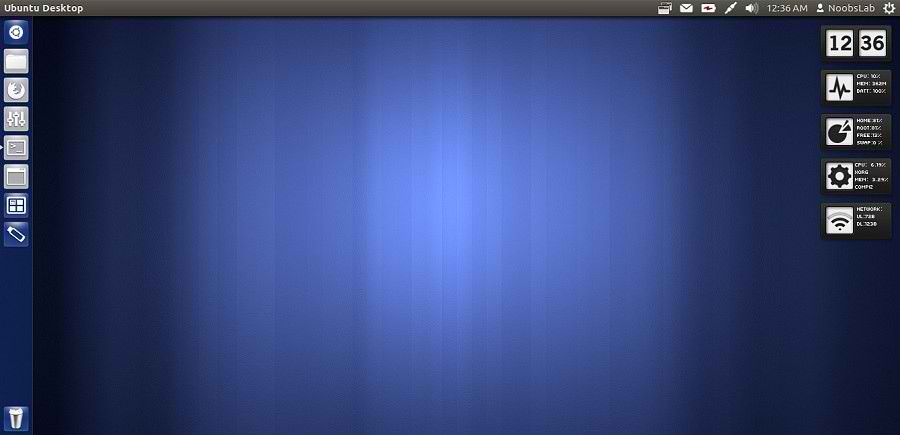
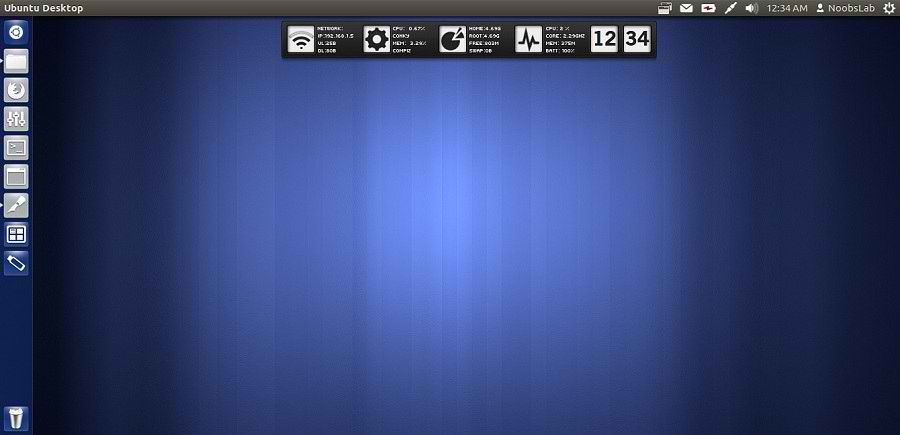
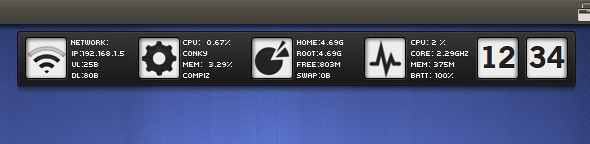
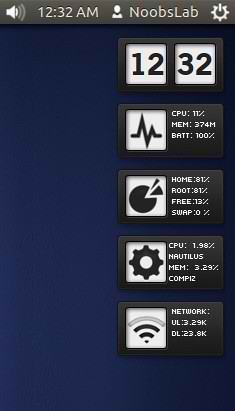
Previously NoobsLab shared other conky widgets for linux desktop to make desktop nice. So today brings Reloj conky for you, Basically this conky is available in three versions but NoobsLab provide only two versions after modification. This conky is available in vertical bar and in horizontal bar. NoobsLab make this conky available for all linux environments like (Gnome Shell, Unity, Cinnamon, Gnome Classic, Mate, and others), also made this available for wifi and ethernet. Reloj conky shows Cpu usage, Memory usage, Root and Home usage, Network upload and download speed, and Current pc Time.


Install Conky in Ubuntu/Linux Mint open terminal (Press Ctrl+Alt+T) and copy the following commands in the Terminal:
First of all Download Startup script with following commands:

1: Conky-Reloj Horizontal Bar

for (Unity, Gnome Classic, Mate, and other):
To install Conky-Reloj in Ubuntu/Mint open Terminal (Press Ctrl+Alt+T) and copy the following commands in the Terminal:
To install Conky-Reloj in Ubuntu/Mint open Terminal (Press Ctrl+Alt+T) and copy the following commands in the Terminal:
2: Conky-Reloj Vertical Bar

for (Unity, Gnome Classic, Mate, and other):
To install Conky-Reloj in Ubuntu/Mint open Terminal (Press Ctrl+Alt+T) and copy the following commands in the Terminal:
To install Conky-Reloj in Ubuntu/Mint open Terminal (Press Ctrl+Alt+T) and copy the following commands in the Terminal:
Previously NoobsLab shared other conky widgets for linux desktop to make desktop nice. So today brings Reloj conky for you, Basically this conky is available in three versions but NoobsLab provide only two versions after modification. This conky is available in vertical bar and in horizontal bar. NoobsLab make this conky available for all linux environments like (Gnome Shell, Unity, Cinnamon, Gnome Classic, Mate, and others), also made this available for wifi and ethernet. Reloj conky shows Cpu usage, Memory usage, Root and Home usage, Network upload and download speed, and Current pc Time.
Install Conky in Ubuntu/Linux Mint open terminal (Press Ctrl+Alt+T) and copy the following commands in the Terminal:
Install by yourself in other distro's.
- sudo apt-get install conky conky-all
First of all Download Startup script with following commands:
Now open Startup Applications > click Add > New Dialog box will open click on Browse > Now (Press Ctrl+H) see following screenshot.
- wget -O .start-conky http://goo.gl/6RrEw
- chmod +x .start-conky

1: Conky-Reloj Horizontal Bar
for (Unity, Gnome Classic, Mate, and other):
To install Conky-Reloj in Ubuntu/Mint open Terminal (Press Ctrl+Alt+T) and copy the following commands in the Terminal:
for (Gnome Shell and Cinnamon):
- wget -O reloj-bar-wlan-u.zip http://goo.gl/MKRAO
- unzip reloj-bar-wlan-u.zip
- sudo rm reloj-bar-wlan-u.zip
To install Conky-Reloj in Ubuntu/Mint open Terminal (Press Ctrl+Alt+T) and copy the following commands in the Terminal:
- wget -O reloj-bar-wlan-gs.zip http://goo.gl/7Lnq8
- unzip reloj-bar-wlan-gs.zip
- sudo rm reloj-bar-wlan-gs.zip
2: Conky-Reloj Vertical Bar
for (Unity, Gnome Classic, Mate, and other):
To install Conky-Reloj in Ubuntu/Mint open Terminal (Press Ctrl+Alt+T) and copy the following commands in the Terminal:
for (Gnome Shell and Cinnamon):
- wget -O reloj-ver-wlan-u.zip http://goo.gl/uwlTu
- unzip reloj-ver-wlan-u.zip
- sudo rm reloj-ver-wlan-u.zip
To install Conky-Reloj in Ubuntu/Mint open Terminal (Press Ctrl+Alt+T) and copy the following commands in the Terminal:
That's it, Enjoy
- wget -O reloj-ver-wlan-gs.zip http://goo.gl/kK1Pe
- unzip reloj-ver-wlan-gs.zip
- sudo rm reloj-ver-wlan-gs.zip
Source: Reloj-Conky