Warung Bebas
Showing posts with label tweak tool. Show all posts

Saturday, 5 January 2013

Mechanig Unity Customization Tool for Ubuntu 12.10 Quantal/13.04 Raring

Mechanig Unity Tweak Tool for Ubuntu 12.10 Quantal Quetzal/Ubuntu 13.04 Raring Ringtail

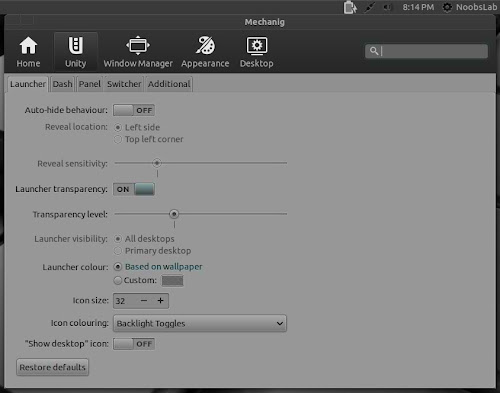
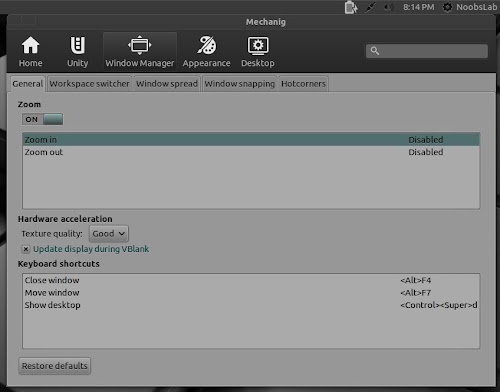
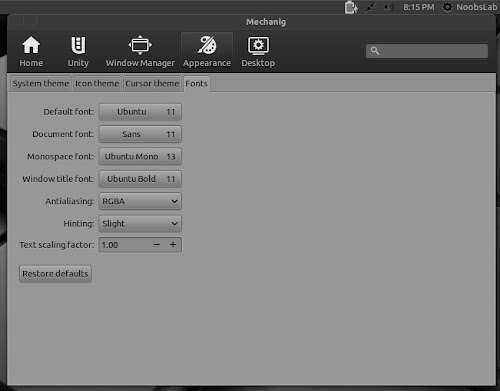
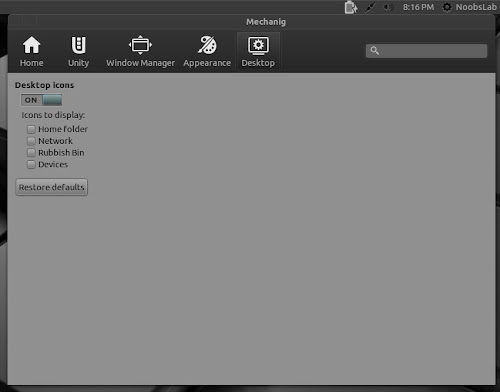
Mechanig is new Unity customization tool, it is just dived in Ubuntu sea sometime ago. Mechanig is Unity configuration tool that aims to expose all the most needed Unity, Compiz, Appearance and Desktop settings in one interface to rule them all. Currently mechanig is under development, there is no stable version released, So you shouldn't expect everything perfect from this tool but you will get daily builds with some new fixes.
As experienced with this tool there is bug in theme, cursors and icons section (themes, cursors and icons just don't show up, it means you can't change them from this tool - hope they will it soon), other advance settings are working perfectly.
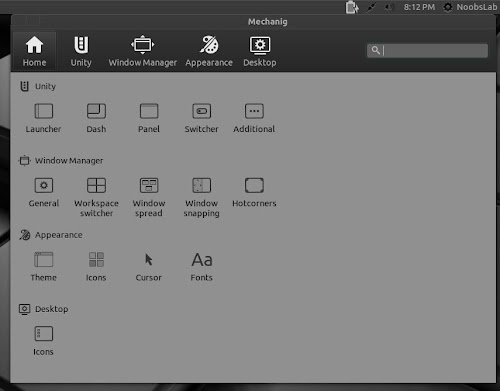
mechanig unity tool

mechanig tool

ubuntu tweak tool

Ubuntu mechanig

mechanig tweak tool

To install Mechanig Tweak Tool on Ubuntu open Terminal (Press Ctrl+Alt+T) and copy the following commands in the Terminal:
  • sudo add-apt-repository ppa:freyja-dev/mechanig-daily
  • sudo apt-get update
  • sudo apt-get install mechanig
That's it
Source: mechanig

Sunday, 30 December 2012

Install Ubuntu-Tweak 0.8.3 in Ubuntu 12.10/12.04/11.10/Linux Mint

Install Ubuntu-Tweak 0.8.3 in Ubuntu 12.10 Quantal/Ubuntu 12.04 Precise/Ubuntu 11.10/Linux Mint 13/12 (New Release) and old versions on previous Ubuntu versions.

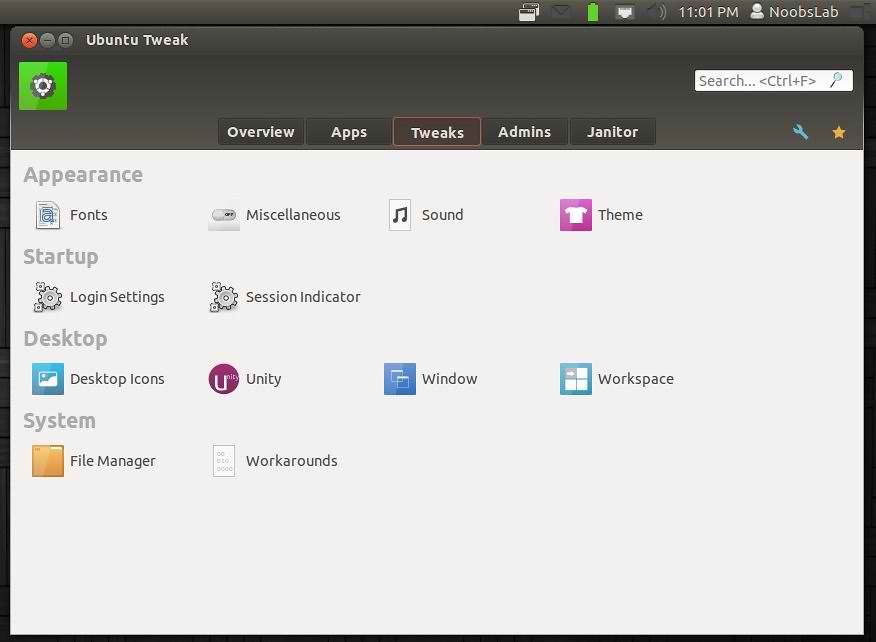
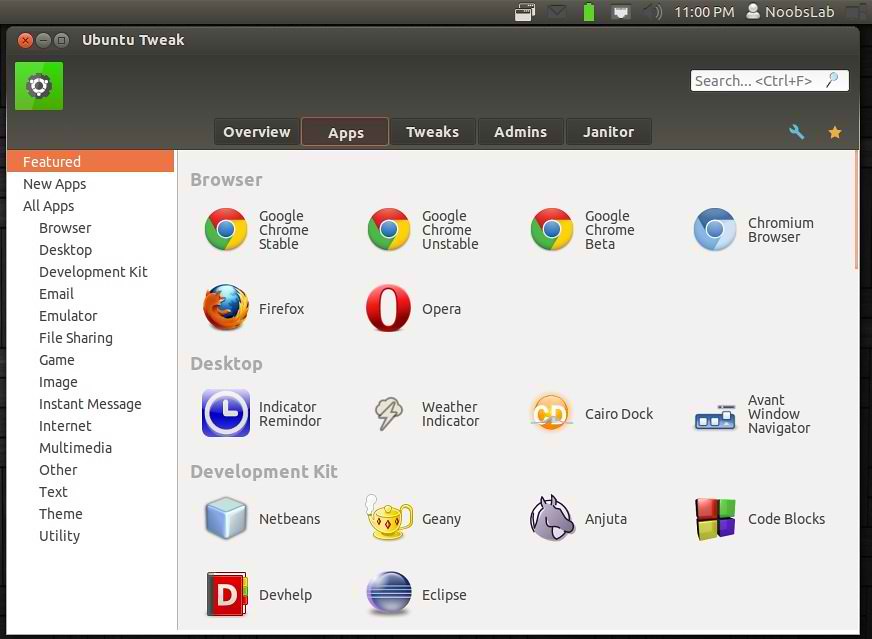
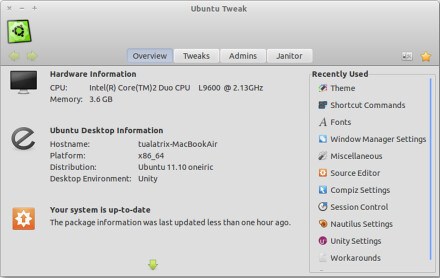
Ubuntu Tweak is an application designed to config Ubuntu easier for everyone. It provided many useful desktop and system options that the default desktop environment isn't provided. At present, It is only designed for Ubuntu GNOME Desktop, and often follows the newest Ubuntu distribution.
ubuntu tweak

ubuntu tweak


Changelog of version 0.8.3:
  • Ignore the Unity WebApp specific action like S0 ~ S1
  • Fix ubuntu-tweak crashed with SIGSEV in PyGILState_Ensure()
  • Improve "Auto detect text encoding for Chinese in Gedit"
  • thumbnailcache_plugin uses deprecated path
  • File Manager module encountered error while loading
  • ubuntu-tweak is top crasher on errors.ubuntu.com


To install Ubuntu-Tweak in Ubuntu/Linux Mint (Press Ctrl+Alt+T) and copy the following commands in the Terminal:
  • sudo add-apt-repository ppa:tualatrix/ppa 
  • sudo apt-get update
  • sudo apt-get install ubuntu-tweak
Ubuntu-Tweak 0.8.3 Package File.deb, Also Support Ubuntu-tweak Project by Donations.
That's it, Enjoy
Source: Ubuntu-Tweak

Sunday, 12 August 2012

Install Ubuntu Tweak 0.7.3 on Ubuntu/Linux Mint (New Release)

Install Ubuntu Tweak 0.7.3 on Ubuntu 12.04/11.10/11.04/Linux Mint 13/12/11 (New Release)

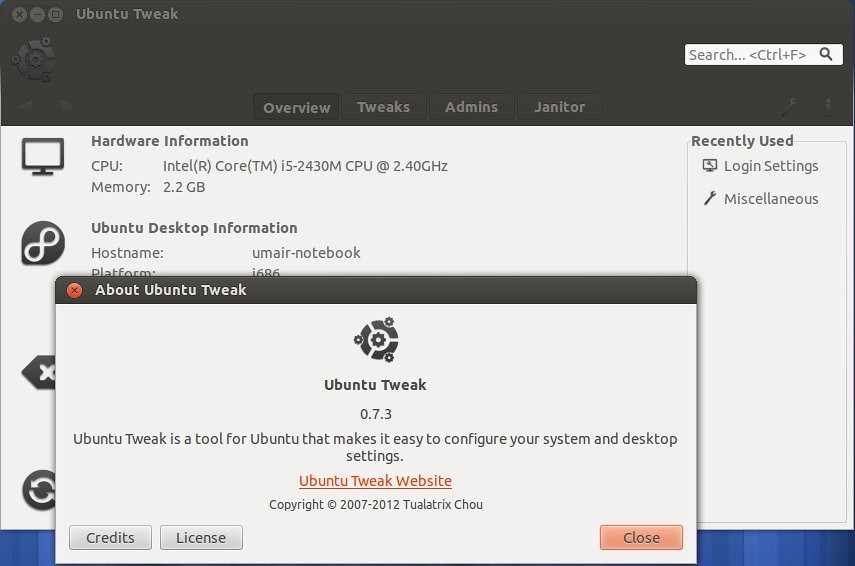
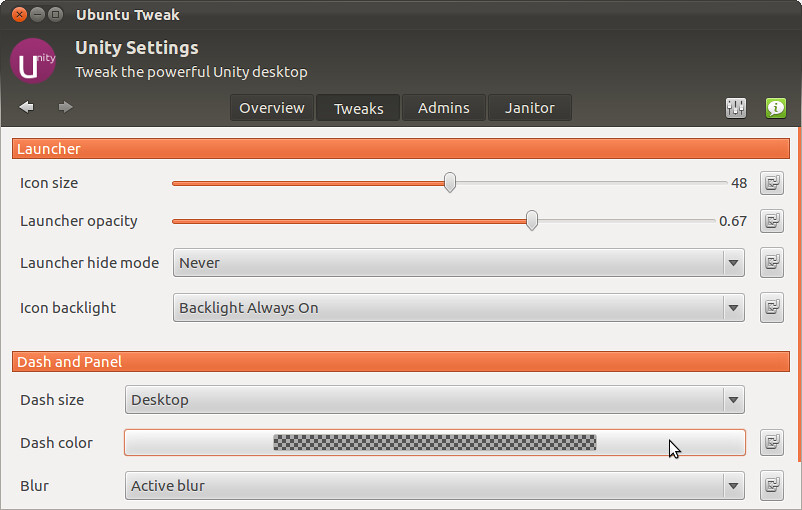
Ubuntu Tweak is an application designed to config Ubuntu easier for everyone. It provided many usefull desktop and system options that the default desktop environment isn�t provided. At present, It is only designed for Ubuntu GNOME Desktop, and often follows the newest Ubuntu distribution.

ubuntu tweak

ubuntu tweak

Adjust panel opacity, change fonts, clear unwanted cache are actions that can be easily performed via Ubuntu Tweak, a tool specialized in dealing with numerous Ubuntu tweaks in one, friendly, global place.

New Features Added:
  • Add feature to turn on/off Guest account;
  • Add support for Linux Mint 13 (Ubuntu 12.10 is supported too, but can�t ensure the stability)
  • In Ubuntu 12.10, linux-image-extra has been added to the old kernel clean list
Bugs fixed in 0.7.3:
  • QuickList Editor lost Edits
  • Ubuntu Tweak crashes on ubuntu 12.10
  • Need to update utdata url
  • module import error and administration doesn�t work
  • Tweak tab hangs with 0.7.3.0 testing
  • LightDM plugin should be active if lightDM is the DM
  • Screen edges actions are reversed in right to left locals
  • Janitor crash when try to select apt cache checkbox
  • Error message when clicking on �Session indicator� when indicator-session is not installed isn�t clear enough
  • AttributeError: �NoneType� object has no attribute �present�
  • ubuntu tweak scripts

To install Ubuntu Tweak on Ubuntu/Linux Mint (Press Ctrl+Alt+T) and copy the following commands in the Terminal:
  • sudo add-apt-repository ppa:tualatrix/ppa 
  • sudo apt-get update
  • sudo apt-get install ubuntu-tweak
For Ubuntu 11.04/older versions download this deb file:
Ubuntu-tweak 0.7.3 Package File.deb

That's it, Enjoy

Sunday, 3 June 2012

Install Ubuntu Tweak 0.7.2 in Ubuntu/Linux Mint (New Release)

Install Ubuntu Tweak 0.7.2 on Ubuntu 12.04/11.10/11.04/Linux Mint 13/12/11 (New Release)

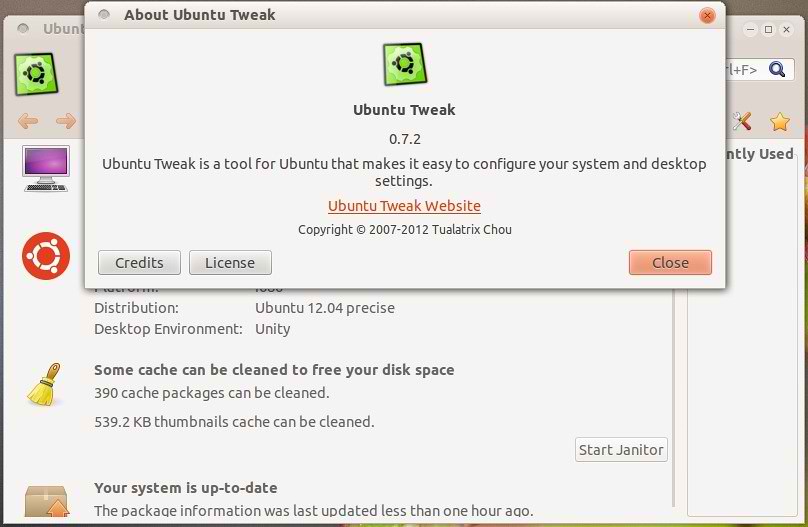
Ubuntu Tweak is an application designed to config Ubuntu easier for everyone. It provided many usefull desktop and system options that the default desktop environment isn�t provided. At present, It is only designed for Ubuntu GNOME Desktop, and often follows the newest Ubuntu distribution.

ubuntu tweak

ubuntu tweak

Adjust panel opacity, change fonts, clear unwanted cache are actions that can be easily performed via Ubuntu Tweak, a tool specialized in dealing with numerous Ubuntu tweaks in one, friendly, global place.

Features:
  • View of Basic System Information(Distribution, Kernel, CPU, Memory, etc.)
  • GNOME Session Control
  • Auto Start Program Control
  • Qucik install common usded applications
  • A lot of third-party sources to keep application up-to-date
  • Clean unneeded packages or cache to free the disk space
  • Show/Hide and Change Splash screen
  • Show/Hide desktop icons or Mounted Volumes
  • Show/Hide/Rename Computer, Home, Trash icon or Network icon
  • Tweak Metacity Window Manager�s Style and Behavior
  • Compiz Fusion settings, Screen Edge Settings, Window Effects Settings, Menu Effect Settings
  • Set the Shortcuts to let qucikly access your favourite applications
  • GNOME Panel Settings
  • Nautilus Settings
  • Advanced Power Management Settings
  • System Security Settings
Changes in 0.7.2:
  • Integration with Ubuntu�s System Settings app
  • Invalid values for resetting fonts
  • Ubuntu Tweak reported a negative number of bytes for removing old kernels
  • Pressed the file manager, an error message appears
  • crash while searching for old kernels to clean
  • ubuntu tweack �miscellaneous� crash
  • Recently Used should not display the items doesn�t work for current desktop
  • Janitor tab is empty
  • Crash while trying to add a custom command in File Type Manager
  • Click on Sessing module generates �this module encountered an error while loading�
  • Houve erro ao carregar o modulo.
  • NameError in utils.walk_directories
  • Font settings are not displayed in gnome-fallback session
  • launching desktop icond from within ubuntu tweak

To install Ubuntu Tweak on Ubuntu/Linux Mint (Press Ctrl+Alt+T) and copy the following commands in the Terminal:
  • sudo add-apt-repository ppa:tualatrix/ppa 
  • sudo apt-get update
  • sudo apt-get install ubuntu-tweak
For Ubuntu 11.04/older versions download this deb file:
Ubuntu-tweak 0.7.2 Package File.deb

Here is site of Ubuntu-Tweak.

Wednesday, 25 April 2012

Install Ubuntu Tweak 0.7.0 on Ubuntu 12.04/11.10/11.04/Linux Mint (New Release)

Install Ubuntu Tweak 0.7.0 on Ubuntu 12.04/11.10/11.04/Linux Mint (New Release)

Ubuntu Tweak 0.7.0 has been added to repositories "third party"of Ubuntu 12.04 brings several new features and more freedom to customize the Unity.


Adjust panel opacity, change fonts, clear unwanted cache are actions that can be easily performed via Ubuntu Tweak, a tool specialized in dealing with numerous Ubuntu tweaks in one, friendly, global place.

Highlights:
- Four features are back: App Center, Source Center, Templates and Scripts
- Source Center with integrated PPA Purge feature and App Center with �Installed Apps� view
- Improved Janitor with cleaning apps cache
- Global fuzzy search
- QuickLists Editor to edit the Unity Launcher
- Login settings for 12.04
- More Unity settings and new Workspace settings

Release Notes of 0.7.0:
* Overview of Changes
- Four features are back: App Center, Source Center, Templates and Scripts
- Source Center with integrated PPA Purge feature
- App Center with "Installed Apps" view
- Improved Janitor feature with cleaning apps cache and UI polish
- Global fuzz search
- QuickLists Editor to edit the Unity Launcher
- Login settings for 12.04: play sound feature
- More Unity settings and new Workspace settings
- Add support for icon install
- UI Polishes:
- Grid container in all tweaks
- Use scrollbar in Clip page
- No scrollbar in Recently

To install Ubuntu Tweak on Ubuntu/Linux Mint (Press Ctrl+Alt+T) and copy the following commands in the Terminal:
  • sudo add-apt-repository ppa:tualatrix/ppa 
  • sudo apt-get update
  • sudo apt-get install ubuntu-tweak
For Ubuntu 11.04/older versions download this deb file:
Ubuntu-tweak 0.7.0 Package File

Here is site of Ubuntu-Tweak.

Saturday, 21 April 2012

Install Unsettings Tweak Tool on Ubuntu 12.04/11.10/Mint

Install Unsettings on Ubuntu 12.04 Precise Pangolin/Ubuntu 11.10 Oneiric Ocelot/Linux Mint

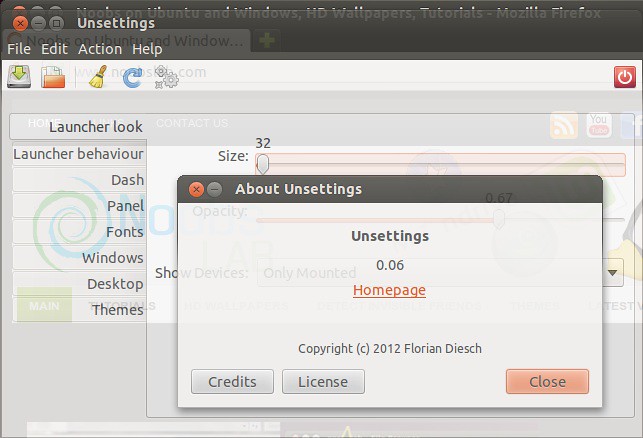
UnSettings is new tool for Ubuntu tweaking. There are some tweaking programs like MyUnity, Gnome Tweak Tool, Ubuntu-Tweak but This program include some unique features. You can easily disable global menu, dash customization, windows scroll-bar overlay enable/disable, launcher opacity + other options, panel opaque enable/disable, change themes fonts and many more.

unsettings

ubuntu tweak

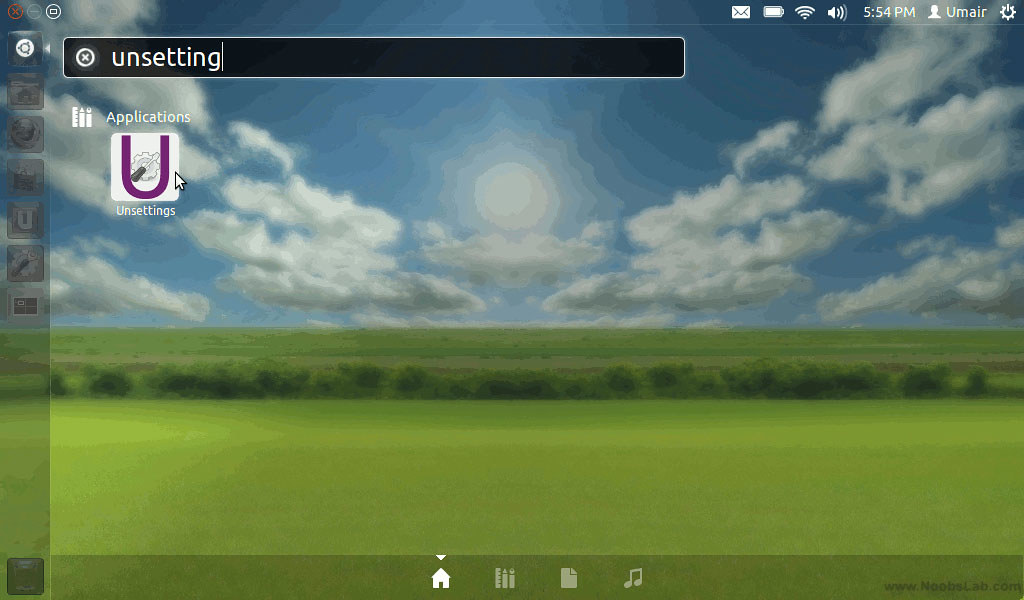
To install unsettings on Ubuntu 12.04/11.10 open Terminal (Press Ctrl+Alt+T) and copy the following commands in the Terminal:
  • sudo add-apt-repository ppa:diesch/testing
  • sudo apt-get update
  • sudo apt-get install unsettings
Here is the page on launchpad, Reports bugs on this page.

Saturday, 10 March 2012

Install UnSettings Tweak Tool on Ubuntu 12.04 Precise/11.10 Oneiric

Install Unsettings on Ubuntu 12.04 Precise Pangolin/Ubuntu 11.10 Oneiric Ocelot

UnSettings is new tool for Ubuntu tweaking. There are some tweaking programs like MyUnity, Gnome Tweak Tool, Ubuntu-Tweak but This program include some unique features. You can easily disable global menu, dash customization, windows scroll-bar overlay enable/disable, launcher opacity + other options, panel opaque enable/disable, change themes fonts and many more.

Here are some Screen shots 
unsettings tweak

ubuntu tweak

tweak tool

unsettings

To install unsettings on Ubuntu 11.10 open Terminal (Press Ctrl+Alt+T) and copy the following commands in the Terminal:
  • sudo add-apt-repository ppa:diesch/testing
  • sudo apt-get update
  • sudo apt-get install unsettings
You can download Deb File for Ubuntu 12.04 Precise.
Here is the page on launchpad, Reports bugs on this page.
 

Just the Life of Eddie Copyright © 2012 Best Celebrity Wallpaper -- Powered by Blogger