Warung Bebas
Showing posts with label unsettings. Show all posts

Monday, 29 October 2012

Install Unsettings 0.08 in Ubuntu 12.10/12.04/11.10/Linux Mint

Install Unsettings 0.08 in Ubuntu 12.10 Quantal/Ubuntu 12.04 Precise Pangolin/Ubuntu 11.10 Oneiric Ocelot/Linux Mint 13/12

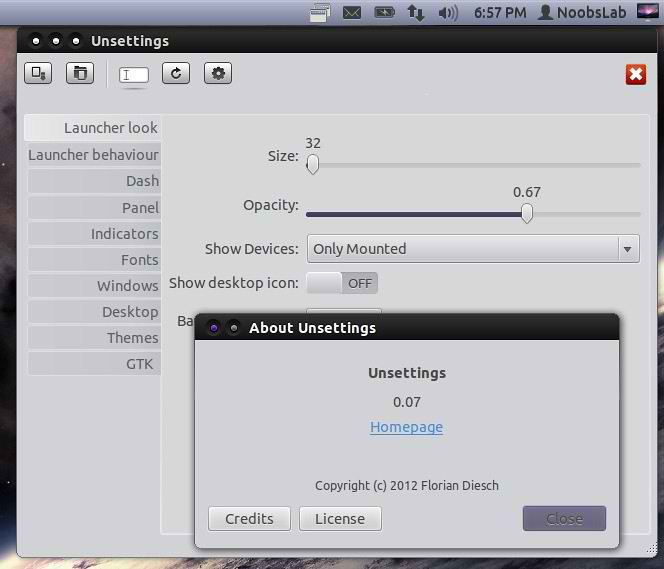
Unsettings is a graphical configuration program for the Unity desktop environment that lets you change some of the Unity settings. Unsettings can only change your user's settings, you can't use it to change global settings or do anything else that needs root privileges. You can use Unsettings to change the themes for GTK, window manager, icons and cursors. But it doesn't support the installation of new themes. With Unsettings you can switch off the global menu and the overlay scrollbars used in Unity. In addition to just applying the settings Unsettings lets you to save your settings into and load from a text file (JSON format) so you can easily backup you settings or copy them to a different account. There are some more tweak programs like Gnome Tweak Tool, Ubuntu-Tweak.

What's new in this release:
  • Added Unity 6 support
  • Added Brazilian Portuguese, Slovak translations
  • Minor GUI changes

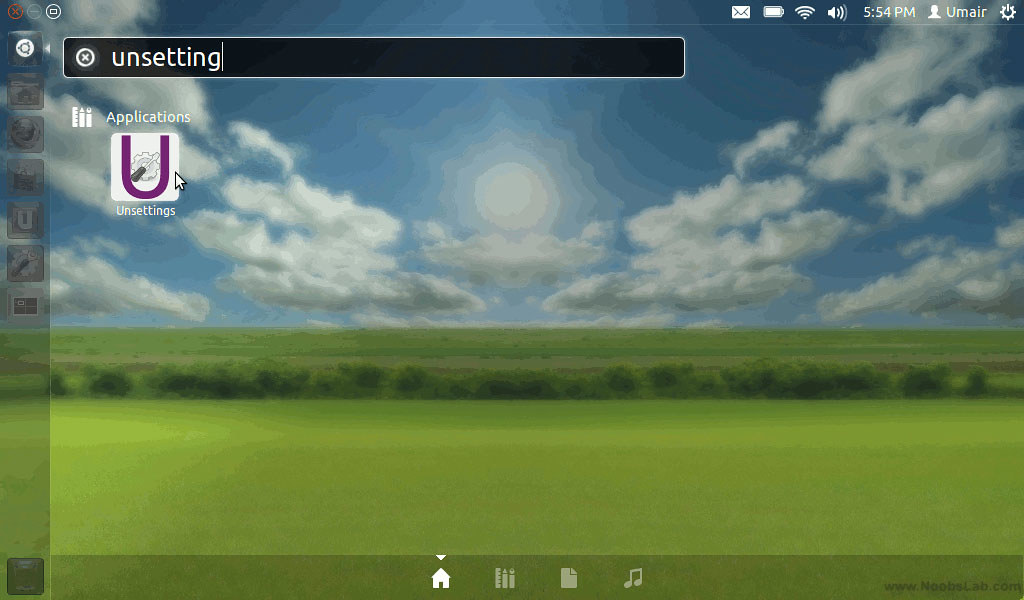
To install Unsettings in Ubuntu/Linux Mint open Terminal (Press Ctrl+Alt+T) and copy the following commands in the Terminal:
  • sudo add-apt-repository ppa:diesch/testing
  • sudo apt-get update
  • sudo apt-get install unsettings
Reports bugs on this page.
Source: Unsettings

Saturday, 1 September 2012

Install Unsettings 0.07 Tweak Tool in Ubuntu 12.10/12.04/11.10/Linux Mint (New Release)

Install Unsettings 0.07 in Ubuntu 12.10 Quantal/Ubuntu 12.04 Precise Pangolin/Ubuntu 11.10 Oneiric Ocelot/Linux Mint 13/12

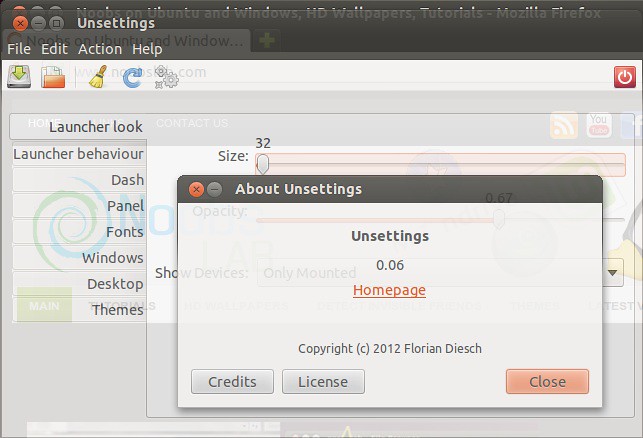
UnSettings is new tool for Ubuntu tweaking. There are some tweaking programs like Gnome Tweak Tool, Ubuntu-Tweak but This program include some unique features. You can easily disable global menu, dash customization, windows scroll-bar overlay enable/disable, launcher opacity + other options, panel opaque enable/disable, change themes fonts and many more.

ubuntu tweak

What's new in this release:
  • Added some more options
  • Added tooltips for all options
  • Added Chinese (Traditional), Bulgarian, Dutch, French, Greek, Russian, Turkish translations
  • Fixed some possible crashes
  • Works on Ubuntu 12.10

To install unsettings in Ubuntu/Linux Mint open Terminal (Press Ctrl+Alt+T) and copy the following commands in the Terminal:
  • sudo add-apt-repository ppa:diesch/testing
  • sudo apt-get update
  • sudo apt-get install unsettings
Here is the page on launchpad, Reports bugs on this page.

Saturday, 21 April 2012

Install Unsettings Tweak Tool on Ubuntu 12.04/11.10/Mint

Install Unsettings on Ubuntu 12.04 Precise Pangolin/Ubuntu 11.10 Oneiric Ocelot/Linux Mint

UnSettings is new tool for Ubuntu tweaking. There are some tweaking programs like MyUnity, Gnome Tweak Tool, Ubuntu-Tweak but This program include some unique features. You can easily disable global menu, dash customization, windows scroll-bar overlay enable/disable, launcher opacity + other options, panel opaque enable/disable, change themes fonts and many more.

unsettings

ubuntu tweak

To install unsettings on Ubuntu 12.04/11.10 open Terminal (Press Ctrl+Alt+T) and copy the following commands in the Terminal:
  • sudo add-apt-repository ppa:diesch/testing
  • sudo apt-get update
  • sudo apt-get install unsettings
Here is the page on launchpad, Reports bugs on this page.

Saturday, 10 March 2012

Install UnSettings Tweak Tool on Ubuntu 12.04 Precise/11.10 Oneiric

Install Unsettings on Ubuntu 12.04 Precise Pangolin/Ubuntu 11.10 Oneiric Ocelot

UnSettings is new tool for Ubuntu tweaking. There are some tweaking programs like MyUnity, Gnome Tweak Tool, Ubuntu-Tweak but This program include some unique features. You can easily disable global menu, dash customization, windows scroll-bar overlay enable/disable, launcher opacity + other options, panel opaque enable/disable, change themes fonts and many more.

Here are some Screen shots 
unsettings tweak

ubuntu tweak

tweak tool

unsettings

To install unsettings on Ubuntu 11.10 open Terminal (Press Ctrl+Alt+T) and copy the following commands in the Terminal:
  • sudo add-apt-repository ppa:diesch/testing
  • sudo apt-get update
  • sudo apt-get install unsettings
You can download Deb File for Ubuntu 12.04 Precise.
Here is the page on launchpad, Reports bugs on this page.
 

Just the Life of Eddie Copyright © 2012 Best Celebrity Wallpaper -- Powered by Blogger