 0
comments
0
comments
Install The-Eye-of-Gnome-Blue GTK3/2 theme on Ubuntu 12.04 Precise Pangolin/Ubuntu 11.10/11.04/10.10/Linux Mint
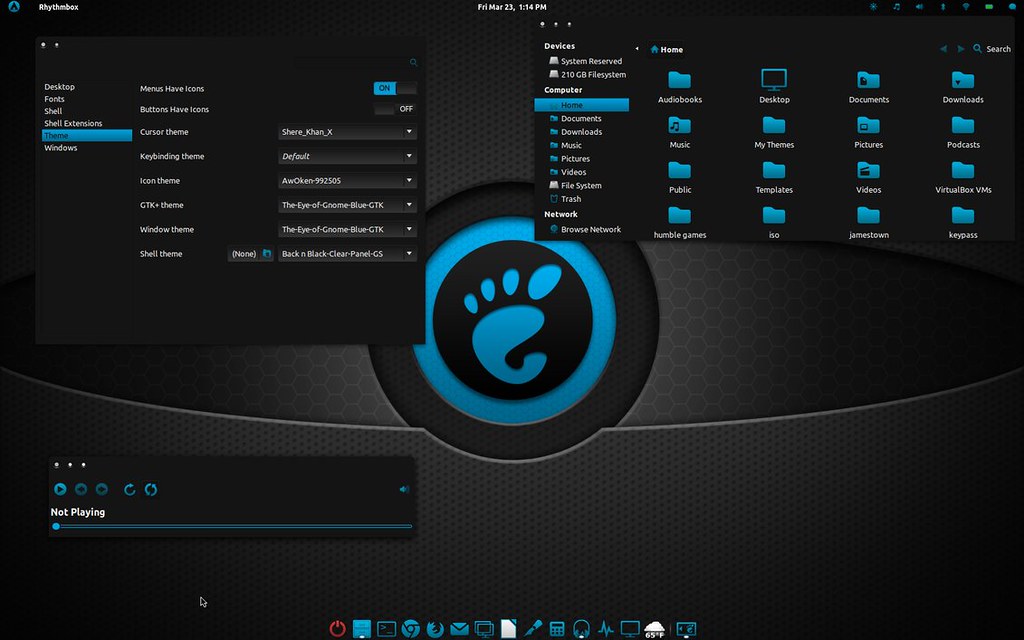
1: First Download this Wallpaper for this Theme.
2: Install Awoken Icons
3: Install Cairo Dock
4: To install theme on Ubuntu/Linux Mint open Terminal (Press Ctrl+Alt+T) and copy the following commands in the Terminal:
1: First Download this Wallpaper for this Theme.
2: Install Awoken Icons
3: Install Cairo Dock
4: To install theme on Ubuntu/Linux Mint open Terminal (Press Ctrl+Alt+T) and copy the following commands in the Terminal:
- mkdir ~/.themes
- wget http://dl.dropbox.com/u/53319850/NoobsLab.com/the_eye_of_gnome_blue.zip
- unzip the_eye_of_gnome_blue.zip -d ~/.themes
Source: Author Page on DevianArt


