 0
comments
0
comments
Install Malys-Revolt GTK Theme on Ubuntu 12.04 Precise Pangolin/Ubuntu 11.10 Oneiric Ocelot/Linux Mint 13 Maya/12 Lisa
1st: Here is UniBlue Icons for this theme
2nd: Move Minimize, Maximize, Close Button to Right
3rd: Download Malys Revolt Wallpaper
1: Malys-Revolt 1.0 Version:
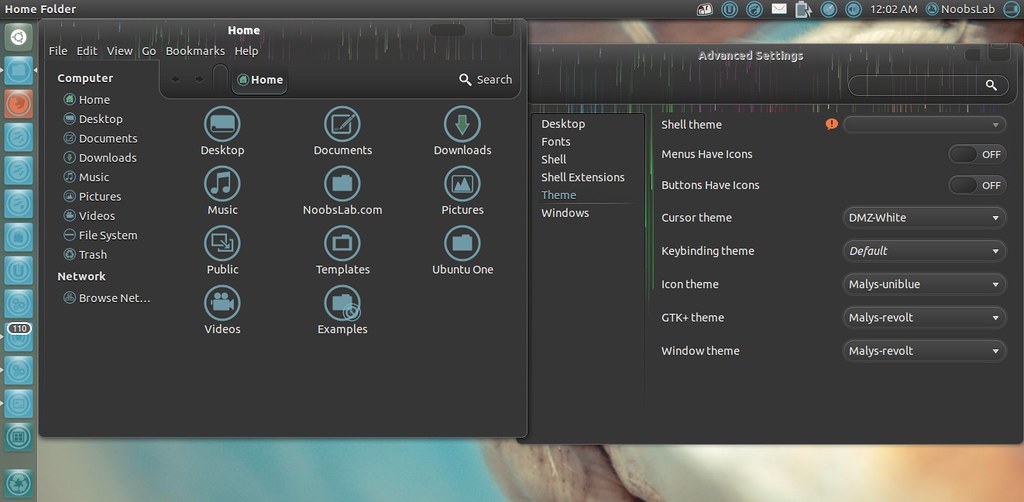
Theme Tested on Ubuntu 12.04 Precise Pangolin
To install Malys Revolt on Ubuntu/Mint open Terminal (Press Ctrl+Alt+T) and copy the following commands in the Terminal:
2: Malys-Revolt 0.5 Version:
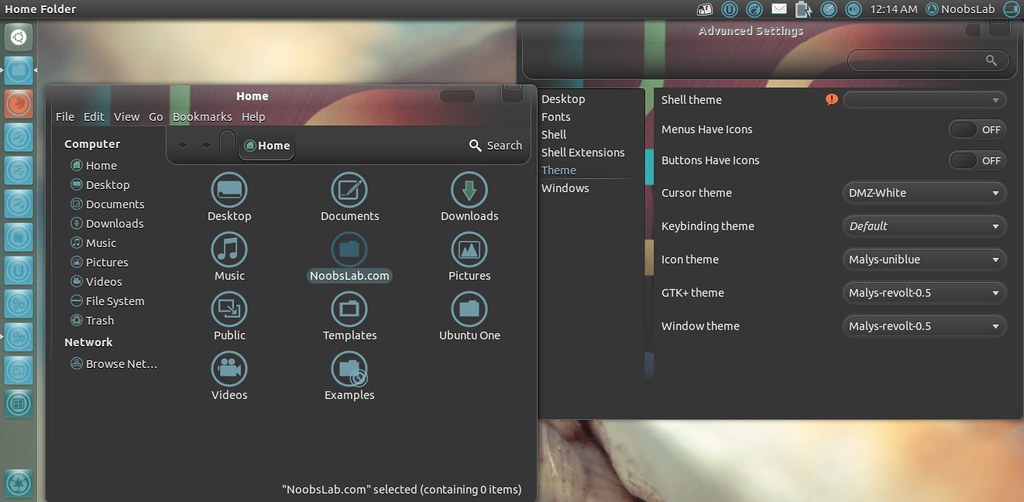
Theme Tested on Ubuntu 12.04 Precise Pangolin
To install Malys Revolt on Ubuntu/Mint open Terminal (Press Ctrl+Alt+T) and copy the following commands in the Terminal:
3: Malys-Revolt 0.1 Version:
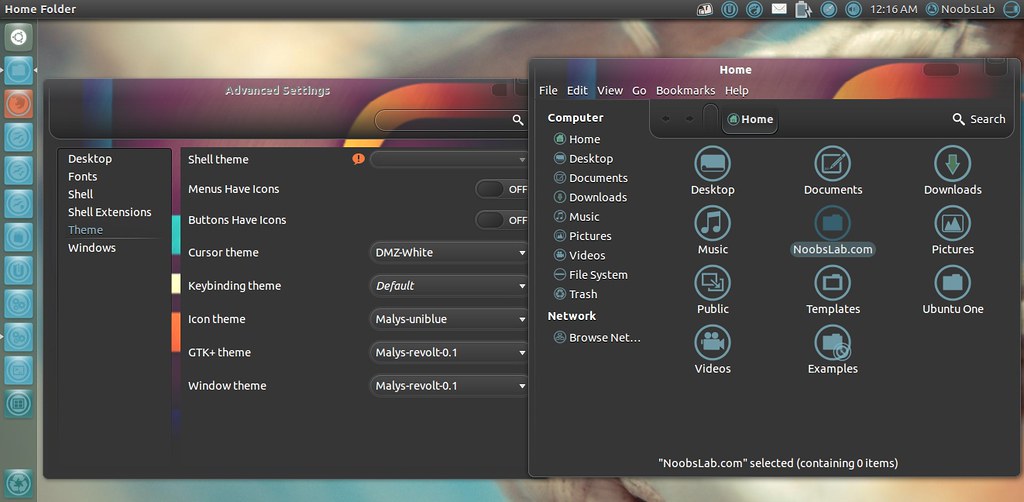
Theme Tested on Ubuntu 12.04 Precise Pangolin
To install Malys Revolt on Ubuntu/Mint open Terminal (Press Ctrl+Alt+T) and copy the following commands in the Terminal:
1st: Here is UniBlue Icons for this theme
2nd: Move Minimize, Maximize, Close Button to Right
3rd: Download Malys Revolt Wallpaper
1: Malys-Revolt 1.0 Version:
Theme Tested on Ubuntu 12.04 Precise Pangolin
To install Malys Revolt on Ubuntu/Mint open Terminal (Press Ctrl+Alt+T) and copy the following commands in the Terminal:
- sudo add-apt-repository ppa:noobslab/malys-themes
- sudo apt-get update
- sudo apt-get install malys-revolt
2: Malys-Revolt 0.5 Version:
Theme Tested on Ubuntu 12.04 Precise Pangolin
To install Malys Revolt on Ubuntu/Mint open Terminal (Press Ctrl+Alt+T) and copy the following commands in the Terminal:
- sudo add-apt-repository ppa:noobslab/malys-themes
- sudo apt-get update
- sudo apt-get install malys-revolt-0.5
3: Malys-Revolt 0.1 Version:
Theme Tested on Ubuntu 12.04 Precise Pangolin
To install Malys Revolt on Ubuntu/Mint open Terminal (Press Ctrl+Alt+T) and copy the following commands in the Terminal:
That's it, Enjoy
- sudo add-apt-repository ppa:noobslab/malys-themes
- sudo apt-get update
- sudo apt-get install malys-revolt-0.1
Source: Malys Revolt


