0
comments
0
comments
Install Tempered Glass Theme on Ubuntu 12.04 Precise/Ubuntu 11.10 Oneiric/Linux Mint/Any Linux for Gnome Shell/Cinnamon

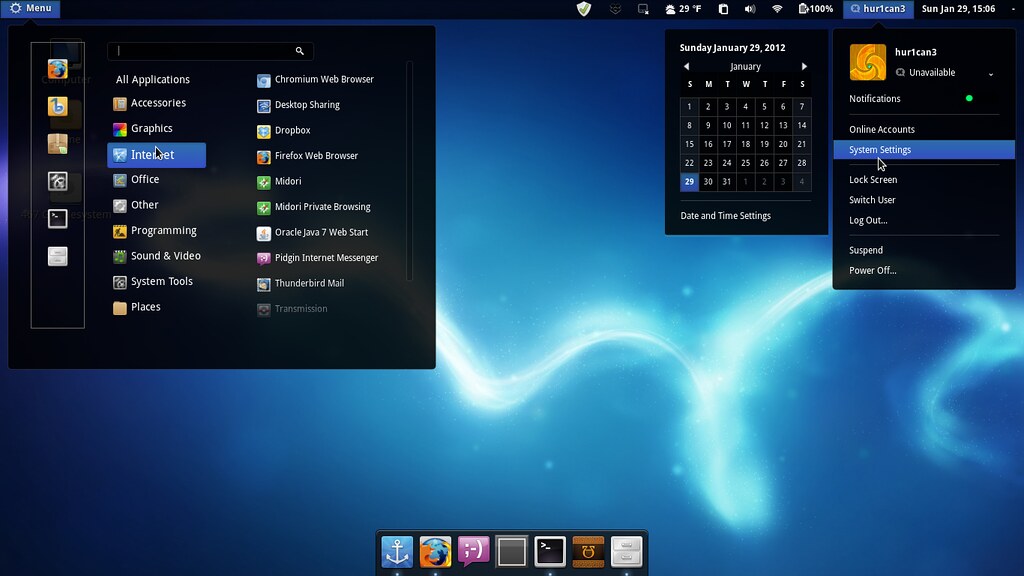
Tempered Glass (Gnome Shell 3.2.1 - 3.2.2.1 Theme) is a combination of white and dark shades of glass. The usual set of extensions (Windowlist, Menu, Dock, Bottompanel and Windowoverlay) are all supported. I tried to maintain strictly shades of glass everywhere so just note me on any issue and I will look at ajustments.
THEME IS COMPATIBLE WITH ALL LINUX DISTROS USING GNOME SHELL 3.2.1 - 3.2.2.1
First Download Theme Wallpaper
2nd Here is the Awoken Icons
>> Install Tempered Glass theme on Gnome Shell open Terminal (Press Ctrl+Alt+T) and copy the following commands in the Terminal:
>> Install Tempered Glass theme on Cinnamon open Terminal (Press Ctrl+Alt+T) and copy the following commands in the Terminal:
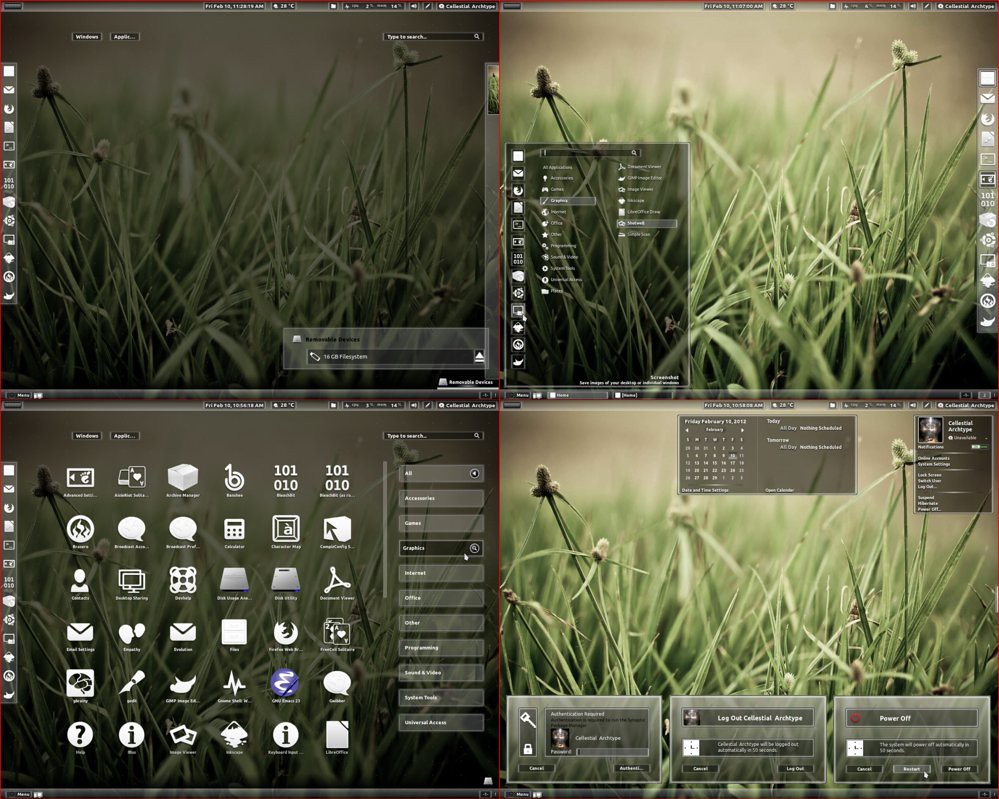
Tempered Glass (Gnome Shell 3.2.1 - 3.2.2.1 Theme) is a combination of white and dark shades of glass. The usual set of extensions (Windowlist, Menu, Dock, Bottompanel and Windowoverlay) are all supported. I tried to maintain strictly shades of glass everywhere so just note me on any issue and I will look at ajustments.
THEME IS COMPATIBLE WITH ALL LINUX DISTROS USING GNOME SHELL 3.2.1 - 3.2.2.1
First Download Theme Wallpaper
2nd Here is the Awoken Icons
>> Install Tempered Glass theme on Gnome Shell open Terminal (Press Ctrl+Alt+T) and copy the following commands in the Terminal:
Install Extension Theme
- mkdir ~/.themes
- wget -O tempered_glass_gs.zip http://dl.dropbox.com/u/53319850/NoobsLab.com/tempered_glass_gs.zip
- unzip tempered_glass_gs.zip -d ~/.themes
or use ppa- sudo add-apt-repository ppa:noobslab/themes
- sudo apt-get update
- sudo apt-get install tempered-gs-shell
- wget -O gs_extension.zip http://dl.dropbox.com/u/53319850/NoobsLab.com/tempered_gs_extensions.zip
- unzip gs_extension.zip -d ~/.local/share/gnome-shell/extensions
or use ppa- sudo add-apt-repository ppa:noobslab/themes
- sudo apt-get update
- sudo apt-get install temp-gs-ext
>> Install Tempered Glass theme on Cinnamon open Terminal (Press Ctrl+Alt+T) and copy the following commands in the Terminal:
Install Extension Theme
- mkdir ~/.themes
- wget -O tempered_glass_cinn.zip http://dl.dropbox.com/u/53319850/NoobsLab.com/tempered_glass_cinnamon.zip
- unzip tempered_glass_cinn.zip -d ~/.themes
or use ppa- sudo add-apt-repository ppa:noobslab/themes
- sudo apt-get update
- sudo apt-get install tempered
Now Install Gnome Tweak Tool to change theme:
- wget -O cinm_extension.zip http://dl.dropbox.com/u/53319850/NoobsLab.com/tempered_cinnamon_extension.zip
- unzip cinm_extension.zip -d ~/usr/share/cinnamon/extensions
or use ppa- sudo add-apt-repository ppa:noobslab/themes
- sudo apt-get update
- sudo apt-get install extension
Go to menu and search "advance settings" and open it, If you already have than change it with gnome-tweak-tool. That's it.
- sudo apt-get install gnome-tweak-tool