Warung Bebas
Showing posts with label ubuntu 11.10 themes. Show all posts

Monday, 21 May 2012

Install Malys-Unisex GTK3/2 themes on Ubuntu/Linux Mint

Install Malys-Unisex GTK3/2 themes on Ubuntu 12.04/11.10 Oneiric/11.04/10.10/10.04/Linux Mint

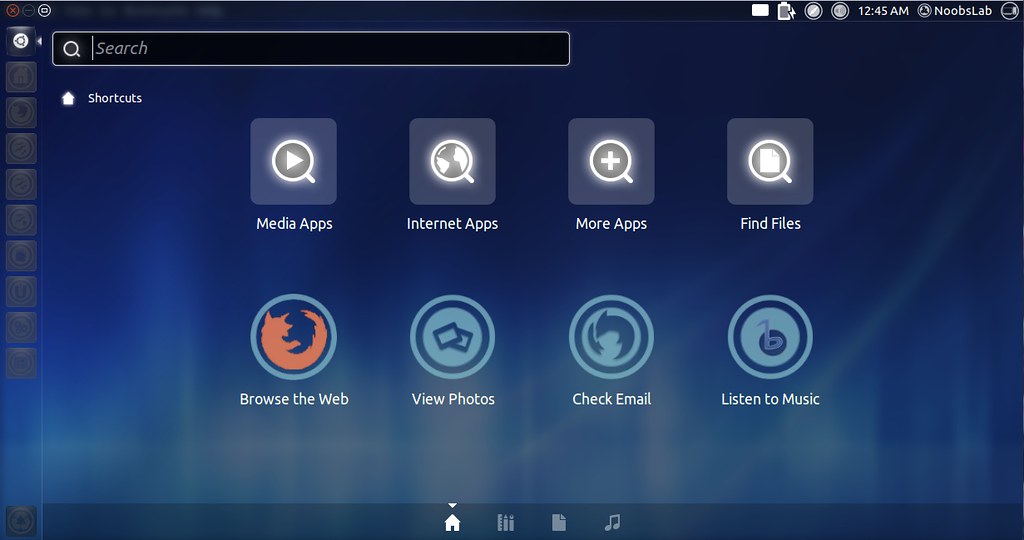
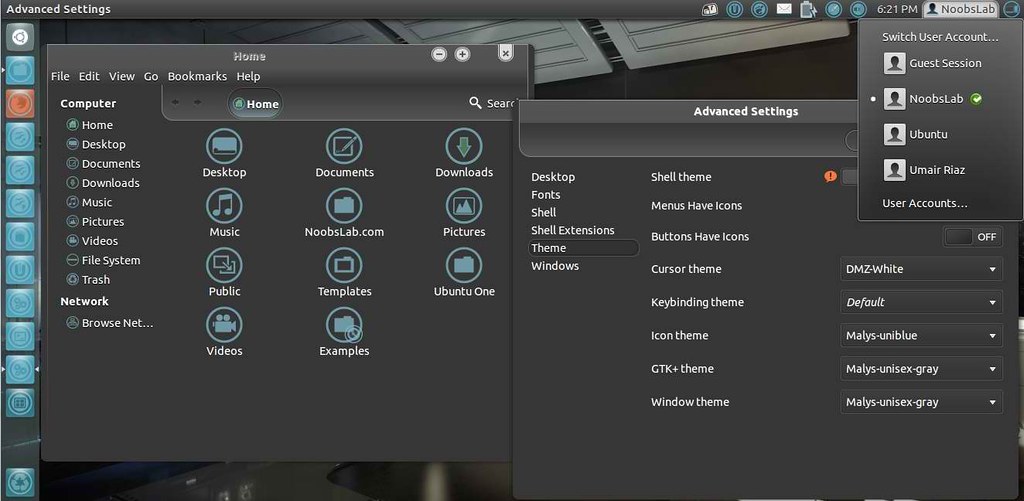
Malys-Unisex theme is really nice theme Personally I like this theme. It Support Gtk 3/2 and have 3 different versions clear, gray and white.

1st Download Wallpaper
2nd Install Malys-Uniblue-Icons
3rd: Move Minimize, Maximize, Close Button to Right

>> Malys-Unisex-Clear Theme

ubuntu malys themes

To install Malys-Unisex-Clear on Ubuntu/Linux Mint open Terminal (Press Ctrl+Alt+T) and copy the following commands in the Terminal:
  • sudo add-apt-repository ppa:noobslab/malys-themes
  • sudo apt-get update
  • sudo apt-get install malys-unisex-clear

>> Malys-Unisex-Gray Theme
ubuntu themes

To install Malys-Unisex-Gray on Ubuntu/Linux Mint open Terminal (Press Ctrl+Alt+T) and copy the following commands in the Terminal:
  • sudo add-apt-repository ppa:noobslab/malys-themes
  • sudo apt-get update
  • sudo apt-get install malys-unisex-gray

>> Malys-Unisex-White Theme

ubuntu gtk themes

To install Malys-Unisex-White on Ubuntu/Linux Mint open Terminal (Press Ctrl+Alt+T) and copy the following commands in the Terminal:
  • sudo add-apt-repository ppa:noobslab/malys-themes
  • sudo apt-get update
  • sudo apt-get install malys-unisex-white
For other Distro see Source link. That's it, Enjoy
Source: Malys-Unisex

Saturday, 21 April 2012

Install Awesome Theme with Icons on Ubuntu 12.04/11.10/Linux Mint

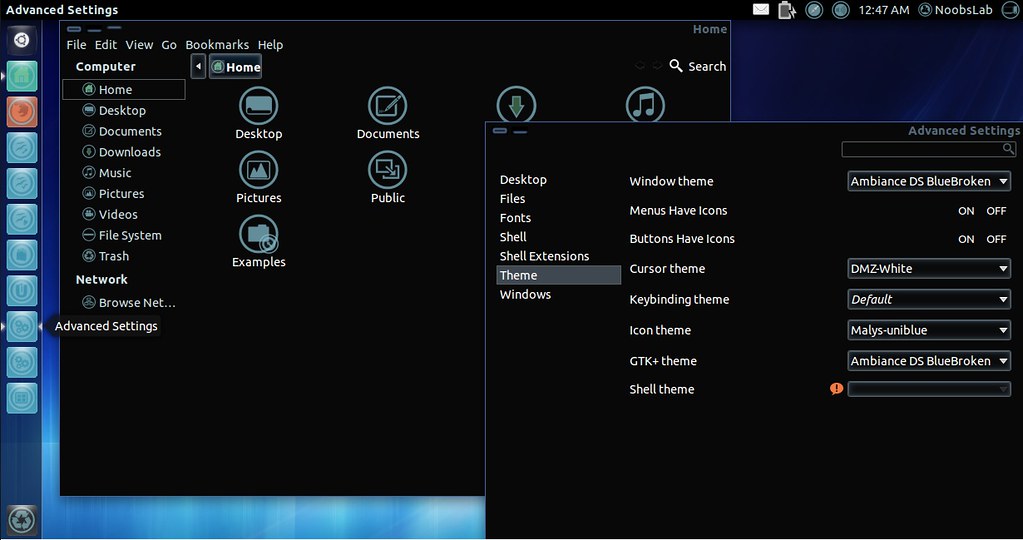
Install Ambiance-BlueBroken Theme with Malys-Uniblue Icons on Ubuntu 12.04 Precise Pangolin/Ubuntu 11.10 Oneiric/Linux Mint 12 Lisa

ubuntu themes

ubuntu 12.04

ubuntu themes

1st Download Wallpapers
2nd Install Gnome Tweak Tool

To Install Icons open Terminal (Press Ctrl+Alt+T) and copy the following commands in the Terminal:
  • sudo add-apt-repository ppa:noobslab/icons
  • sudo apt-get update
  • sudo apt-get install malys-uniblue
To Install Theme open Terminal (Press Ctrl+Alt+T) and copy the following commands in the Terminal:
  • sudo add-apt-repository ppa:noobslab/themes
  • sudo apt-get update
  • sudo apt-get install ambiance-bluebroken
Sources: Theme, Icons

Thursday, 19 April 2012

Ubuntu/Linux Mint Themes Black-Amber, Dragon-Equinox, Gnombiance via PPA

Install Black-Amber Theme, Dragon-Equinox Theme, Gnombiance Theme in Ubuntu 11.10 Oneiric Ocelot/Linux Mint 12 Lisa (Gtk 2/3, Gnome Shell, Unity)

First of all install Gnome Tweak Tool to change Theme and Icons.

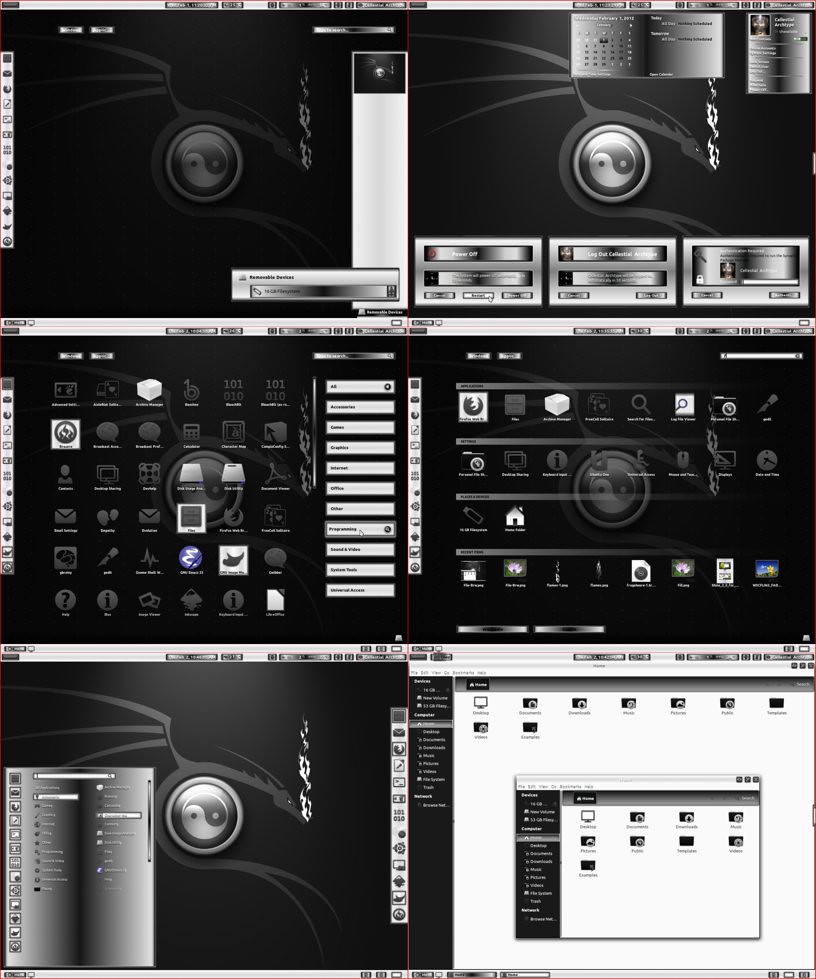
1 - Dragon Equinox

linux mint theme

Dragon Equinox Theme is Compatible with (Gnome Shell 3.2.1 - 3.2.2.1/GTK3/GTK2)
1st Download Theme Wallpaper
2nd Install Awoken Dark Icons

To Install Theme on Ubuntu/Linux Mint open Terminal (Press Ctrl+Alt+T) and copy the following commands in the Terminal:
  • sudo add-apt-repository ppa:noobslab/themes
  • sudo apt-get update
  • sudo apt-get install dragon-equinox-extension dragon-equinox-theme

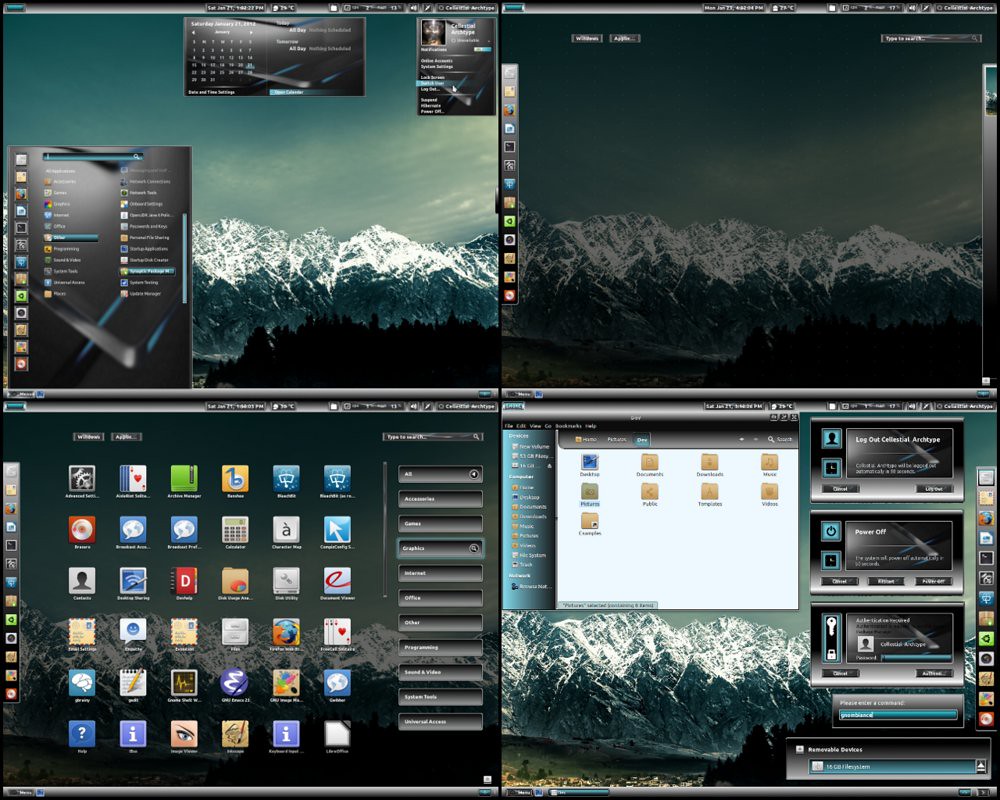
2 - Gnombiance Theme

gnome shell theme

Gnombiance Theme is Compatible with (Gnome Shell 3.2.1 - 3.2.2.1/GTK3/GTK2)
1st Download Theme Wallpaper
2nd Install Faenza Icons

To Install Theme on Ubuntu/Linux Mint open Terminal (Press Ctrl+Alt+T) and copy the following commands in the Terminal:
  • sudo add-apt-repository ppa:noobslab/themes
  • sudo apt-get update
  • sudo apt-get install gnombiance-theme gnombiance-extension

3 - Black Amber Theme

ubuntu themes

Black Amber Theme is Compatible with (Gnome Shell 3.2.1 - 3.2.2.1/GTK3/GTK2)
1st Download Theme Wallpaper
2nd Install Awoken White Icons
3rd Some theme tweaks open Terminal and enter following commands:
Following commands for lightdm:
  • wget http://dl.dropbox.com/u/53319850/NoobsLab.com/unity-greeter.conf.zip
  • unzip unity-greeter.conf.zip -d /etc/lightdm
Following commands for Unity Greeter:
  • wget http://dl.dropbox.com/u/53319850/NoobsLab.com/unity-greeter.zip
  • unzip unity-greeter.zip -d /usr/share/unity-greeter
Following commands for Unity Start Orb:
  • wget http://dl.dropbox.com/u/53319850/NoobsLab.com/unity-start-orb.zip
  • unzip unity-start-orb.zip -d /usr/share/unity/4

To Install Theme on Ubuntu/Linux Mint open Terminal (Press Ctrl+Alt+T) and copy the following commands in the Terminal:
  • sudo add-apt-repository ppa:noobslab/themes
  • sudo apt-get update
  • sudo apt-get install black-amber-theme black-amber-extension
Enjoy.

Monday, 16 April 2012

Install Autumn Leaves theme on Gnome Shell - Ubuntu/Linux Mint

Install Autumn Leaves theme on Gnome Shell 3.2 - Ubuntu 11.10/Linux Mint 12

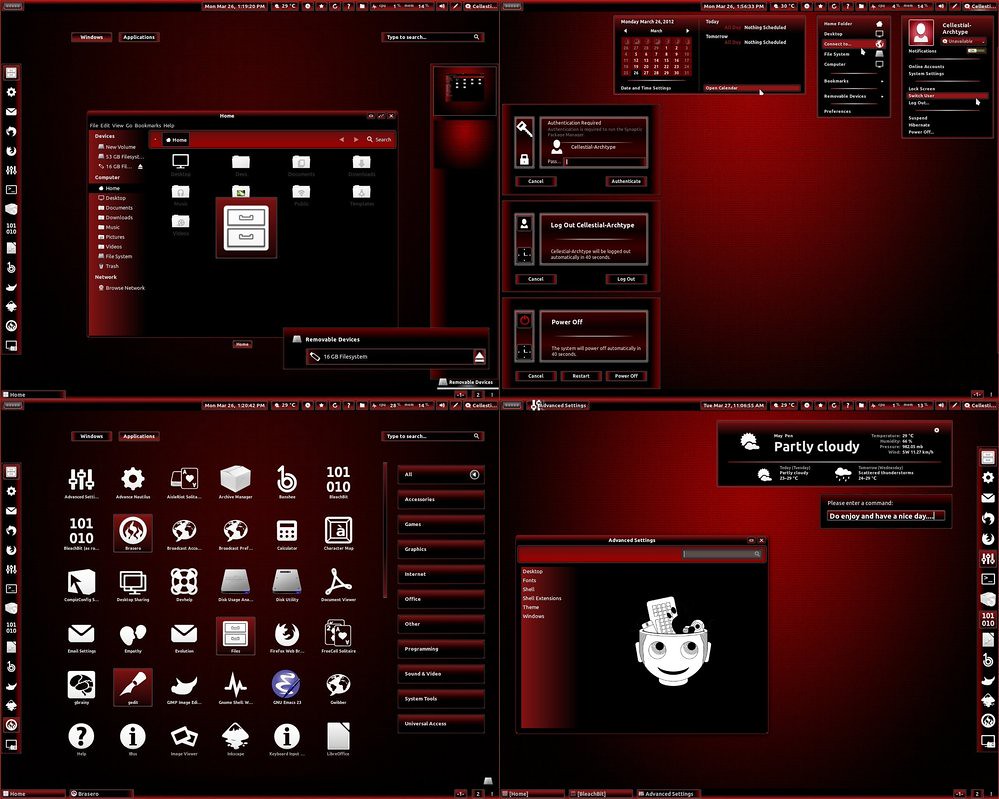
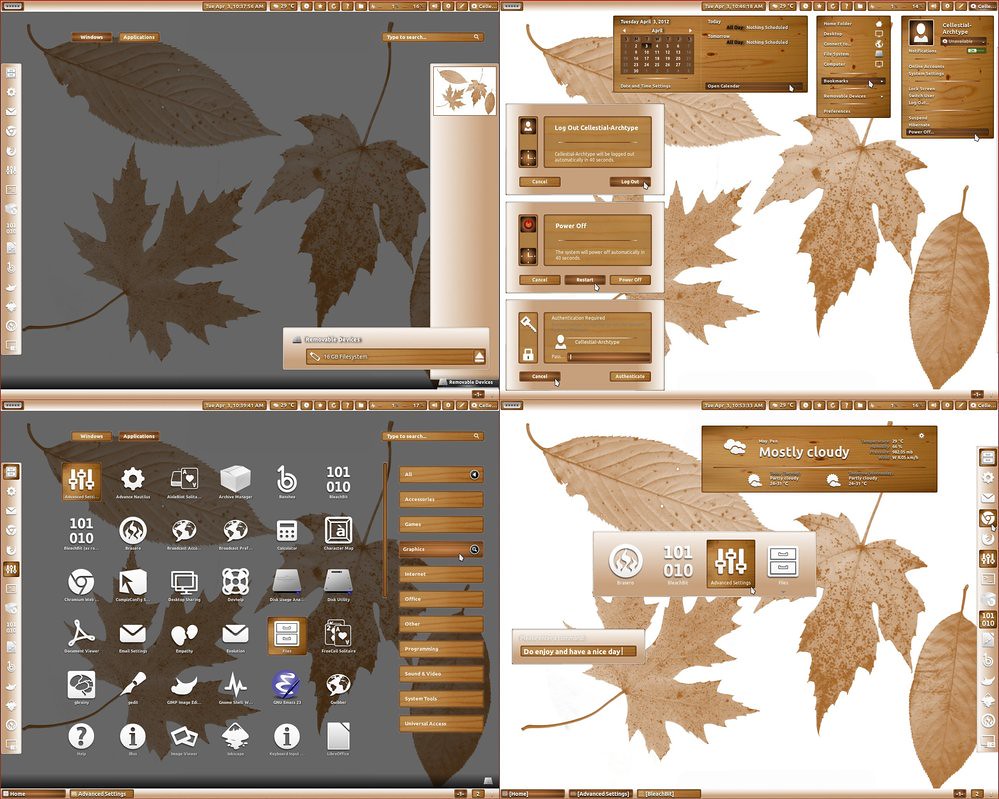
ubuntu themes

THEME IS COMPATIBLE WITH ALL LINUX DISTROS USING (Gnome Shell 3.2.1-3.2.2.1)

1st Download Wallpapers
2nd Awoken Icons White

3rd Install Theme open Terminal (Press Ctrl+Alt+T) and copy the following commands in the Terminal:
  • sudo add-apt-repository ppa:noobslab/themes
  • sudo apt-get update
  • sudo apt-get install autumn-leaves-theme
  • sudo apt-get install autumn-leaves-extension
Use Gnome Tweak Tool to Change Theme and Icons
Source: DeviantArt

Sunday, 5 February 2012

Adwaita Cupertino Theme with icons for Ubuntu 12.04/11.10

Install Adwaita Cupertino Theme like Mac OS with icons for Ubuntu 12.04 Precise Pangolin/Ubuntu 11.10 Oneiric Ocelot


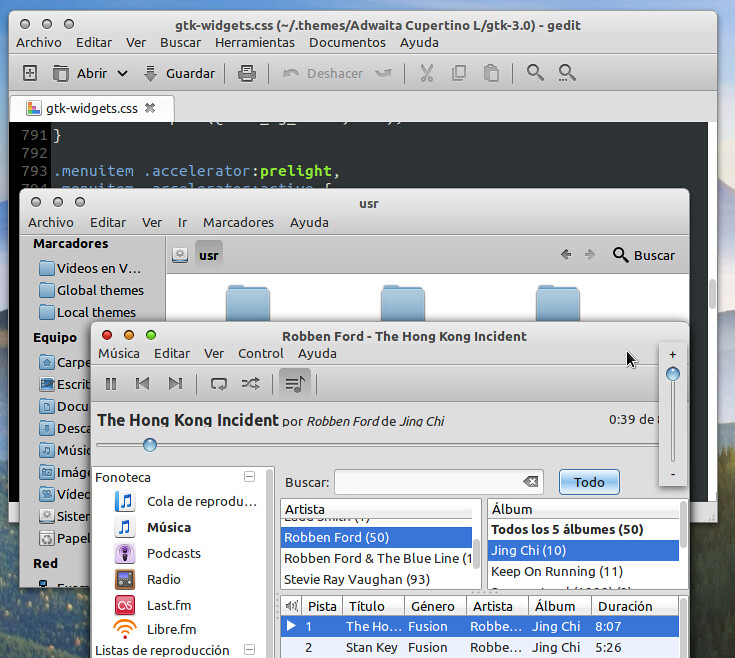
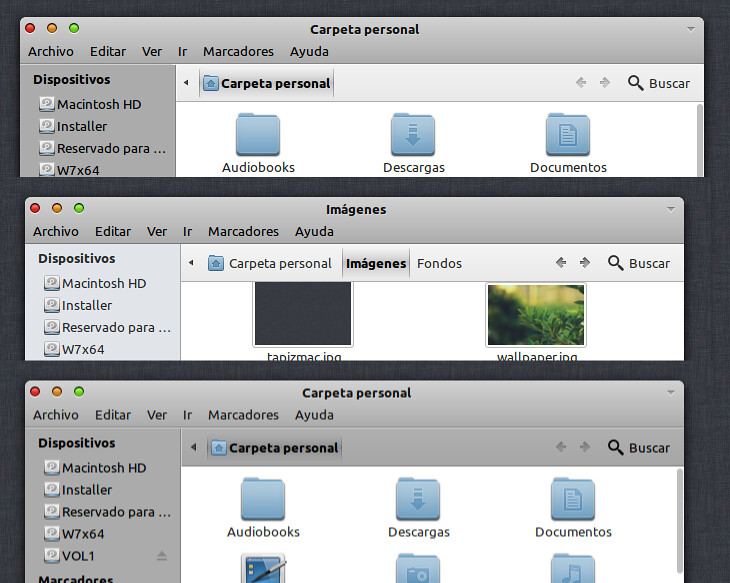
It is based on the theme Adwaita GTK3, changing colors to set the cupertino style

- Tested in GNOME 3.2 and Unity
There are 2 versions, one based on the colors of Snow Leopard and the other Lion. Option border or borderless

Version for unity due to global-menu and design of nautilus.

* IMPORTANT *
- GTK3 theme ported to unico-engine, GTK2 theme uses the Murrine and Pixmap engines
- Inside the theme folder there is a readme.txt file with some really simple instructions (styles for nautilus, glassy buttons, Unity top panel transparent mac style)
- "Adwaita Cupertino SL and L" is borderless by default in Gnome Shell (in Unity edges is always)
If you want the version with borders, select in gnome-tweak-tool -> Window theme -> "Adwaita Cupertino (SL or L) Unity" and in GTK+ theme "Adwaita Cupertino (SL or L)"

To install open Terminal (Press Ctrl+Alt+T) and copy the following commands in the Terminal:
Install Theme
  • mkdir ~/.themes
  • wget  http://dl.dropbox.com/u/53319850/Ubuntu_Themes/Adwaita-Cupertino.tar.gz
  • tar -xzvf Adwaita-Cupertino.tar.gz -C ~/.themes
Install Icons
  • mkdir ~/.icons
  • wget http://dl.dropbox.com/u/53319850/Ubuntu_Icons/Faenza-Cupertino.tar.gz
  • tar -xzvf  Faenza-Cupertino.tar.gz -C ~/.icons

Now apply Theme and Icons:
Install Gnome Tweak Tool with following command:
  • sudo apt-get install gnome-tweak-tool
Now go to dash and search for "Advance Settings" and open it.

Tuesday, 31 January 2012

Install Minty Blue Theme for Gnome Shell on Ubuntu/Linux Mint/Fedora

Install Minty Blue Theme for Gnome Shell on Ubuntu 12.04/11.10/Linux Mint 12/Fedora


Minty is a Gnome Shell theme with some flavour of Linux Mint. It is compatible with the latest Gnome Shell 3.2.

To install Theme on Ubuntu/Linux Mint open Terminal (Press Ctrl+Alt+T) and copy the following commands in the Terminal:
  • wget -O minty_blue.zip http://goo.gl/ROFpR
  • mkdir ~/.themes
  • unzip minty_blue.zip -d ~/.themes
Now use Gnome Tweak Tool to change the theme. That's it

Wednesday, 25 January 2012

Install Orion Theme on Ubuntu for GTK 2-3

Install Orion Theme on Ubuntu 12.04/11.10 for GTK 2-3


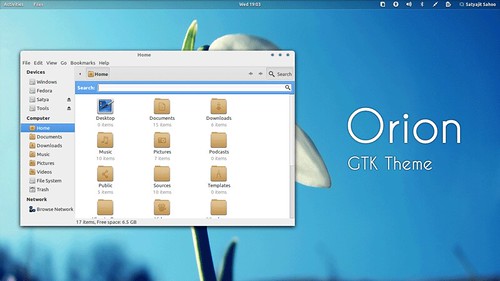
Orion is a modern light theme for Gnome. The theme is compatible with the latest GTK 3.2 and uses the Unico engine. It also includes a GTK 2.0 theme using Murrine engine.

To install Orion Theme open Terminal (Press Ctrl+Alt+T) and copy the following commands in the Terminal:
  • sudo apt-add-repository ppa:satyajit-happy/themes
  • sudo apt-get update
  • sudo apt-get install orion-gtk-theme
For Other Distro's Download from this Author Page, That's it
 

Just the Life of Eddie Copyright © 2012 Best Celebrity Wallpaper -- Powered by Blogger