Warung Bebas
Showing posts with label themes. Show all posts

Thursday, 24 January 2013

Faience Themes and Faience/Faenza icons for Ubuntu 12.10/12.04/Linux Mint

Faience GTK + Gnome Shell Theme and Faience/Faenza Icon for Ubuntu 12.10 Quantal/Ubuntu 12.04 Precise/Linux Mint 14/13

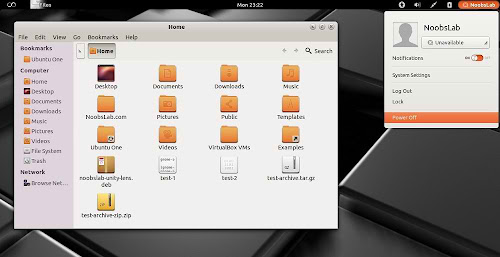
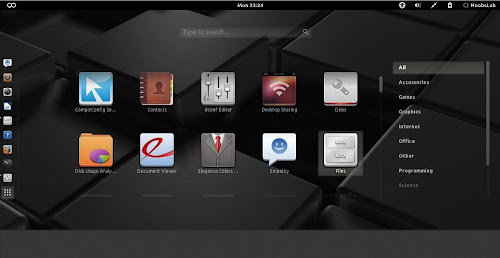
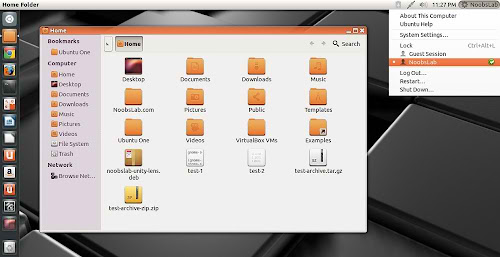
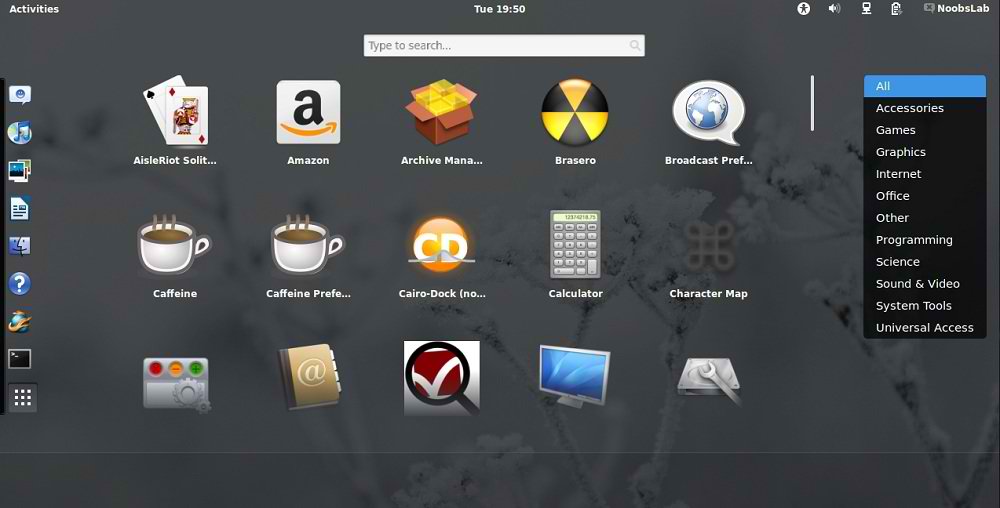
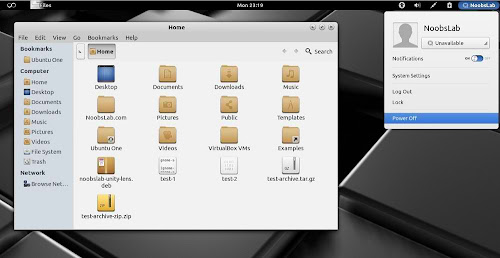
Faience is light and cool theme for GTK and GnomeShell, Faience icon theme is based on Faenza and include GTK3, GTK2, Metacity and Gnome-Shell themes. Faience icon and theme match with each other and looks cool on desktop.
faience theme

faience theme

faience theme

faience theme

faience theme

What's new in this theme update:
  • GTK3: transitions on buttons are disabled to speed up the rendering of the theme when switching from one window to another and avoid memory leaks on some distros
  • GS: add a background on the dash launcher which make it more usable with the great 'dash to dock' extension
  • New Faience-Ocre (for Gnome-Shell) and Faience-Claire (for Unity) GTK2, GTK3 and metacity themes
  • GTK3: fixed the background colour of Nautilus canvas items when the right-click menu is displayed
  • GTK3: added animations to buttons
  • GTK3: improved the overall look of Gnome Documents
  • GTK3: removed the stripes on progressbars
  • GS: new design for modal dialogs and GDM
  • GS: updated assets to match better the GTK3 widgets
  • GTK2: removed the 1-pixel border along the vertical scrollbars for maximized windows (the problem persists with GTK3 applications).

To install Faience theme and Faience/Faenza icons in Ubuntu/Linux Mint open Terminal (Press Ctrl+Alt+T) and copy the following commands in the Terminal:
  • sudo add-apt-repository ppa:tiheum/equinox
  • sudo apt-get update
  • sudo apt-get install faience-theme
  • sudo apt-get install faience-icon-theme faenza-icon-theme
That's it
Source: tiheum

Thursday, 17 January 2013

Royal-Linux Themes and Icons for Ubuntu 12.04/11.10/Linux Mint (GTK + Gnome Shell + Cinnamon)

Royal-Linux Themes for Ubuntu 12.04 Precise/Ubuntu 11.10 Oneiric/Linux Mint 13/12
Royal-Linux Icons for Ubuntu 13.04 Raring/Ubuntu 12.10 Quantal/Ubuntu 12.04 Precise/Ubuntu 11.10 Oneiric/Linux Mint 14/13/12

Royal-Linux is Ubuntu based distribution, Themes and Icons was from first release of Royal-Linux. Currently themes only compatible with GTK 3.4/3.2 and available for Gnome Shell, Cinnamon, GTK. Probably Royal-Linux Theme will update themes for latest GTK Version. Gnome Shell themes are compatible with all shell versions. These themes and icons are nicely design and looks beautiful on desktop. There is Royal-Linux distribution available for download.
GTK Themes and Icons Screen-Shots
ubuntu themes

GTK themes

GTK themes

ubuntu GTK themes

Cinnamon Themes and Icons Screen-Shots
cinnamon themes

cinnamon themes

ubuntu cinnamon themes

cinnamon themes

Gnome-Shell Themes
Gnome Shell themes

GnomeShell themes

ubuntu Gnome Shell themes

Gnome Shell themes

Download zonColor Wallpapers

To install Royal-Linux Icons in Ubuntu 13.04/12.10/12.04/11.10/Linux Mint 14/13/12 open Terminal (Press Ctrl+Alt+T) and copy the following commands in the Terminal:
  • sudo add-apt-repository ppa:noobslab/icons
  • sudo apt-get update
  • sudo apt-get install royal-linux-icons
To install Royal-Linux Themes in Ubuntu 12.04/11.10/Linux Mint 13/12 open Terminal (Press Ctrl+Alt+T) and copy the following commands in the Terminal:
  • sudo add-apt-repository ppa:noobslab/themes
  • sudo apt-get update
  • sudo apt-get install royal-linux-themes
That's it
Source: Linux Royal

Tuesday, 15 January 2013

zonColor Themes and Icons for Ubuntu 12.10/12.04/Linux Mint

zonColor Themes and Icons for Ubuntu 12.10/12.04/13.04/11.10/11.04/10.10/10.04/Linux Mint 14/13/12/11/9

zonColor Themes Pack is a complete set of simple yet beautiful, elegant themes for Ubuntu and other GTK-based Linux desktop, aimed to bring freedom in theme customization particularly color customization so that users can easily use/apply their very own color combination/color palette/color scheme for the themes.
zonColor is more than just a theme collection; the themes are more like theme templates. They have been designed with customization in mind especially their colors. zonColor themes are using flexible color definitions that can be changed and applied easily without having to modify theme codes/materials directly.
zonColor 16 Themes and 21 Icons sets available for following environments: Unity, Gnome Shell, Gnome Classic, Cinnamon, Mate, Openbox, xfwm4 (Not all Themes available for every desktop).


Screen Shots

Icons Colors Available


Themes tested on Ubuntu 12.10/12.04 (GTK + Gnome Shell)

Download zonColor Wallpapers

To install zonColor Themes on Ubuntu/Linux Mint open Terminal (Press Ctrl+Alt+T) and copy the following commands in the Terminal:
  • sudo add-apt-repository ppa:noobslab/themes
  • sudo apt-get update
  • sudo apt-get install zoncolor-themes
To install zonColor Icons in Ubuntu/Linux Mint open Terminal (Press Ctrl+Alt+T) and copy the following commands in the Terminal:
  • sudo add-apt-repository ppa:noobslab/icons
  • sudo apt-get update
  • sudo apt-get install zoncolor-icons
That's it
Source: fandigital

Friday, 4 January 2013

WOW-2 theme for Ubuntu 12.10/12.04/Linux Mint 14/13 (GTK 3/2)

WOW-2 theme for Ubuntu 12.10 Quantal/Ubuntu 12.04 Precise/Linux Mint 14/13 (GTK 3/2, Unity, xfwm4, openbox)

WOW-2 theme is not much light and not much dark, it is low contrast theme which looks better on desktop and gives nice look to eyes. This theme is made for GTK 3 and 2, Unity, XFWM4 and openbox. There are two versions of this theme one is light panel for dark color icons and other is dark panel for light color icons, You can select relevant to your icons.
ubuntu wow theme

wow theme

1st WOW-2 for chrome/chromium (Click Here)
2nd Install Malys-ex Icons or check icons collection

To install wow-2 theme on Ubuntu/Linux Mint (Press Ctrl+Alt+T) and copy the following commands in the Terminal:
  • sudo add-apt-repository ppa:noobslab/themes
  • sudo apt-get update
  • sudo apt-get install wow-2
That's it
Source: WOW-2

Wednesday, 26 December 2012

Install reNIX theme on Ubuntu 12.10/12.04/11.10/Linux Mint (GTK + Gnome Shell)

Install reNIX GTK + Gnome Shell theme in Ubuntu 12.10 Quantal/Ubuntu 12.04 Precise/Ubuntu 11.10 Oneiric/Linux Mint 14/13/12

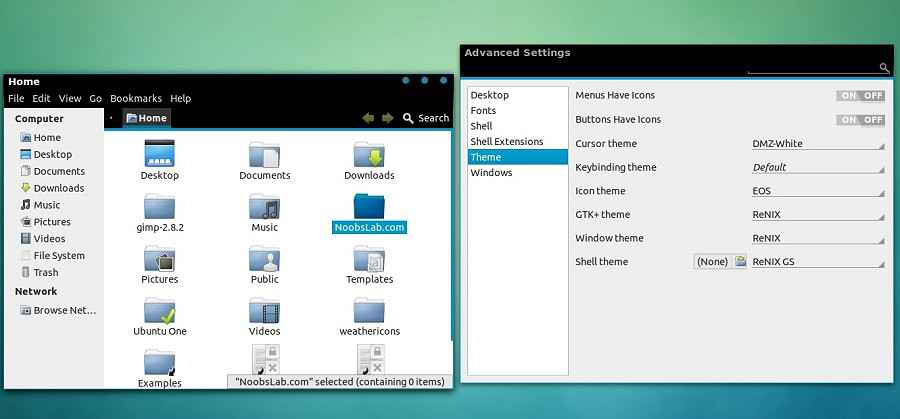
reNIX theme is inspired by Android IceCream Version. This theme makes desktop really cool like Android. Also checkout themes collection.

reNIX GTK Version
ubuntu themes

reNIX Gnome Shell Version
android theme

android theme
Theme Tested on Ubuntu 12.10 Quantal/Ubuntu 12.04 Precise

1st Download Wallpapers
2nd Also check Icons Collection
3rd Download reNIX Theme for Chrome/Chromium (Download and just drag+drop to Browser for installation)
You can use these Tools to change theme and icons: Gnome Tweak Tool, Ubuntu Tweak

Install Fonts for this theme open Terminal and enter commands:
  • mkdir ~/.fonts
  • wget -O aller-fonts-renix.zip http://goo.gl/zZltU
  • unzip aller-fonts-renix.zip -d ~/.fonts
  • sudo rm aller-fonts-renix.zip
To install reNIX theme on Ubuntu/Linux Mint open Terminal (Press Ctrl+Alt+T) and copy the following commands in the Terminal:
  • sudo add-apt-repository ppa:noobslab/themes
  • sudo apt-get update
For GTK 3
  • sudo apt-get install renix-gtk
For Gnome Shell
  • sudo apt-get install renix-gs
That's it, Enjoy

Wednesday, 19 December 2012

Malys-Future theme for Ubuntu 12.10/12.04/Linux Mint

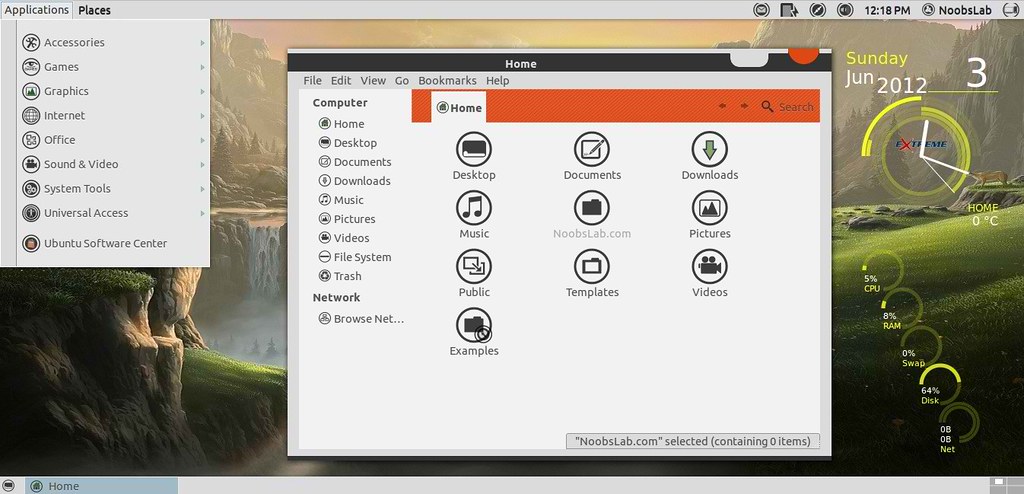
Install Malys-Future theme on Ubuntu 12.10 Quantal/Ubuntu 12.04 Precise/Ubuntu 11.10/Linux Mint 14/13/12 (GTK 3/2)

Malys is best theme designer. He made a lot of nice themes for GTK and Gnome Shell. So here he provided theme update for GTK 3.6 and it looks really awesome on desktop.
ubuntu malys themes

ubuntu themes
Theme tested on Ubuntu 12.10 Quantal/Ubuntu 12.04 Precise

1st: Download Future Wallpapers
2nd: Move Minimize, Maximize, Close Button to Right
3rd: Malys-UniBlack Icons
4th: Install Fonts enter following commands:
  • mkdir ~/.fonts
  • wget -O bahamas-font.zip http://goo.gl/nClC4
  • unzip bahamas-font.zip -d ~/.fonts
To install Malys-Future theme on Ubuntu/Linux Mint open Terminal (Press Ctrl+Alt+T) and copy the following commands in the Terminal:
  • sudo add-apt-repository ppa:noobslab/malys-themes
  • sudo apt-get update
  • sudo apt-get install malys-future
for other older Ubuntu version/other distro's checkout source link.
That's it, Enjoy
Source: Malys-Future

Boje and BorderLine themes for Ubuntu 12.10/12.04/Linux Mint 14/13

Boje (GTK + Gnome Shell) and BorderLine (GTK) themes for Ubuntu 12.10 Quantal/Ubuntu 12.04 Precise/Linux Mint 14/13

Boje is newcomer theme in Linux and Boje is dark black theme which is available for GTK 3/2, Gnome Shell, metacity, openbox, unity, xfwm4.
BorderLine theme is based on greybird + pieces themes. It is light theme for Linux desktop and looks really cool.

1: Boje Theme
boje theme

ubuntu theme
Theme tested on Ubuntu 12.10 Quantal/Ubuntu 12.04 Precise

To install Boje theme on Ubuntu/Linux Mint open Terminal (Press Ctrl+Alt+T) and copy the following commands in the Terminal:
  • sudo add-apt-repository ppa:noobslab/themes
  • sudo apt-get update
  • sudo apt-get install boje

2: BorderLine Theme
Linux theme
Theme tested on Ubuntu 12.10 Quantal/Ubuntu 12.04 Precise

To install BorderLine theme on Ubuntu/Linux Mint open Terminal (Press Ctrl+Alt+T) and copy the following commands in the Terminal:
  • sudo add-apt-repository ppa:noobslab/themes
  • sudo apt-get update
  • sudo apt-get install borderline
That's it, Enjoy
Source: Boje, BorderLine

Monday, 17 December 2012

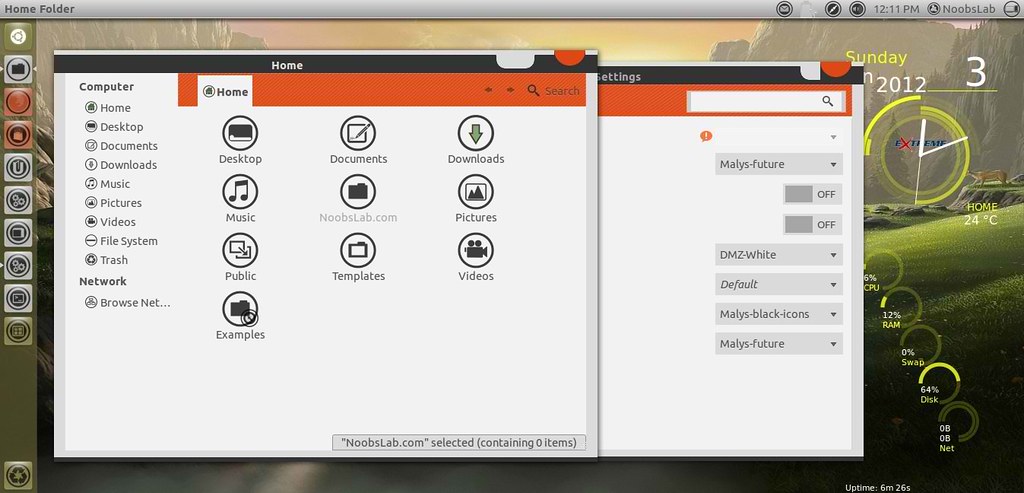
Faience GTK+Gnome Shell Theme and Icon for Ubuntu 12.10/12.04/Linux Mint

Faience GTK + Gnome Shell Theme and Icon for Ubuntu 12.10 Quantal/Ubuntu 12.04 Precise/Linux Mint 14/13

Faience is light and cool theme for GTK and GnomeShell, Faience icon theme is based on Faenza and include GTK3, GTK2, Metacity and Gnome-Shell themes. Faience icon and theme match with each other and looks cool on desktop.
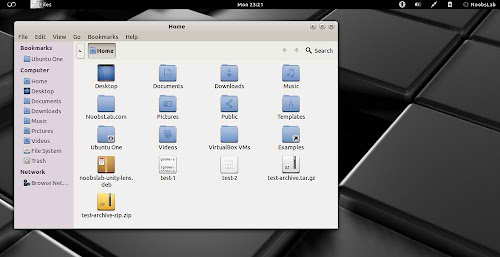
faience theme

faience theme

faience theme

faience theme

faience theme

What's new in this theme update:
  • New Faience-Ocre (for Gnome-Shell) and Faience-Claire (for Unity) GTK2, GTK3 and metacity themes
  • GTK3: fixed the background colour of Nautilus canvas items when the right-click menu is displayed
  • GTK3: added animations to buttons
  • GTK3: improved the overall look of Gnome Documents
  • GTK3: removed the stripes on progressbars
  • GS: new design for modal dialogs and GDM
  • GS: updated assets to match better the GTK3 widgets
  • GTK2: removed the 1-pixel border along the vertical scrollbars for maximized windows (the problem persists with GTK3 applications).

To install Faience theme and icons in Ubuntu/Linux Mint open Terminal (Press Ctrl+Alt+T) and copy the following commands in the Terminal:
  • sudo add-apt-repository ppa:tiheum/equinox
  • sudo apt-get update
  • sudo apt-get install faience-theme
  • sudo apt-get install faience-icon-theme
That's it, Enjoy
Source: tiheum

Wednesday, 5 December 2012

Install Dark-Mint (GTK + Cinnamon) Theme on Ubuntu 12.10/12.04/Linux Mint 14/13

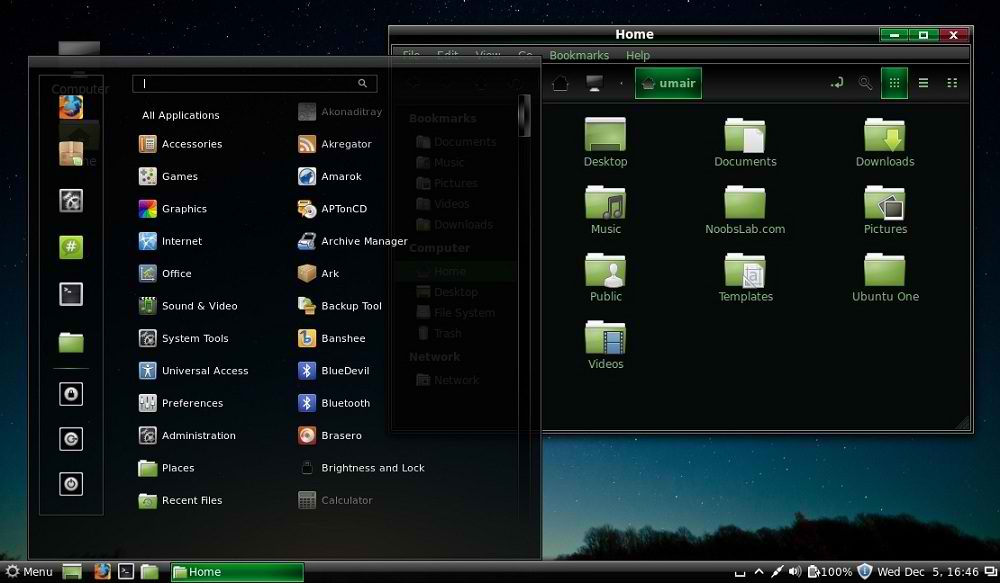
Install Dark-Mint Theme on Ubuntu 12.10 Quantal/Ubuntu 12.04 Precise/Linux Mint 14/13 (GTK 3/2 + Cinnamon)

This theme is looks cool and for those who like dark themes, it is related to Linux Mint But you can install it on Ubuntu/Linux Mint/Other Ubuntu based distributions. Dark-Mint is only available for GTK 3.4/3.6 and Cinnamon. Author released this theme in two versions for GTK and Cinnamon separately, but NoobsLab added both versions in one package.
Cinnamon Version

GTK Version
Theme tested on Ubuntu 12.10 with Gtk 3.6 and Ubuntu 12.04 Gtk 3.4 and Linux Mint 14/13 Cinnamon

1st: Download Wallpaper
2nd: Choose Icons from collection, You can use Gnome-tweak-tool or Ubuntu-Tweak to change themes. (To change Cinnamon theme, you need to go in cinnamon settings)

To install Dark-Mint theme on Ubuntu/Linux Mint open Terminal (Press Ctrl+Alt+T) and copy the following commands in the Terminal:
  • sudo add-apt-repository ppa:noobslab/themes
  • sudo apt-get update
  • sudo apt-get install dark-mint-theme
That's it, Enjoy

Friday, 30 November 2012

Install DeLorean Dark theme on Ubuntu 12.10/12.04/11.10/Linux Mint (Gnome Shell + GTK + Cinnamon)

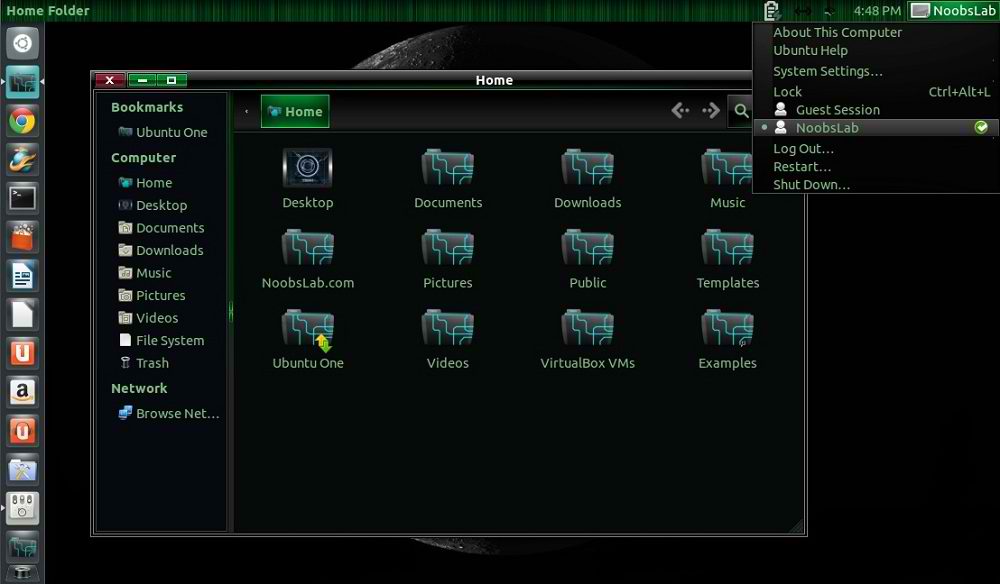
Install DeLorean-Dark theme on Ubuntu 12.10 Quantal/Ubuntu 12.04 Precise/Ubuntu 11.10/Linux Mint 14/13/12 (Gtk3 + Gnome Shell + Cinnamon)

DeLorean-Dark for those who like dark themes, This theme is available for Gnome Shell 3.4/3.5/3.6, But for Gnome Shell 3.6 it is still in development. I tested this theme on Ubuntu 12.10 with Gnome Shell 3.6 + Gtk 3.6 and it works perfectly. Theme author will give update for final version but you can enjoy this version. Also this theme is available for Cinnamon desktop, Which is included in package and you can install it via NoobsLab ppa.
Gnome-Shell Version
dark themes
GTK Version
ubuntu dark themes
Cinnamon Version
ubuntu themes
Theme tested on Ubuntu 12.10 with Gnome Shell 3.6 + Gtk 3.6 and Ubuntu 12.04 Gnome Shell 3.4/3.5 + Gtk 3.4 and Linux Mint 13 Cinnamon

1st: Download Wallpaper (page link)
2nd: Choose Icons from collection, You can use Gnome-tweak-tool or Ubuntu-Tweak to change themes/icons. (To change Cinnamon theme, you need to go in cinnamon settings)

To install DeLorean-Dark theme on Ubuntu/Linux Mint open Terminal (Press Ctrl+Alt+T) and copy the following commands in the Terminal:
  • sudo add-apt-repository ppa:noobslab/themes
  • sudo apt-get update
  • sudo apt-get install delorean-dark
That's it, Enjoy
Source: DeLorean Dark

Tuesday, 27 November 2012

Install eOS Gnome Shell Theme on Ubuntu 12.10/12.04/11.10/Linux Mint 14/13/12

Install eOS Gnome Shell Theme on Ubuntu 12.10 Quantal/Ubuntu 12.04 Precise/Ubuntu 11.10/Linux Mint 14/13/12

eOS theme is designed for Gnome Shell and give you taste of Elementary desktop. Author mention that he ported a lot of features from DanRabbit's mockups and actual eOS parts, like: Plank, Pantheon Shell, Wing Panel. Also he mention about to make the most accurate Elementary theme.
eos theme

elementary theme

eos gnome shell

Ubuntu elementary theme
Theme tested on Ubuntu 12.10 Quantal/Ubuntu 12.04 Precise/Ubuntu 11.10

Install icons from collection
Also Download Black Wallpapers
You can use Gnome-tweak-tool or Ubuntu-Tweak to change themes.

To install eOS theme on Ubuntu/Mint open Terminal (Press Ctrl+Alt+T) and copy the following commands in the Terminal:
  • sudo add-apt-repository ppa:noobslab/themes
  • sudo apt-get update
  • sudo apt-get install eos-gs
That's it, Enjoy
Source: eOS

Install Malys-Rought Gnome Shell theme on Ubuntu 12.10/12.04/Linux Mint 14/13

Install Malys-Rought Gnome Shell theme on Ubuntu 12.10 Quantal/Ubuntu 12.04 Precise/Linux Mint 14/13 (New Theme)

Malys released new well designed theme for Gnome Shell, Previous Malys released Malys-Rought dark theme for GTK and these themes are specially designed for those users who like dark themes.
You can find more themes in collection.
gnome shell themes

Ubuntu gnome themes

ubuntu themes

gnome shell themes
Theme tested on Ubuntu 12.10 Quantal with Gnome Shell 3.6, maybe it has small bugs with Shell 3.4

1st Install Malys UniBlue Icons or checkout icons collection
2nd Download Malys Wallpapers
3rd Install fonts with following commands:
  • mkdir ~/.fonts
  • wget -O bahamas-font.zip http://dl.dropbox.com/u/53319850/NoobsLab.com/bahamas-font.zip
  • unzip bahamas-font.zip -d ~/.fonts
You can use these Tools to change theme and icons: Gnome Tweak Tool, Ubuntu Tweak

To install Malys-rought-gs theme on Ubuntu/Linux Mint open Terminal (Press Ctrl+Alt+T) and copy the following commands in the Terminal:
  • sudo add-apt-repository ppa:noobslab/malys-themes
  • sudo apt-get update
  • sudo apt-get install malys-rought-gs
That's it, Enjoy
 

Just the Life of Eddie Copyright © 2012 Best Celebrity Wallpaper -- Powered by Blogger