Warung Bebas
Showing posts with label Cinnamon. Show all posts

Sunday, 2 December 2012

Cinnamon 1.6.7 has been Released for Ubuntu 12.10/12.04/13.04/Linux Mint 14/13

Install Cinnamon 1.6.7 in Ubuntu 12.10 Quantal/Ubuntu 12.04 Precise/13.04/Linux Mint 14/13 and Cinnamon 1.4 in Ubuntu 11.10 Oneiric/Linux Mint 12

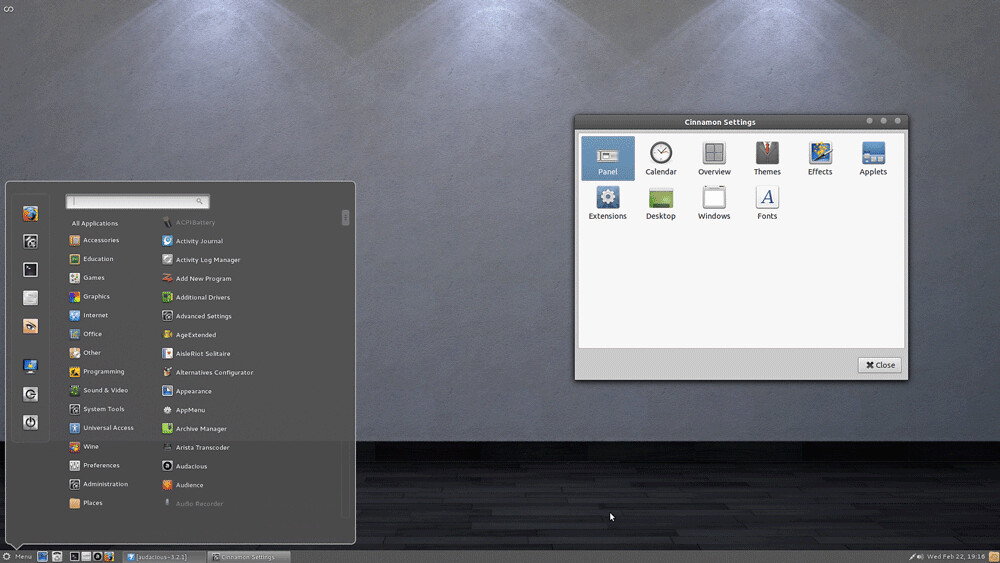
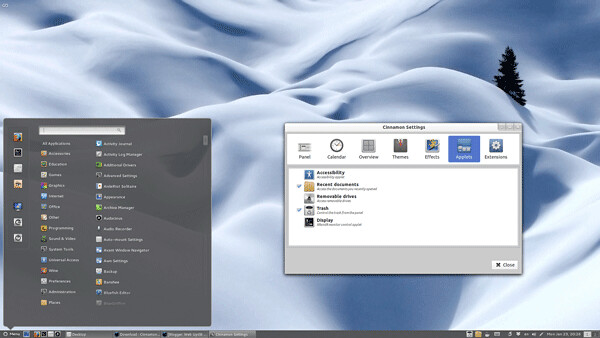
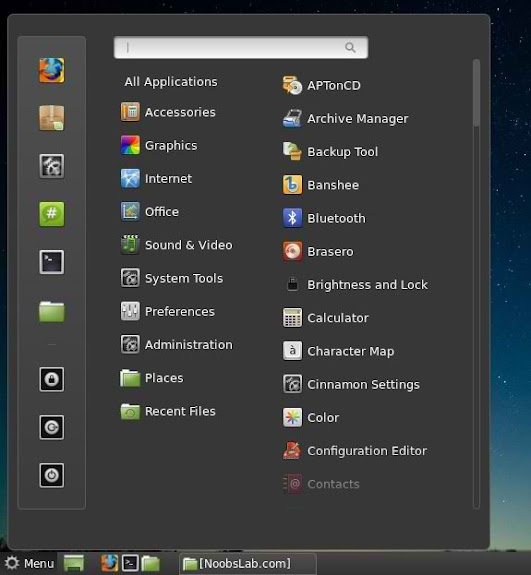
Cinnamon team released new version of Cinnamon with many bugs fixes, theme improvements, enhancements to the bottom panel, also include cinnamon setting manager. Latest Version is a maintenance release which adds polish and tackles important issues from the previous release.
cinnamon

What's new in Cinnamon 1.6.7 Version:
  • Resize existing icons in window list applet when panel icon scaling mode is changed
  • Fixed icon pixelation in Alt-tab (for most toolkits including pyGTK)
  • Fixed menu application buttons being cropped
  • Fixed advanced options box in cinnamon-settings->backgrounds not being shown properly in Mint 14 (GTK3.6?)
  • Updated translations
  • Fixed localization of application items in main menu
  • Nemo 1.1.2: Cleaned up code from move-to/copy-to entries so that views can be finalized (ensures all listener signals get disconnected, stops random crashes in the preferences screen).

To Install Latest Cinnamon in Ubuntu 12.10/12.04/11.10 open Terminal (Press Ctrl+Alt+T) and copy the following commands in the Terminal:
  • sudo add-apt-repository ppa:gwendal-lebihan-dev/cinnamon-stable
  • sudo apt-get update
  • sudo apt-get install cinnamon
That's it, Enjoy
Source: Cinnamon

Friday, 30 November 2012

Install DeLorean Dark theme on Ubuntu 12.10/12.04/11.10/Linux Mint (Gnome Shell + GTK + Cinnamon)

Install DeLorean-Dark theme on Ubuntu 12.10 Quantal/Ubuntu 12.04 Precise/Ubuntu 11.10/Linux Mint 14/13/12 (Gtk3 + Gnome Shell + Cinnamon)

DeLorean-Dark for those who like dark themes, This theme is available for Gnome Shell 3.4/3.5/3.6, But for Gnome Shell 3.6 it is still in development. I tested this theme on Ubuntu 12.10 with Gnome Shell 3.6 + Gtk 3.6 and it works perfectly. Theme author will give update for final version but you can enjoy this version. Also this theme is available for Cinnamon desktop, Which is included in package and you can install it via NoobsLab ppa.
Gnome-Shell Version
dark themes
GTK Version
ubuntu dark themes
Cinnamon Version
ubuntu themes
Theme tested on Ubuntu 12.10 with Gnome Shell 3.6 + Gtk 3.6 and Ubuntu 12.04 Gnome Shell 3.4/3.5 + Gtk 3.4 and Linux Mint 13 Cinnamon

1st: Download Wallpaper (page link)
2nd: Choose Icons from collection, You can use Gnome-tweak-tool or Ubuntu-Tweak to change themes/icons. (To change Cinnamon theme, you need to go in cinnamon settings)

To install DeLorean-Dark theme on Ubuntu/Linux Mint open Terminal (Press Ctrl+Alt+T) and copy the following commands in the Terminal:
  • sudo add-apt-repository ppa:noobslab/themes
  • sudo apt-get update
  • sudo apt-get install delorean-dark
That's it, Enjoy
Source: DeLorean Dark

Sunday, 28 October 2012

Install Tout theme for Cinnamon 1.6/1.4 in Ubuntu 12.10/12.04/11.10/Linux Mint 13/12

Install Tout theme for Cinnamon 1.6/1.4 in Ubuntu 12.10 Quantal/Ubuntu 12.04 Precise/Ubuntu 11.10 Oneiric/Linux Mint 13/12

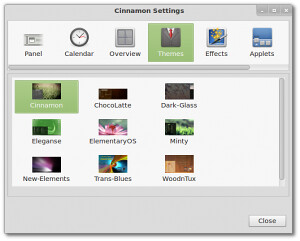
Tout theme was made for Cinnamon which is compatible with 1.6/1.4 versions. This theme make the panel background more distinct with border, It also removes boxes form panel and menus. It makes cinnamon more cool and brighter.
cinnamon themes

cinnamon themes
Theme tested on Cinnamon 1.6/1.4, Use Cinnamon settings to change themes.
Also Checkout Themes and Icons Collection for Gtk, Gnome Shell, Unity.
You can use Gnome-tweak-tool or Ubuntu-Tweak to change themes.

To install Tout theme on Ubuntu/Linux Mint open Terminal (Press Ctrl+Alt+T) and copy the following commands in the Terminal:
  • sudo add-apt-repository ppa:noobslab/themes
  • sudo apt-get update
  • sudo apt-get install tout-cinnamon
That's it, Enjoy
Source: Tout

Tuesday, 23 October 2012

Install DeLorean-Dark theme on Ubuntu 12.10/12.04/11.10/Mint (GTK + Gnome Shell + Cinnamon)

Install DeLorean-Dark theme on Ubuntu 12.10 Quantal/Ubuntu 12.04 Precise/Ubuntu 11.10/Linux Mint (Gtk3 + Gnome Shell + Cinnamon)

DeLorean-Dark for those who like dark themes, This theme is available for Gnome Shell 3.4/3.5/3.6, But for Gnome Shell 3.6 it is still in development. I tested this theme on Ubuntu 12.10 with Gnome Shell 3.6 + Gtk 3.6 and it works perfectly. Theme author will give update for final version but you can enjoy this version. Also this theme is available for Cinnamon desktop, Which is included in package and you can install it via NoobsLab ppa.
Gnome-Shell Version
dark themes
GTK Version
ubuntu dark themes
Cinnamon Version
ubuntu themes
Theme tested on Ubuntu 12.10 with Gnome Shell 3.6 + Gtk 3.6 and Ubuntu 12.04 Gnome Shell 3.4/3.5 + Gtk 3.4 and Linux Mint 13 Cinnamon

1st: Download Wallpaper (page link)
2nd: Choose Icons from collection, You can use Gnome-tweak-tool or Ubuntu-Tweak to change themes/icons. (To change Cinnamon theme, you need to go in cinnamon settings)

To install DeLorean-Dark theme on Ubuntu/Linux Mint open Terminal (Press Ctrl+Alt+T) and copy the following commands in the Terminal:
  • sudo add-apt-repository ppa:noobslab/themes
  • sudo apt-get update
  • sudo apt-get install delorean-dark
That's it, Enjoy
Source: DeLorean Dark

Sunday, 21 October 2012

Install latest Cinnamon 1.6.4 in Ubuntu 12.10/12.04/Linux Mint (New Release)

Install Latest Cinnamon 1.6.4 in Ubuntu 12.10 Quantal/Ubuntu 12.04 Precise and Cinnamon 1.4 in Ubuntu 11.10 Oneiric/Linux Mint 12

Cinnamon team released new version of Cinnamon with many bugs fixes, theme improvements, enhancements to the bottom panel, also include cinnamon setting manager. Latest Version is a maintenance release which adds polish and tackles important issues from the previous release.
cinnamon

What's new in 1.6.4 Version?
  • When the magnifier is enabled some categories of the menu do not appear correctly
  • Accessibility: Magnifier now displays context menus correctly
  • Windows management: When a window requires attention (typically, when you open a file with an editor that is located on another workspace), Cinnamon moves to that workspace by default rather than bringing the window to you. This behaviour is also configurable in Cinnamon Settings -> Windows.
  • Menu: Items from sub-categories are now displayed
  • Menu: Searches now apply to menu item ids (i.e. the name of the .desktop file)
  • Settings: Made keybindings page compatible with non-Ubuntu based distributions
  • Updated translations
Also Previous Release Fixes:
  • New "keyboard bindings" page in cinnamon settings
  • Fixed alignment in notification popups
  • Prevent non-gtk-systray-icons from disappearing on redisplay
  • Window-list applet: Fix regression to close-all and close-other
  • menu applet fix: get_key_focus was triggering a changed signal on the search text box, which was resetting categories (thinking a search was being performed).
  • Don�t hide Spotify from system tray
  • updated translations
  • altTab: Fix thumbnail size calculation for some dual-head setups
  • [Expo] Remove clip � fixes dual-display issue with clipped workspace ��display
  • Fixed conky/mintupload windows appearing in alt-tab
  • Use bottomMonitor to position bottom-aligned hot corner.
  • Alt-tab: Icons + Thumbnails as default choice
  • Enabled notifications and settings applets by default
  • Ignore the GNOME setting for handling the desktop

To Install Latest Cinnamon in Ubuntu 12.10/12.04/11.10 open Terminal (Press Ctrl+Alt+T) and copy the following commands in the Terminal:
  • sudo add-apt-repository ppa:gwendal-lebihan-dev/cinnamon-stable
  • sudo apt-get update
  • sudo apt-get install cinnamon
That's it, Enjoy
Source: Cinnamon
Sunday, 14 October 2012

Install Latest Cinnamon 1.6 in Ubuntu 12.10/12.04/Mint

Install Latest Cinnamon 1.6 in Ubuntu 12.10 Quantal/Ubuntu 12.04 Precise and Cinnamon 1.4 in Ubuntu 11.10 Oneiric/Linux Mint 12

Cinnamon team released new version of Cinnamon with many bugs fixes, theme improvements, enhancements to the bottom panel, also include cinnamon setting manager. Latest Version is a maintenance release which adds polish and tackles important issues from the previous release.

cinnamon

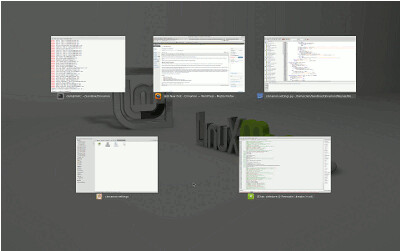
"Scale" was present in previous Cinnamon releases and looks like the Compiz Scale plugin, it shows all the windows from your current workspace on the screen and easily allows you to select the one you�re interested in.
ubuntu cinnamon

"Expo" is really cool in Cinnamon. It zooms out of your current workspace and shows you all the workspaces on your system. From there you can switch to the workspace you want, or even drag and drop windows from one workspace to another.
Cinnamon has 5 workspaces, whether you use them or not, whether you restart Cinnamon or not, whether you even reboot your computer or not� you�re in charge of your workspace management now.

linux cinnamon

By default shortcuts for Expo and Scale:
CTRL+ALT+UP goes to Expo
CTRL+ALT+DOWN goes to Scale
The hot corner is on the top-left and calls Expo
CTRL+ALT+LEFT/RIGHT switches to the LEFT/RIGHT adjacent workspace
CTRL+ALT+SHIFT+LEFT/RIGHT moves the active window to the LEFT/RIGHT adjacent workspace

"Settings Applet" And "Panel Edit Mode"
This applet features:
- Troubleshooting options (restart cinnamon, looking glass, restore settings to default)
- Panel Edit Mode
- Quick access to settings

cinnamon

"Menu Improvements"
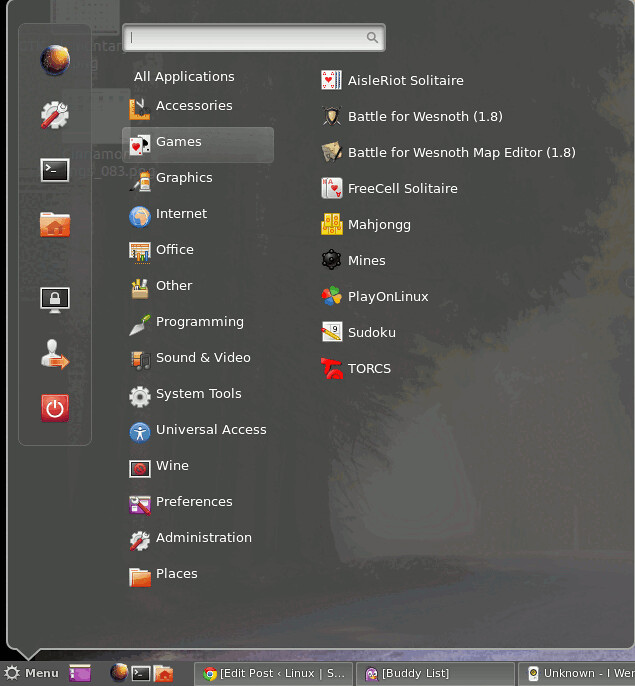
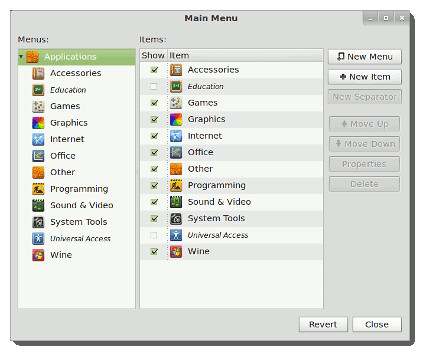
The menu received two significant improvements: full drag & drop support, and edition.
You can use drag & drop to:
  • Add applications to the panel launchers from the menu
  • To add/remove applications to/from your favorites
  • To reorder your favorites
  • By right-clicking the menu and selecting �Edit menu� you can launch a brand new menu editor. �Alacarte� was made compatible with Cinnamon and got fully integrated with the desktop.
cinnamon

To Install Latest Cinnamon in Ubuntu 12.10/12.04/11.10 open Terminal (Press Ctrl+Alt+T) and copy the following commands in the Terminal:
  • sudo add-apt-repository ppa:gwendal-lebihan-dev/cinnamon-stable
  • sudo apt-get update
  • sudo apt-get install cinnamon
That's it, Enjoy
Source: Cinnamon

Friday, 14 September 2012

Install Latest Cinnamon 1.6 in Ubuntu 12.04/Ubuntu 11.10

Install Latest Cinnamon 1.6 in Ubuntu 12.04 Precise Pangolin/Ubuntu 11.10 Oneiric Ocelot

Cinnamon team released new version of Cinnamon with many bugs fixes, theme improvements, enhancements to the bottom panel, also include cinnamon setting manager. Latest Version is a maintenance release which adds polish and tackles important issues from the previous release.

cinnamon

"Scale" was present in previous Cinnamon releases and looks like the Compiz Scale plugin, it shows all the windows from your current workspace on the screen and easily allows you to select the one you�re interested in.
ubuntu cinnamon

"Expo" is really cool in Cinnamon. It zooms out of your current workspace and shows you all the workspaces on your system. From there you can switch to the workspace you want, or even drag and drop windows from one workspace to another.
Cinnamon has 5 workspaces, whether you use them or not, whether you restart Cinnamon or not, whether you even reboot your computer or not� you�re in charge of your workspace management now.

linux cinnamon

By default shortcuts for Expo and Scale:
CTRL+ALT+UP goes to Expo
CTRL+ALT+DOWN goes to Scale
The hot corner is on the top-left and calls Expo
CTRL+ALT+LEFT/RIGHT switches to the LEFT/RIGHT adjacent workspace
CTRL+ALT+SHIFT+LEFT/RIGHT moves the active window to the LEFT/RIGHT adjacent workspace

"Settings Applet" And "Panel Edit Mode"
This applet features:
- Troubleshooting options (restart cinnamon, looking glass, restore settings to default)
- Panel Edit Mode
- Quick access to settings

cinnamon

"Menu Improvements"
The menu received two significant improvements: full drag & drop support, and edition.
You can use drag & drop to:
  • Add applications to the panel launchers from the menu
  • To add/remove applications to/from your favorites
  • To reorder your favorites
  • By right-clicking the menu and selecting �Edit menu� you can launch a brand new menu editor. �Alacarte� was made compatible with Cinnamon and got fully integrated with the desktop.
cinnamon

To Install Latest Cinnamon 1.6 in Ubuntu 12.04/11.10 open Terminal (Press Ctrl+Alt+T) and copy the following commands in the Terminal:
  • sudo add-apt-repository ppa:gwendal-lebihan-dev/cinnamon-stable
  • sudo apt-get update
  • sudo apt-get install cinnamon
Enjoy
Source: Cinnamon

Saturday, 7 July 2012

Install Linux Mint Theme + Icons in Ubuntu (Gnome Shell + GTK3 + Cinnamon)

Install Linux Mint Theme + Icons in Ubuntu 12.10 Quantal/Ubuntu 12.04 Precise/Ubuntu 11.10 Oneiric (Gnome Shell + GTK + Cinnamon)


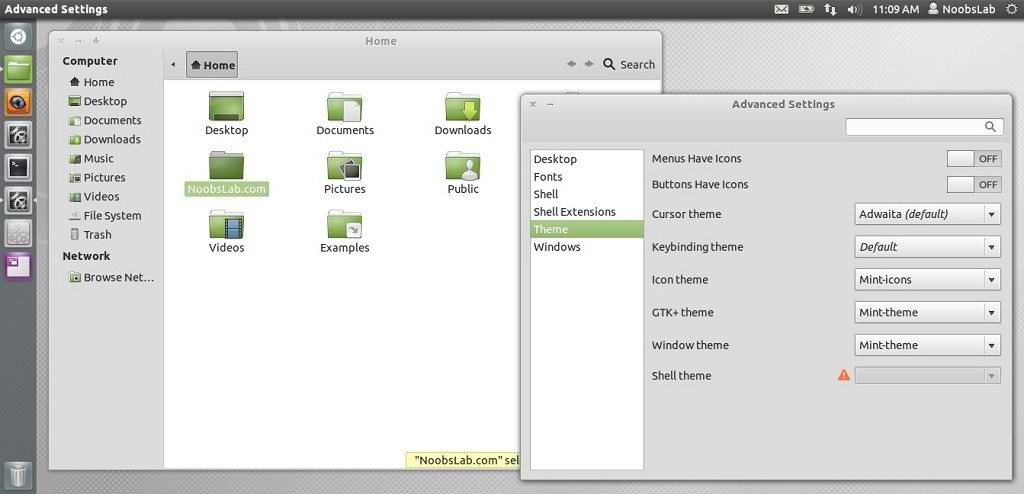
Mbossg is theme author, He provide Mint theme and icons for Ubuntu users. For those who want different flavor theme in Ubuntu can check collection here.
This Mint theme is available for GTK3, Gnome Shell 3.4, Cinnamon.

You can use these Tools to change theme and icons: Gnome Tweak Tool, Ubuntu Tweak


ubuntu theme


mint theme


To install Mint Theme on Ubuntu open Terminal (Press Ctrl+Alt+T) and copy the following commands in the Terminal:

  • mkdir ~/.themes
  • wget -O mint-theme.zip http://dl.dropbox.com/u/53319850/NoobsLab.com/mint-theme.zip
  • unzip mint-theme.zip -d ~/.themes

To install Mint Icons on Ubuntu open Terminal (Press Ctrl+Alt+T) and copy the following commands in the Terminal:

  • mkdir ~/.icons
  • wget -O mint-icons.zip http://dl.dropbox.com/u/53319850/NoobsLab.com/mint-icons.zip
  • unzip mint-icons.zip -d ~/.icons
That's it, Enjoy.

Thursday, 17 May 2012

Linux Mint 13 "Maya" RC is available for testing

Clement Lefebvre has announced the availability of the release candidate for Linux Mint 13 - in MATE and Cinnamon flavours: "The team is proud to announce the release of Linux Mint 13 RC 'Maya'. Available in two editions, Linux Mint 13 features the choice between a productive, stable and mature MATE 1.2 desktop and the brand new, modern-looking and exciting Cinnamon 1.4. These two desktops are among the best available, they're perfectly integrated within Linux Mint and represent great alternatives to GNOME 2 users. Linux Mint 13 is also an LTS (long-term support) release and it will be supported until April 2017."
Read the release announcement, release notes and what's new page for more information.

Screen Shots
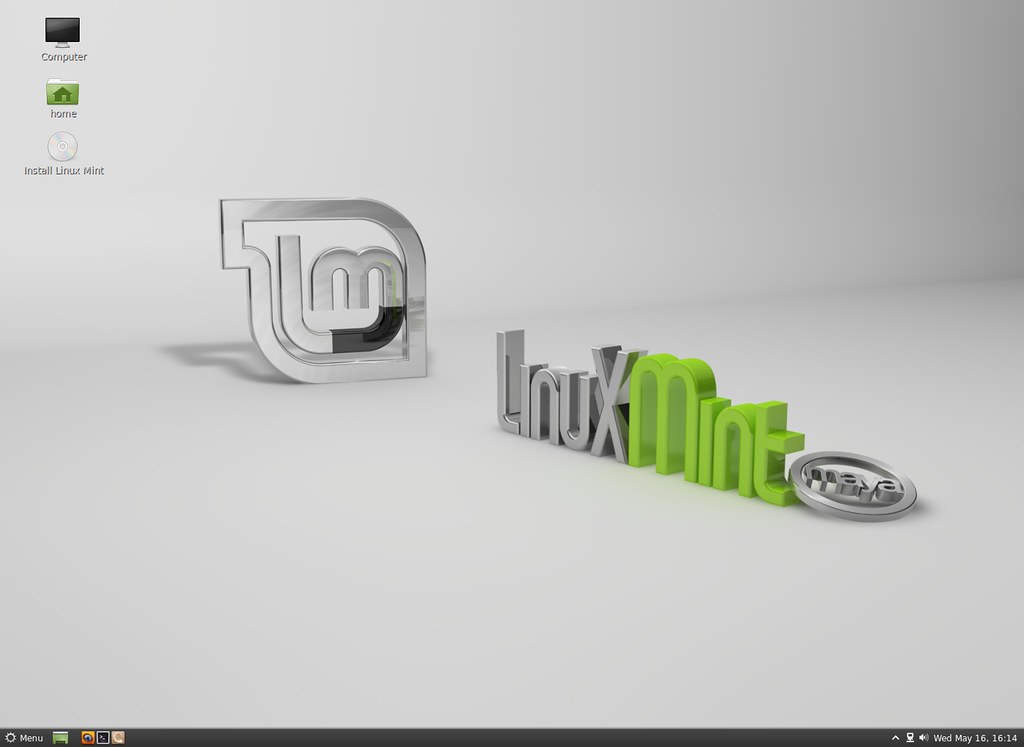
mint cinnamon
Linux Mint 13 "Maya" Cinnamon Edition

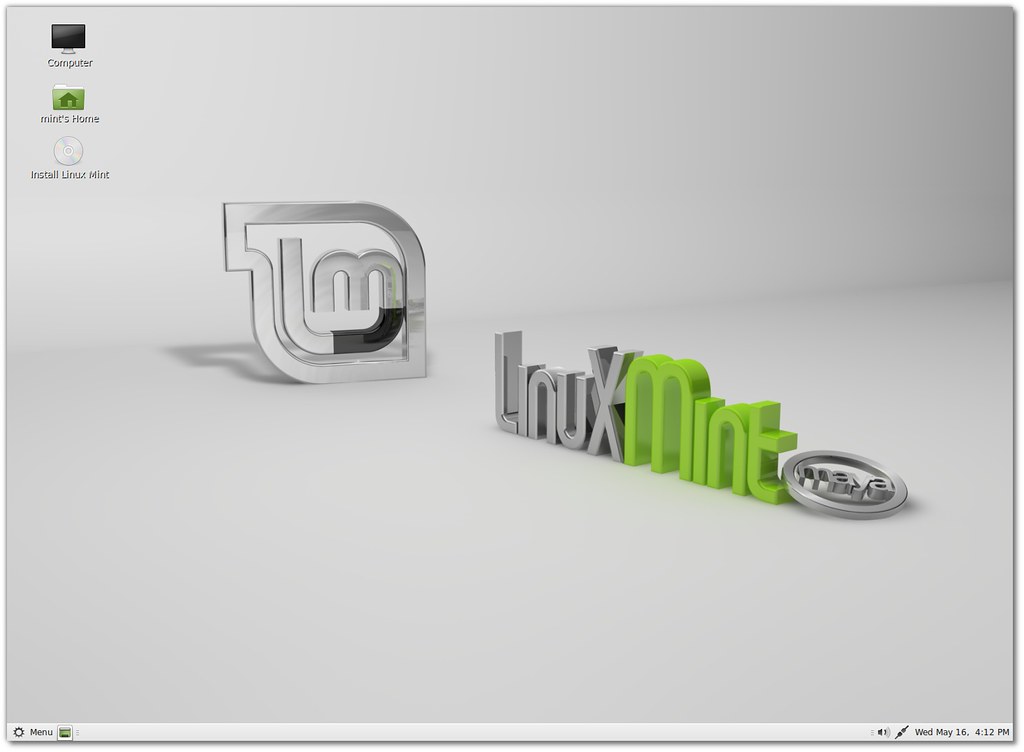
mint mate
Linux Mint 13 "Maya" MATE Edition

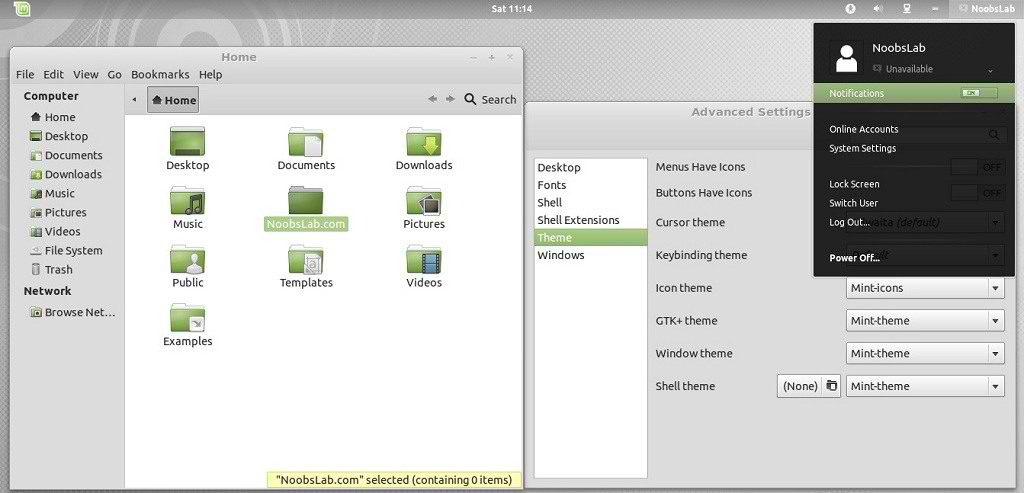
linux mint 13
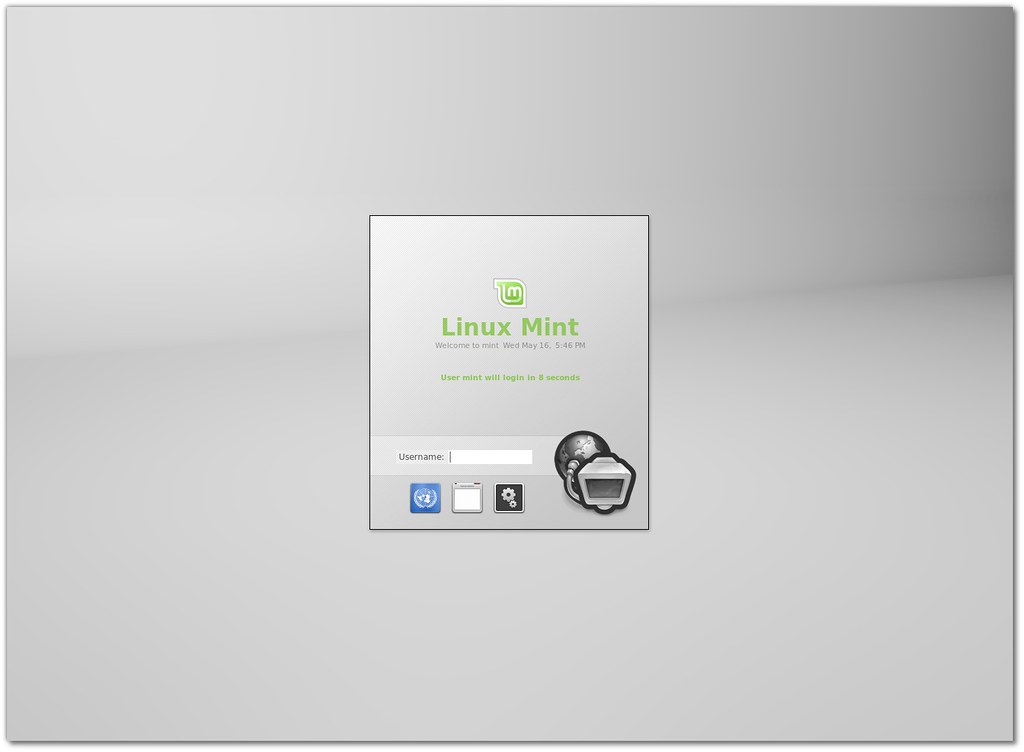
MDM stands for "MDM Display Manager"

Linux mint
MDM comes with a lot of features and configuration options

mint 13
Linux Mint 13 features the latest Mint-X and Mint-Z themes and better support for GTK3.


Download (SHA256): 
Linux Mint-13-mate-dvd-32bit-rc.iso(898MB, torrent)
Linux Mint-13-mate-dvd-64bit-rc.iso (885MB, torrent)
Linux Mint-13-cinnamon-dvd-32bit-rc.iso (817MB, torrent)
Linux Mint-13-cinnamon-dvd-64bit-rc.iso(800MB, torrent)

Thursday, 5 April 2012

Install Cinnamon 1.4 on Ubuntu 12.04 Precise/11.10 Oneiric

Install Cinnamon 1.4 on Ubuntu 12.04 Precise Pangolin/Ubuntu 11.10 Oneiric Ocelot

Cinnamon team released new version of Cinnamon 1.4 with many bugs fixes, theme improvements, enhancements to the bottom panel, also include cinnamon setting manager. Version 1.4 is a maintenance release which adds polish and tackles important issues from the previous release.

cinnamon


"Scale" was present in previous Cinnamon releases and looks like the Compiz Scale plugin, it shows all the windows from your current workspace on the screen and easily allows you to select the one you�re interested in.

ubuntu cinnamon

"Expo" is new in Cinnamon 1.4. It zooms out of your current workspace and shows you all the workspaces on your system. From there you can switch to the workspace you want, or even drag and drop windows from one workspace to another.
Cinnamon has 5 workspaces, whether you use them or not, whether you restart Cinnamon or not, whether you even reboot your computer or not� you�re in charge of your workspace management now.

linux cinnamon

By default shortcuts for Expo and Scale:
CTRL+ALT+UP goes to Expo
CTRL+ALT+DOWN goes to Scale
The hot corner is on the top-left and calls Expo
CTRL+ALT+LEFT/RIGHT switches to the LEFT/RIGHT adjacent workspace
CTRL+ALT+SHIFT+LEFT/RIGHT moves the active window to the LEFT/RIGHT adjacent workspace

"Settings Applet" And "Panel Edit Mode"
This applet features:
- Troubleshooting options (restart cinnamon, looking glass, restore settings to default)
- Panel Edit Mode
- Quick access to settings

cinnamon

"Menu Improvements"

The menu received two significant improvements: full drag & drop support, and edition.
You can use drag & drop to:
- Add applications to the panel launchers from the menu
- To add/remove applications to/from your favorites
- To reorder your favorites
- By right-clicking the menu and selecting �Edit menu� you can launch a brand new menu editor. �Alacarte� was made compatible with Cinnamon and got fully integrated with the desktop.
cinnamon

To Install Cinnamon 1.4 on Ubuntu 12.04/11.10 open Terminal (Press Ctrl+Alt+T) and copy the following commands in the Terminal:
  • sudo add-apt-repository ppa:gwendal-lebihan-dev/cinnamon-stable
  • sudo apt-get update
  • sudo apt-get install cinnamon
Enjoy

More info here

Wednesday, 7 March 2012

Install Cinnamon 1.3.1 on Ubuntu/Linux Mint/Fedora (New Release)

Install Cinnamon 1.3.1 on Ubuntu 12.04 Precise/Ubuntu 11.10/11.04/Linux Mint/Fedora/other Distro's

Cinnamon team released new version of Cinnamon 1.3.1 with many bugs fixes, theme improvements, enhancements to the bottom panel, also include cinnamon setting manager. Version 1.3.1 is a maintenance release which adds polish and tackles important issues from the previous release.

cinnamon

cinnamon desktop

New Fixes in Cinnamon 1.3.1:

Easier applet drag n� drop:
  1. Panel zones now cover the entire panel: In Cinnamon 1.3 they only used the space they needed, leaving empty zones in the panel which didn�t react to drag n� drop.
  2. Panel zones are now highlighted on drag-over: In Cinnamon 1.3, you couldn�t see where the zones were, so dragging an applet was precarious as you couldn�t tell whether you were dropping it in the right or center zone (for instance). Since version 1.3.1, they now appear in color. This works with the default theme, and this post contains instructions for artists to update their theme to add this feature.
Cinnamon settings:
  1. New �restore to default� button in the applet section
  2. Text scaling factor now uses a spin button instead of a scale widget
  3. Slightly improved layout
Default theme improvements:
  1. Slightly better looking panel launchers
  2. Smoother notifications
Other fixes:
  1. Fixed battery/power applet
  2. Many unnecessary warnings were removed from the logs
  3. Typos were corrected in the systray applet
  4. A bug was fixed which made some icons to appear too big in the system tray

To install Cinnamon on Ubuntu open Terminal (Press Ctrl+Alt+T) and copy the following commands in the Terminal:
  • sudo apt-add-repository ppa:gwendal-lebihan-dev/cinnamon-stable
  • sudo apt-get update
  • sudo apt-get install cinnamon
Install on Linux Mint with following command:
  • sudo apt-get install cinnamon
Install on Fedora 16 Verne with following commands:
  • su
  • curl http://repos.fedorapeople.org/repos/leigh123linux/cinnamon/fedora-cinnamon.repo -o /etc/yum.repos.d/fedora-cinnamon.repo
  • yum install cinnamon
For other Distro's see Cinnamon Download Page.

Friday, 17 February 2012

New Release Install Cinnamon 1.3 on Ubuntu/Linux Mint

Install Cinnamon 1.3 on Ubuntu 11.10 Oneiric Ocelot/Linux Mint

Cinnamon1.3 has been released, the new release comes with many new features and improvements. Cinnamon1.3 comes with an Improved Main Menu, new desktop effects, for customization,added a new configuration tool called "Cinnamon Settings"

cinnamon

Applets Improvements:
In Cinnamon 1.3, every panel component is an applet. This means you can remove the default menu or window list and replace them with 3rd party applets.

Another important feature in this release, is the fact that applets can now be dragged and dropped with the mouse and placed wherever you want within the panel(s). So you can now move any part of the panel(s) around and really fine-tune the layout of your desktop to what works best for you.

Cinnamon, the GNOME2-like GNOME Shell fork, has reached version 1.3, which is considered fully stable. The new release brings many new features, but also separates Cinnamon even more from GNOME Shell.

Settings Improvements:
Cinnamon Settings gained a lot of new features and a lot of new tabs. You can now use it not only to change Cinnamon preferences themselves, but also to configure your fonts, windows, desktop icons, window, cursor, gtk+ themes..etc.

It�s graphical interface was also changed, for the tool to be able to show more information without using more screen estate.


Menu Improvements:
New hover delay preference
Better icon sizes (crispier icons)
Fixed menu size when the number of favorites is high
More exhaustive search results

Other Notable Improvements:
Panel launchers can now be re-ordered by drag & drop
Improved visuals in the default theme
Workspace navigation is now possible in scale mode (note that we�re still planning an Expo mode)
Multiple bug fixes

Here is latest version of Cinnamon 1.4

To install Cinnamon on Ubuntu/Linux Mint open Terminal (Press Ctrl+Alt+T) and copy the following commands in the Terminal:
  • sudo add-apt-repository ppa:merlwiz79/cinnamon-ppa
  • sudo add-apt-repository ppa:gwendal-lebihan-dev/cinnamon-stable
  • sudo apt-get update
  • sudo apt-get install cinnamon cinnamon-session cinnamon-settings
Here is the page of Cinnamon. That's it
 

Just the Life of Eddie Copyright © 2012 Best Celebrity Wallpaper -- Powered by Blogger