Warung Bebas
Showing posts with label linux themes. Show all posts

Monday, 17 December 2012

Faience GTK+Gnome Shell Theme and Icon for Ubuntu 12.10/12.04/Linux Mint

Faience GTK + Gnome Shell Theme and Icon for Ubuntu 12.10 Quantal/Ubuntu 12.04 Precise/Linux Mint 14/13

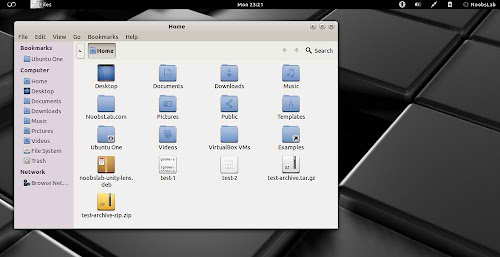
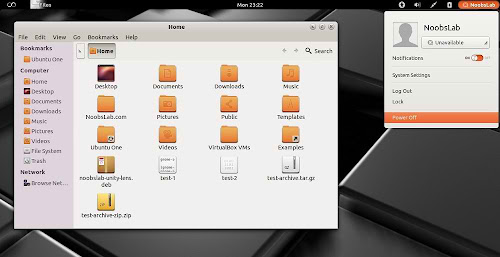
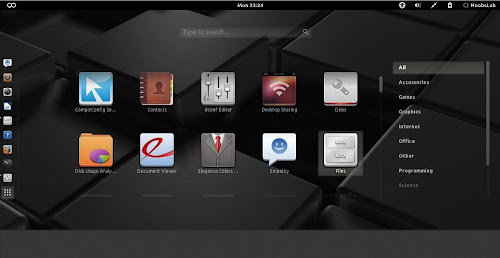
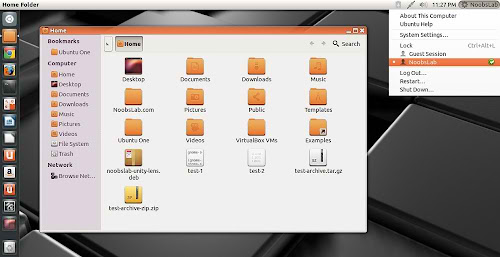
Faience is light and cool theme for GTK and GnomeShell, Faience icon theme is based on Faenza and include GTK3, GTK2, Metacity and Gnome-Shell themes. Faience icon and theme match with each other and looks cool on desktop.
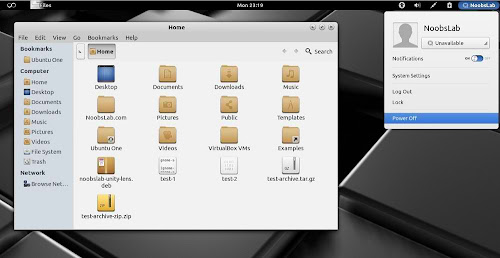
faience theme

faience theme

faience theme

faience theme

faience theme

What's new in this theme update:
  • New Faience-Ocre (for Gnome-Shell) and Faience-Claire (for Unity) GTK2, GTK3 and metacity themes
  • GTK3: fixed the background colour of Nautilus canvas items when the right-click menu is displayed
  • GTK3: added animations to buttons
  • GTK3: improved the overall look of Gnome Documents
  • GTK3: removed the stripes on progressbars
  • GS: new design for modal dialogs and GDM
  • GS: updated assets to match better the GTK3 widgets
  • GTK2: removed the 1-pixel border along the vertical scrollbars for maximized windows (the problem persists with GTK3 applications).

To install Faience theme and icons in Ubuntu/Linux Mint open Terminal (Press Ctrl+Alt+T) and copy the following commands in the Terminal:
  • sudo add-apt-repository ppa:tiheum/equinox
  • sudo apt-get update
  • sudo apt-get install faience-theme
  • sudo apt-get install faience-icon-theme
That's it, Enjoy
Source: tiheum
Friday, 10 August 2012

Install Opal Blue & Blue + Smooth theme on Ubuntu/Linux Mint (GTK + Gnome Shell)

Install Opal Blue & Blue + Smooth theme on Ubuntu 12.04/12.10/11.10/Linux Mint 13/12 for GTK3 + Gnome Shell 3.4

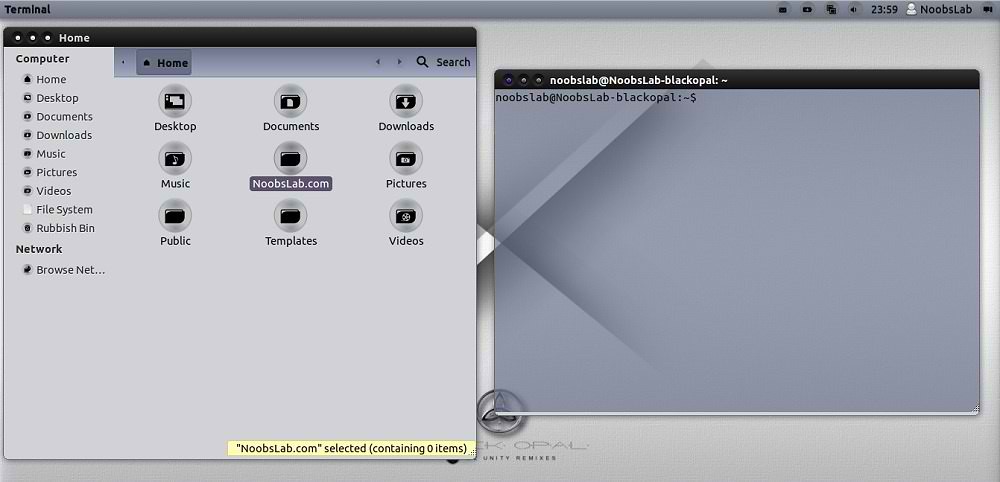
Opal Black and Blue theme is actually Black Opal distro theme, This theme is really looks cool. Opal theme is available in Blue + Black and also available smooth version for Gnome Shell 3.4.
Here is Black Opal Distro for 64bit.
You can use these Tools to change theme and icons: Gnome Tweak ToolUbuntu Tweak

Download Black Opal Distro Wallpapers
Install Opal-ACYL Icons

Gtk Theme

ubuntu themes

This theme available for Ubuntu 11.10/12.04/12.10

To install Opal Blue+Black Gtk theme on Ubuntu/Linux Mint open Terminal (Press Ctrl+Alt+T) and copy the following commands in the Terminal:
  • sudo add-apt-repository ppa:noobslab/themes
  • sudo apt-get update
  • sudo apt-get install opal-theme

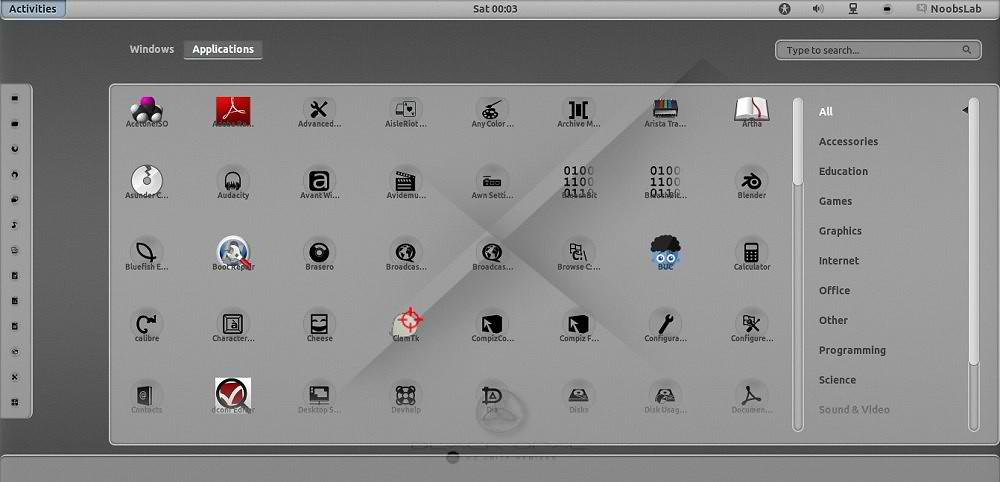
Gnome Shell Theme

ubuntu themes

This theme support Gnome Shell 3.4 and available for Ubuntu 11.10/12.04/12.10

To install Opal Smooth Gnome Shell theme on Ubuntu/Linux Mint open Terminal (Press Ctrl+Alt+T) and copy the following commands in the Terminal:
  • sudo add-apt-repository ppa:noobslab/themes
  • sudo apt-get update
  • sudo apt-get install opal-smooth-inset-3.4
That's it, Enjoy

Monday, 6 August 2012

Install DeLorean Dark themes on Ubuntu 12.04/Linux Mint 13 (GTK 3)

Install DeLorean Dark themes on Ubuntu 12.04 Precise/Linux Mint 13 Maya (GTK 3)

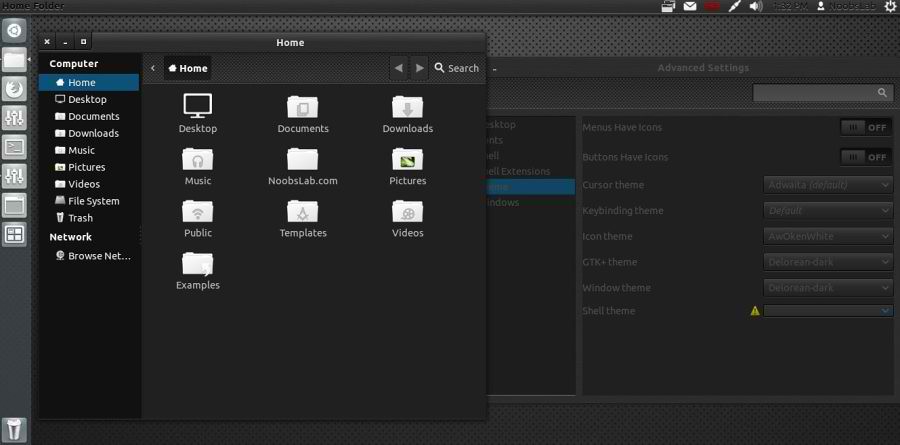
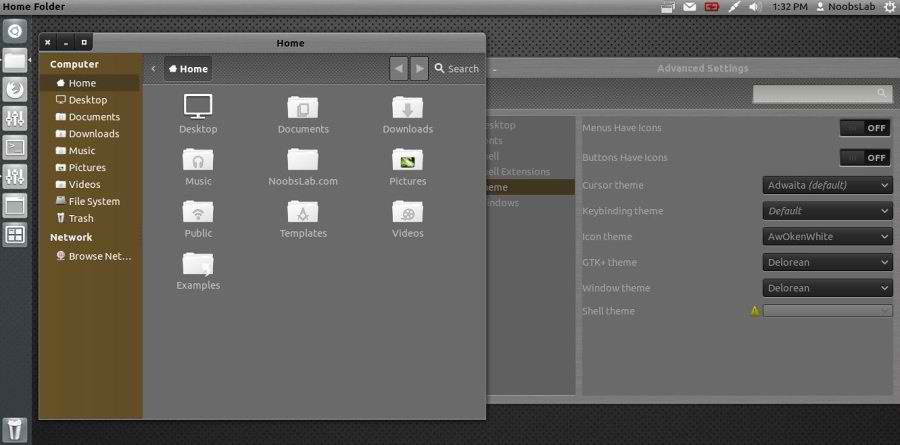
DeLorean is a very silk and really beautiful dark GTK3 theme that is also very clean in its design allowing a relaxed usability that is always a difficult thing to achieve with dark themes.

Install Awoken Icons

1: Delorean Dark Theme


To install Delorean Dark theme on Ubuntu/Linux Mint open Terminal (Press Ctrl+Alt+T) and copy the following commands in the Terminal:
  • sudo add-apt-repository ppa:killhellokitty/themes.ppa
  • sudo apt-get update
  • sudo apt-get install delorean-dark

2: Delorean Theme


To install Delorean theme on Ubuntu/Linux Mint open Terminal (Press Ctrl+Alt+T) and copy the following commands in the Terminal:
  • sudo add-apt-repository ppa:killhellokitty/themes.ppa
  • sudo apt-get update
  • sudo apt-get install delorean
That's it, Enjoy

Sunday, 5 August 2012

Install Malys-RevoLT themes on Ubuntu/Linux Mint (GTK 3)

Install Malys-RevoLT themes on Ubuntu 12.10 Quantal/Ubuntu 12.04 Precise/Ubuntu 11.10 Oneiric/Linux Mint (GTK 3)

We have themes collection for Ubuntu/Mint/other distributions. This Malys-Revolt theme is really nice for those who like dark themes. This theme contains four versions, most recent version is Malys-RevoltEX Which is included in this package.

1st Download Wallpapers
2nd Install Malys-UniBlue Icons

You can use these Tools to change theme and icons: Gnome Tweak ToolUbuntu Tweak

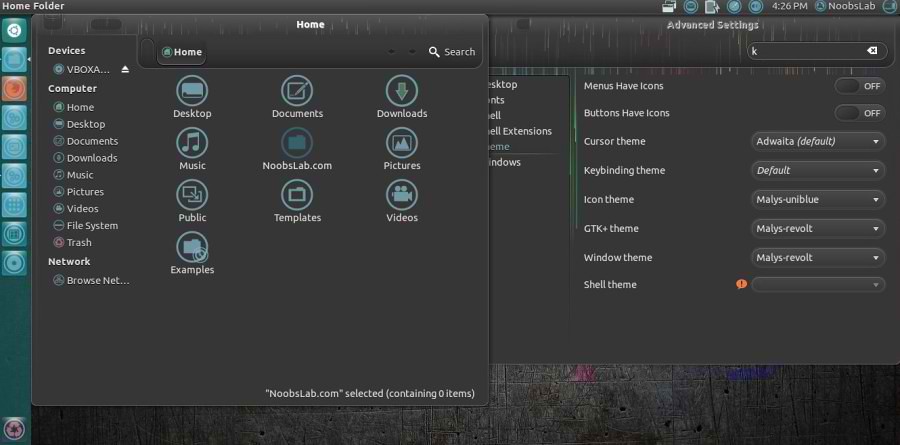
Malys-Revolt Version
ubuntu themes

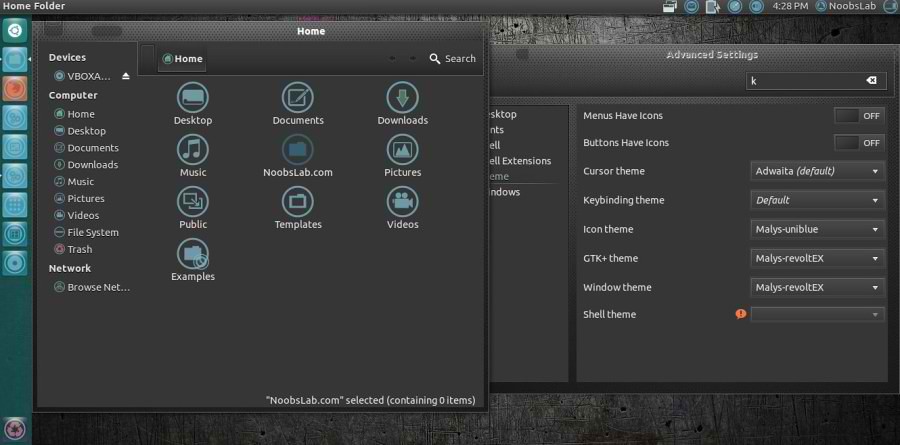
Malys-RevoltEX Version
ubuntu themes

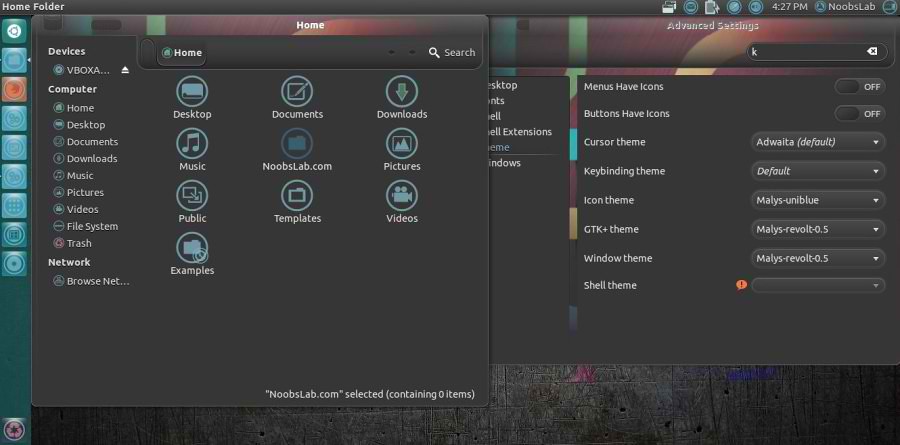
Malys-Revolt-0.5 Version
ubuntu themes

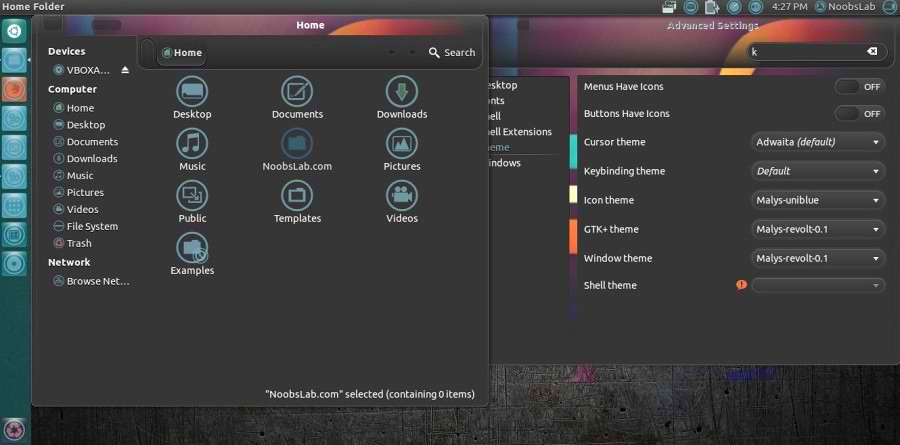
Malys-Revolt-0.1 Version
ubuntu themes

To install Malys-Revolt themes on Ubuntu/Linux Mint open Terminal (Press Ctrl+Alt+T) and copy the following commands in the Terminal:
  • sudo add-apt-repository ppa:noobslab/malys-themes
  • sudo apt-get update
  • sudo apt-get install malys-revolt
That's it, Enjoy
Source: Malys RevoLT

Tuesday, 31 July 2012

Install Malys-Inversio Themes on Ubuntu/Linux Mint (GTK 3)

Install Malys-Inversio Themes on Ubuntu 12.10/12.04/11.10/Linux Mint (GTK 3)/Ubuntu based Distributions

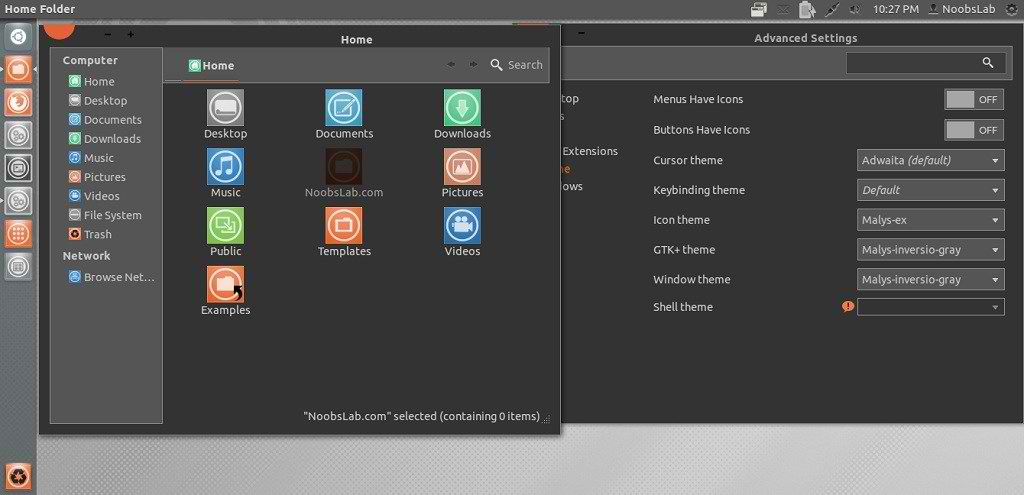
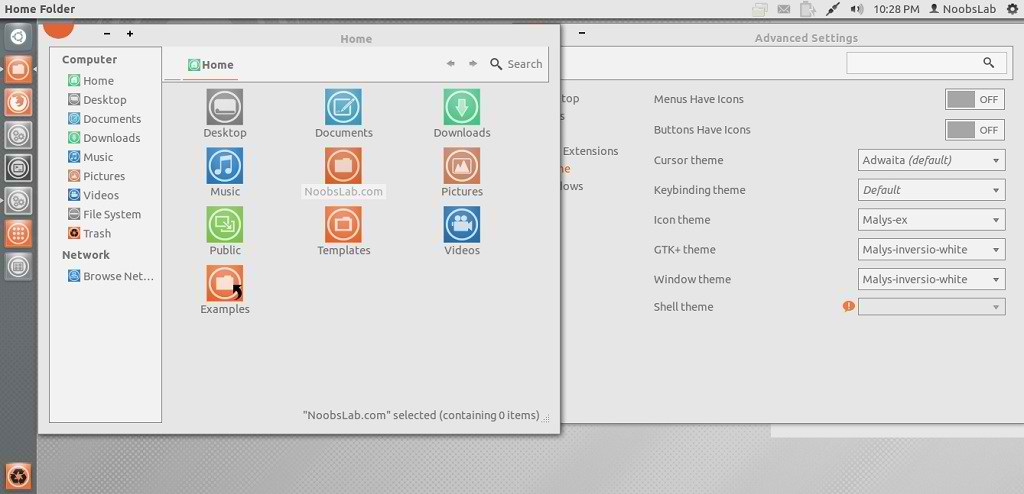
Malys is really nice themes and icons creator. Here you can find Malys other themes and icons. This malys-Inversio theme is made for GTK3. There are two versions in this theme gray and white.

You can use these Tools to change theme and icons: Gnome Tweak ToolUbuntu Tweak

1st: Install Malys-ex Icons
2nd: Download Wallpapers

Malys-Inversio-Gray
ubuntu themes

Malys-Inversio-White
ubuntu themes

To install Malys-Inversio on Ubuntu/Linux Mint open Terminal (Press Ctrl+Alt+T) and copy the following commands in the Terminal:
  • sudo add-apt-repository ppa:noobslab/malys-themes
  • sudo apt-get update
  • sudo apt-get install malys-inversio
That's it, Enjoy

Sunday, 29 July 2012

Install Malys-FutureBox Themes on Ubuntu/Linux Mint (GTK 3)

Install Malys-FutureBox Themes on Ubuntu 12.10/12.04/11.10/Linux Mint (GTK 3)/Ubuntu based Distributions

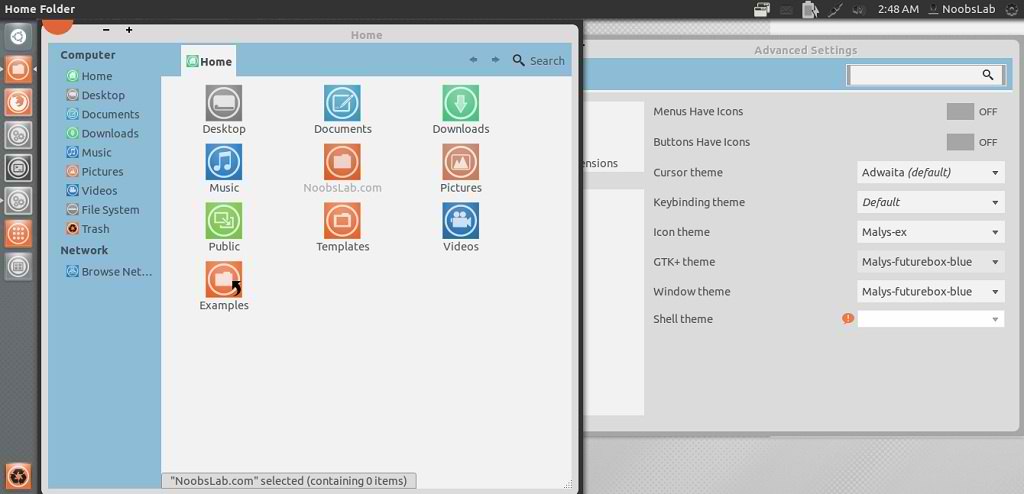
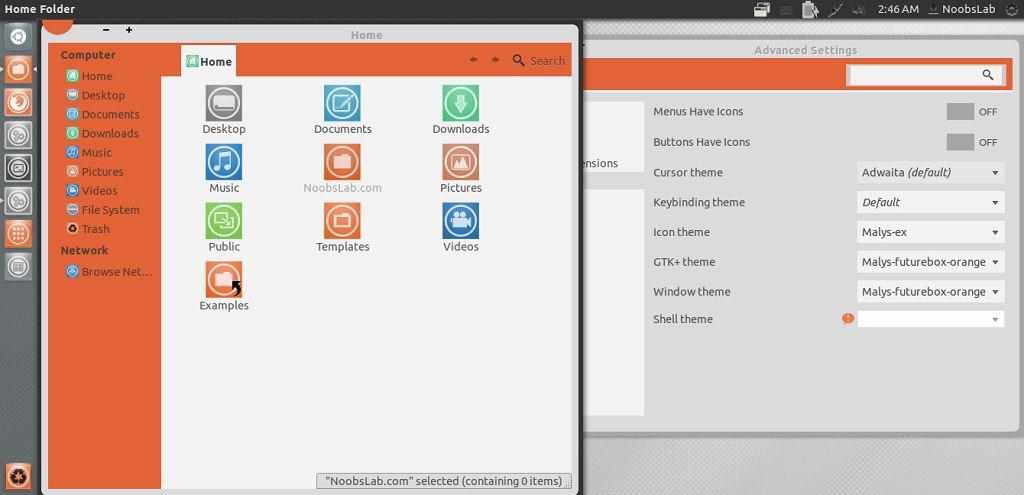
Malys is really nice themes and icons creator. Here you can find Malys other themes and icons. This malys-futurebox theme is made for GTK3. There are three version Green, Orange, Blue.

You can use these Tools to change theme and icons: Gnome Tweak ToolUbuntu Tweak

1st: Install Malys-ex Icons
2nd: Download Wallpapers

Malys-FutureBox-Blue
ubuntu themes

Malys-FutureBox-Green
gtk3 themes

Malys-FutureBox-Orange
ubuntu themes

To install Malys-FutureBox on Ubuntu/Linux Mint open Terminal (Press Ctrl+Alt+T) and copy the following commands in the Terminal:
  • sudo add-apt-repository ppa:noobslab/malys-themes
  • sudo apt-get update
  • sudo apt-get install malys-futurebox
That's it, Enjoy

Sunday, 15 July 2012

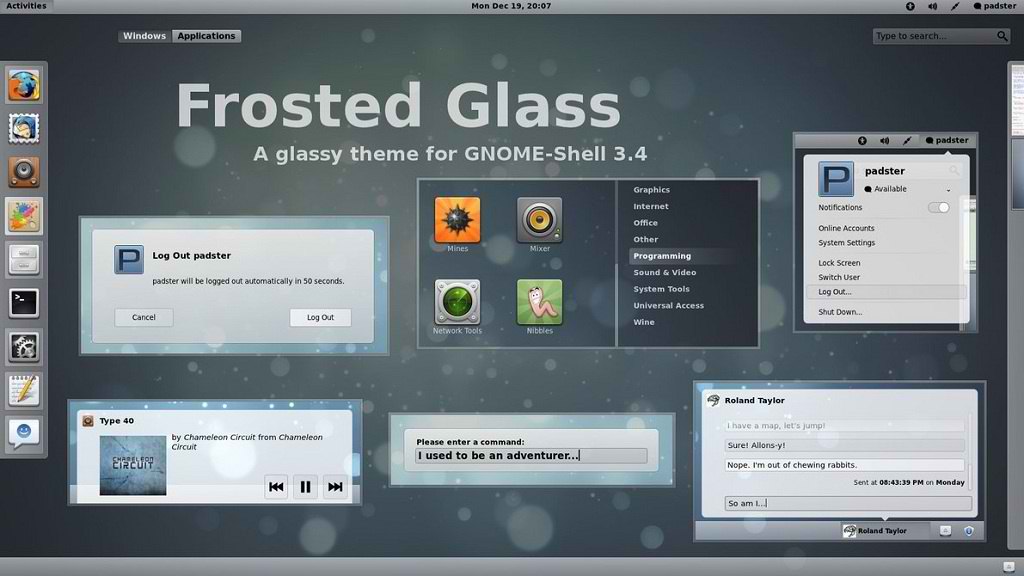
Install Frosted Glass Gnome Shell Theme on Ubuntu/Linux Mint

Install Frosted Glass Gnome Shell 3.4/3.2 Theme on Ubuntu 12.04/11.10/Linux Mint 13/12

A glassy theme, with inspiration taken from things like Nord and Faience, but with a spin on it.
You can use these Tools to change theme and icons: Gnome Tweak ToolUbuntu Tweak
Checkout theme collection here.

1st Download Wallpapers
2nd Install Faience Icons

ubuntu themes

ubuntu themes

ubuntu themes

To install Frosted theme on Gnome Shell 3.4 open Terminal (Press Ctrl+Alt+T) and copy the following commands in the Terminal:
  • mkdir ~/.themes
  • wget -O frosted_glass_gs-3.4.zip http://dl.dropbox.com/u/53319850/NoobsLab.com/frosted_glass_gs-3.4.zip
  • unzip frosted_glass_gs-3.4.zip -d ~/.themes
  • sudo rm frosted_glass_gs-3.4.zip

To install Frosted theme on Gnome Shell 3.2 open Terminal (Press Ctrl+Alt+T) and copy the following commands in the Terminal:
  • mkdir ~/.themes
  • wget -O frosted_glass_gs-3.2.zip http://dl.dropbox.com/u/53319850/NoobsLab.com/frosted_glass_gs-3.2.zip
  • unzip frosted_glass_gs-3.2.zip -d ~/.themes
  • sudo rm frosted_glass_gs-3.2.zip
That's it, Enjoy
Source: Frosted Glass

Install Optimus Blue Inspiration theme in Ubuntu/Mint (Gnome Shell 3.4)

Install Optimus Blue Inspiration Gnome Shell theme in Ubuntu 12.04/11.10/Linux Mint 13/12 (Gnome Shell 3.4)

You can use these Tools to change theme and icons: Gnome Tweak ToolUbuntu Tweak
Checkout theme collection here.

gnome shell themes

ubuntu themes

Theme tested on Ubuntu 12.04 Precise with Gnome Shell 3.4.1

To install Optimus Blue theme on Ubuntu/Mint open Terminal (Press Ctrl+Alt+T) and copy the following commands in the Terminal:
  • mkdir ~/.themes
  • wget -O optimus_blue-gs.zip http://dl.dropbox.com/u/53319850/NoobsLab.com/optimus_blue_theme-gs.zip
  • unzip optimus_blue-gs.zip -d ~/.themes
  • sudo rm optimus_blue-gs.zip
That's it, Enjoy

Saturday, 7 July 2012

Install Malys Future Transparent Theme on Ubuntu/Linux Mint (Gnome Shell + Gtk3)

Install Malys Future Transparent Theme on Ubuntu 12.04 Precise/Ubuntu 12.10 Quantal/Ubuntu 11.10 Oneiric/Linux Mint (Gnome Shell + Gtk3)

Malys is great theme author, previously NoobsLab shared his many theme which you can found in Collection.  Malys Future theme is available for GTK and Gnome Shell. This theme tested on Ubuntu 12.04 with Gnome Shell 3.4 + GTK 3.

You can use these Tools to change theme and icons: Gnome Tweak ToolUbuntu Tweak

>> First of all Install Fonts open Terminal and enter following commands:
  • mkdir ~/.fonts
  • wget -O malys-future-fonts.zip http://dl.dropbox.com/u/53319850/NoobsLab.com/malys-future-fonts.zip
  • unzip malys-future-fonts.zip -d ~/.fonts
>> Now Install UniBlack Icons
>> Download Malys Future Wallpapers
>> Move Close, Minimize, Maximize Buttons to Right


1: Malys Future GTK Version

Malys Futuree Version
ubuntu themes

Malys Future Version
ubuntu themes

Both versions will be available with one command.

To install Malys Future Gtk on Ubuntu/Linux Mint open Terminal (Press Ctrl+Alt+T) and copy the following commands in the Terminal:
  • sudo add-apt-repository ppa:noobslab/malys-themes
  • sudo apt-get update
  • sudo apt-get install malys-future

2: Malys Future Transparent Gnome Shell Version

Malys Future Gnome Shell Version
ubuntu themes

Malys Futuree Transparent Gnome Shell Version
ubuntu themes

Both versions will be available with one command.

To install Malys Future Gtk on Ubuntu/Linux Mint open Terminal (Press Ctrl+Alt+T) and copy the following commands in the Terminal:
  • sudo add-apt-repository ppa:noobslab/malys-themes
  • sudo apt-get update
  • sudo apt-get install malys-future-gs
That's it, Enjoy

Friday, 6 July 2012

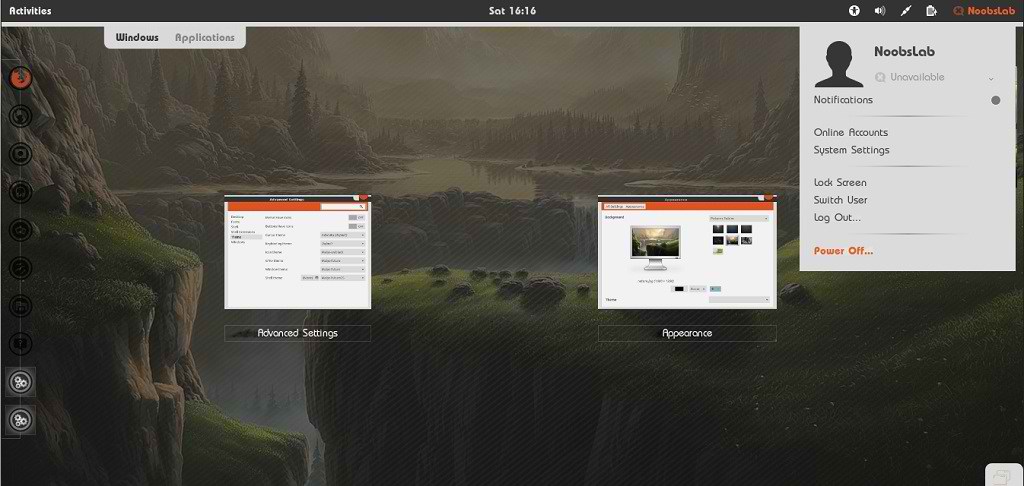
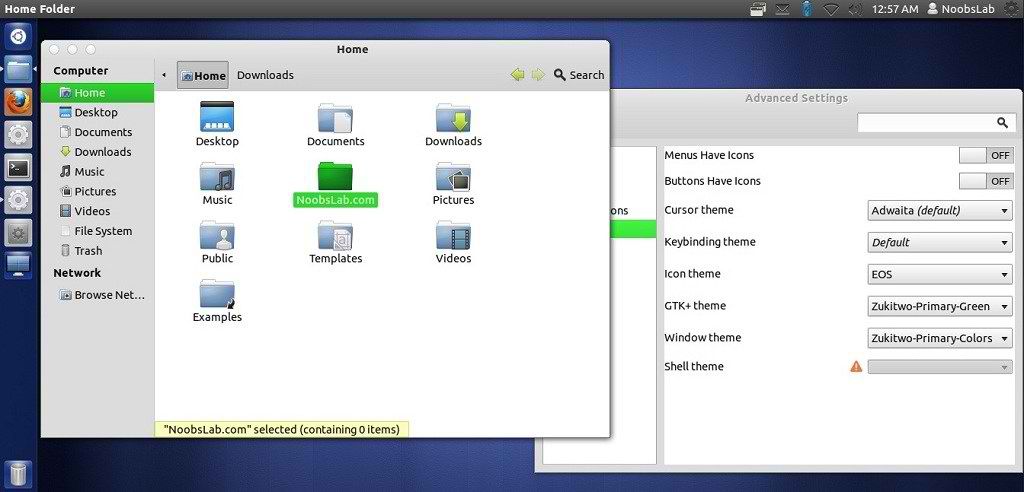
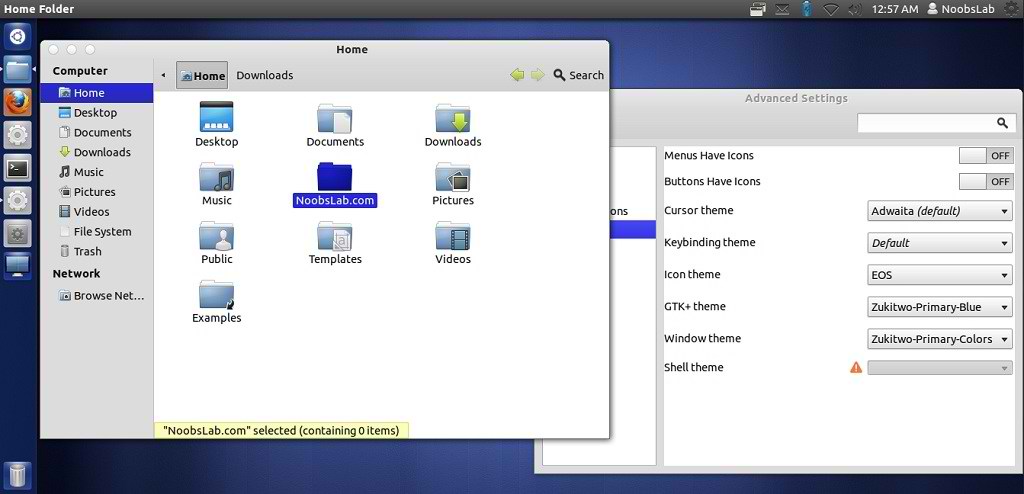
Install Zukitwo Primary Colors Theme on Ubuntu/Linux Mint

Install Zukitwo Primary Colors Theme on Ubuntu 12.10/Ubuntu 12.04/Ubuntu 11.10/Linux Mint

You can use These Tools to change theme: Gnome Tweak ToolUbuntu Tweak

zukitwo theme

ubuntu theme

Ubuntu themes

There are three GTK2, GTK3, GNOME Shell and Cinnamon themes in all (Red, Green and Blue) as well as common Metacity/Mutter and XFWM themes for all three themes (Zukitwo-Primary-Colors).

To install Zukitwo-Primary-Colors theme on Ubuntu/Linux Mint (Press Ctrl+Alt+T) and copy the following commands in the Terminal:
  • mkdir ~/.themes
  • wget -O zukitwo_pc.zip http://dl.dropbox.com/u/53319850/NoobsLab.com/zukitwo_primary_colors.zip
  • unzip zukitwo_pc.zip -d ~/.themes
Enjoy
Source: Deviantart

Sunday, 24 June 2012

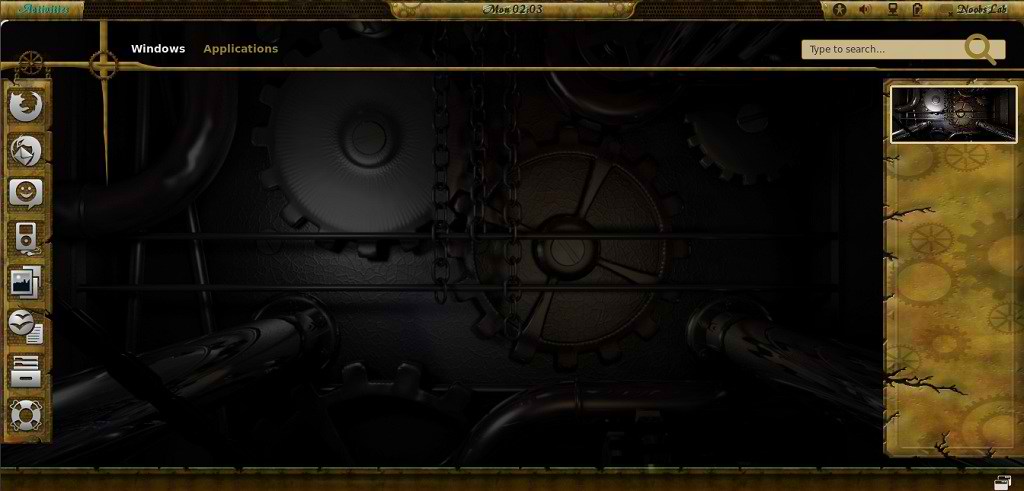
Install Old-Steampunk theme on Ubuntu/Linux Mint/any Distro (Gnome Shell + Gtk3)

Install Old-Steampunk theme on Ubuntu 12.04/11.10/Linux Mint 13/12/Fedora/any Distro (Gnome Shell + Gtk3)

This Theme gives a unique look to Gnome Desktop, This theme is compatible with Gnome Shell 3.4 + GTK3 and checked on Ubuntu 12.04 with Gnome Shell 3.4. You can try on other shell and distro version. Here are icons used in following screen-shots or you can check other icons collection.

You can use These Tools to change theme: Gnome Tweak Tool, Ubuntu Tweak

ubuntu themes

gnome shell themes

1st: Download Wallpaper
2nd: Install Icons
3rd: Install fonts with following commands:
  • mkdir ~/.fonts
  • wget -O old-font.zip http://dl.dropbox.com/u/53319850/NoobsLab.com/CWMAGIK.zip
  • unzip old-font.zip -d ~/.fonts
  • sudo rm old-font.zip
4th: To install OldSteampunk theme on Ubuntu/Mint open Terminal (Press Ctrl+Alt+T) and copy the following commands in the Terminal:
  • mkdir ~/.themes
  • wget -O oldsteampunk.zip http://dl.dropbox.com/u/53319850/NoobsLab.com/OldSteampunk.zip
  • unzip oldsteampunk.zip -d ~/.themes
  • sudo rm oldsteampunk.zip
That's it, Enjoy

Tuesday, 19 June 2012

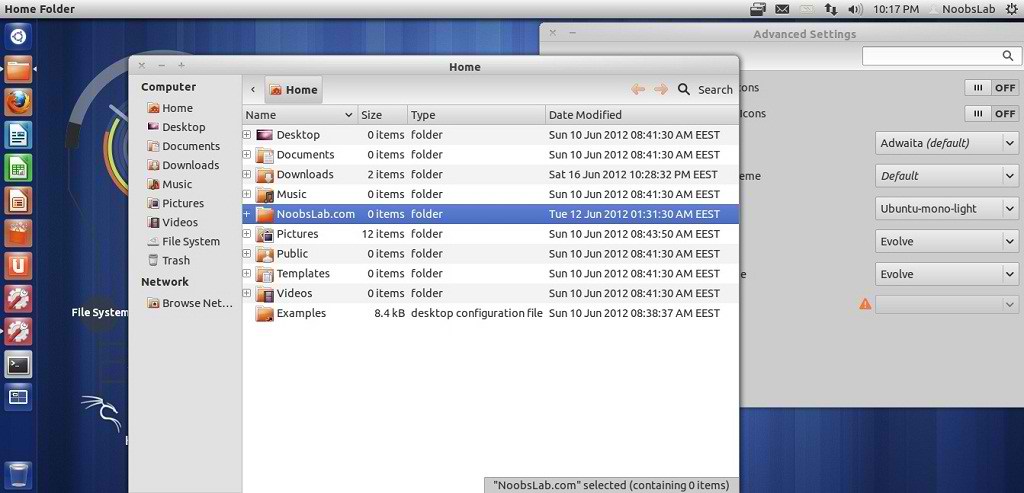
Install Evolve GTK3 theme on Ubuntu/Linux Mint

Install Evolve GTK3 theme on Ubuntu 12.04 Precise/11.10 Oneiric/Linux Mint 13/12

Evolve is a simple and minimal light theme for Gnome. It supports Gnome Shell, Unity and Pantheon. The theme is compatible with GTK 3.4 and uses the Adwaita engine. It also includes a GTK 2.0 theme using Murrine engine.

Ubuntu themes

To install Evolve theme on Ubuntu/Mint open Terminal (Press Ctrl+Alt+T) and copy the following commands in the Terminal:
  • sudo add-apt-repository ppa:satyajit-happy/themes
  • sudo apt-get update
  • sudo apt-get install evolve-gtk-theme
For other Distro's Download Source From here
That's it, Enjoy

Monday, 11 June 2012

Install Elementary Dark Gtk3 Theme on Ubuntu 12.04/11.10/Linux Mint 13/12

Install Elementary Dark Gtk3 Theme on Ubuntu 12.04 Precise/11.10 Oneiric/Linux Mint 13/12

elementary dark theme

Ubuntu elementary theme

elementary Dark is a soft and subtle dark theme based on the higly popular elementary theme.
The theme is compatible with the latest GTK 3.4 and uses the Unico engine. It also includes the elementary Dark GTK 2.0 theme using Murrine engine.

Malys UniBlue Icons used in Screenshots.

To install Elementary Dark theme on Ubuntu/Linux Mint open Terminal (Press Ctrl+Alt+T) and copy the following commands in the Terminal:
  • sudo add-apt-repository ppa:satyajit-happy/themes
  • sudo apt-get update
  • sudo apt-get install elementary-dark-theme
That's it, Enjoy.
Source: satya164

Sunday, 3 June 2012

Install Malys-Future theme on Ubuntu/Linux Mint (GTK 3/2)

Install Malys-Future theme on Ubuntu 12.04/11.10/Linux Mint 13/12 (GTK 3/2)

ubuntu malys themes

ubuntu themes

1st: Download Future Wallpapers
2nd: Move Minimize, Maximize, Close Button to Right
3rd: Malys-UniBlack Icons
4th: Install Fonts enter following commands:
  • mkdir ~/.fonts
  • wget -O bahamas-font.zip http://dl.dropbox.com/u/53319850/NoobsLab.com/bahamas-font.zip
  • unzip bahamas-font.zip -d ~/.fonts
To install Malys-Future theme on Ubuntu/Linux Mint open Terminal (Press Ctrl+Alt+T) and copy the following commands in the Terminal:
  • sudo add-apt-repository ppa:noobslab/malys-themes
  • sudo apt-get update
  • sudo apt-get install malys-future
for other older Ubuntu version/other distro's checkout source link.
That's it, Enjoy
Source: Malys-Future

Thursday, 31 May 2012

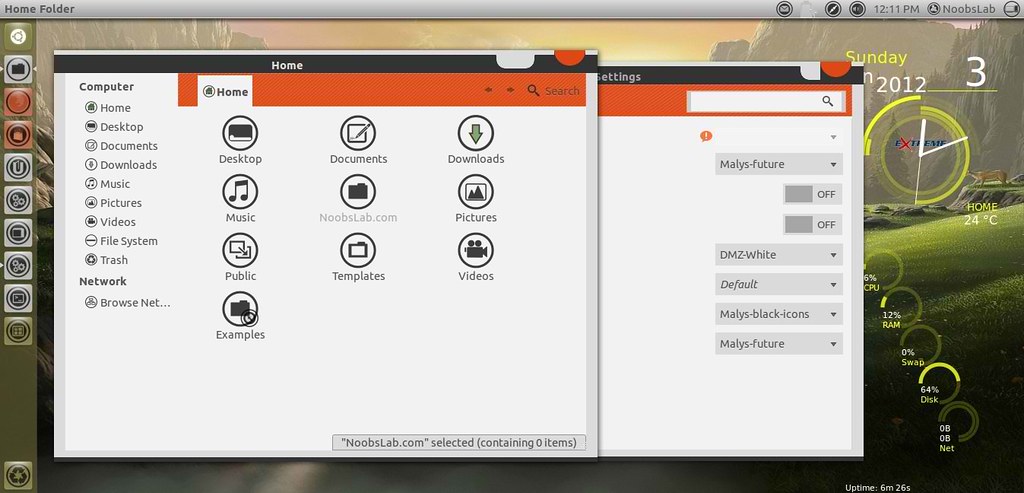
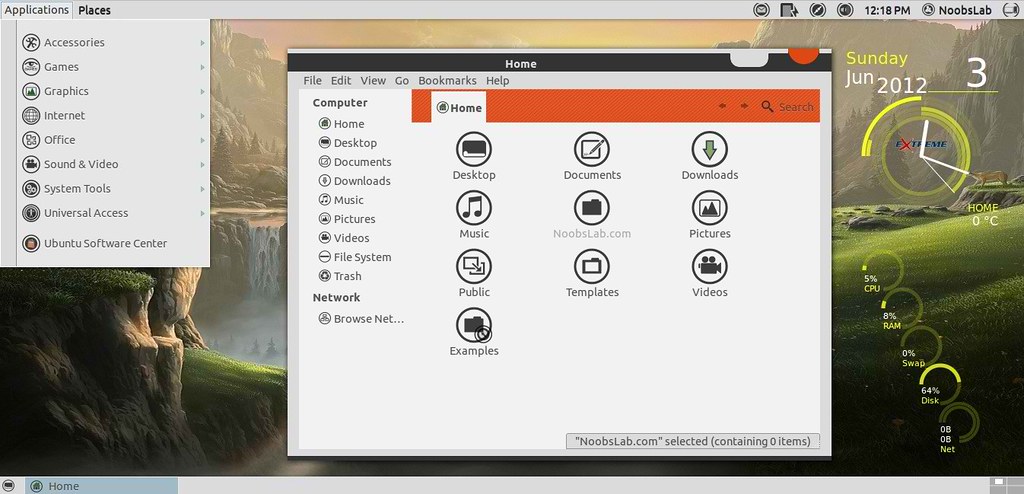
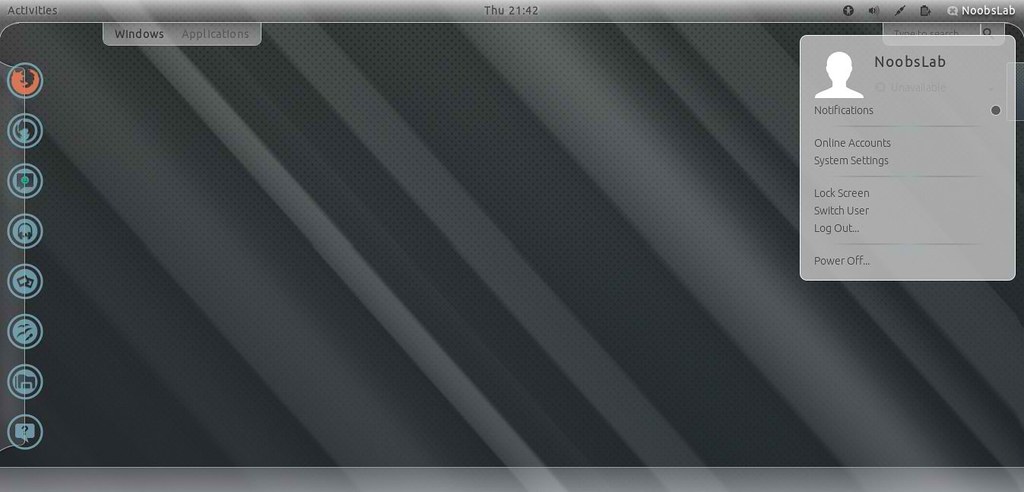
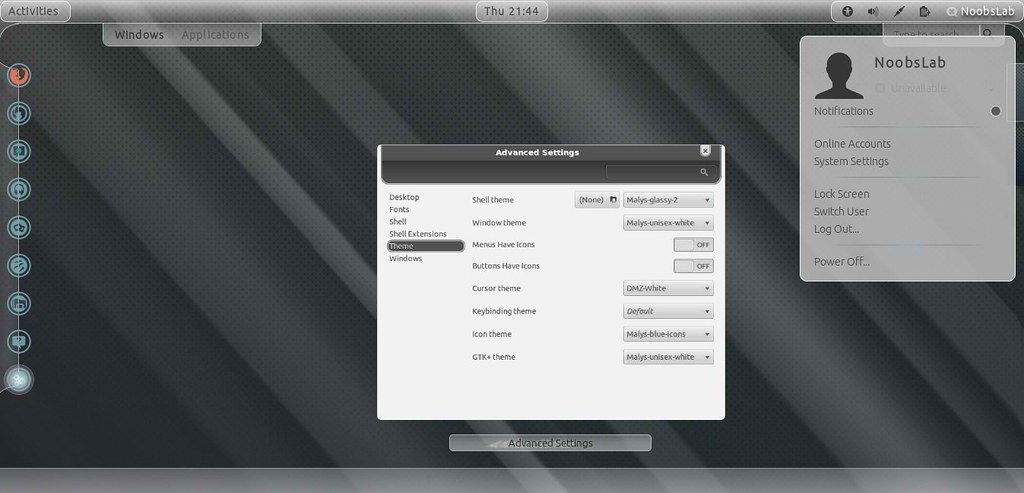
Install Malys Glassy theme on Ubuntu/Linux Mint (Gnome Shell)

Install Malys Glassy theme on Ubuntu 12.04 Precise/11.10 Oneiric/Linux Mint 13/12 (Gnome Shell)

Malys is really nice creator of themes, Personally I really like their themes and I am also using their theme on my desktop. Previous NoobsLab shared Malys collection themes + icons. People who are looking mac theme for Gnome Shell, It also looks nice with Mac OS X lion theme.

Some Recommendations:
1st >> Download Malys-Glassy Wallpapers
2nd >> Install Icons Awoken, Malys Blue/Black
3rd >> Malys Unisex Gtk Theme, or check out Malys collection for gtk
4th >> Install AxeMenu Extension for Gnome Shell

>> Malys-Glassy Version 1

malys themes

With Alternative Axe-Menu
ubuntu themes

This Malys-Glassy theme compatible with Gnome Shell 3.2/3.4.
Theme tested on Ubuntu 12.04 Precise Pangolin.

To Install Malys-Glassy-1 on Ubuntu/Linux Mint open Terminal (Press Ctrl+Alt+T) and copy the following commands in the Terminal:
  • sudo add-apt-repository ppa:noobslab/malys-themes
  • sudo apt-get update
  • sudo apt-get install malys-glassy-1

>> Malys-Glassy Version 2

gnome shell themes

With Alternative Axe-Menu
ubuntu themes

This Malys-Glassy theme compatible with Gnome Shell 3.2/3.4.
Theme tested on Ubuntu 12.04 Precise Pangolin.

To Install Malys-Glassy-2 on Ubuntu/Linux Mint open Terminal (Press Ctrl+Alt+T) and copy the following commands in the Terminal:
  • sudo add-apt-repository ppa:noobslab/malys-themes
  • sudo apt-get update
  • sudo apt-get install malys-glassy-2
That's it, Enjoy
Source: Malys-Glassy

Monday, 21 May 2012

Install Malys-Unisex GTK3/2 themes on Ubuntu/Linux Mint

Install Malys-Unisex GTK3/2 themes on Ubuntu 12.04/11.10 Oneiric/11.04/10.10/10.04/Linux Mint

Malys-Unisex theme is really nice theme Personally I like this theme. It Support Gtk 3/2 and have 3 different versions clear, gray and white.

1st Download Wallpaper
2nd Install Malys-Uniblue-Icons
3rd: Move Minimize, Maximize, Close Button to Right

>> Malys-Unisex-Clear Theme

ubuntu malys themes

To install Malys-Unisex-Clear on Ubuntu/Linux Mint open Terminal (Press Ctrl+Alt+T) and copy the following commands in the Terminal:
  • sudo add-apt-repository ppa:noobslab/malys-themes
  • sudo apt-get update
  • sudo apt-get install malys-unisex-clear

>> Malys-Unisex-Gray Theme

ubuntu themes

To install Malys-Unisex-Gray on Ubuntu/Linux Mint open Terminal (Press Ctrl+Alt+T) and copy the following commands in the Terminal:
  • sudo add-apt-repository ppa:noobslab/malys-themes
  • sudo apt-get update
  • sudo apt-get install malys-unisex-gray

>> Malys-Unisex-White Theme

ubuntu gtk themes

To install Malys-Unisex-White on Ubuntu/Linux Mint open Terminal (Press Ctrl+Alt+T) and copy the following commands in the Terminal:
  • sudo add-apt-repository ppa:noobslab/malys-themes
  • sudo apt-get update
  • sudo apt-get install malys-unisex-white
For other Distro see Source link. That's it, Enjoy
Source: Malys-Unisex

Saturday, 21 April 2012

Install Awesome Theme with Icons on Ubuntu 12.04/11.10/Linux Mint

Install Ambiance-BlueBroken Theme with Malys-Uniblue Icons on Ubuntu 12.04 Precise Pangolin/Ubuntu 11.10 Oneiric/Linux Mint 12 Lisa

ubuntu themes

ubuntu 12.04

ubuntu themes

1st Download Wallpapers
2nd Install Gnome Tweak Tool

To Install Icons open Terminal (Press Ctrl+Alt+T) and copy the following commands in the Terminal:
  • sudo add-apt-repository ppa:noobslab/icons
  • sudo apt-get update
  • sudo apt-get install malys-uniblue
To Install Theme open Terminal (Press Ctrl+Alt+T) and copy the following commands in the Terminal:
  • sudo add-apt-repository ppa:noobslab/themes
  • sudo apt-get update
  • sudo apt-get install ambiance-bluebroken
Sources: Theme, Icons

Thursday, 5 April 2012

Install Orion GTK3 Themes on Ubuntu 12.04/11.10/Linux Mint

Install Orion GTK3 Themes on Ubuntu 12.04 Precise Pangolin/Ubuntu 11.10 Oneiric Ocelot/Linux Mint (GTK3)

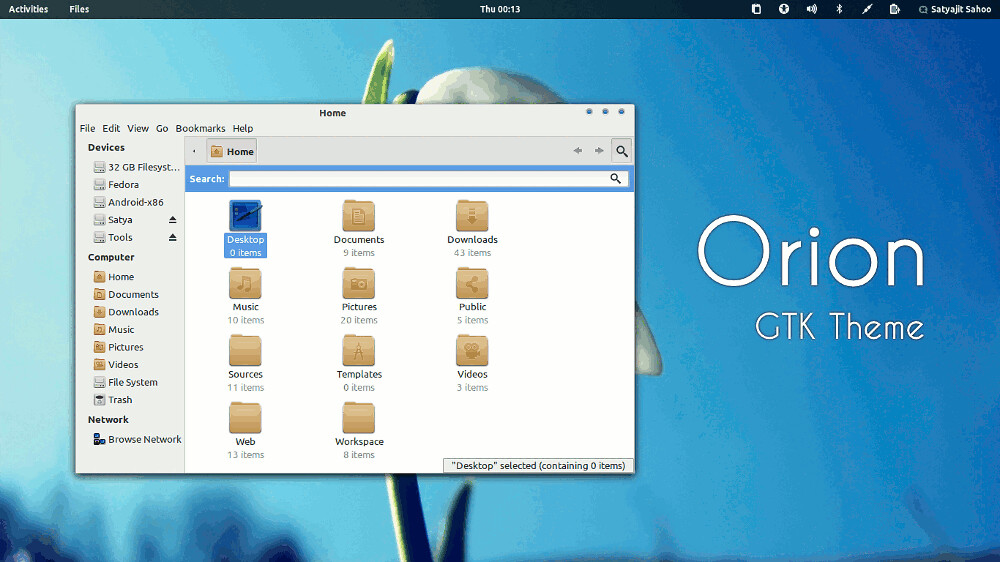
Orion is a modern light theme for Gnome. It supports Gnome Shell, Unity, XFCE and Openbox. The theme is compatible with the latest GTK 3.4 and uses the Unico engine. It also includes a GTK 2.0 theme using Murrine engine.

ubuntu themes

To Install Orion on Ubuntu/Linux Mint open Terminal (Press Ctrl+Alt+T) and copy the following commands in the Terminal:
  • sudo apt-add-repository ppa:satyajit-happy/themes
  • sudo apt-get update
  • sudo apt-get install orion-gtk-theme
Enjoy

Wednesday, 4 April 2012

Install Transparent Swar-Black-Base Themes on Ubuntu/Linux Mint

Install Transparent Swar-Black-Base Themes on Ubuntu 12.04 Precise/Ubuntu 11.10 Oneiric/11.04 Natty/10.10 Maverick/10.04 Lucid/Linux Mint (GTK3/2)

1st > First of all you need to transparent your Ubuntu/Linux Mint, Follow Steps or see video:

Enable Transparency in Ubuntu/Linux Mint
1. Install Compiz Confit Settings Manager (CCSM)
To install via Terminal hit Ctrl + Alt + T
2. Select the below text and hit Ctrl + C to copy and paste into Terminal:
  • sudo apt-get install -y compiz compizconfig-settings-manager && sudo apt-get install -y compiz-fusion-plugins-extra
3. Click on the Launch Application Button (or Super Key) and type CCSM to locate CompizConfig Settings Manager and open it via clicking on it
4. Go into Opacity, Brightness and Saturation
5. In the Opacity Tab click on New
6. Click on the + Button or Add Function
7. Make sure Type is 'Windows Class'
8. Click on the Grab Button and Select Items around your screen until you find Ccsm
9. Click on Add
10. Set the Windows Value to 90
You need to repeat steps 5-9 3 more times with the settings below OR alternatively you can type it manually in the Value Box which is somewhat easier
11. You require 4 Settings to fully enable transparency
12. Click on the New button and in the Windows box type
class=Ccsm (Window Values = 90) then click on add
13. Click on the New button and in the Windows box type
class=Nautilus (Window Values = 90) then click on add
14. Click on the New button and in the Windows box type
class=Normal (Window Values = 90) then click on add
15. Click on the New button and in the Windows box type
class=Dialog (Window Values = 90) then click on add
16. Now click on the Enable Opacity, Brightness and Saturation check-box in the left side panel
17. Restart the computer if any issues occur and the settings should be applied as you see in the print-screen images
18. Remember be cautious with CCSM and Unity as many of the older functions simply do not work yet and will cause crashes
Clearly Opacity or Transparency hasn't failed me

* To enable or disable transparency for something such as a DVD hold the ALT key and move the Mouse Center wheel up or down to enable more or disable more transparency to meet your needs. This does not permanently apply that setting but is a temporary setting.

If Transparency or CCSM Problem occur Reset with following commands:
  • gconftool-2 --recursive-unset /apps/compiz-1
  • unity --reset

Here is more Swar Transparent Themes Flavors

2nd > Now Swar Themes Installation
First add PPA for theme installation
  • sudo add-apt-repository ppa:noobslab/swar-themes
  • sudo apt-get update

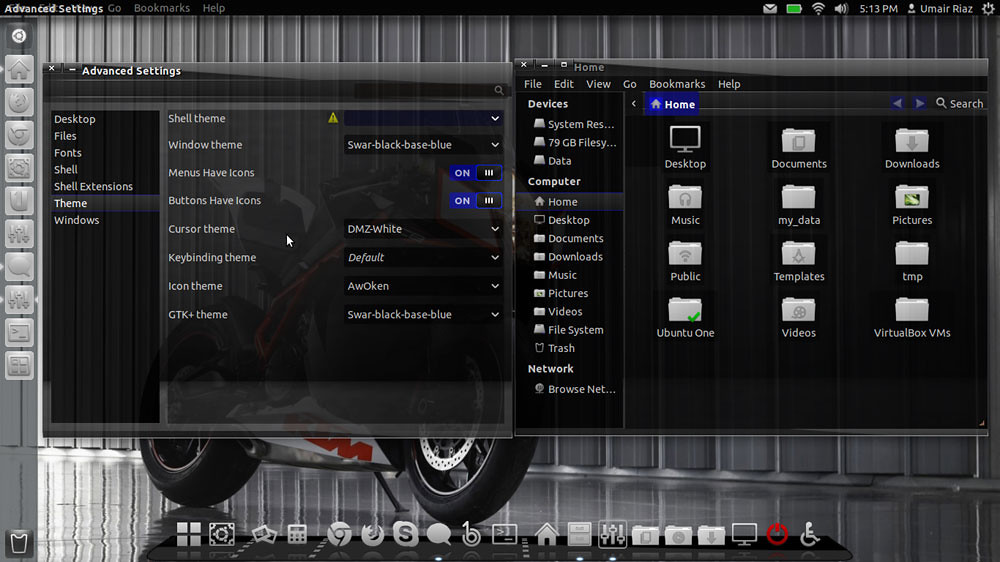
  • Swar Black-Base-Blue
ubuntu themes
Install this theme with following command:
  • sudo apt-get install swar-black-base-blue

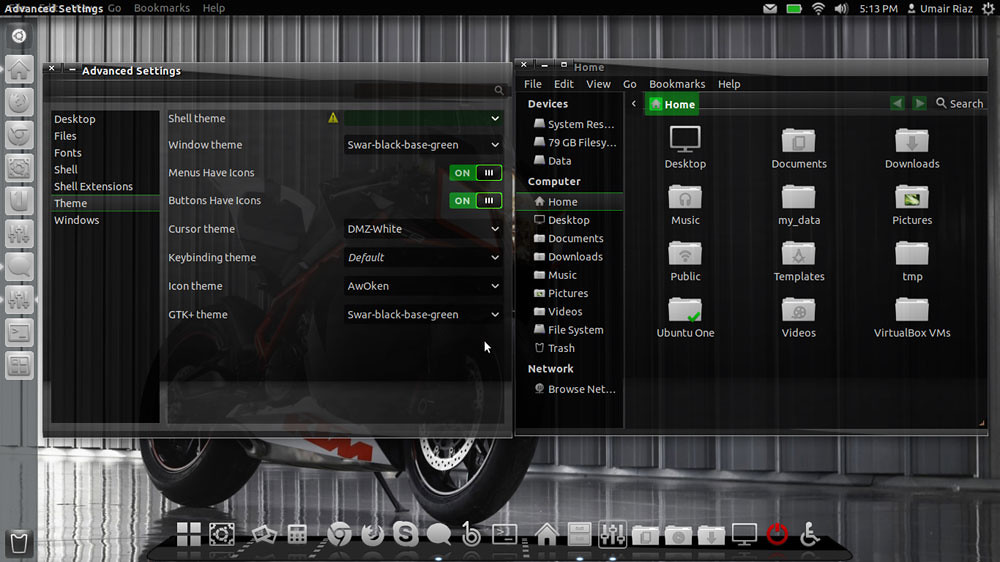
  • Swar Black-Base-Green
linux themes
Install this theme with following command:
  • sudo apt-get install swar-black-base-green

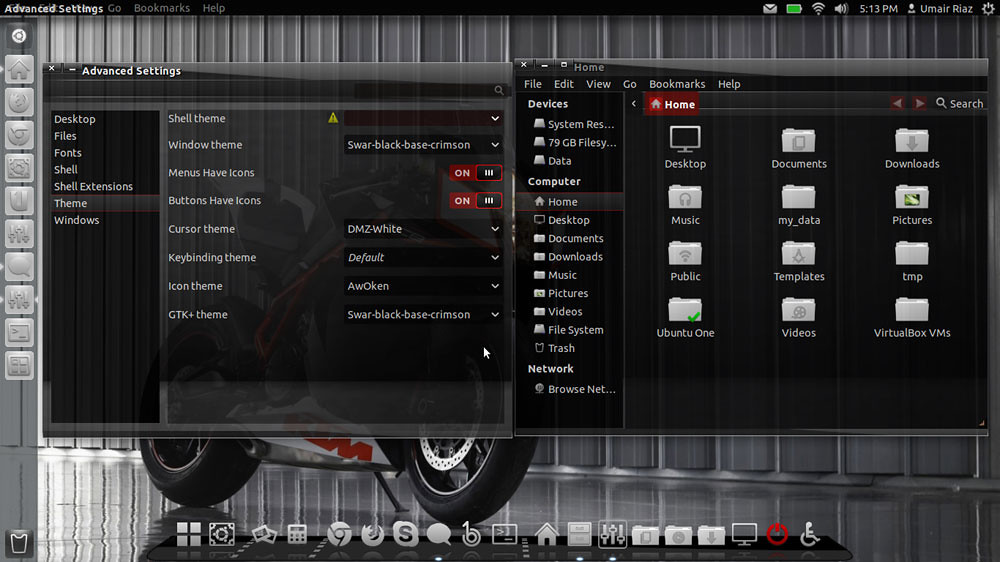
  • Swar Black-Base-Crimson
ubuntu themes
Install this theme with following command:
  • sudo apt-get install swar-black-base-crimson

  • Swar Black-Base-Orange
ubuntu themes
Install this theme with following command:
  • sudo apt-get install swar-black-base-orange

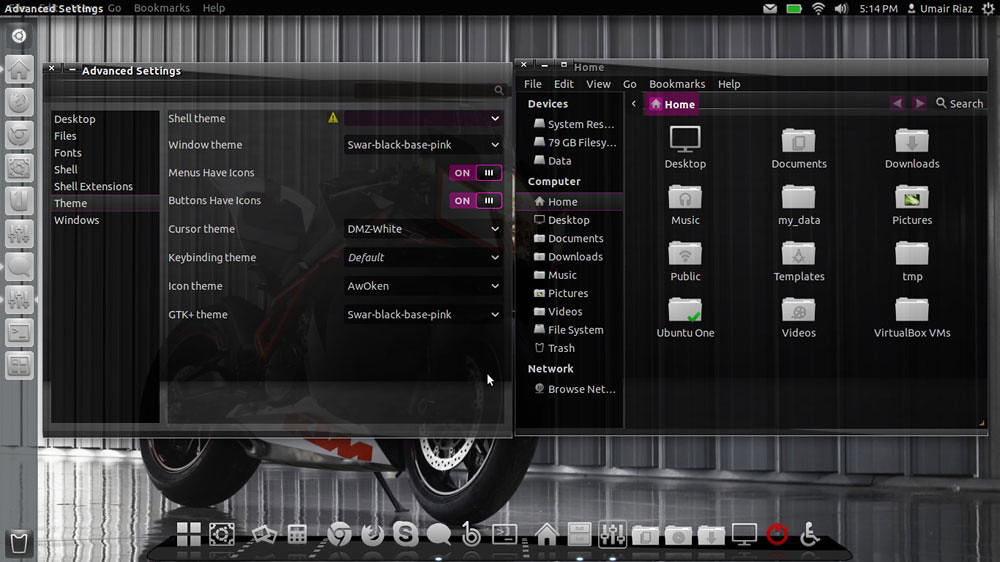
  • Swar Black-Base-Pink
ubuntu themes
Install this theme with following command:
  • sudo apt-get install swar-black-base-pink

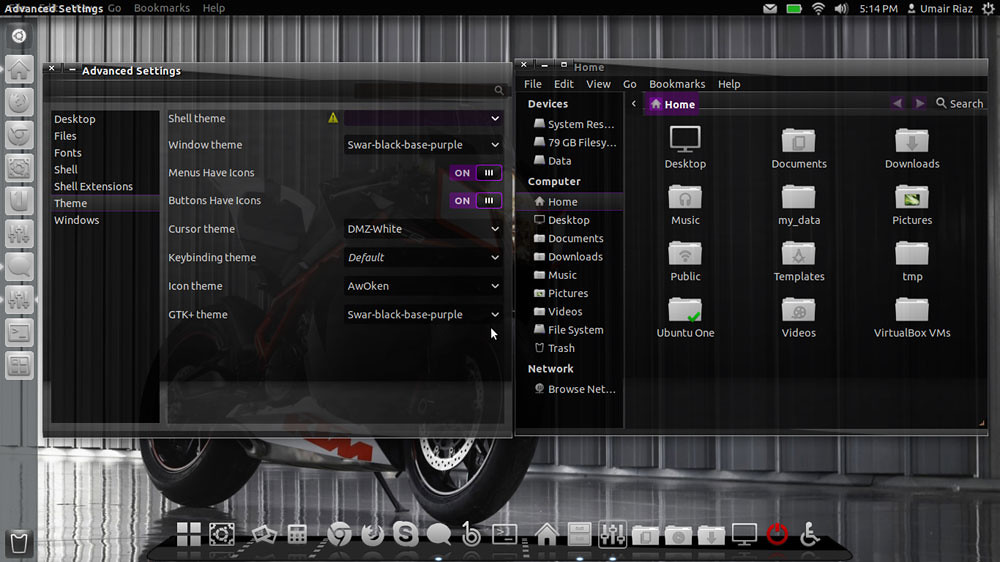
  • Swar Black-Base-Purple
ubuntu themes
Install this theme with following command:
  • sudo apt-get install swar-black-base-purple

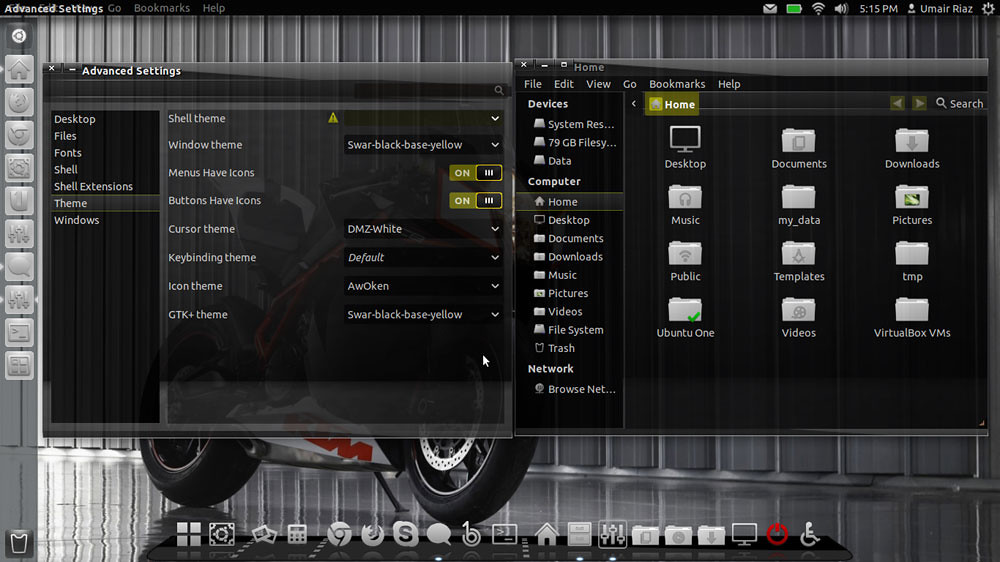
  • Swar Black-Base-Yellow
ubuntu themes
Install this theme with following command:
  • sudo apt-get install swar-black-base-yellow
That's it, Enjoy
 

Just the Life of Eddie Copyright © 2012 Best Celebrity Wallpaper -- Powered by Blogger