Warung Bebas
Showing posts with label gtk3. Show all posts

Wednesday, 24 October 2012

Install Clearlooks-Phenix GTK theme on Ubuntu 12.10/12.04/11.10/Linux Mint

Install Clearlooks-Phenix GTK theme on Ubuntu 12.10 Quantal/Ubuntu 12.04 Precise/Ubuntu 11.10/Linux Mint 13/12

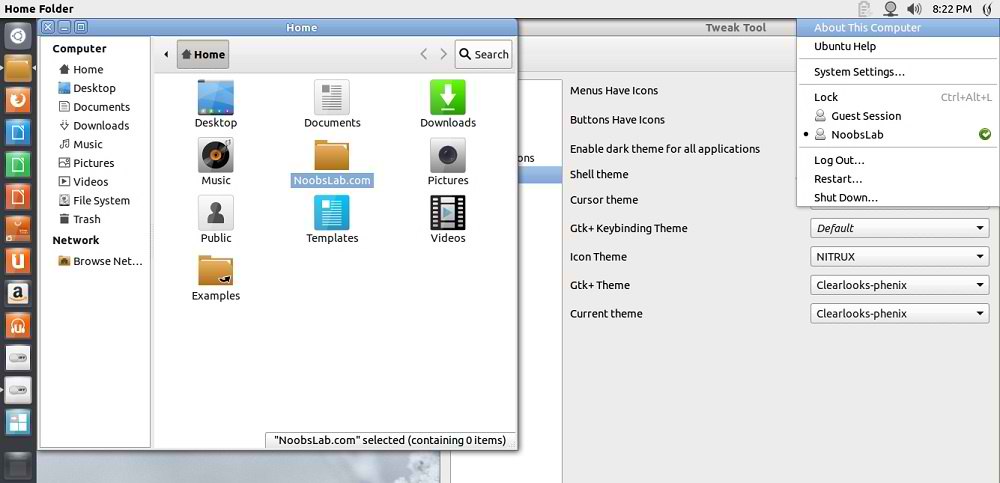
Clearlooks-Phenix theme is also known Clearwaita theme, Author mention the aim for this theme was GTK should look clear. This theme is available for GTK2, Unity, Metacity, Openbox, Xfwm4 and GTK3. This theme is simple and looks cool on desktop, Give it a try.
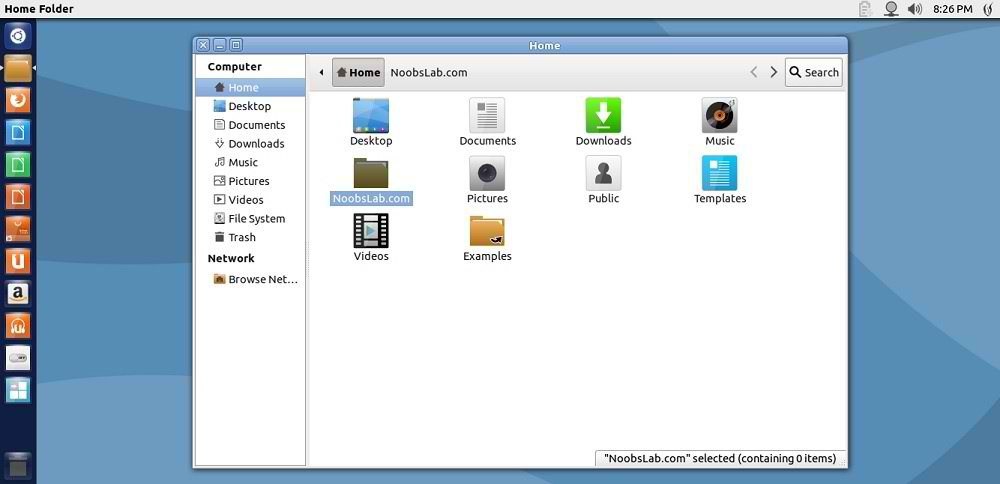
ubuntu theme

ubuntu clear
Theme tested on Ubuntu 12.10 Quantal Quetzal with Gtk 3.6 and Ubuntu 12.04 Precise with Gtk 3.4

1st Download Wallpaper
2nd Install Nitrux Icons or Check icons Collection
3rd You can use Gnome-tweak-tool or Ubuntu-Tweak to change themes/icons.

To install Clearlooks-Phenix theme on Ubuntu/Mint open Terminal (Press Ctrl+Alt+T) and copy the following commands in the Terminal:
  • sudo add-apt-repository ppa:noobslab/themes
  • sudo apt-get update
  • sudo apt-get install clearlooks-phenix
That's it, Enjoy

Tuesday, 23 October 2012

Install Clearlooks-flat-compact GTK theme on Ubuntu 12.10/12.04/11.10/Mint

Install Clearlooks-flat-compact GTK theme on Ubuntu 12.10 Quantal/Ubuntu 12.04 Precise/Ubuntu 11.10 Oneiric/Linux Mint 13/12

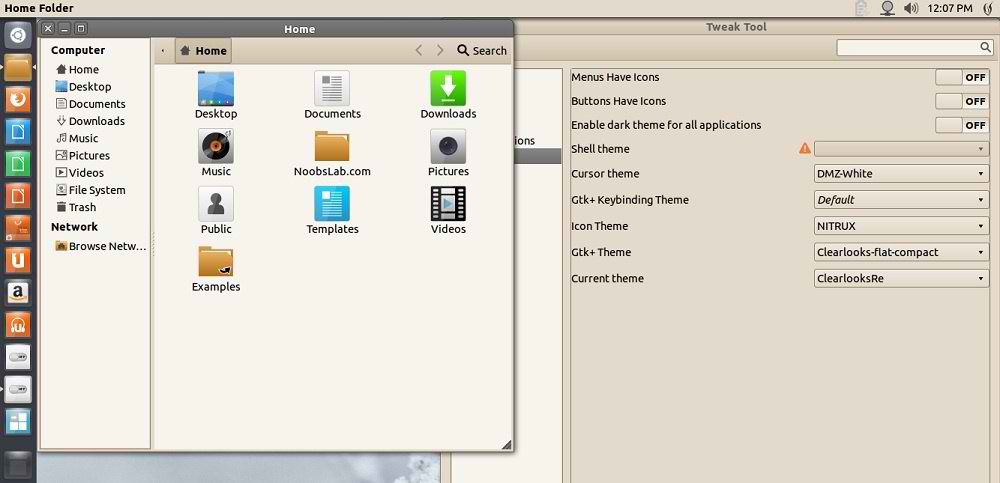
Clearlooks-flat-compact theme is designed for Gtk3, This theme is based on Greybird theme. Author mention this theme is specially for those who are using gnome-classic but it works perfects in all environments like: Unity, Gnome-Shell and others.

Changelog:
  • fix notebook tab borders in opera settings
  • added borders to scrollbar
  • added bottom border to toolbar
  • fix GtkTreeView row:nth-child(even) wrong background
  • fix GtkTreeView.check border
  • in gnome-control-center white background
  • fix border in gnome-calculator entry
  • romove images from metacitytheme, instead use xml function arc.
  • pack theme into gresource
ubuntu theme

clearlook ubuntu theme

clearlook ubuntu theme
Theme tested on Ubuntu 12.10 Quantal Quetzal with GTK 3.6 and Gnome Shell , Also tested on Ubuntu 12.04 Precise with GTK 3.4

To install Clearlooks-flat-compact theme on Ubuntu/Linux Mint open Terminal (Press Ctrl+Alt+T) and copy the following commands in the Terminal:
  • sudo add-apt-repository ppa:noobslab/themes
  • sudo apt-get update
  • sudo apt-get install clearlooks-flat-compact
You can install on other distro's via Git repository.
That's it.

Sunday, 21 October 2012

Install Ambiance-Lime theme on Ubuntu 12.10/12.04/11.10/Linux Mint (GTK 3)

Install Ambiance-Lime theme on Ubuntu 12.10 Quantal Quetzal/Ubuntu 12.04 Precise/Ubuntu 11.10/Linux Mint 13/12 (GTK 3)

This theme is modified version of standard Ambiance theme which is available in Ubuntu as default theme. Author made some changes and give it lime-green color with dark sides of nautilus and thick content pane separators.
ambiance themes

ambiance lime
Theme tested on Ubuntu 12.10 Quantal with GTK 3.6, Ubuntu 12.04 Precise with GTK 3.4

To install Ambiance-Lime theme on Ubuntu/Linux Mint open Terminal (Press Ctrl+Alt+T) and copy the following commands in the Terminal:
  • sudo add-apt-repository ppa:noobslab/themes
  • sudo apt-get update
  • sudo apt-get install ambiance-lime
That's it, Enjoy
Source: Amiance Lime

Saturday, 22 September 2012

Install ClearNIX theme on Ubuntu 12.10/12.04/11.10/Linux Mint

Install ClearNIX theme on Ubuntu 12.10 Quantal/Ubuntu 12.04 Precise/Ubuntu 11.10 Oneiric/Linux Mint

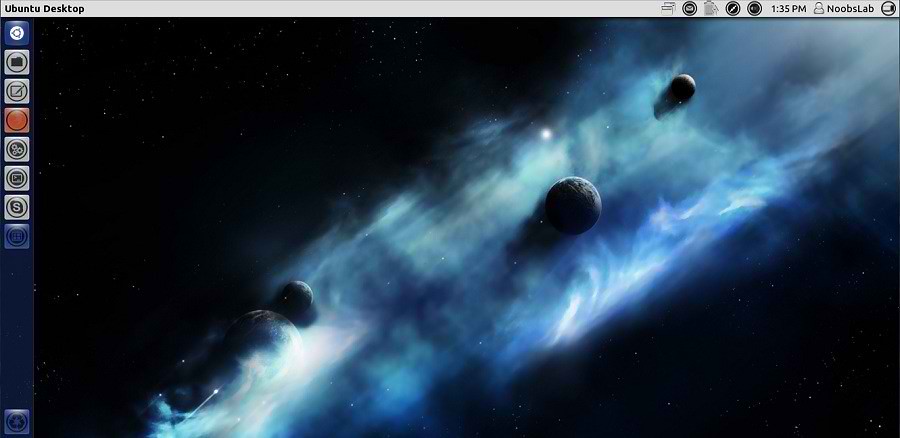
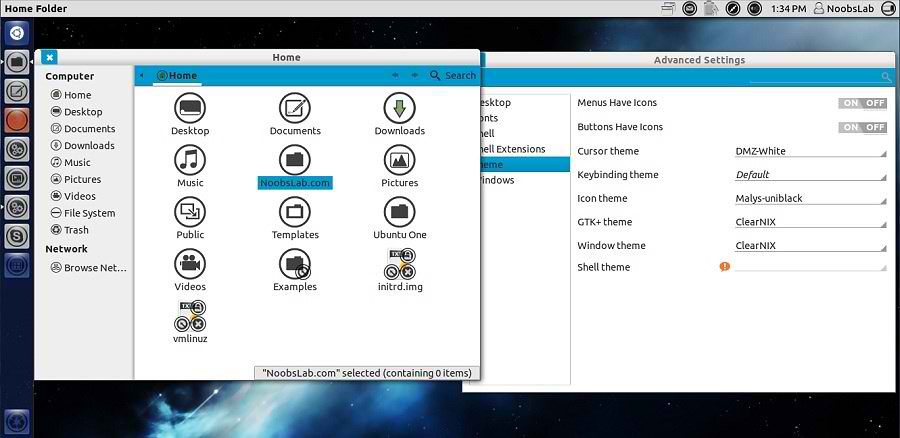
ClearNIX is clear white theme for those people who like white themes, This theme is designed for GTK 3. Author inspired by different theme versions and made this ClearNIX theme for everyone.
Also check here huge Themes Collection.

You can use these Tools to change theme and icons: Gnome Tweak Tool, Ubuntu Tweak

1st Install UniBlack Icons
2nd Download Black Wallpapers

gtk themes

ubuntu themes

themes

Theme tested on Ubuntu 12.04 Precise Pangolin with GTK 3.

To install ClearNIX theme on Ubuntu/Linux Mint open Terminal (Press Ctrl+Alt+T) and copy the following commands in the Terminal:
  • sudo add-apt-repository ppa:noobslab/themes
  • sudo apt-get update
  • sudo apt-get install clearnix
That's it, Enjoy
Source: ClearNIX

Install Swar-Light-Blue Theme on Ubuntu 12.04/11.10/Linux Mint

Install Swar-Black-Base-Light-Blue Theme on Ubuntu 12.04/11.10/Linux Mint (GTK3 + Gnome Shell)

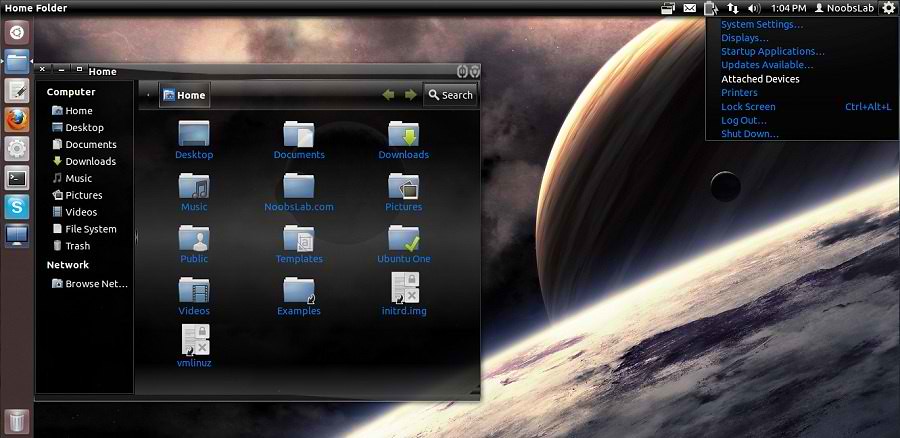
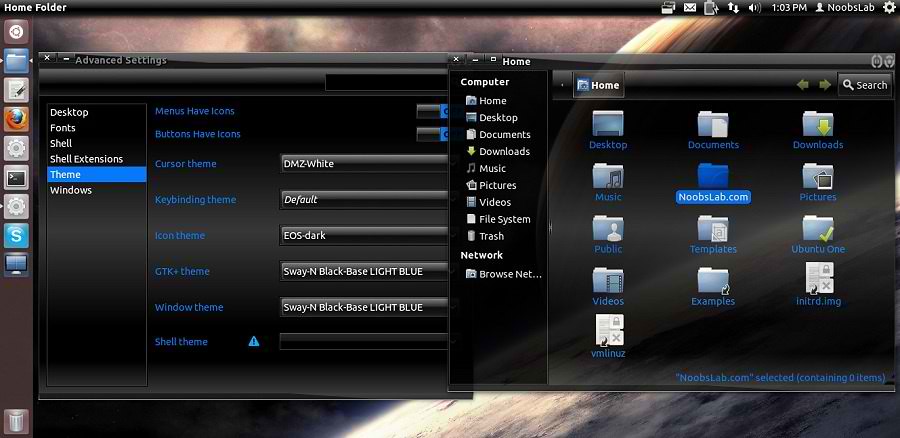
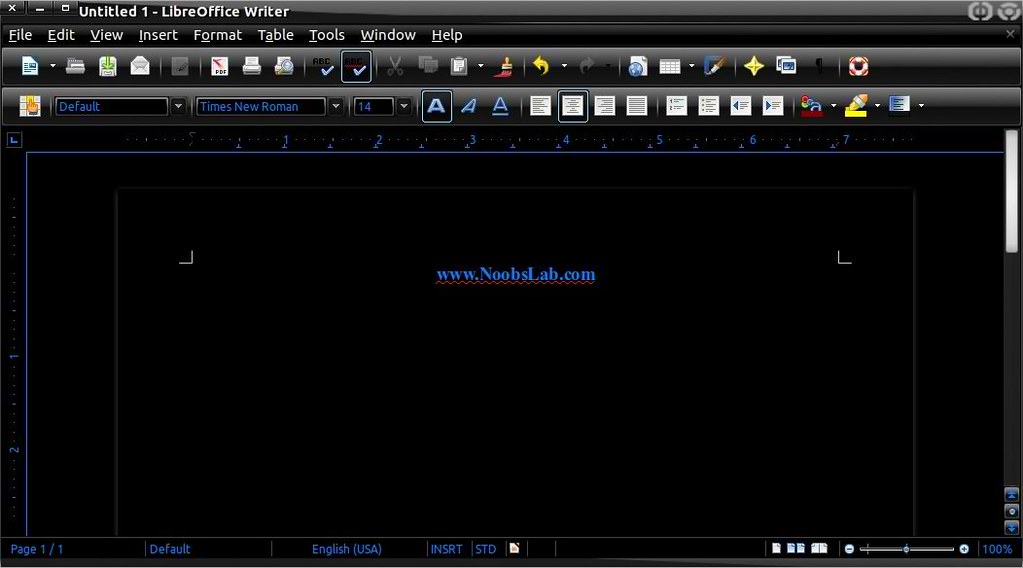
This theme 'Sway Black-Base Light-Blue' is based on the Gnome 2 theme Slickness-Black which is the best theme I have ever had. Author do not want to see such digital artwork lost with the progression of improvement so Author have been learning how to import, alter and develop themes.
Checkout other Swar Transparent Themes. Also check here huge Themes Collection.

You can use these Tools to change theme and icons: Gnome Tweak Tool, Ubuntu Tweak

ubuntu themes

ubuntu themes

ubuntu themes

Theme tested on Ubuntu 12.04 Precise Pangolin with GTK 3.

To Install Swar-Light-Blue Theme on Ubuntu/Linux Mint (Press Ctrl+Alt+T) and copy the following commands in the Terminal:
  • mkdir ~/.themes
  • wget -O swar-light-blue.zip http://dl.dropbox.com/u/53319850/NoobsLab.com/themes/swar-n-black-base-light-blue.zip
  • unzip swar-light-blue.zip -d ~/.themes
  • sudo rm swar-light-blue.zip
That's it, Enjoy

Sunday, 16 September 2012

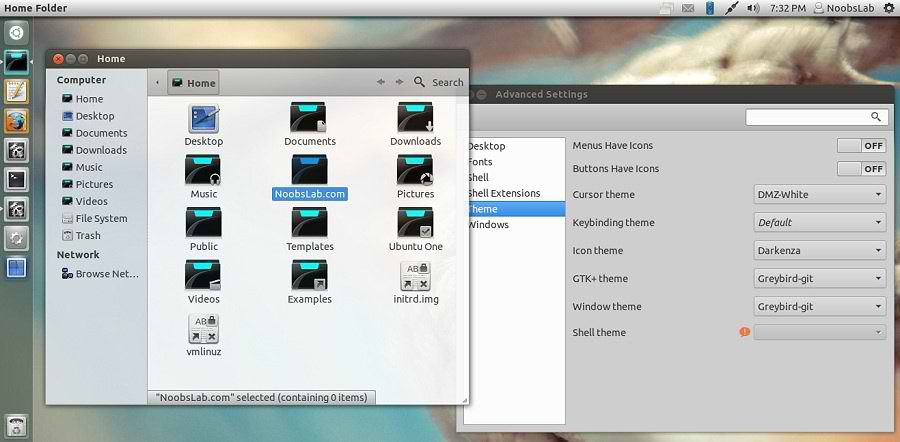
Install GreyBird GTK3 theme on Ubuntu 12.04/Linux Mint 13

Install GreyBird GTK3 theme on Ubuntu 12.04 Precise/Linux Mint 13

GreyBird is lightweight and cool theme for Linux Environment. GreyBird is the default theme in Xubuntu 12.04/11.10/11.04.
The Greybird desktop suite includes:
  • GTK2 theme
  • GTK3 theme
  • Xfwm4 themes (normal and compact)
  • xfce-notifyd theme
  • Emerald theme
  • Metacity theme
  • Mutter theme
  • Unity support
  • Granite widgets support
Also checkout Icons Collection here.

To install GreyBird Theme on Ubuntu/Linux Mint open Terminal (Press Ctrl+Alt+T) and copy the following commands in the Terminal:
  • sudo add-apt-repository ppa:shimmerproject/ppa
  • sudo apt-get update
  • sudo apt-get install shimmer-themes-greybird
That's it, Enjoy
For other Distro's Download from here.
Source: Greybird GTK3

Thursday, 30 August 2012

Install reNIX GTK + Gnome Shell theme on Ubuntu/Linux Mint

Install reNIX GTK + Gnome Shell theme in Ubuntu 12.04 Precise/Ubuntu 11.10 Oneiric/Linux Mint 13/12 (New Theme)

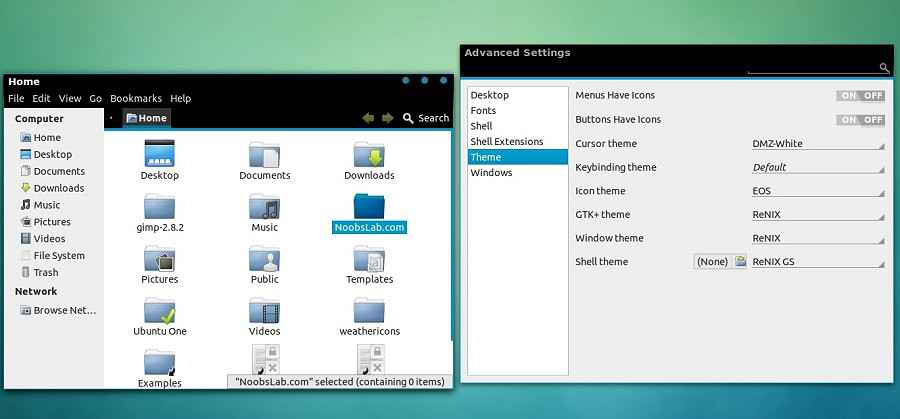
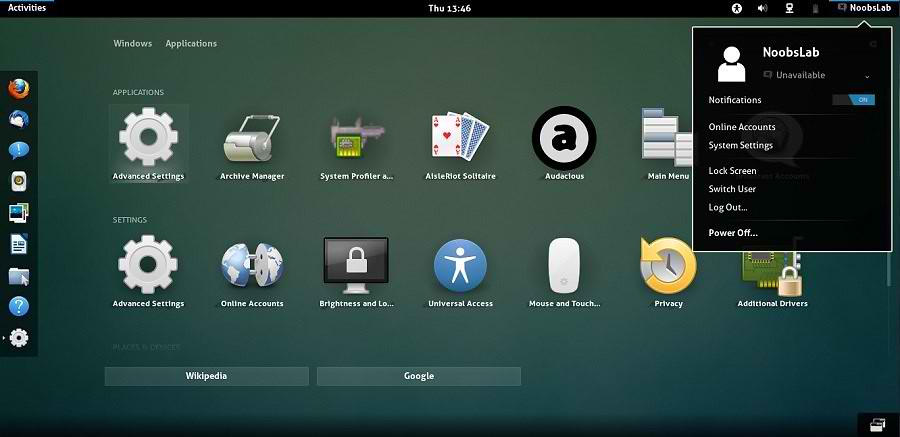
We have themes collection for Ubuntu/Mint/other distributions. reNIX theme is inpired by Android IceCream Version. So guys made this available for Ubuntu/Mint/Other Linux Versions. NoobsLab did small modification in this theme for better results.

1st Download Wallpapers
2nd Install eOS Icons for this theme and also check Icons Collection
3rd Download reNIX Theme for Chrome/Chromium (Download and just drag+drop to Browser for installation)
You can use these Tools to change theme and icons: Gnome Tweak Tool, Ubuntu Tweak

reNIX GTK Version
ubuntu themes

reNIX Gnome Shell Version
ubuntu themes

ubuntu themes
Theme Tested on Ubuntu 12.04 Precise Pangolin with Gnome Shell 3.4.1 + GTK 3

Install Fonts for this theme open Terminal and enter commands:
  • mkdir ~/.fonts
  • wget -O aller-fonts-renix.zip http://dl.dropbox.com/u/53319850/NoobsLab.com/others/aller-fonts-renix.zip
  • unzip aller-fonts-renix.zip -d ~/.fonts
  • sudo rm aller-fonts-renix.zip
To install reNIX theme on Ubuntu/Linux Mint open Terminal (Press Ctrl+Alt+T) and copy the following commands in the Terminal:
  • sudo add-apt-repository ppa:noobslab/themes
  • sudo apt-get update
For GTK 3
  • sudo apt-get install renix-gtk
For Gnome Shell
  • sudo apt-get install renix-gs
That's it, Enjoy
Sources: 

Monday, 27 August 2012

Install Malys-BlackCity Dark theme in Ubuntu 12.04/11.10/Linux Mint 13/12 (New Theme)

Install Malys-BlackCity Dark theme in Ubuntu 12.04 Precise/Ubuntu 11.10 Oneiric/Linux Mint 13/12 (New Theme)

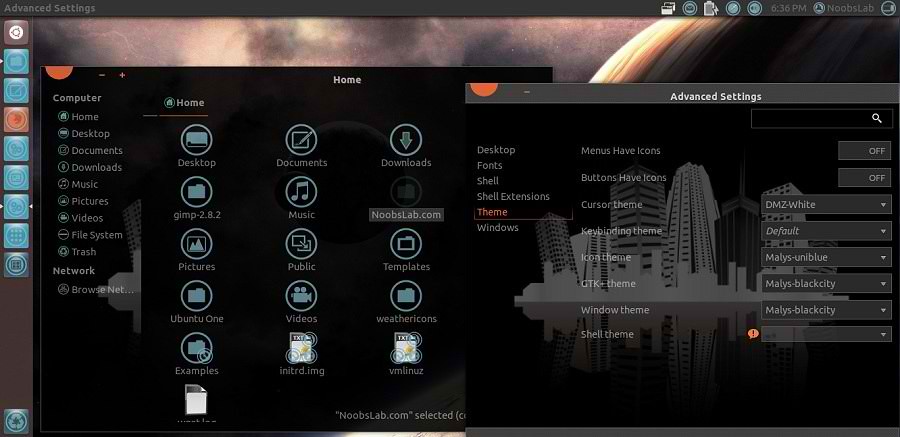
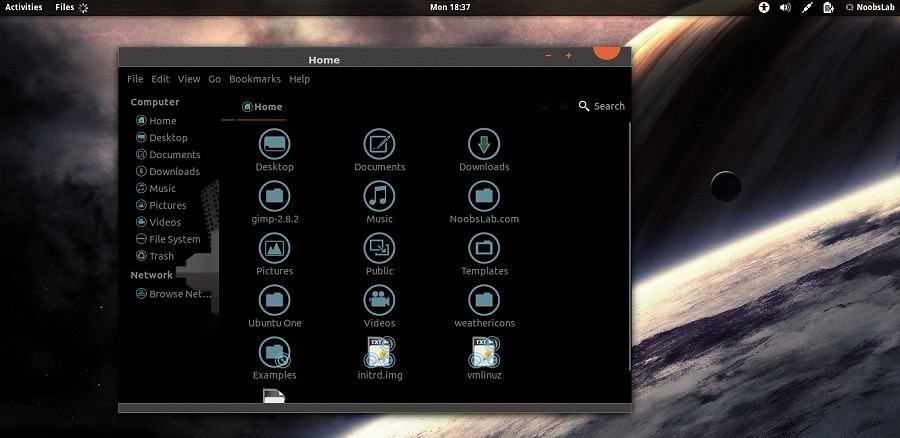
We have themes collection for Ubuntu/Mint/other distributions. This Malys-BlackCity theme is really nice for those who like dark themes.

1st Download Wallpapers
2nd Install Malys-UniBlue Icons

You can use these Tools to change theme and icons: Gnome Tweak Tool, Ubuntu Tweak

ubuntu themes

ubuntu themes

Install Fonts copy following commands in the Terminal:
  • mkdir ~/.fonts
  • wget -O bahamas-font.zip http://dl.dropbox.com/u/53319850/NoobsLab.com/bahamas-font.zip
  • unzip bahamas-font.zip -d ~/.fonts
  • sudo rm bahamas-font.zip

To install Malys-BlackCity themes on Ubuntu/Linux Mint open Terminal (Press Ctrl+Alt+T) and copy the following commands in the Terminal:
  • sudo add-apt-repository ppa:noobslab/malys-themes
  • sudo apt-get update
  • sudo apt-get install malys-blackcity
That's it, Enjoy

Monday, 20 August 2012

Install TLS Dark GTK3 theme on Ubuntu/Linux Mint/Other Linux Versions

Install TLS Dark theme on Ubuntu 12.10/12.04/11.10/Linux Mint 13/12/Other Linux Distro's

TLS theme is dark theme, it is specially for those guys who like dark themes. It seems cool and give you different flavor on your desktop. This theme is made for GTK3 and now a days most of distro's using GTK3. This theme can work in any environment like (Gnome Shell, Unity, Gnome Classic, and others)

1st Download Black Wallpapers (Screenshot wallpapers included)
2nd Install NouveGnome Gray Icons, or Install Faience Icons
You can use these Tools to change theme and icons: Gnome Tweak Tool, Ubuntu Tweak

Ubuntu themes

Ubuntu dark themes

Theme tested on Ubuntu 12.04 LTS Precise Pangolin.

To install TLS GTK theme on Ubuntu/Linux Mint open Terminal (Press Ctrl+Alt+T) and copy the following commands in the Terminal:
  • mkdir ~/.themes
  • wget -O TLS-gtk-theme.zip http://dl.dropbox.com/u/53319850/NoobsLab.com/themes/TLS-gtk-theme.zip
  • unzip TLS-gtk-theme.zip -d ~/.themes
  • sudo rm TLS-gtk-theme.zip
That's it, Enjoy
Source: opendesktop

Friday, 10 August 2012

Install Opal Blue & Blue + Smooth theme on Ubuntu/Linux Mint (GTK + Gnome Shell)

Install Opal Blue & Blue + Smooth theme on Ubuntu 12.04/12.10/11.10/Linux Mint 13/12 for GTK3 + Gnome Shell 3.4

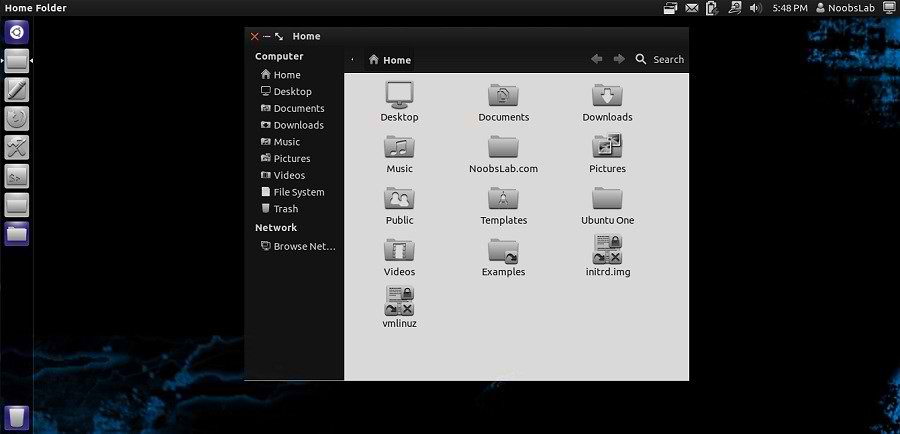
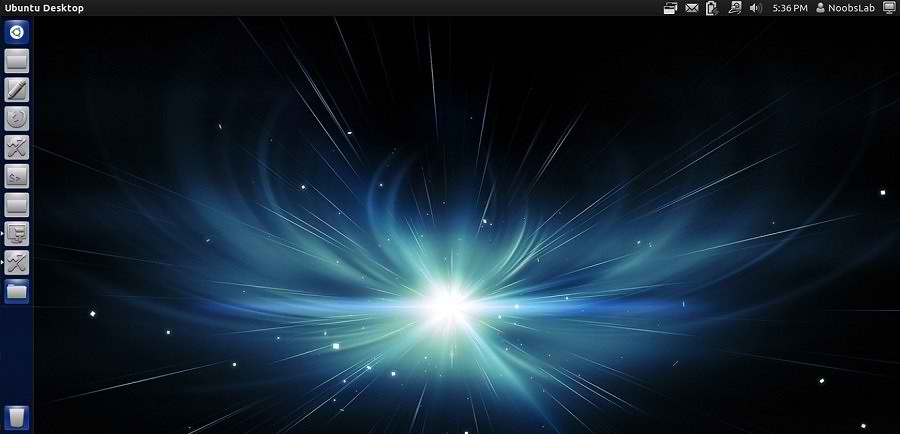
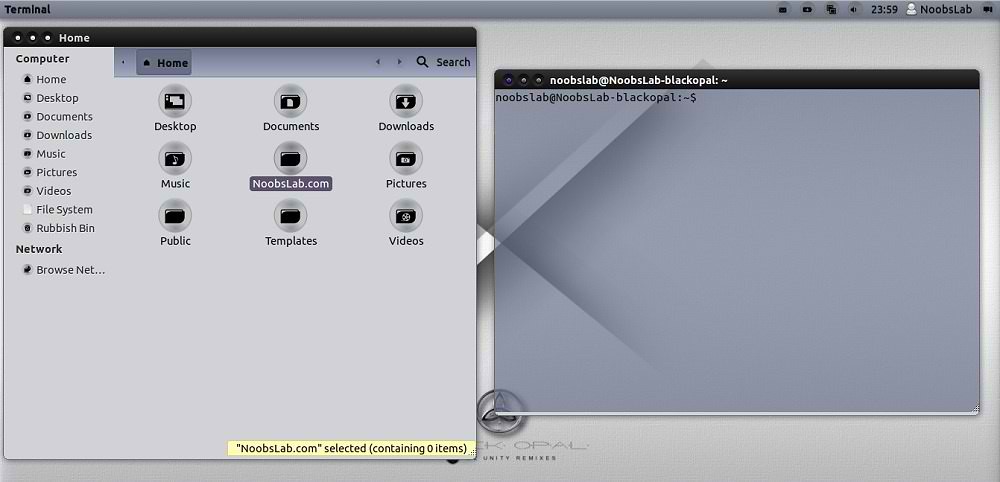
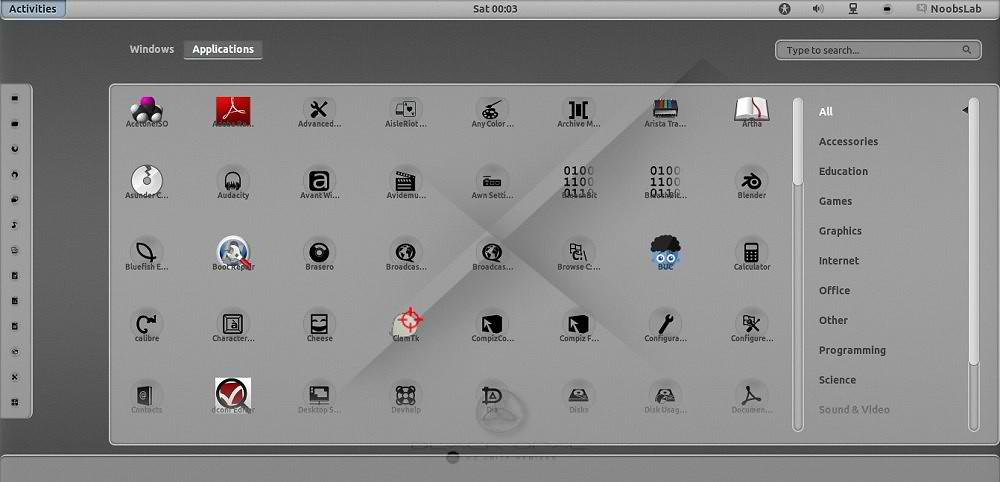
Opal Black and Blue theme is actually Black Opal distro theme, This theme is really looks cool. Opal theme is available in Blue + Black and also available smooth version for Gnome Shell 3.4.
Here is Black Opal Distro for 64bit.
You can use these Tools to change theme and icons: Gnome Tweak Tool, Ubuntu Tweak

Download Black Opal Distro Wallpapers
Install Opal-ACYL Icons

Gtk Theme

ubuntu themes

This theme available for Ubuntu 11.10/12.04/12.10

To install Opal Blue+Black Gtk theme on Ubuntu/Linux Mint open Terminal (Press Ctrl+Alt+T) and copy the following commands in the Terminal:
  • sudo add-apt-repository ppa:noobslab/themes
  • sudo apt-get update
  • sudo apt-get install opal-theme

Gnome Shell Theme

ubuntu themes

This theme support Gnome Shell 3.4 and available for Ubuntu 11.10/12.04/12.10

To install Opal Smooth Gnome Shell theme on Ubuntu/Linux Mint open Terminal (Press Ctrl+Alt+T) and copy the following commands in the Terminal:
  • sudo add-apt-repository ppa:noobslab/themes
  • sudo apt-get update
  • sudo apt-get install opal-smooth-inset-3.4
That's it, Enjoy

Monday, 6 August 2012

Install DeLorean Dark themes on Ubuntu 12.04/Linux Mint 13 (GTK 3)

Install DeLorean Dark themes on Ubuntu 12.04 Precise/Linux Mint 13 Maya (GTK 3)

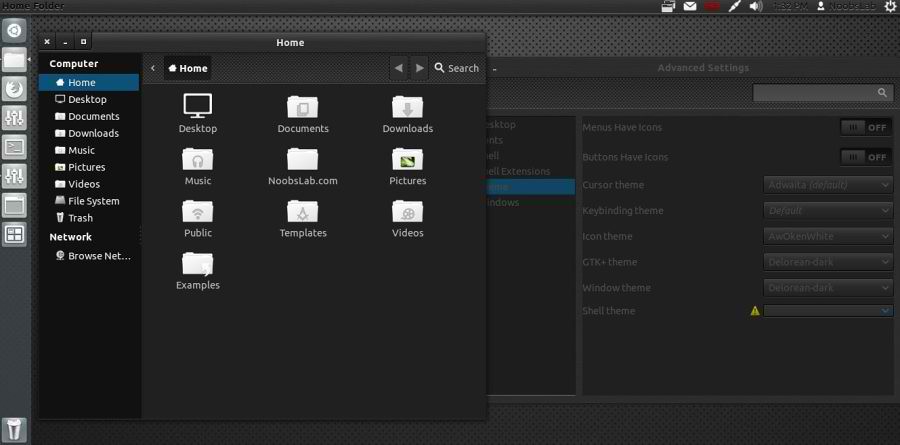
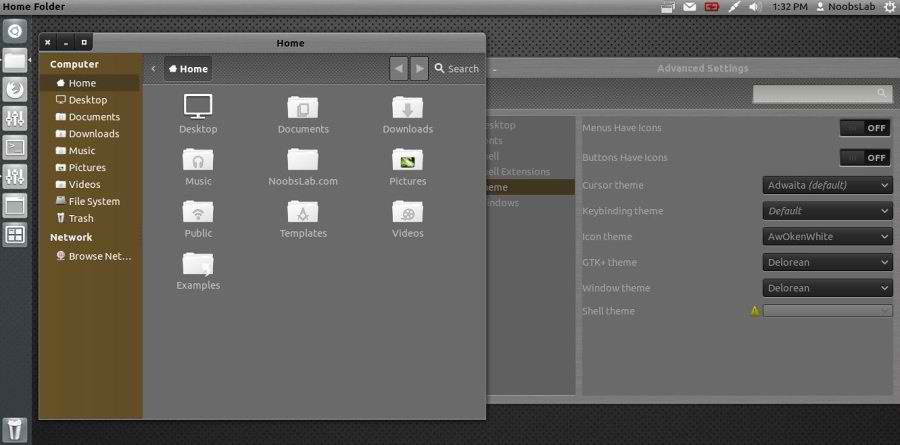
DeLorean is a very silk and really beautiful dark GTK3 theme that is also very clean in its design allowing a relaxed usability that is always a difficult thing to achieve with dark themes.

Install Awoken Icons

1: Delorean Dark Theme


To install Delorean Dark theme on Ubuntu/Linux Mint open Terminal (Press Ctrl+Alt+T) and copy the following commands in the Terminal:
  • sudo add-apt-repository ppa:killhellokitty/themes.ppa
  • sudo apt-get update
  • sudo apt-get install delorean-dark

2: Delorean Theme


To install Delorean theme on Ubuntu/Linux Mint open Terminal (Press Ctrl+Alt+T) and copy the following commands in the Terminal:
  • sudo add-apt-repository ppa:killhellokitty/themes.ppa
  • sudo apt-get update
  • sudo apt-get install delorean
That's it, Enjoy

Sunday, 5 August 2012

Install Malys-RevoLT themes on Ubuntu/Linux Mint (GTK 3)

Install Malys-RevoLT themes on Ubuntu 12.10 Quantal/Ubuntu 12.04 Precise/Ubuntu 11.10 Oneiric/Linux Mint (GTK 3)

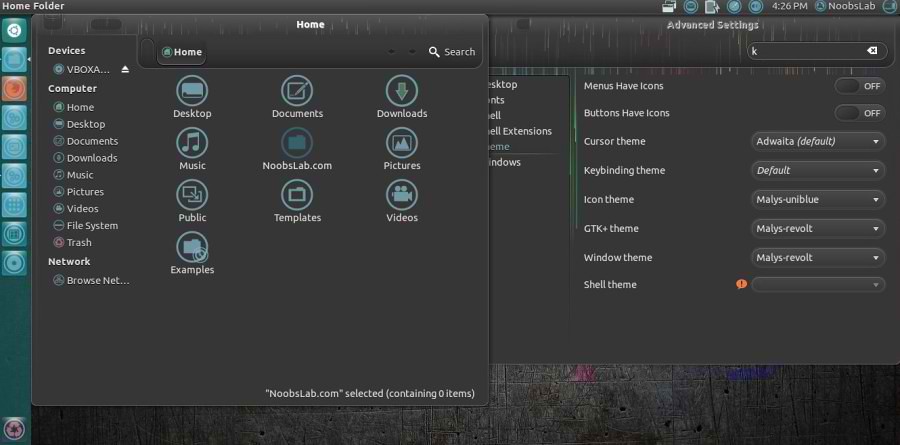
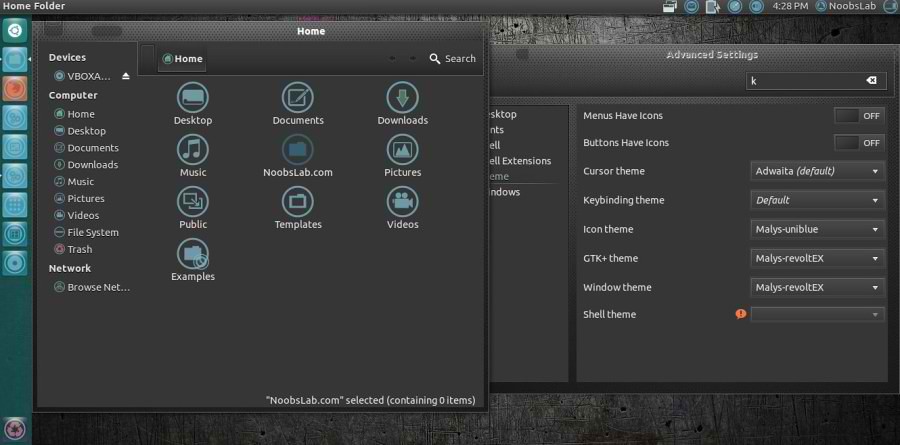
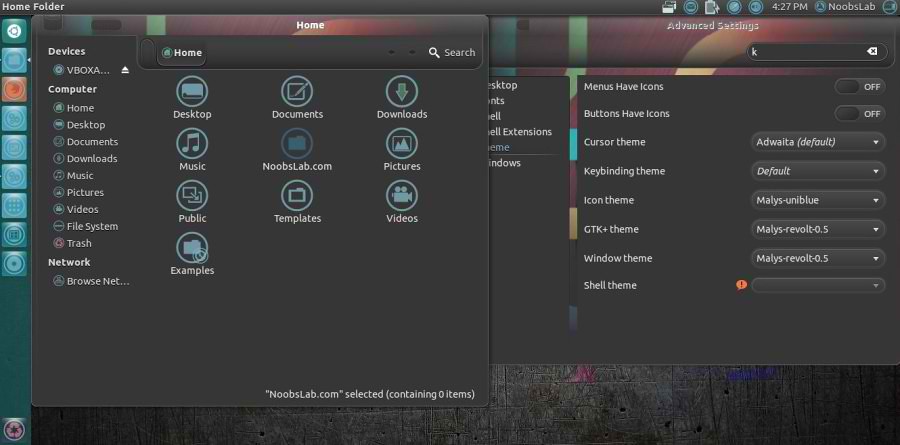
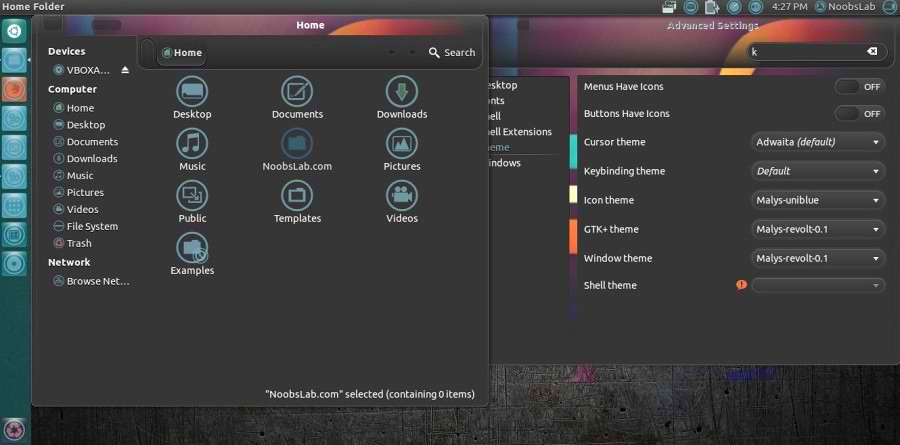
We have themes collection for Ubuntu/Mint/other distributions. This Malys-Revolt theme is really nice for those who like dark themes. This theme contains four versions, most recent version is Malys-RevoltEX Which is included in this package.

1st Download Wallpapers
2nd Install Malys-UniBlue Icons

You can use these Tools to change theme and icons: Gnome Tweak Tool, Ubuntu Tweak

Malys-Revolt Version
ubuntu themes

Malys-RevoltEX Version
ubuntu themes

Malys-Revolt-0.5 Version
ubuntu themes

Malys-Revolt-0.1 Version
ubuntu themes

To install Malys-Revolt themes on Ubuntu/Linux Mint open Terminal (Press Ctrl+Alt+T) and copy the following commands in the Terminal:
  • sudo add-apt-repository ppa:noobslab/malys-themes
  • sudo apt-get update
  • sudo apt-get install malys-revolt
That's it, Enjoy
Source: Malys RevoLT

Saturday, 23 June 2012

Install GnomishDark theme on Ubuntu/Linux Mint (GTK3 + Gnome Shell)

Install GnomishDark theme on Ubuntu 12.04/11.10/Linux Mint 13/12 (GTK3 + Gnome Shell)

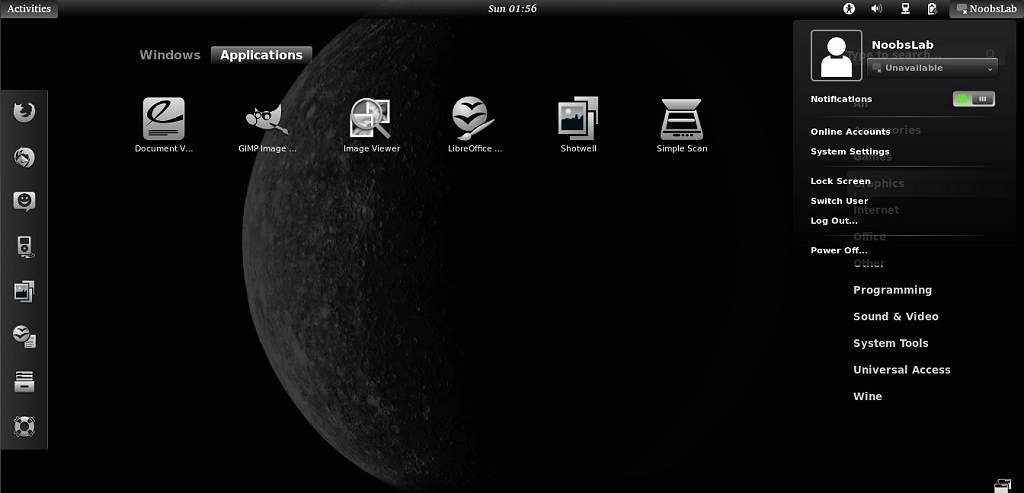
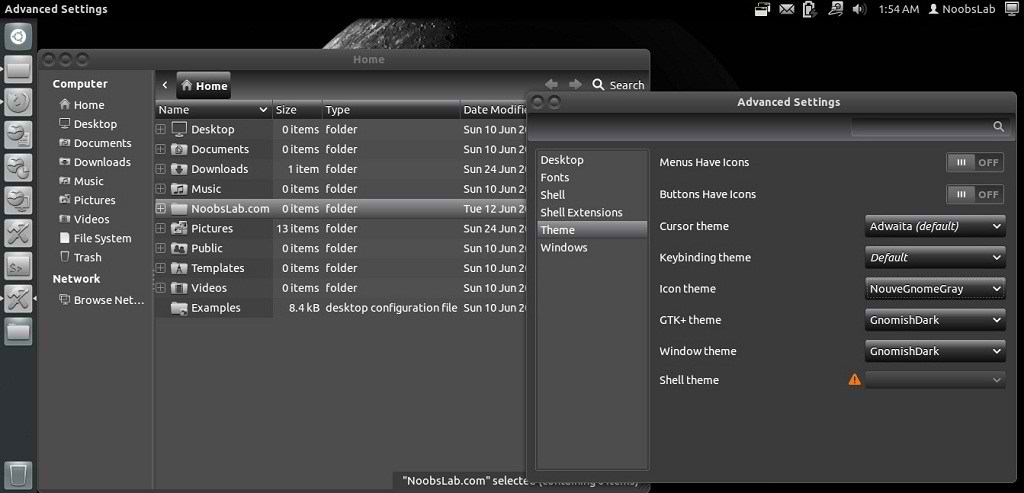
This is a clean dark theme for GTK3, based on Adwaita (provided by gnome-themes-standard), plus a matching GNOME-Shell theme. This theme works with Gnome shell, Gtk3.

You can use These Tools to change icons/themes: Gnome Tweak Tool, Ubuntu Tweak

Ubuntu Themes

Ubuntu Themes

1st Install nouveGnome Gray Icons then install theme.

To install GnomishDark theme on Ubuntu/Linux Mint open Terminal (Press Ctrl+Alt+T) and copy the following commands in the Terminal:
  • mkdir ~/.themes
  • wget -O GnomishDark.zip http://dl.dropbox.com/u/53319850/NoobsLab.com/GnomishDark1.zip
  • unzip GnomishDark.zip -d ~/.themes && sudo rm GnomishDark.zip
That's it, Enjoy
Source: GnomishDark
 

Just the Life of Eddie Copyright © 2012 Best Celebrity Wallpaper -- Powered by Blogger