Warung Bebas
Showing posts with label theme. Show all posts

Wednesday, 5 December 2012

Install Salience GTK theme on Ubuntu 12.10/12.04/11.10/Linux Mint 14/13/12

Install Salience theme on Ubuntu 12.10 Quantal/Ubuntu 12.04 Precise/Ubuntu 11.10 Oneiric/11.04/10.04/13.04 Raring/Linux Mint 14/13/12 (GTK 3/2)

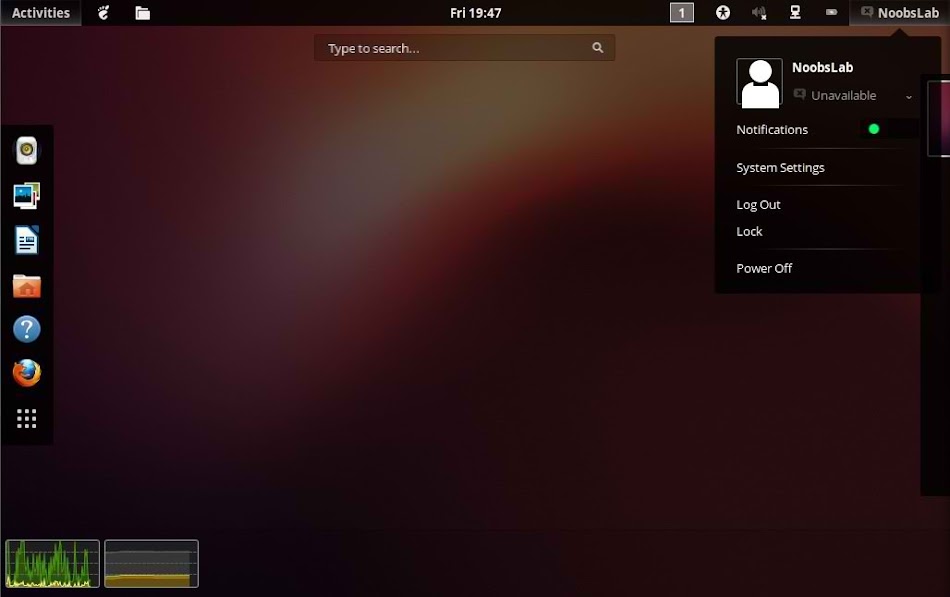
Salience is the official GTK+3/2 and Metacity theme for the LumiNight theme suite. Salience is well designed theme for Gtk and gives you nice feel on your desktop. Salience is currently an all-dark theme with some orange elements, which looks cool in Ubuntu. A variant which uses blue instead of orange, dubbed Salience Sky, is available from a Bazaar development branch on the project's Launchpad page. Maybe you will find small bugs in this theme while using with GTK 3.6 version but still works perfect.
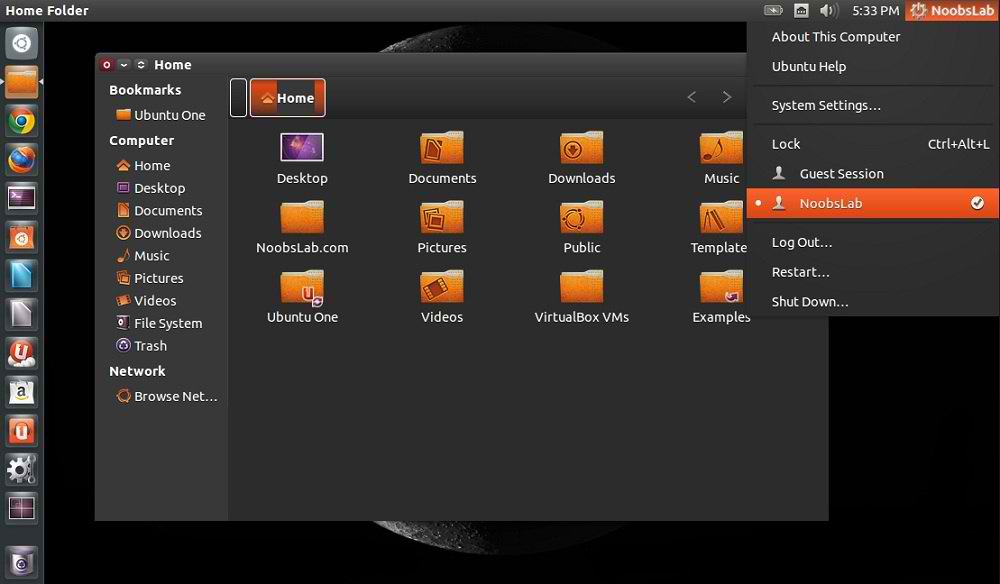
salience theme
Theme tested on Ubuntu 12.10 Quantal with GTK 3.6 and Ubuntu 12.04 with GTK 3.4

Download Salience Wallpaper
Install FS-Icons or Checkout Icons Collection

To install Salience theme on Ubuntu/Linux Mint open Terminal (Press Ctrl+Alt+T) and copy the following commands in the Terminal:
  • sudo add-apt-repository ppa:salience-team/salience-devel-ppa
  • sudo apt-get update
  • sudo apt-get install salience-theme
That's it, Enjoy
Source: Salience-Team
Saturday, 13 October 2012

Install Opal Smooth Inset theme on Ubuntu 12.10 Quantal/12.04/11.10/Mint (Gnome Shell 3.6/3.4/3.2)

Install Opal Smooth theme on Ubuntu 12.10 Quantal/Ubuntu 12.04 Precise/Ubuntu 11.10/Linux Mint 13/12 for Gnome Shell 3.6

Opal Smooth Inset theme is actually Black Opal distro theme and extracted from Opal Distro, This theme is really looks cool. Opal Smooth theme is available for Gnome Shell 3.6/3.4/3.2 versions. Maybe this theme has some bugs in Gnome Shell 3.6 but I haven't notice any bug yet.
Here is Black Opal Distro for 64-bit.
You can use these Tools to change theme and icons: Gnome Tweak ToolUbuntu Tweak

Download Black Opal Distro Wallpapers
Install Opal-ACYL Icons

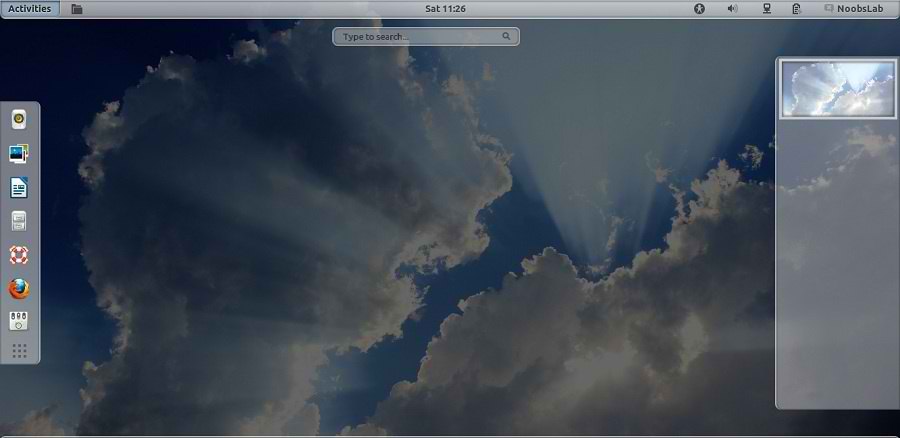
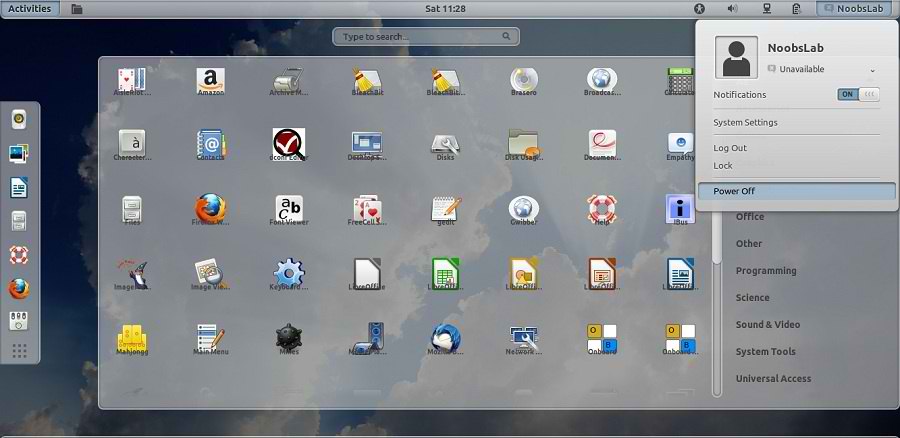
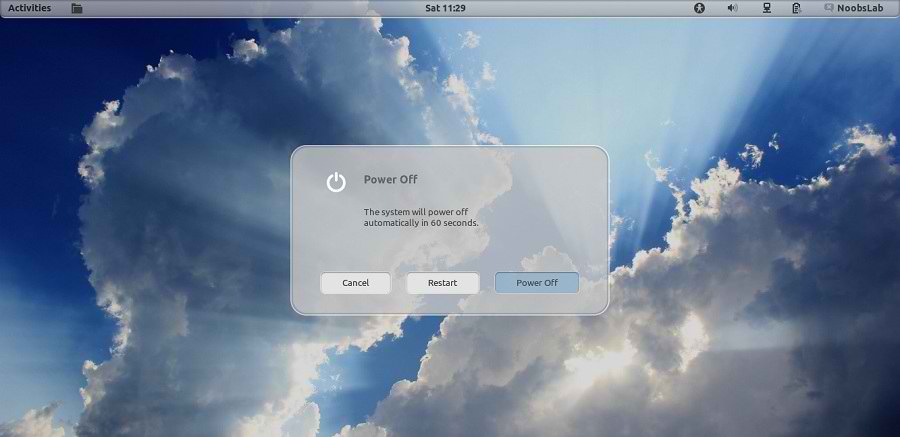
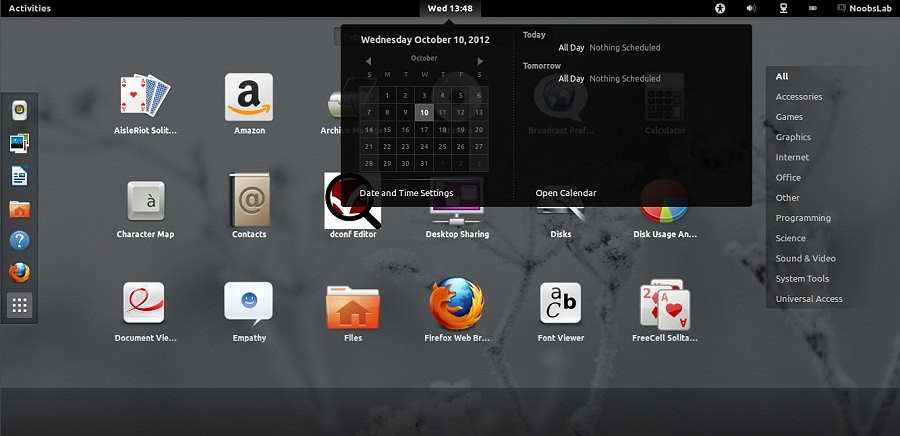
Opal Smooth Inset Gnome Shell Theme
ubuntu themes

gnome shell themes

shell themes

gnome shell
Opal Smooth Inset theme tested on Gnome Shell 3.6/3.5/3.4 and available for Ubuntu 12.10/12.04/11.10

To install Opal Smooth Gnome Shell theme on Ubuntu/Linux Mint open Terminal (Press Ctrl+Alt+T) and copy the following commands in the Terminal:
  • sudo add-apt-repository ppa:noobslab/themes
  • sudo apt-get update
  • sudo apt-get install opal-smooth-inset-3.4
That's it, Enjoy

Friday, 12 October 2012

Install Elegance theme on Ubuntu 12.10/12.04/11.10 (Gnome Shell 3.6/3.4/3.2)

Install Elegance theme on Ubuntu 12.10 Quantal/Ubuntu 12.04 Precise/Ubuntu 11.10 Oneiric/Linux Mint 13/12 (Gnome Shell 3.6/3.4/3.2)

Elegance is Gnome Shell theme, which is released by satya. This theme ported to Gnome Shell 3.6 and also available for 3.4/3.2 version of Gnome Shell.
You can use these Tools to change theme and icons: Gnome Tweak ToolUbuntu Tweak
gnome shell

gnome shell
Theme Tested on Ubuntu 12.10 Quantal Quetzal with Gnome Shell 3.6

To install Elegance theme on Ubuntu/Mint open Terminal (Press Ctrl+Alt+T) and copy the following commands in the Terminal:
  • sudo add-apt-repository ppa:satyajit-happy/themes
  • sudo apt-get update
  • sudo apt-get install gnome-shell-theme-elegance
That's it, Enjoy

Wednesday, 10 October 2012

Install Faience Theme on Ubuntu 12.10/12.04/11.10/Linux Mint 13/12 (Gnome Shell)

Install Faience Theme on Ubuntu 12.10 Quantal/Ubuntu 12.04 Precise/11.10 Oneiric/Linux Mint 13/12 (Gnome Shell 3.6/3.5/3.4)

Faience is Gnome Shell theme, which is released by Erabong. Linux users really like this theme. Faience theme is active since Gnome Shell 3.4. Author is updating theme for latest shell versions. So now it is available for Gnome Shell 3.6/3.5/3.4.

1st Install Faenza Icons or 12.10 here.
2nd Download Wallpapers
You can use these Tools to change theme and icons: Gnome Tweak ToolUbuntu Tweak
gnome shell themes

themes
Theme tested on Ubuntu 12.10 Quantal with Gnome Shell 3.6 and Ubuntu 12.04 Precise with Gnome Shell 3.4.1

To install Faience theme on Ubuntu/Linux Mint open Terminal (Press Ctrl+Alt+T) and copy the following commands in the Terminal:
  • sudo add-apt-repository ppa:tiheum/equinox
  • sudo apt-get update
  • sudo apt-get install faience-theme
That's it, Enjoy
Source: Faience

Install Malys-Rought theme on Ubuntu 12.10/12.04/11.10/Linux Mint 13/12 (New Dark Theme)

Install Malys-Rought theme on Ubuntu 12.10 Quantal/Ubuntu 12.04 Precise/11.10/Linux Mint 13/12 (New Dark GTK3 Theme)

Malys Released their new theme for GTK3, Malys-Rought is dark theme and this is specially made for those users who like dark themes. This theme is available is two versions malys-rough-left and malys-rough-right. There is no big difference between these two versions, Just change buttons design on title bar. You can find more Malys best themes in collection.

1st Install Malys-Ex or Nitrux Icons
2nd Download Black Wallpapers
You can use these Tools to change theme and icons: Gnome Tweak ToolUbuntu Tweak
ubuntu themes
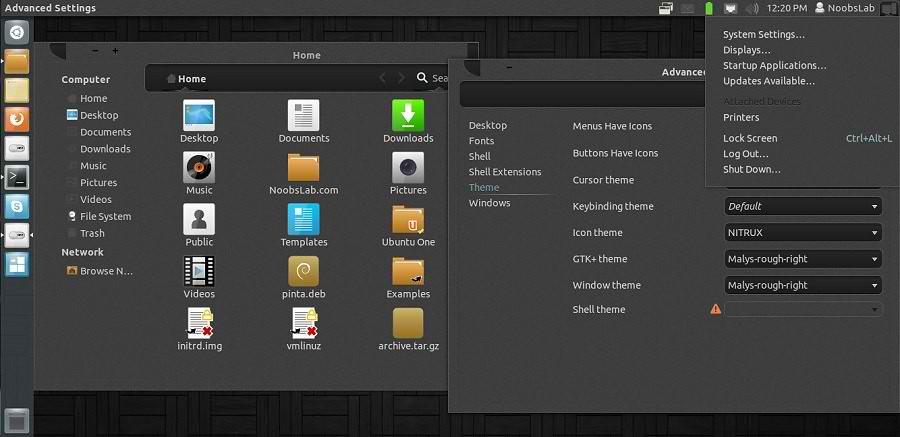
Malys-Rough-Right Version

themes
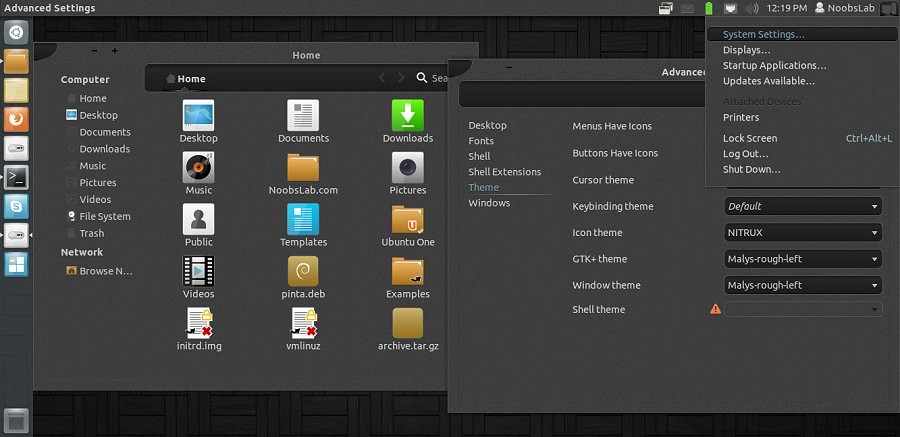
Malys-Rough-Left Version

To install Malys-rought theme on Ubuntu/Linux Mint open Terminal (Press Ctrl+Alt+T) and copy the following commands in the Terminal:
  • sudo add-apt-repository ppa:noobslab/malys-themes
  • sudo apt-get update
  • sudo apt-get install malys-rought
That's it, Enjoy
Source: Malys-Rought

Sunday, 16 September 2012

Install GreyBird GTK3 theme on Ubuntu 12.04/Linux Mint 13

Install GreyBird GTK3 theme on Ubuntu 12.04 Precise/Linux Mint 13

GreyBird is lightweight and cool theme for Linux Environment. GreyBird is the default theme in Xubuntu 12.04/11.10/11.04.
The Greybird desktop suite includes:
  • GTK2 theme
  • GTK3 theme
  • Xfwm4 themes (normal and compact)
  • xfce-notifyd theme
  • Emerald theme
  • Metacity theme
  • Mutter theme
  • Unity support
  • Granite widgets support
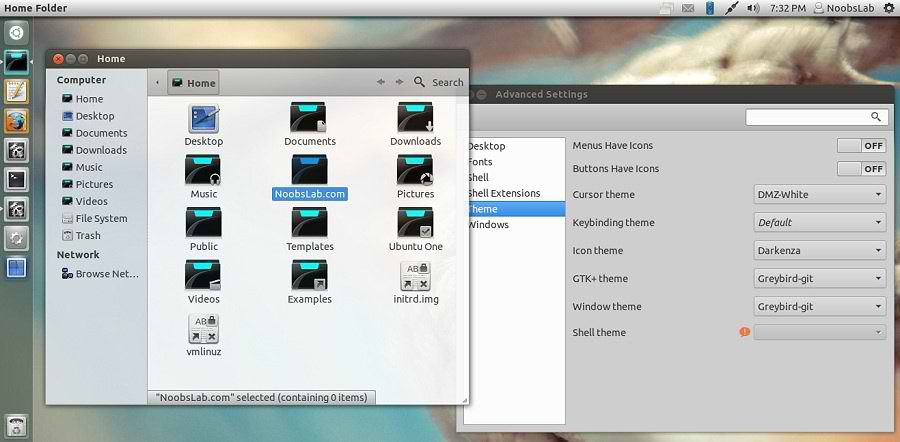
Also checkout Icons Collection here.

To install GreyBird Theme on Ubuntu/Linux Mint open Terminal (Press Ctrl+Alt+T) and copy the following commands in the Terminal:
  • sudo add-apt-repository ppa:shimmerproject/ppa
  • sudo apt-get update
  • sudo apt-get install shimmer-themes-greybird
That's it, Enjoy
For other Distro's Download from here.
Source: Greybird GTK3

Saturday, 1 September 2012

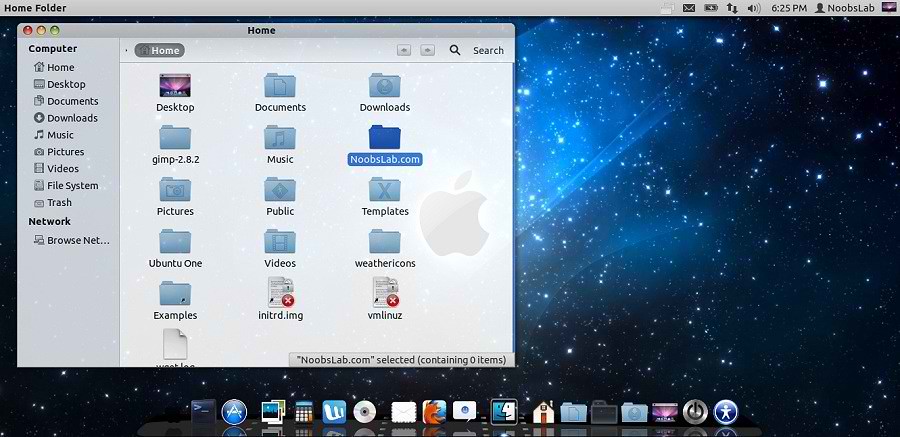
Install Mac-X-Reloaded Theme on Ubuntu 12.04/11.10/Linux Mint 13/12

Install Mac-X-Reloaded Theme on Ubuntu 12.04/Ubuntu 11.10/Linux Mint 13/Mint 12

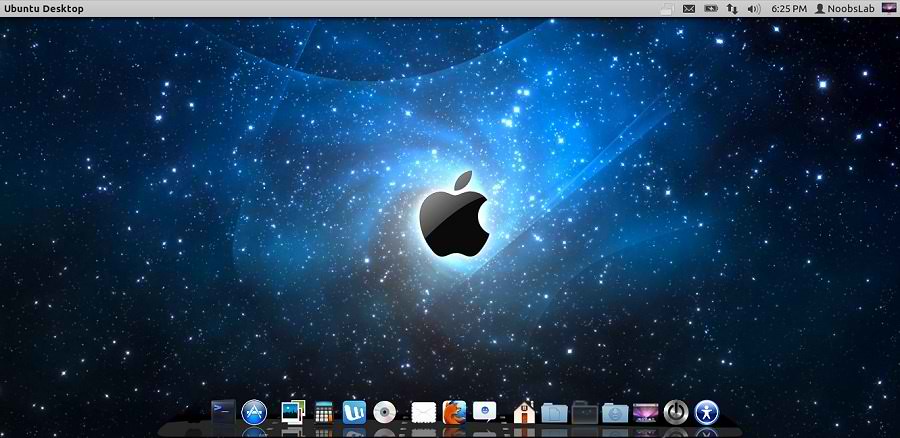
Some people like Mac but they can't install Mac on their pc, So Linux is the most powerful operating system in the world. You can do whatever you want to do with linux. So some guys make available Mac themes and icons for Linux versions, To make your Linux Ubuntu look like Mac OS X. You don't need to buy expensive hardware for this flavor, you can get this for free. :)
Author shared his icons with NoobsLab. So today bring Mac-X-Reloaded Theme for you by Hani Ahmed. Also check here huge Themes Collection. Here is wallpaper used in screeshot.

You can use these Tools to change theme and icons: Gnome Tweak ToolUbuntu Tweak

mac theme

1: Download Mac OS X Lion Wallpapers

2: Install Latest Cairo Dock
Right Click on Cairo Dock > Select Launch CairoDock at Startup
mac wallpapers

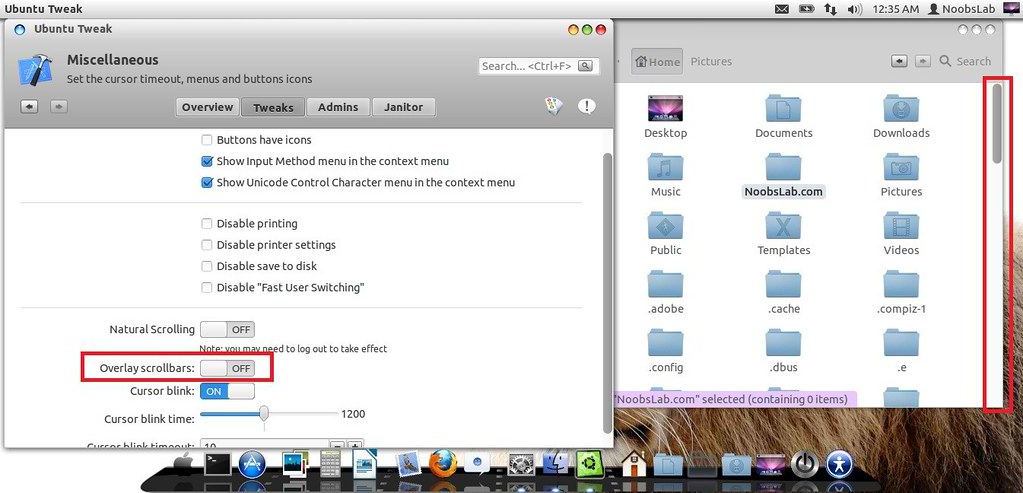
3: Scroll Bars Setting: Install Ubuntu Tweak, Go to Miscellaneous and switch off Overlay Scrollbars
mac lion wallpapers

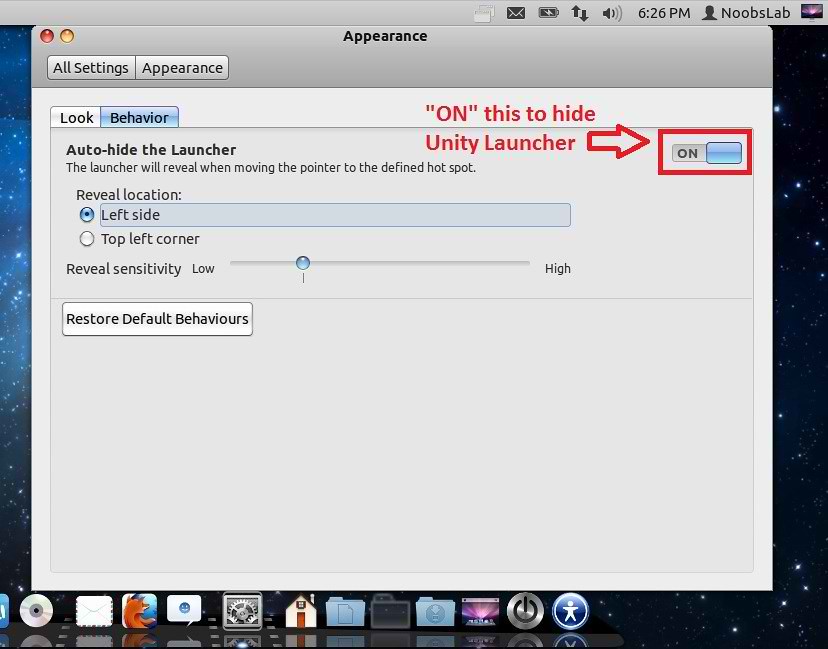
4: Hide Unity Launcher, Open "Appearance" then go to "Behavior" tab and set Button to "ON" to hide launcher.
mac theme

mac theme

5: Install Mac-X-Reloaded Icons.

To install Mac-X-Reloaded Theme on Ubuntu/Linux Mint open Terminal (Press Ctrl+Alt+T) and copy the following commands in the Terminal:
  • sudo add-apt-repository ppa:noobslab/themes
  • sudo apt-get update
  • sudo apt-get install mac-x-reloaded-theme
That's it, Enjoy
Source: haniahmed

Tuesday, 31 July 2012

Install Malys-Inversio Themes on Ubuntu/Linux Mint (GTK 3)

Install Malys-Inversio Themes on Ubuntu 12.10/12.04/11.10/Linux Mint (GTK 3)/Ubuntu based Distributions

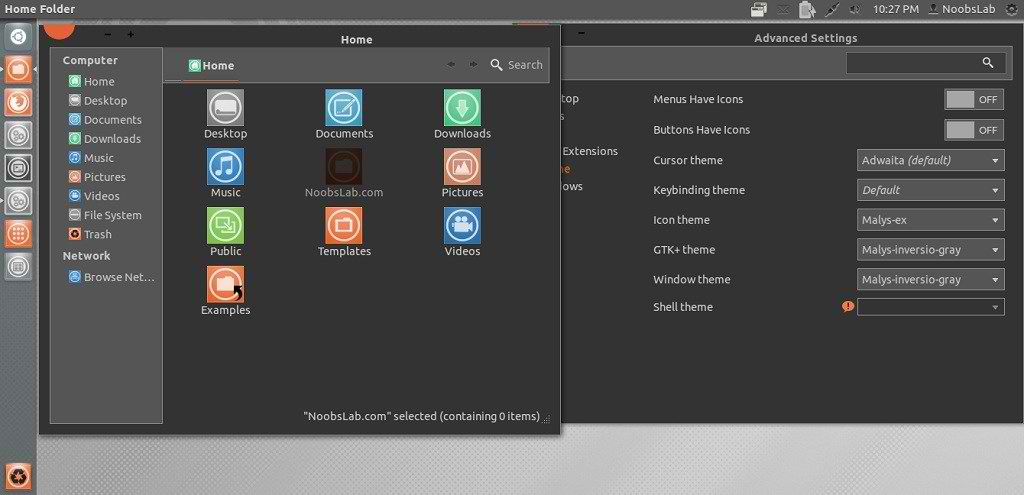
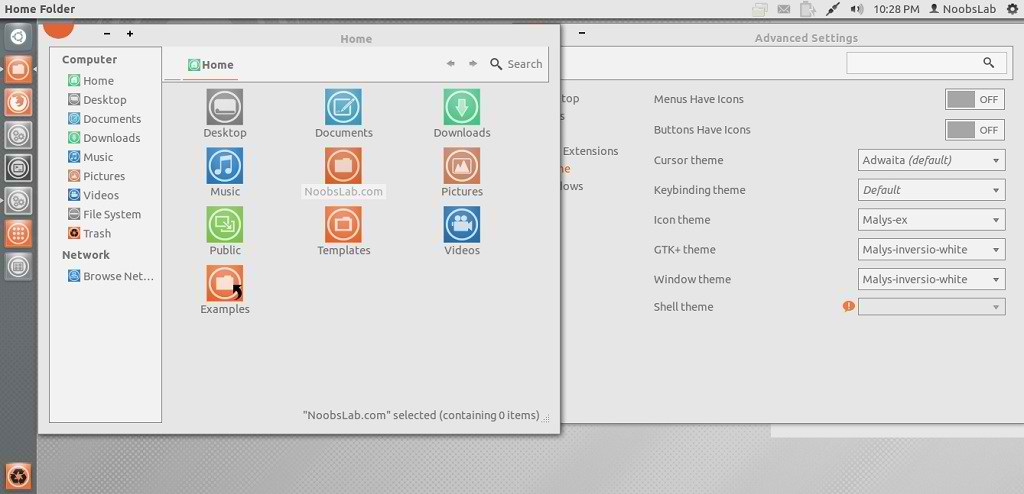
Malys is really nice themes and icons creator. Here you can find Malys other themes and icons. This malys-Inversio theme is made for GTK3. There are two versions in this theme gray and white.

You can use these Tools to change theme and icons: Gnome Tweak ToolUbuntu Tweak

1st: Install Malys-ex Icons
2nd: Download Wallpapers

Malys-Inversio-Gray
ubuntu themes

Malys-Inversio-White
ubuntu themes

To install Malys-Inversio on Ubuntu/Linux Mint open Terminal (Press Ctrl+Alt+T) and copy the following commands in the Terminal:
  • sudo add-apt-repository ppa:noobslab/malys-themes
  • sudo apt-get update
  • sudo apt-get install malys-inversio
That's it, Enjoy

Sunday, 29 July 2012

Install Malys-FutureBox Themes on Ubuntu/Linux Mint (GTK 3)

Install Malys-FutureBox Themes on Ubuntu 12.10/12.04/11.10/Linux Mint (GTK 3)/Ubuntu based Distributions

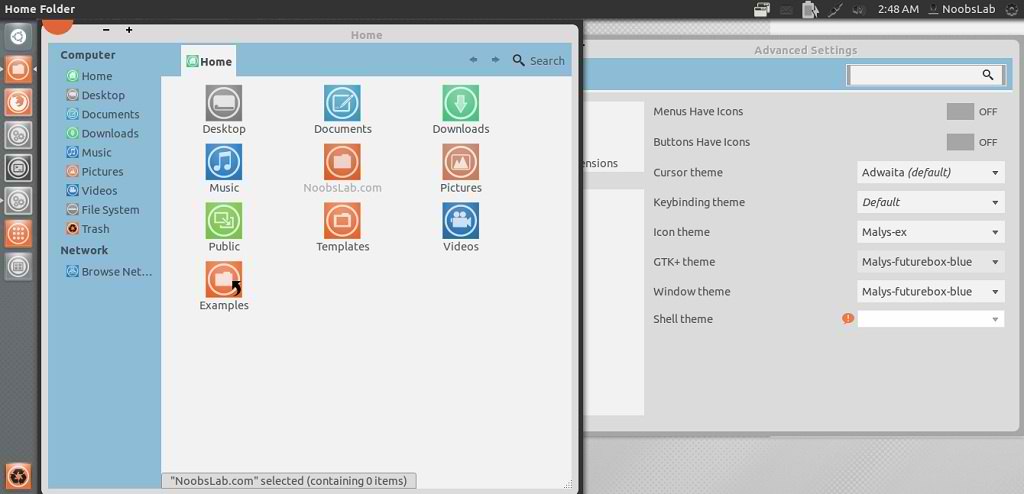
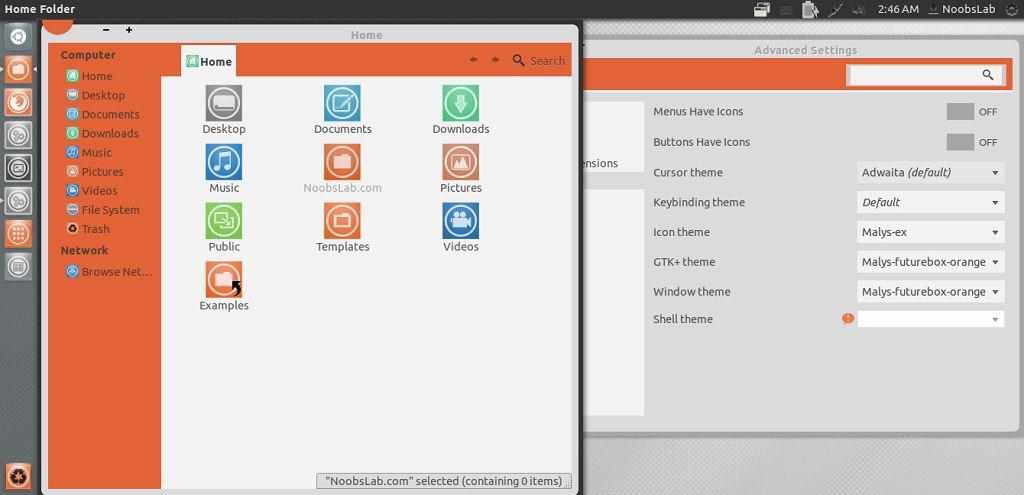
Malys is really nice themes and icons creator. Here you can find Malys other themes and icons. This malys-futurebox theme is made for GTK3. There are three version Green, Orange, Blue.

You can use these Tools to change theme and icons: Gnome Tweak ToolUbuntu Tweak

1st: Install Malys-ex Icons
2nd: Download Wallpapers

Malys-FutureBox-Blue
ubuntu themes

Malys-FutureBox-Green
gtk3 themes

Malys-FutureBox-Orange
ubuntu themes

To install Malys-FutureBox on Ubuntu/Linux Mint open Terminal (Press Ctrl+Alt+T) and copy the following commands in the Terminal:
  • sudo add-apt-repository ppa:noobslab/malys-themes
  • sudo apt-get update
  • sudo apt-get install malys-futurebox
That's it, Enjoy
 

Just the Life of Eddie Copyright © 2012 Best Celebrity Wallpaper -- Powered by Blogger