Warung Bebas
Showing posts with label linux mac. Show all posts

Saturday, 1 September 2012

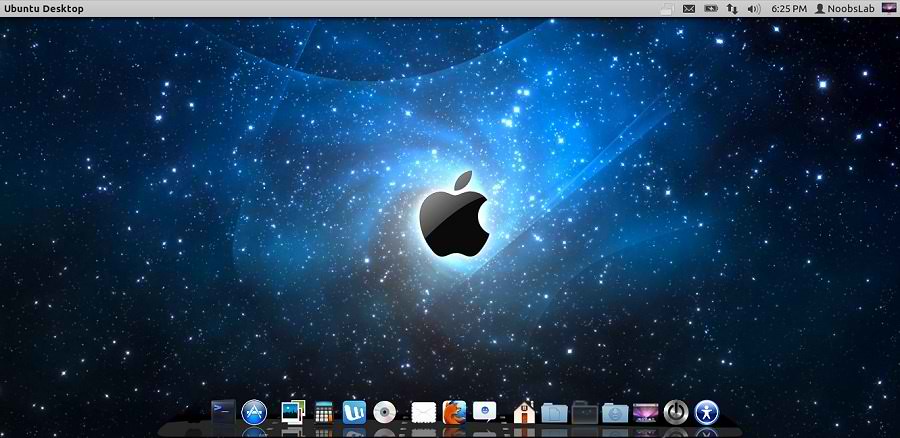
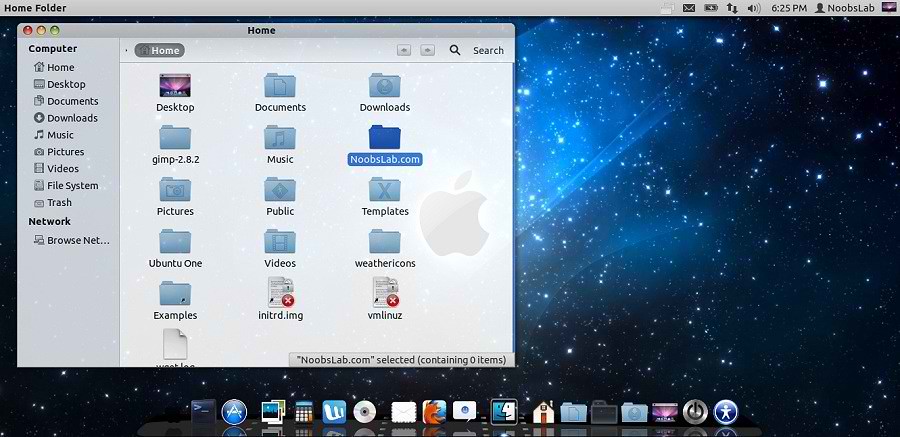
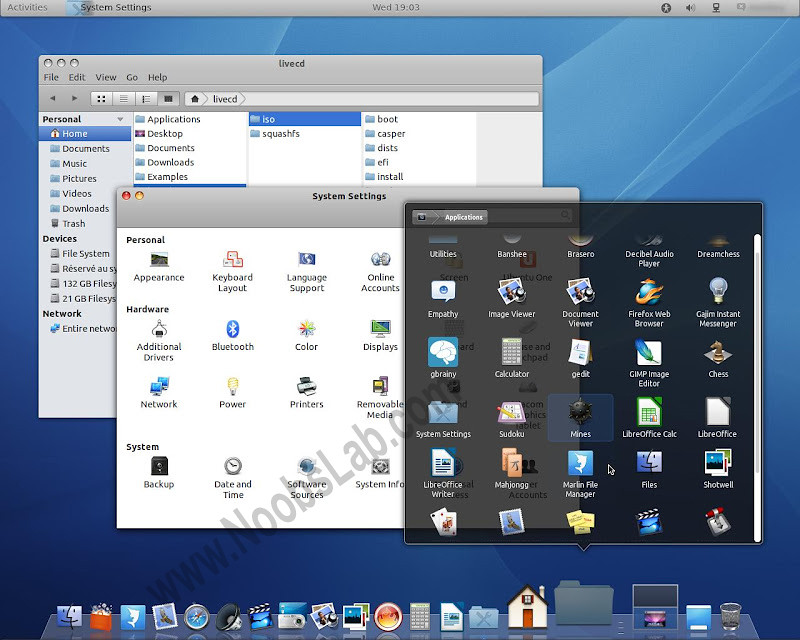
Install Mac-X-Reloaded Theme on Ubuntu 12.04/11.10/Linux Mint 13/12

Install Mac-X-Reloaded Theme on Ubuntu 12.04/Ubuntu 11.10/Linux Mint 13/Mint 12

Some people like Mac but they can't install Mac on their pc, So Linux is the most powerful operating system in the world. You can do whatever you want to do with linux. So some guys make available Mac themes and icons for Linux versions, To make your Linux Ubuntu look like Mac OS X. You don't need to buy expensive hardware for this flavor, you can get this for free. :)
Author shared his icons with NoobsLab. So today bring Mac-X-Reloaded Theme for you by Hani Ahmed. Also check here huge Themes Collection. Here is wallpaper used in screeshot.

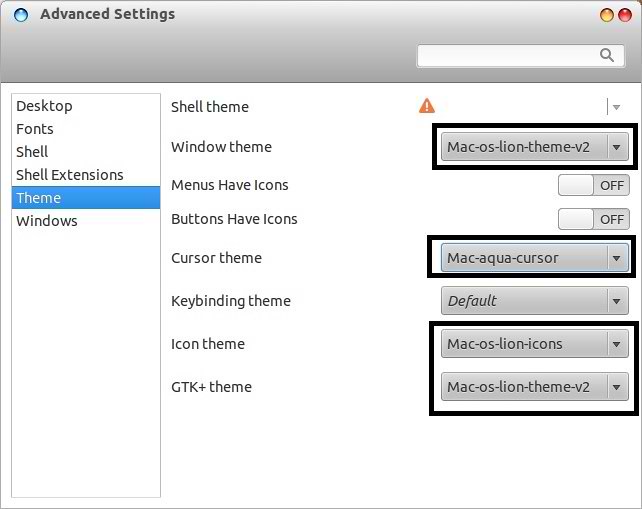
You can use these Tools to change theme and icons: Gnome Tweak ToolUbuntu Tweak

mac theme

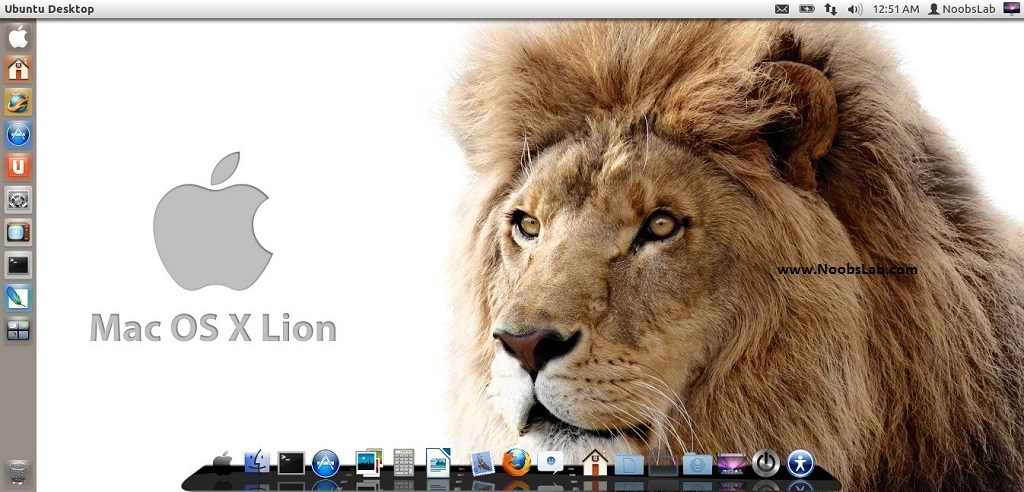
1: Download Mac OS X Lion Wallpapers

2: Install Latest Cairo Dock
Right Click on Cairo Dock > Select Launch CairoDock at Startup
mac wallpapers

3: Scroll Bars Setting: Install Ubuntu Tweak, Go to Miscellaneous and switch off Overlay Scrollbars
mac lion wallpapers

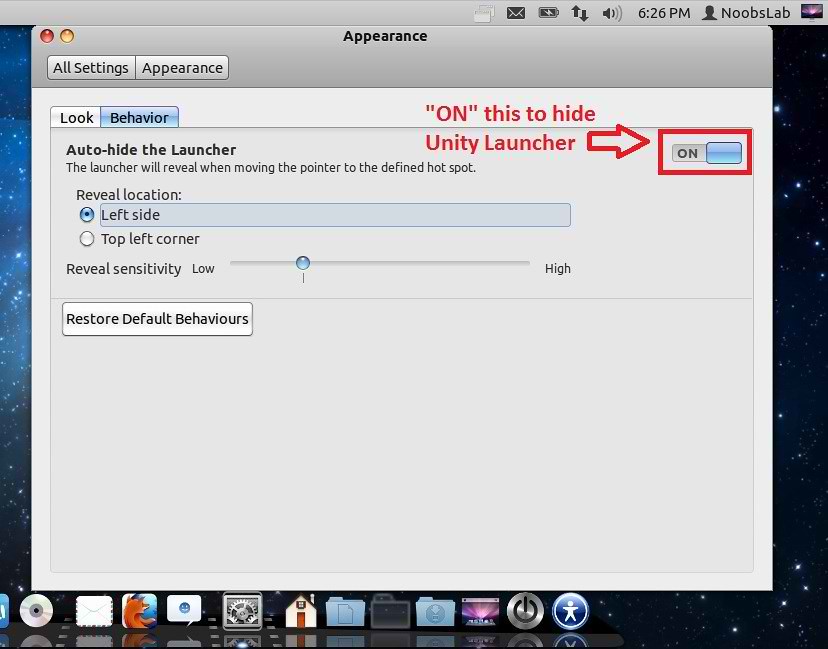
4: Hide Unity Launcher, Open "Appearance" then go to "Behavior" tab and set Button to "ON" to hide launcher.
mac theme

mac theme

5: Install Mac-X-Reloaded Icons.

To install Mac-X-Reloaded Theme on Ubuntu/Linux Mint open Terminal (Press Ctrl+Alt+T) and copy the following commands in the Terminal:
  • sudo add-apt-repository ppa:noobslab/themes
  • sudo apt-get update
  • sudo apt-get install mac-x-reloaded-theme
That's it, Enjoy
Source: haniahmed

Saturday, 9 June 2012

Mac OS X Lion Theme for Ubuntu 12.04/12.10/11.10 (2nd Version Completed)

Install Mac OS X Lion Theme on Ubuntu 12.04/12.10/11.10/Linux Mint 13(2nd Version Completed) with two icon sets

Previous shared Mac OS X Lion Version 1 for Ubuntu, People liked this theme also we should thank to Author.
Many People Search for Macbuntu 12.04/Macbuntu 12.10/Macbuntu 11.10/Mac4lin, Mac Ubuntu theme and so on. So here we are ready with Mac OS X Lion Theme for Ubuntu 12.04 Precise Pangolin and Hopefully Mac Theme will work with Linux Mint 13.

>> Note Link: Mac Theme is Available for Ubuntu 12.10 Quantal/Linux Mint 14

macbuntu

mac ubuntu

What's new in 2nd Version?
  • Fix Many bugs in theme and icons
  • more smooth,shiny and fast
  • fix insensitive progress bar issue 
  • fix metacity buttons
  • fix color matching between top panel and window when maximized 
  • redesign toolbar buttons
  • added more roundness in toolbar
  • recoloured row colours
  • added hover effect on cells and row with slightly bold font effect
  • also hover on buttons have bold font effect
  • search bar and trash bar got both different colors
  • remove border from rubber band
  • remove border from floating bar

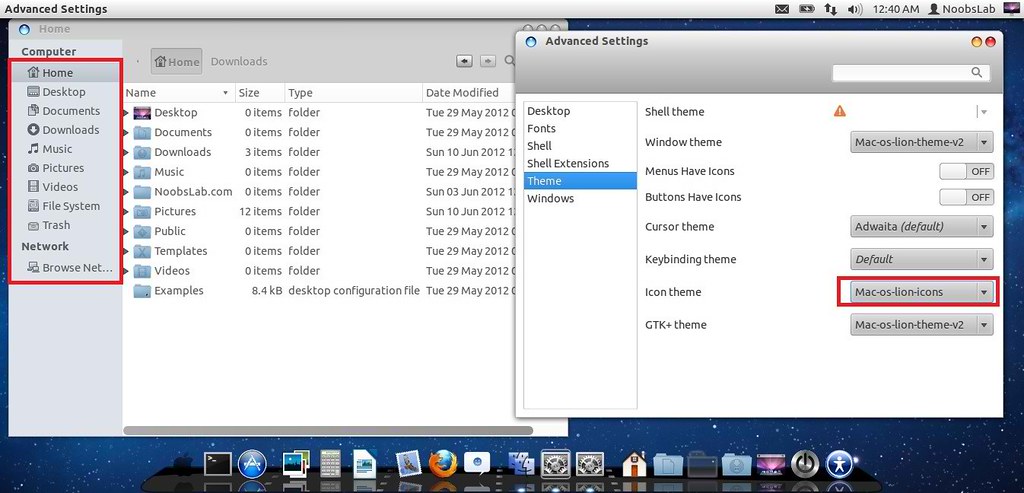
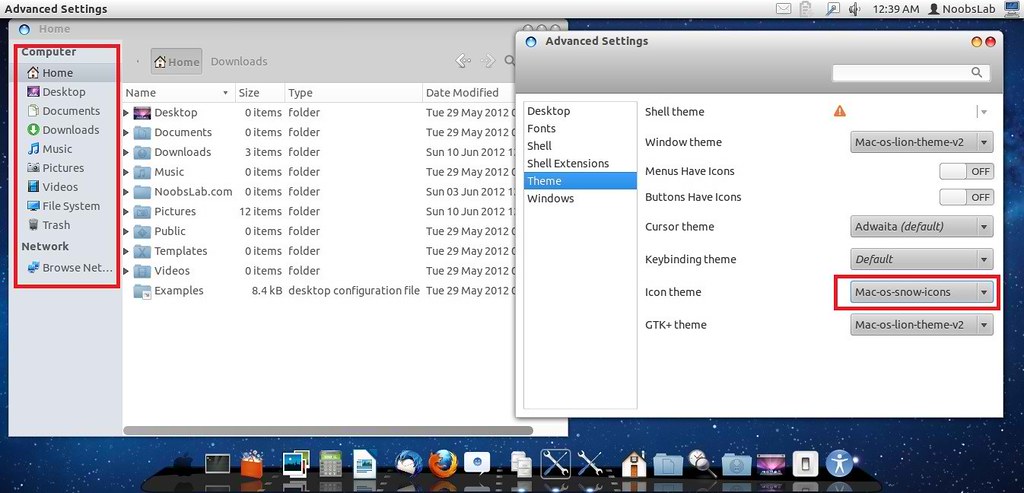
In 2nd Version Author provide 2 icon packs
Mac Lion Icons
ubuntu mac

Mac SnowLeopard Icons
mac theme

1: Download Mac OS X Lion Wallpapers

2: Install Latest Cairo Dock
Right Click on Cairo Dock > Select Launch CairoDock at Startup
mac wallpapers

3: Scroll Bars Setting: Install Ubuntu Tweak, Go to Miscellaneous and switch off Overlay Scrollbars
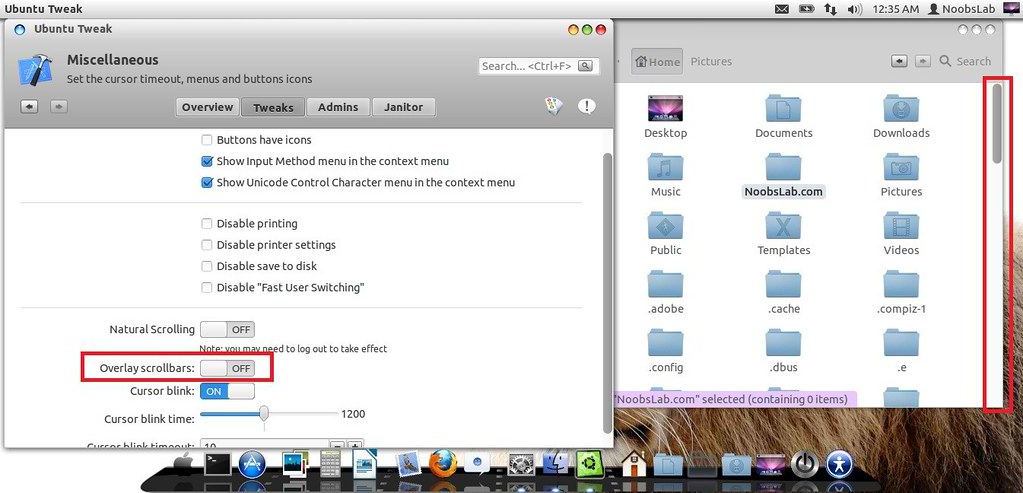
mac lion wallpapers

4: Install New Apple Logo in Launcher
mac apple logo
Enter following commands to install Apple Logo:
  • wget -O apple-logo.zip http://goo.gl/NZyKc
  • sudo unzip apple-logo.zip -d /usr/share/unity/5/
It will ask to replace file, Type "A" and Press enter
If you want back Ubuntu enter following commands in terminal:
  • wget -O ubuntu-logo.zip http://goo.gl/mU42p
  • sudo unzip ubuntu-logo.zip -d /usr/share/unity/5/
It will ask to replace file, Type "A" and Press enter

Now Theme Installation:

5: To Install Mac OS X Lion Theme and Icons on Ubuntu open Terminal (Press Ctrl+Alt+T) and copy the following commands in the Terminal:
  • sudo add-apt-repository ppa:noobslab/themes
  • Now Enter This Command then go to install commands
  • sudo apt-get update
  • Install Icons
  • sudo apt-get install mac-os-lion-icons-v2
  • Install Theme
  • sudo apt-get install mac-os-lion-theme-v2

Install Mac Cursors copy the following commands in the Terminal:
  • wget -O mac-cursors.zip http://goo.gl/eYtho
  • sudo unzip mac-cursors.zip -d /usr/share/icons/
  • sudo rm mac-cursors.zip
  • cd /usr/share/icons/mac-cursors
  • sudo chmod +x install-mac-cursors.sh uninstall-mac-cursors.sh
  • ./install-mac-cursors.sh
To Uninstall Cursors
  • cd /usr/share/icons/mac-cursors
  • ./uninstall-mac-cursors.sh

6: Disable Crash reports:
Usually you noticed Ubuntu 12.04 crashes more than previous versions, so you can disable reports with following command:
  • sudo sed -i "s/enabled=1/enabled=0/g" '/etc/default/apport'

7: Install Compiz Setting Manager to Autohide Unity Launcher:
  • sudo apt-get install compizconfig-settings-manager
unity autohide

8: Install Gnome Tweak Tool/Ubuntu Tweak to change Themes, Icons, Cursors:
  • sudo apt-get install gnome-tweak-tool

Go here to Remove White Dots from Login Screen.
Say Thanks to Author

Saturday, 18 February 2012

Download Free OS X 11.10 Alternative of MacBuntu 11.10 (Only 64-bit)

This is for those who are looking forward to Macbuntu 11.10, It looks cool and looks like Mac OS X.
Free OS X is based on Ubuntu Gnome. I haven't tried it yet So I can't say anything about this, It is good or buggy. You should try and after that you can write here your responses.
Free OS X alternative Macbuntu 11.10 is available only for 64-bit systems.
Here are Screen Shots of Fake OS X 11.10.

Note: Free OSX is not Available for 32-bit systems. (If you want to help with 32bit contact the project owner from bottom source link)

You can use UnetBootin to burn iso on Flash Drive.

1st Version:

macbuntu

macbuntu

Based on Debian/Ubuntu 10.04 LTS
Architecture : 64bit
Kernel : Linux 2.6.32-33-Generic
Desktop : Gnome 2.30.2
File browser : Nautilus 2.31.1
Web browser : Firefox 9.0.1
Ubuntu security updates until april 2013
Download Free OSX Ver. 2.2.6 ISO


2nd Version:

macbuntu 11.10

fake osx

Based on Debian/Ubuntu 11.10
Architecture : 64bit
Kernel : Linux 3.0.0-12-Generic
Dekstop : Gnome 3.2.1
File browser : Nautilus 3.2.1 and Marlin 0.1
Web browser : Firefox 10.0.1
Ubuntu security updates until april 2013
Free OSX Ver. 3.1.2 ISO


----Update----
Project Owner Removed Packages
Enjoy
Source: Free OSX
 

Just the Life of Eddie Copyright © 2012 Best Celebrity Wallpaper -- Powered by Blogger