Warung Bebas
Showing posts with label macbuntu. Show all posts

Saturday, 3 November 2012

Install Mac OS X Theme on Ubuntu 12.10 Quantal/Ubuntu 12.04/Linux Mint 14

Install Mac OS X Theme on Ubuntu 12.10 Quantal Quetzal/Ubuntu 12.04 Precise Pangolin/Linux Mint 14

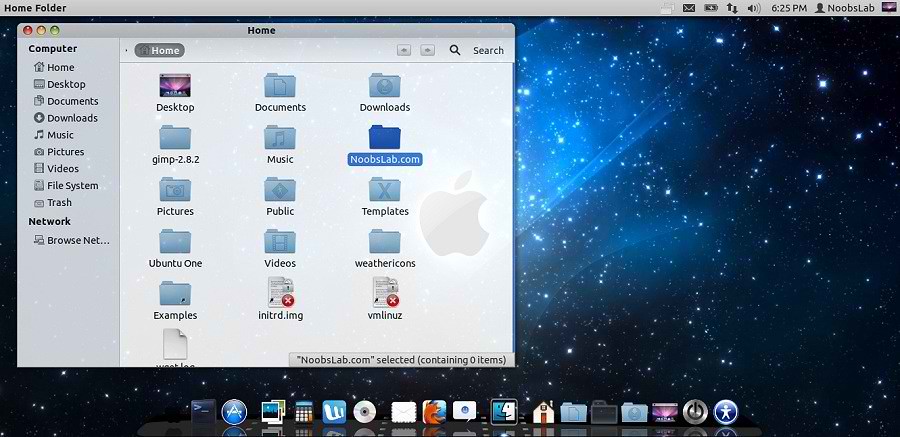
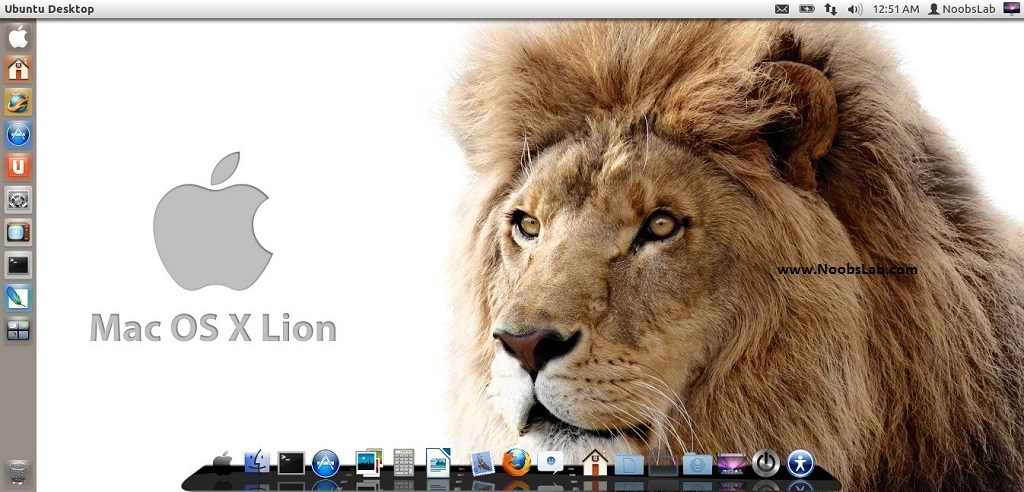
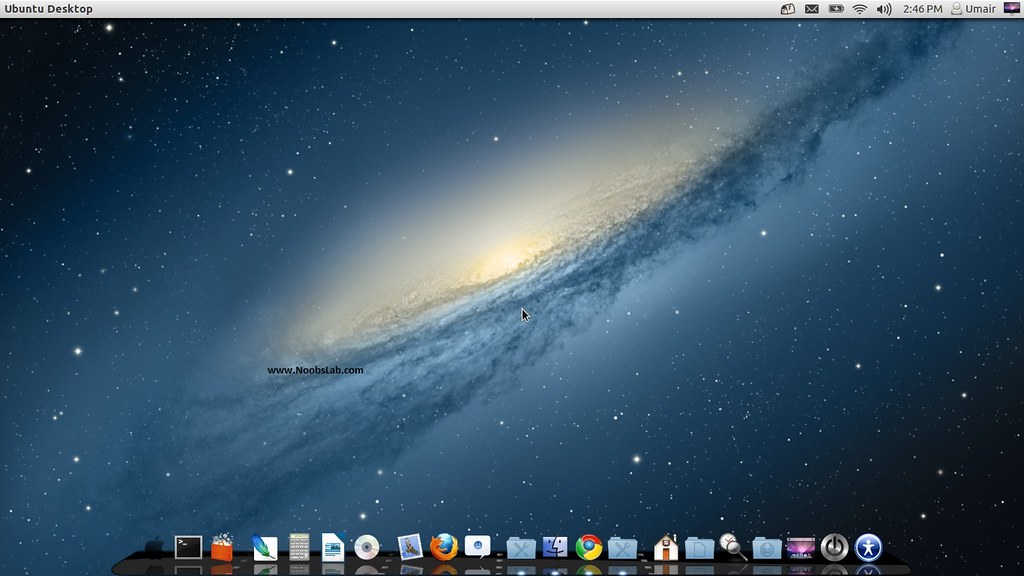
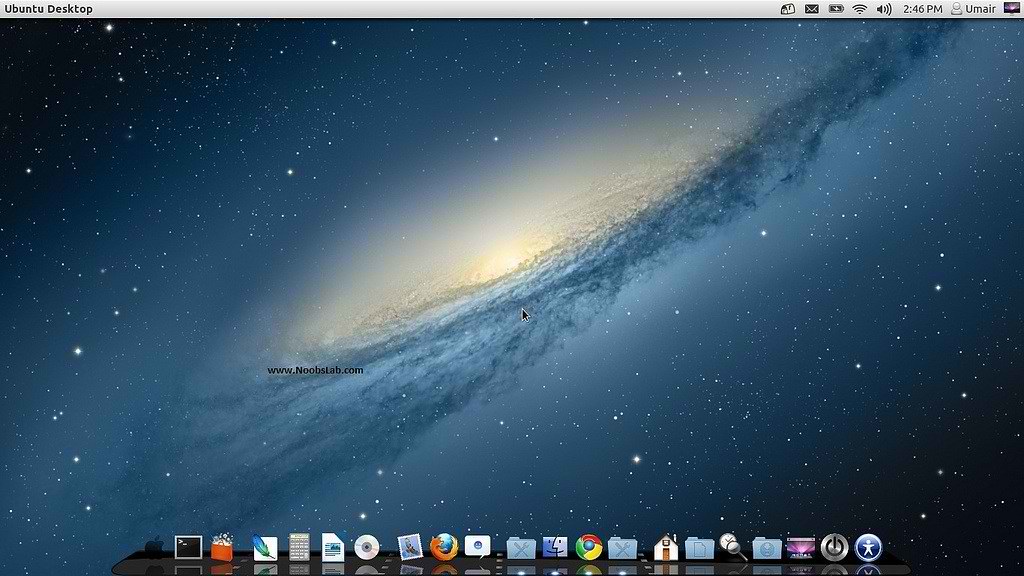
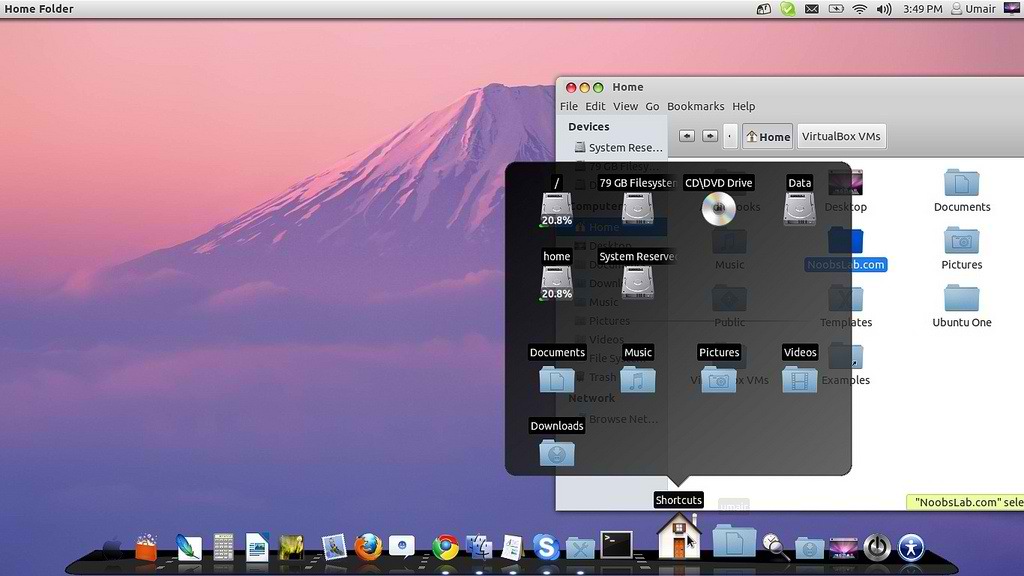
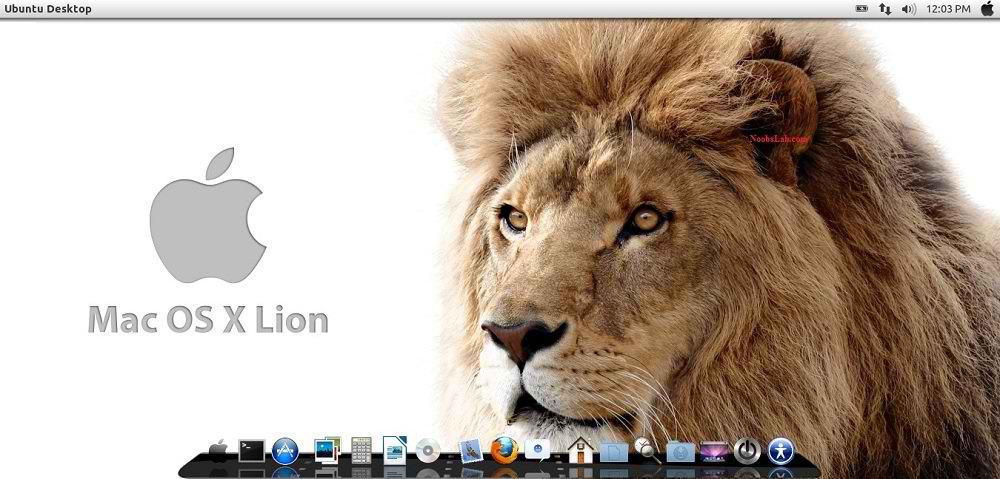
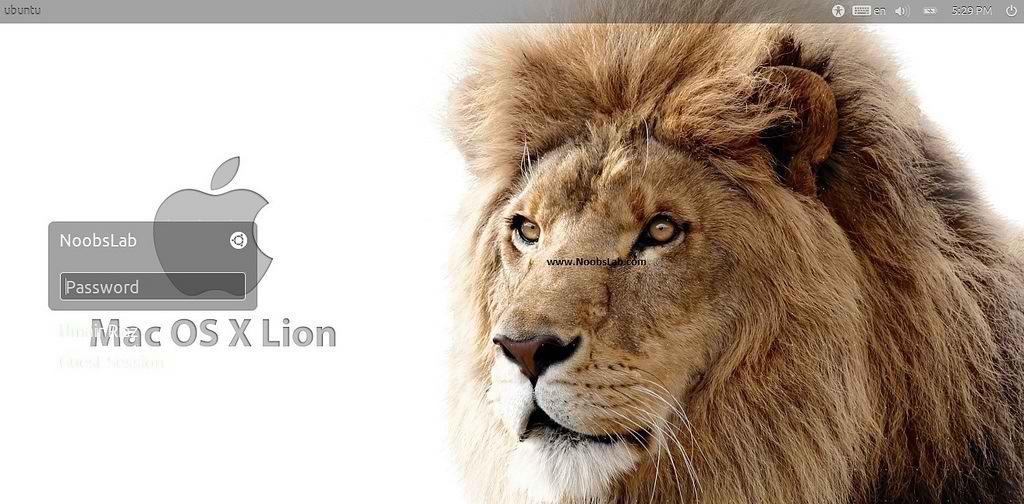
Mac OS X theme now available for Ubuntu 12.10 Quantal Quetzal. Previous shared Mac OS X Lion Version 2 for Ubuntu 12.04 Precise, People liked this theme also we should thank to Author who made this available theme for everyone. Many people looking for Macbuntu 12.04/Macbuntu 12.10/Macbuntu 11.10/Mac4lin, Mac Ubuntu theme and so on. So here we are ready with Mac OS X Lion Theme for Ubuntu 12.10 Quantal Quetzal and Hopefully Mac Theme will work with new coming Linux Mint 14.
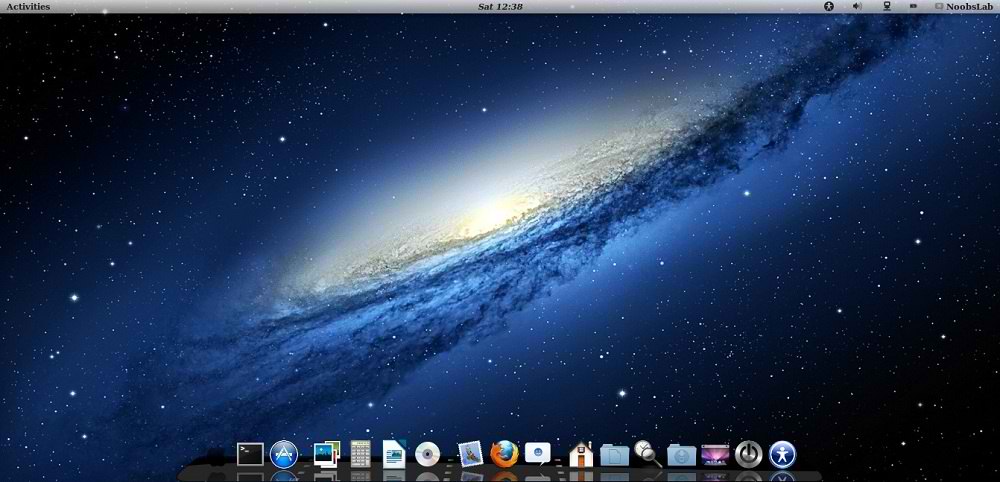
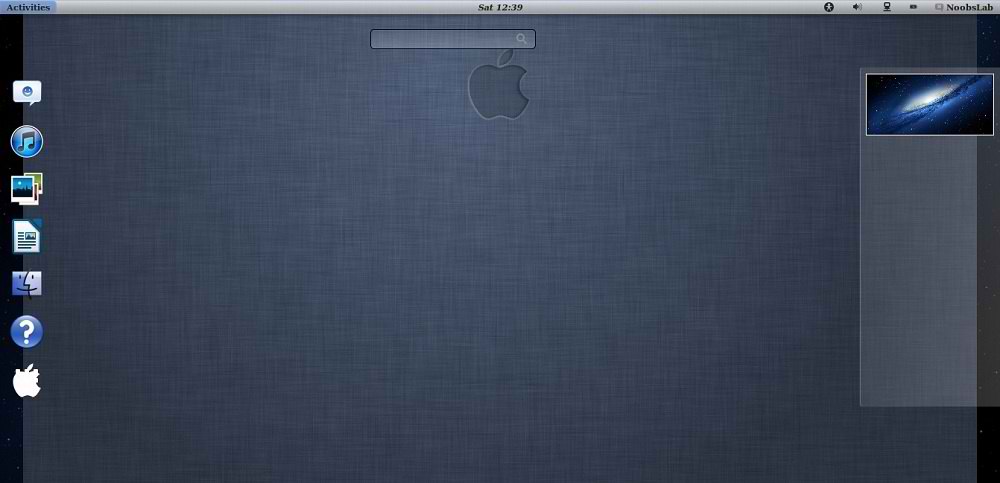
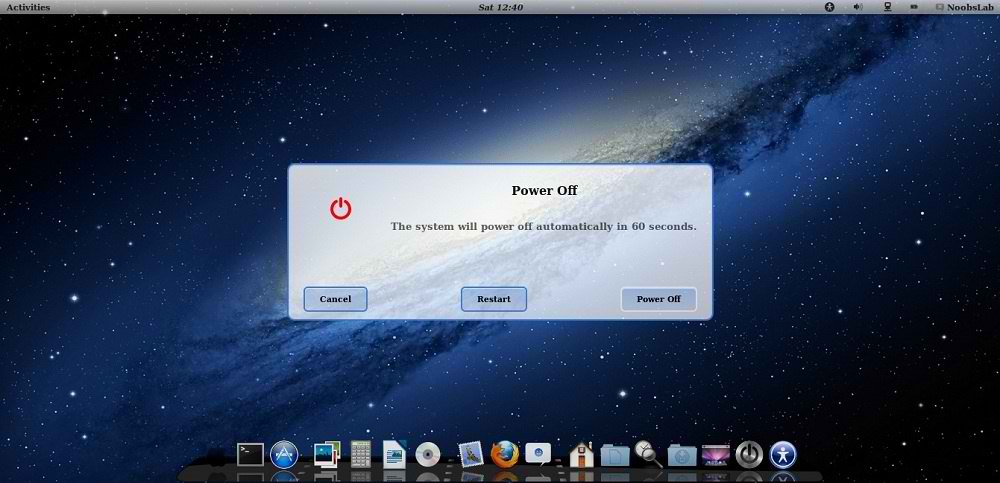
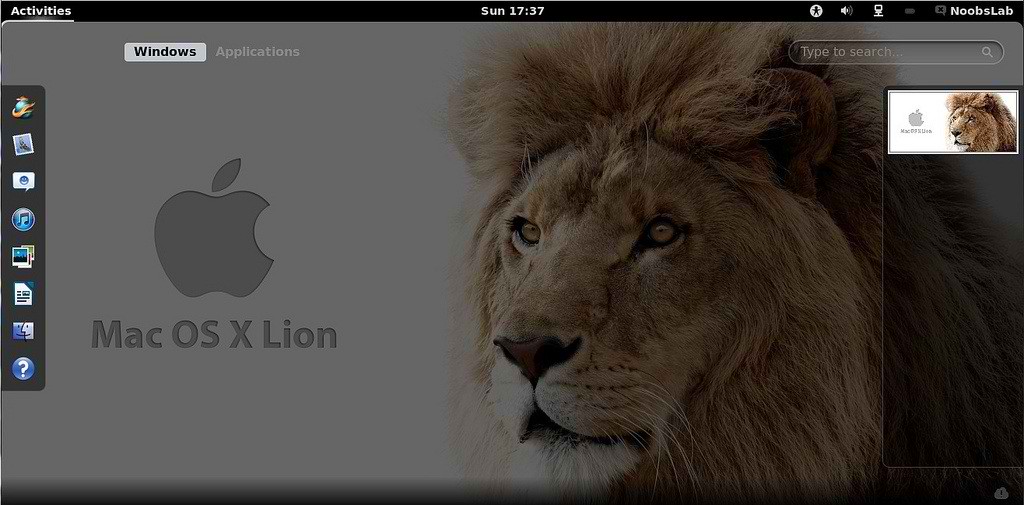
This time NoobsLab also included mac theme for Gnome-Shell, So now you can also use this theme under Gnome Shell 3.6. This ipad theme shared by Hani Ahmed on facebook with NoobsLab.
>> Mac Theme For Ubuntu 12.04 Precise Pangolin/Linux Mint 13
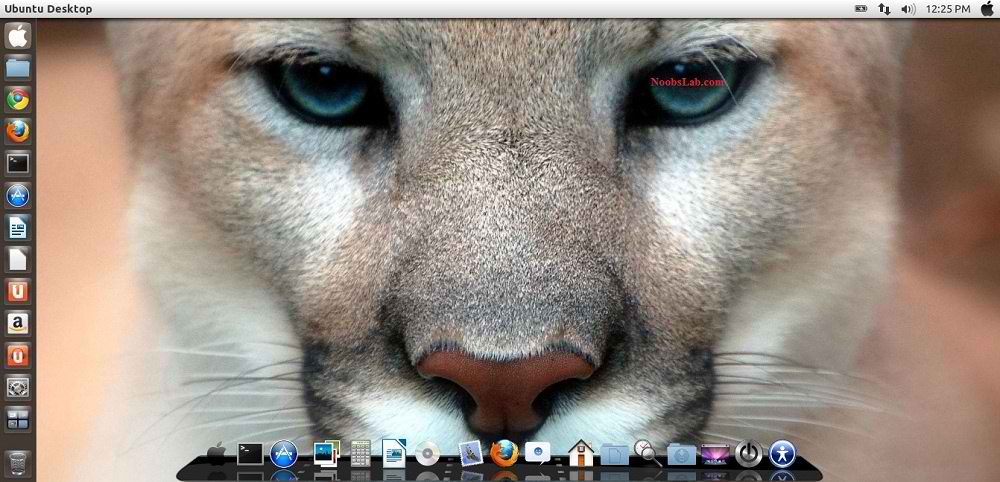
mac theme

mac theme

Mac Gnome Shell 
mac theme

mac theme

mac theme

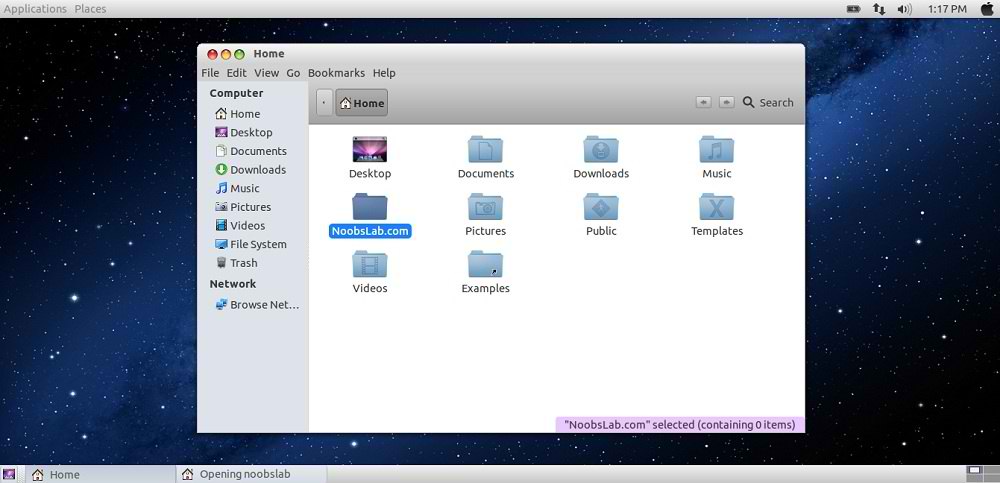
Mac Gnome Classic
mac theme
Theme tested with GTK 3.6 and Gnome Shell 3.6

What's new in this Version?
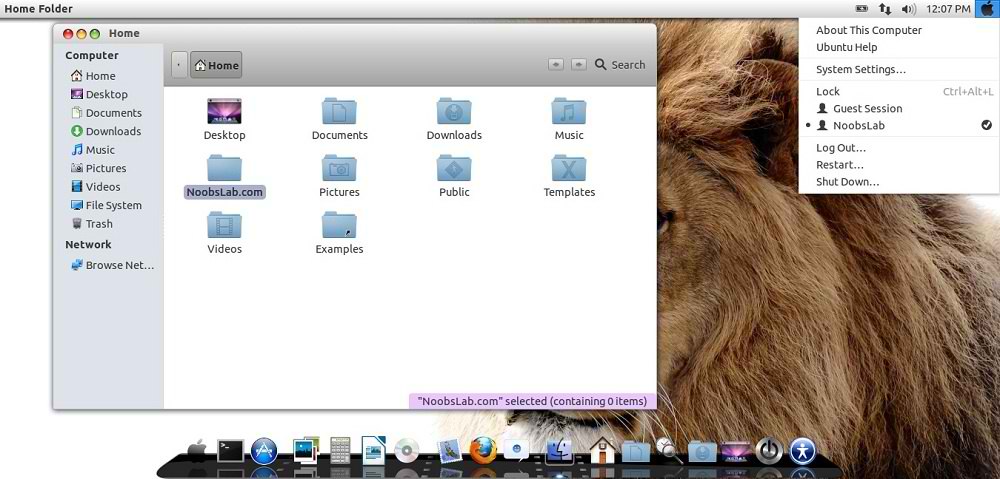
  • Fixes Many bugs
  • Shiny, Smooth, and Fast
  • fix color matching between top panel and window when maximized 
  • Theme for Gnome Shell
Mac Icons
macbuntu icons

1: Download Mac OS X Wallpapers
>> Install Mac theme for Firefox - Thanks Ahmed Alajeeli for tip
2: Install Latest Cairo Dock
Right Click on Cairo Dock > Select Launch Cairo-Dock at Startup
mac wallpapers
If you want to install mac theme for Cairo-Dock, Just go in Configuration then Theme tab Select Mac theme and Apply.

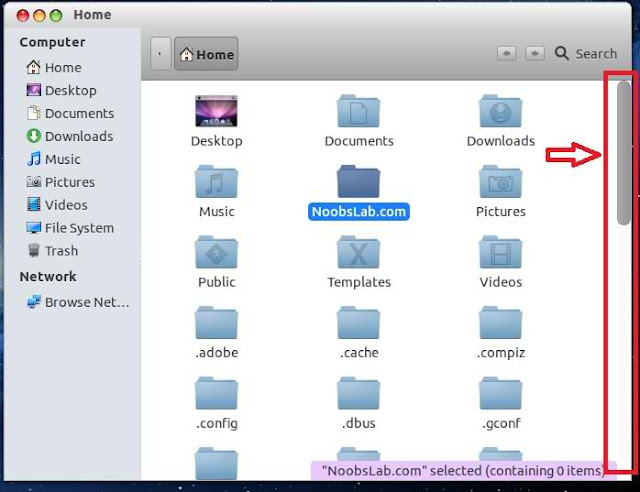
3: Remove Overlay Scrollbars
overlay scrollbars
Enter following command in terminal to disable overlay scrollbar:
  • gsettings set com.canonical.desktop.interface scrollbar-mode normal
If you want to get back overlay bar, enter following command:
  • gsettings reset com.canonical.desktop.interface scrollbar-mode

4: Install New Apple Logo in Launcher
mac apple logo
Enter following commands to install Apple Logo:
  • wget -O apple-logo.zip http://goo.gl/NZyKc
  • sudo unzip apple-logo.zip -d /usr/share/unity/6/
It will ask to replace file, Type "A" and Press enter
If you want back Ubuntu enter following commands in terminal:
  • wget -O ubuntu-logo.zip http://goo.gl/mU42p
  • sudo unzip ubuntu-logo.zip -d /usr/share/unity/6/
It will ask to replace file, Type "A" and Press enter

Now Theme Installation:

5: To Install Mac OS X Lion Theme and Icons on Ubuntu open Terminal (Press Ctrl+Alt+T) and copy the following commands in the Terminal:
  • sudo add-apt-repository ppa:noobslab/themes
  • Now Enter This Command then go to install commands
  • sudo apt-get update
  • Install Icons
  • sudo apt-get install mac-os-x-icons
  • Install Theme
  • sudo apt-get install mac-os-x-theme
Install Mac Cursors copy the following commands in the Terminal:
  • wget -O mac-cursors.zip http://goo.gl/eYtho
  • sudo unzip mac-cursors.zip -d /usr/share/icons/
  • sudo rm mac-cursors.zip
  • cd /usr/share/icons/mac-cursors
  • sudo chmod +x install-mac-cursors.sh uninstall-mac-cursors.sh
  • ./install-mac-cursors.sh
To Uninstall Cursors
  • cd /usr/share/icons/mac-cursors
  • ./uninstall-mac-cursors.sh

6: Disable Crash reports:
Usually you noticed Ubuntu 12.10crashes more than previous versions, so you can disable reports with following command:
  • sudo sed -i "s/enabled=1/enabled=0/g" '/etc/default/apport'

7: Install Compiz Setting Manager to Autohide Unity Launcher:
  • sudo apt-get install compizconfig-settings-manager
unity autohide

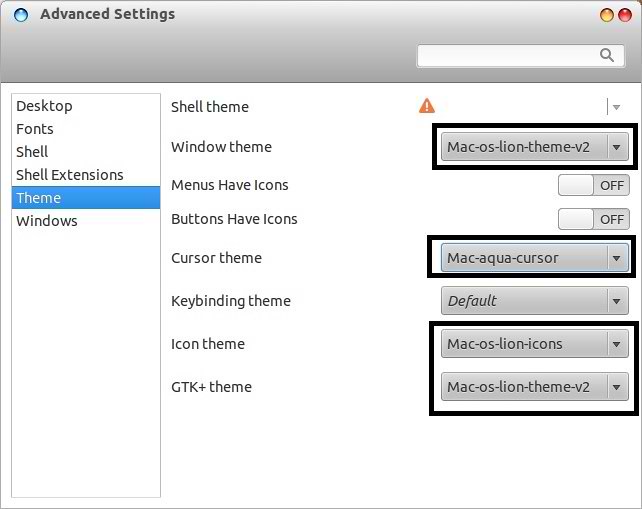
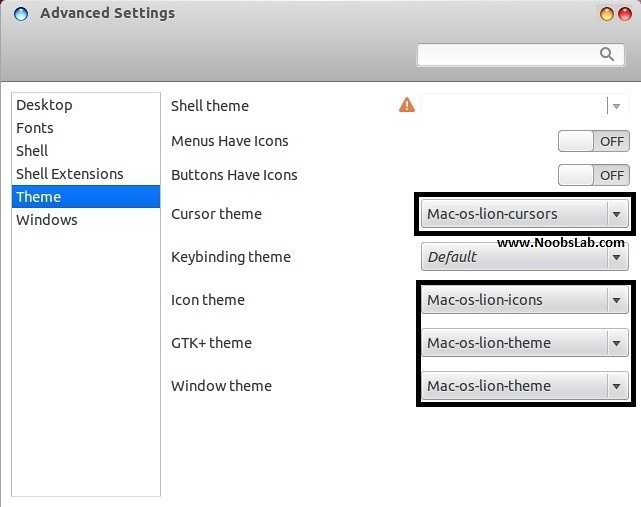
8: Install Gnome Tweak Tool/Ubuntu Tweak to change Themes, Icons:
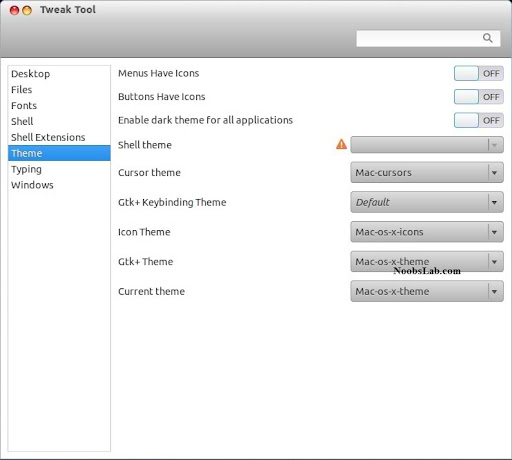
  • sudo apt-get install gnome-tweak-tool
gnome tweak tool

8: Remove White Dots from Login Screen.
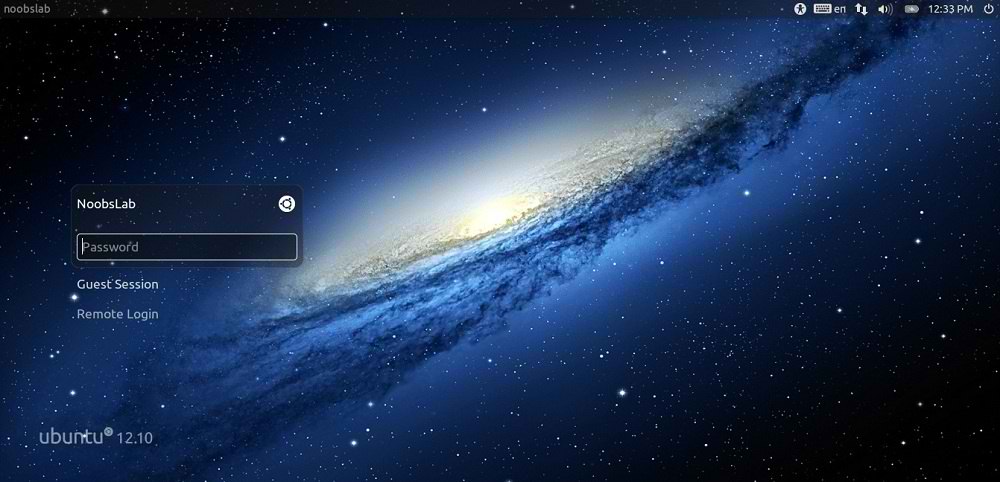
remove white dots
Enter following commands in terminal to remove white dots:
  • sudo xhost +SI:localuser:lightdm
  • sudo su lightdm -s /bin/bash
  • gsettings set com.canonical.unity-greeter draw-grid false
That's it, Enjoy
Say Thanks to Author

Saturday, 1 September 2012

Install Mac-X-Reloaded Theme on Ubuntu 12.04/11.10/Linux Mint 13/12

Install Mac-X-Reloaded Theme on Ubuntu 12.04/Ubuntu 11.10/Linux Mint 13/Mint 12

Some people like Mac but they can't install Mac on their pc, So Linux is the most powerful operating system in the world. You can do whatever you want to do with linux. So some guys make available Mac themes and icons for Linux versions, To make your Linux Ubuntu look like Mac OS X. You don't need to buy expensive hardware for this flavor, you can get this for free. :)
Author shared his icons with NoobsLab. So today bring Mac-X-Reloaded Theme for you by Hani Ahmed. Also check here huge Themes Collection. Here is wallpaper used in screeshot.

You can use these Tools to change theme and icons: Gnome Tweak Tool, Ubuntu Tweak

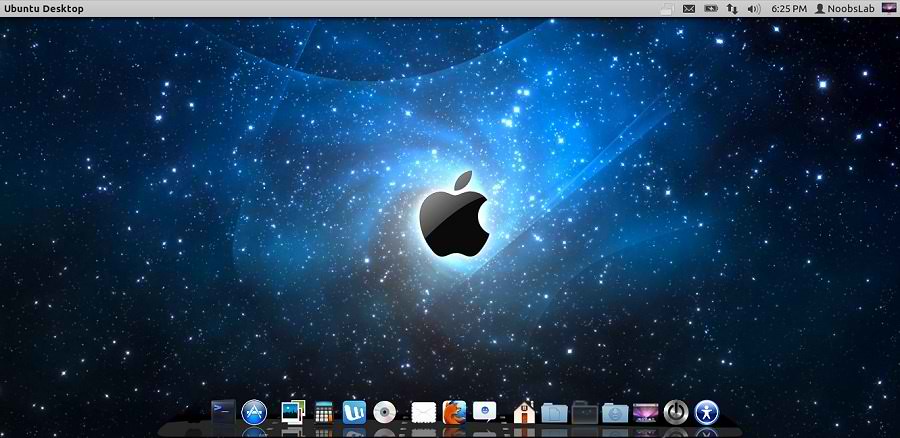
mac theme

1: Download Mac OS X Lion Wallpapers

2: Install Latest Cairo Dock
Right Click on Cairo Dock > Select Launch CairoDock at Startup
mac wallpapers

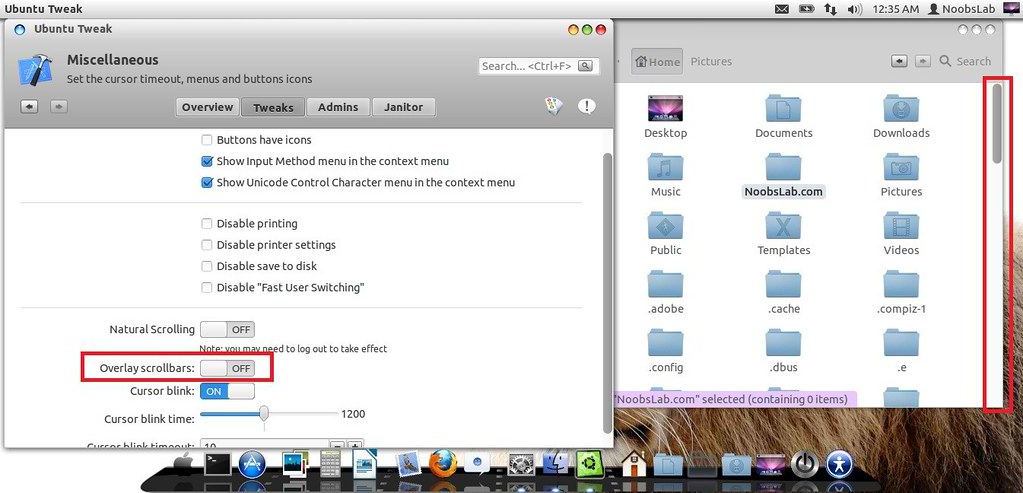
3: Scroll Bars Setting: Install Ubuntu Tweak, Go to Miscellaneous and switch off Overlay Scrollbars
mac lion wallpapers

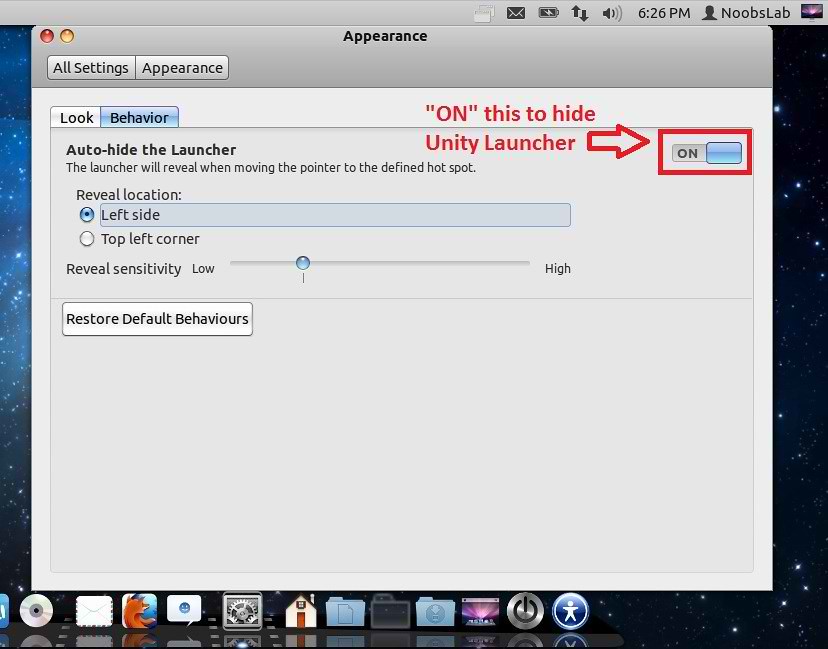
4: Hide Unity Launcher, Open "Appearance" then go to "Behavior" tab and set Button to "ON" to hide launcher.
mac theme

mac theme

5: Install Mac-X-Reloaded Icons.

To install Mac-X-Reloaded Theme on Ubuntu/Linux Mint open Terminal (Press Ctrl+Alt+T) and copy the following commands in the Terminal:
  • sudo add-apt-repository ppa:noobslab/themes
  • sudo apt-get update
  • sudo apt-get install mac-x-reloaded-theme
That's it, Enjoy
Source: haniahmed

Saturday, 9 June 2012

Mac OS X Lion Theme for Ubuntu 12.04/12.10/11.10 (2nd Version Completed)

Install Mac OS X Lion Theme on Ubuntu 12.04/12.10/11.10/Linux Mint 13(2nd Version Completed) with two icon sets

Previous shared Mac OS X Lion Version 1 for Ubuntu, People liked this theme also we should thank to Author.
Many People Search for Macbuntu 12.04/Macbuntu 12.10/Macbuntu 11.10/Mac4lin, Mac Ubuntu theme and so on. So here we are ready with Mac OS X Lion Theme for Ubuntu 12.04 Precise Pangolin and Hopefully Mac Theme will work with Linux Mint 13.

>> Note Link: Mac Theme is Available for Ubuntu 12.10 Quantal/Linux Mint 14

macbuntu

mac ubuntu

What's new in 2nd Version?
  • Fix Many bugs in theme and icons
  • more smooth,shiny and fast
  • fix insensitive progress bar issue 
  • fix metacity buttons
  • fix color matching between top panel and window when maximized 
  • redesign toolbar buttons
  • added more roundness in toolbar
  • recoloured row colours
  • added hover effect on cells and row with slightly bold font effect
  • also hover on buttons have bold font effect
  • search bar and trash bar got both different colors
  • remove border from rubber band
  • remove border from floating bar

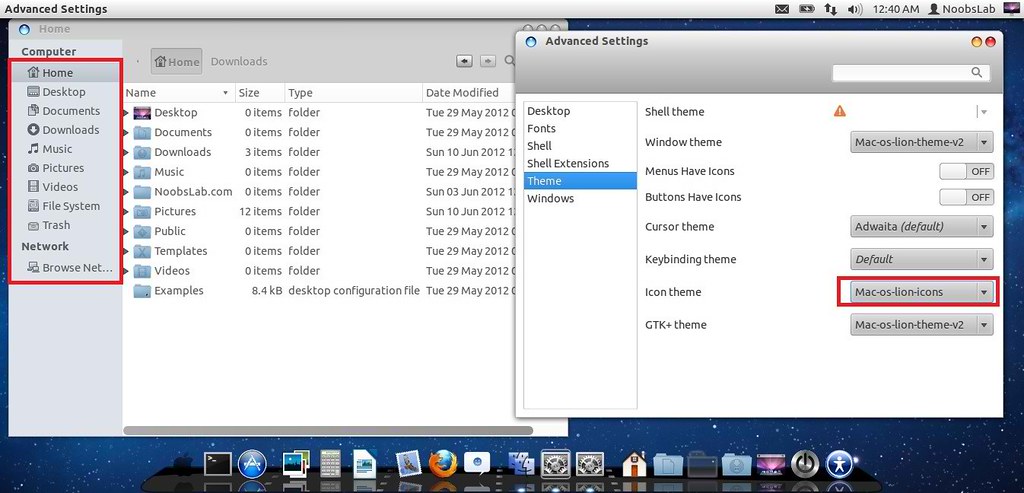
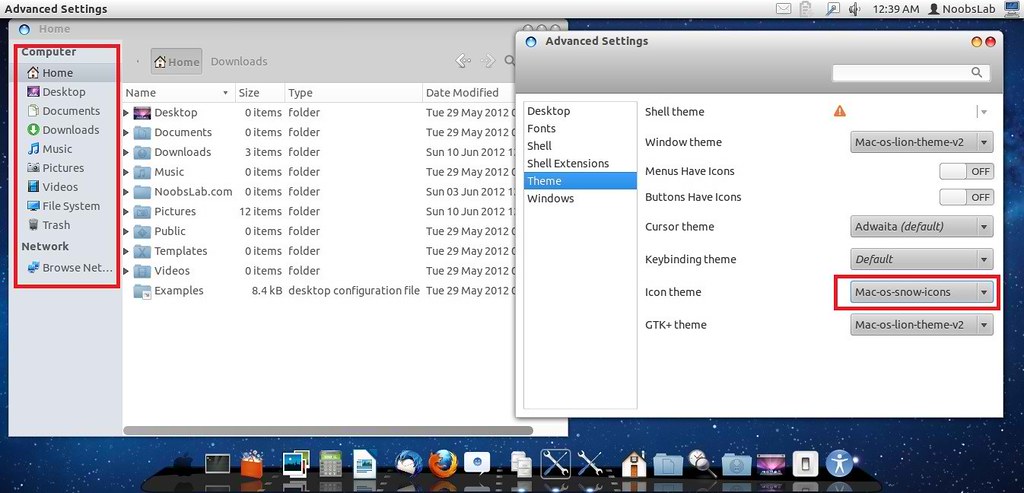
In 2nd Version Author provide 2 icon packs
Mac Lion Icons
ubuntu mac

Mac SnowLeopard Icons
mac theme

1: Download Mac OS X Lion Wallpapers

2: Install Latest Cairo Dock
Right Click on Cairo Dock > Select Launch CairoDock at Startup
mac wallpapers

3: Scroll Bars Setting: Install Ubuntu Tweak, Go to Miscellaneous and switch off Overlay Scrollbars
mac lion wallpapers

4: Install New Apple Logo in Launcher
mac apple logo
Enter following commands to install Apple Logo:
  • wget -O apple-logo.zip http://goo.gl/NZyKc
  • sudo unzip apple-logo.zip -d /usr/share/unity/5/
It will ask to replace file, Type "A" and Press enter
If you want back Ubuntu enter following commands in terminal:
  • wget -O ubuntu-logo.zip http://goo.gl/mU42p
  • sudo unzip ubuntu-logo.zip -d /usr/share/unity/5/
It will ask to replace file, Type "A" and Press enter

Now Theme Installation:

5: To Install Mac OS X Lion Theme and Icons on Ubuntu open Terminal (Press Ctrl+Alt+T) and copy the following commands in the Terminal:
  • sudo add-apt-repository ppa:noobslab/themes
  • Now Enter This Command then go to install commands
  • sudo apt-get update
  • Install Icons
  • sudo apt-get install mac-os-lion-icons-v2
  • Install Theme
  • sudo apt-get install mac-os-lion-theme-v2

Install Mac Cursors copy the following commands in the Terminal:
  • wget -O mac-cursors.zip http://goo.gl/eYtho
  • sudo unzip mac-cursors.zip -d /usr/share/icons/
  • sudo rm mac-cursors.zip
  • cd /usr/share/icons/mac-cursors
  • sudo chmod +x install-mac-cursors.sh uninstall-mac-cursors.sh
  • ./install-mac-cursors.sh
To Uninstall Cursors
  • cd /usr/share/icons/mac-cursors
  • ./uninstall-mac-cursors.sh

6: Disable Crash reports:
Usually you noticed Ubuntu 12.04 crashes more than previous versions, so you can disable reports with following command:
  • sudo sed -i "s/enabled=1/enabled=0/g" '/etc/default/apport'

7: Install Compiz Setting Manager to Autohide Unity Launcher:
  • sudo apt-get install compizconfig-settings-manager
unity autohide

8: Install Gnome Tweak Tool/Ubuntu Tweak to change Themes, Icons, Cursors:
  • sudo apt-get install gnome-tweak-tool

Go here to Remove White Dots from Login Screen.
Say Thanks to Author
Sunday, 27 May 2012

[Update V2] Mac OS X theme Ver.2 for Ubuntu 12.04 Precise

Install Mac OS X Lion Theme on Ubuntu/Linux Mint

Many People Search for Macbuntu 12.04/Macbuntu 11.10/Mac4lin, Mac Ubuntu theme and so on. So here we are ready with Mac OS X Lion Theme for Ubuntu 12.04 Precise Pangolin and for Linux Mint 13.

macbuntu 12.04

mac4lin

Few Days ago Mbossg released new Mac OS X theme which is compatible with Ubuntu 12.04/Linux Mint 13. People really like this theme.
Now author released v2 of Mac OS X theme which brings many fixs for theme and icons.
This theme is compatible with all Ubuntu/Mint Versions.
NoobsLab Decided to make available this Mac theme on PPA for Ubuntu 12.10 Quantal/12.04 Precise/11.10 Oneiric/Linux Mint 13/12/other Ubuntu based distributions.


Say Thanks to Author
Sunday, 6 May 2012

Mac OS X Lion Theme for Ubuntu 12.04 Precise Pangolin/Ubuntu 12.10 Quantal Quetzal/Linux Mint 13

Install Mac OS X Lion Theme on Ubuntu 12.04 Precise Pangolin/Ubuntu 12.10 Quantal Quetzal/11.10 Oneiric/Linux Mint 13/12

Previous shared Mac OS X Lion for Ubuntu 11.10, People liked this theme also we should thank to Author.
Many People Search for Macbuntu 12.04/Macbuntu 11.10/Mac4lin, Mac Ubuntu theme and so on. So here we are ready with Mac OS X Lion Theme for Ubuntu 12.04 Precise Pangolin and Hopefully Mac Theme will work with Linux Mint 13.

Macbuntu

mac ubuntu

Mac os x Ubuntu

Macbuntu

Ubuntu mac

Macbuntu

How Gnome Shell Looks? (Not applied on Gnome Shell - Only GTK Applied)

Mac Ubuntu

Macbuntu


>>>Note: Here is New 2nd Version of Mac OS X Lion Theme for Ubuntu 12.04 Precise<<<

Now Theme Installation:
1: Download Mac OS X Lion Wallpapers
2: Install Latest Cairo Dock

3: To Install Mac OS X Lion Theme on Ubuntu 12.04 Precise Pangolin open Terminal (Press Ctrl+Alt+T) and copy the following commands in the Terminal:
  • sudo add-apt-repository ppa:noobslab/themes
  • Now Enter This Command then go to install commands
  • sudo apt-get update
  • Install Icons
  • sudo apt-get install mac-os-lion-icons
  • Install Theme
  • sudo apt-get install mac-os-lion-theme
  • Install Cursors from here

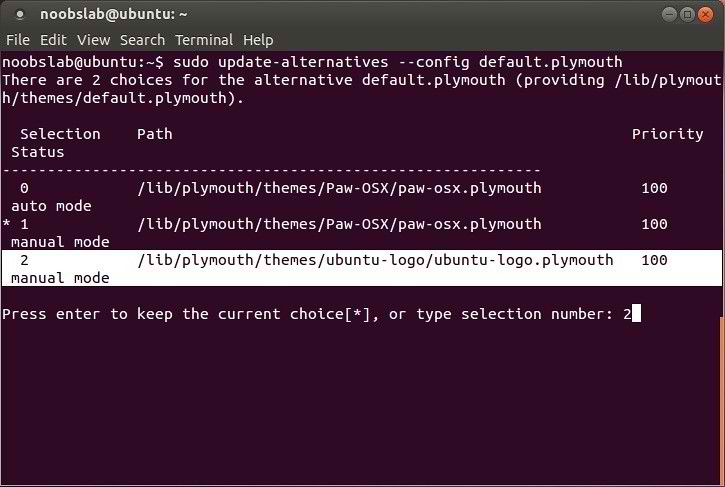
4: Apply Mac OS X Splash:
macbuntu 12.04
Install Following commands to install splash:
  • wget -O Paw-OSX.zip http://goo.gl/vN4T8
  • unzip Paw-OSX.zip
  • sudo cp -R Paw-OSX/ /lib/plymouth/themes
  • sudo update-alternatives --install /lib/plymouth/themes/default.plymouth default.plymouth /lib/plymouth/themes/Paw-OSX/paw-osx.plymouth 100
Enter following command and select paw-osx splash:
  • sudo update-alternatives --config default.plymouth
Now Enter this command:
  • sudo update-initramfs -u

If you don't like Paw Splash, You can get back Ubuntu splash:
Enter following command and select Ubuntu Splash number:
  • sudo update-alternatives --config default.plymouth
Now Enter this command to update Splash:
  • sudo update-initramfs -u
See the following picture.

5: Install Compiz Setting Manager to Autohide Unity Launcher:
  • sudo apt-get install compizconfig-settings-manager

6: Install Gnome Tweak Tool to change Themes, Icons, Cursors:
  • sudo apt-get install gnome-tweak-tool

Go here to Remove White Dots from Login Screen.
Credit to Author
Saturday, 24 March 2012

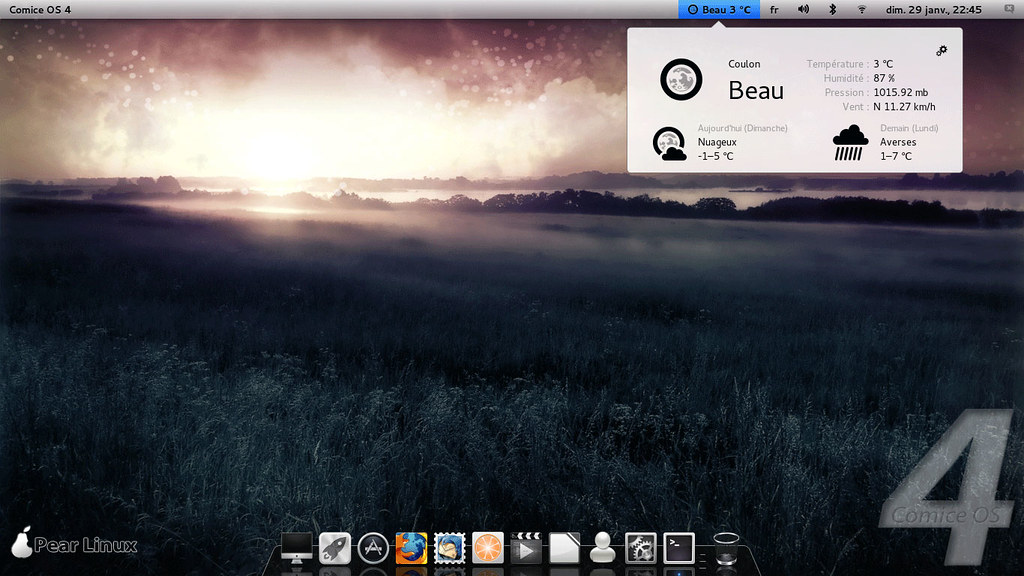
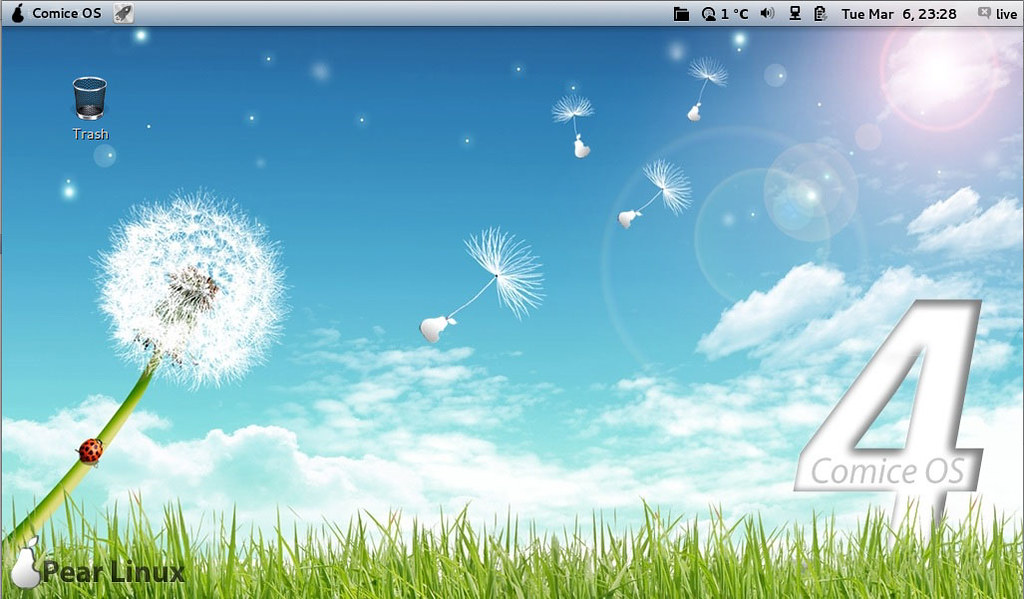
Pear OS 4 (Comice) is Released - Looks Like Mac

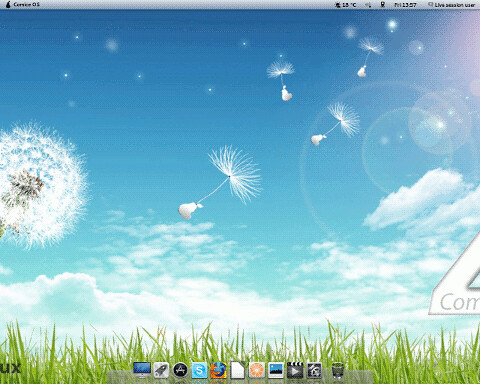
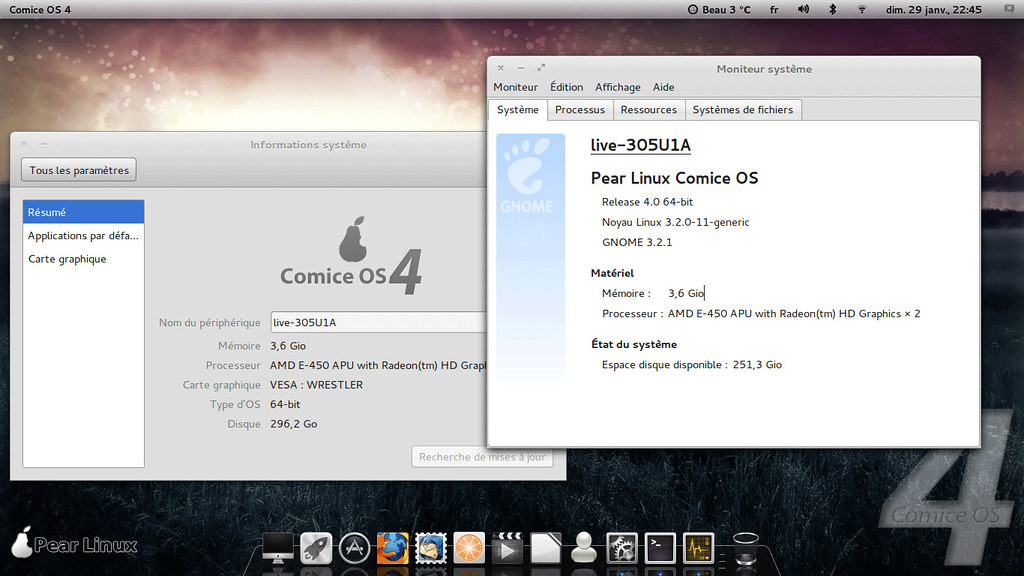
Pear OS is a French Ubuntu-based desktop Linux distribution. Some of its features include ease-of-use, custom user interface with a Mac OS X-style dockbar, and out-of-the-box support for many popular multimedia codecs.
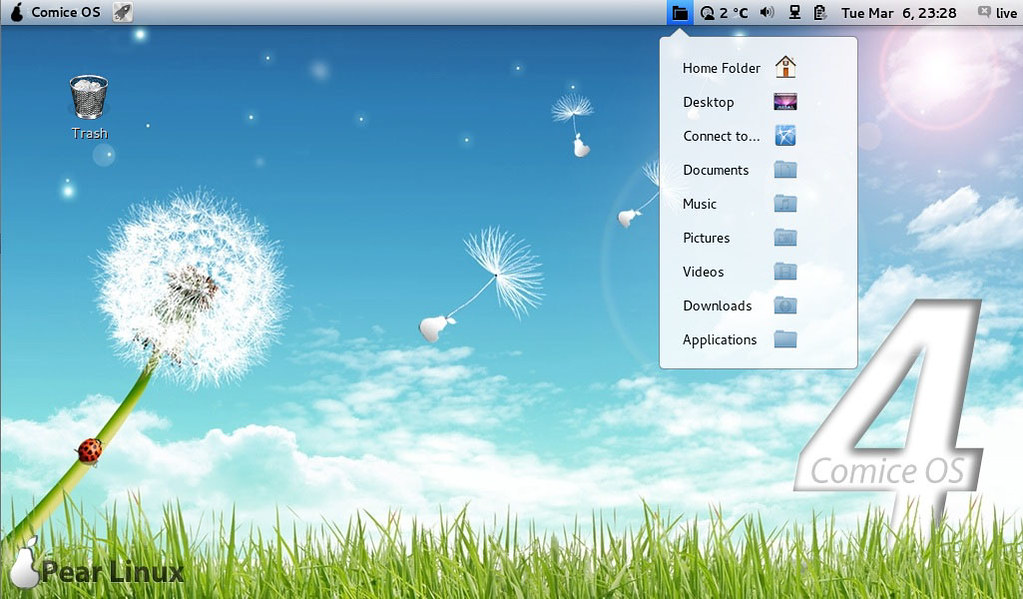
pear os

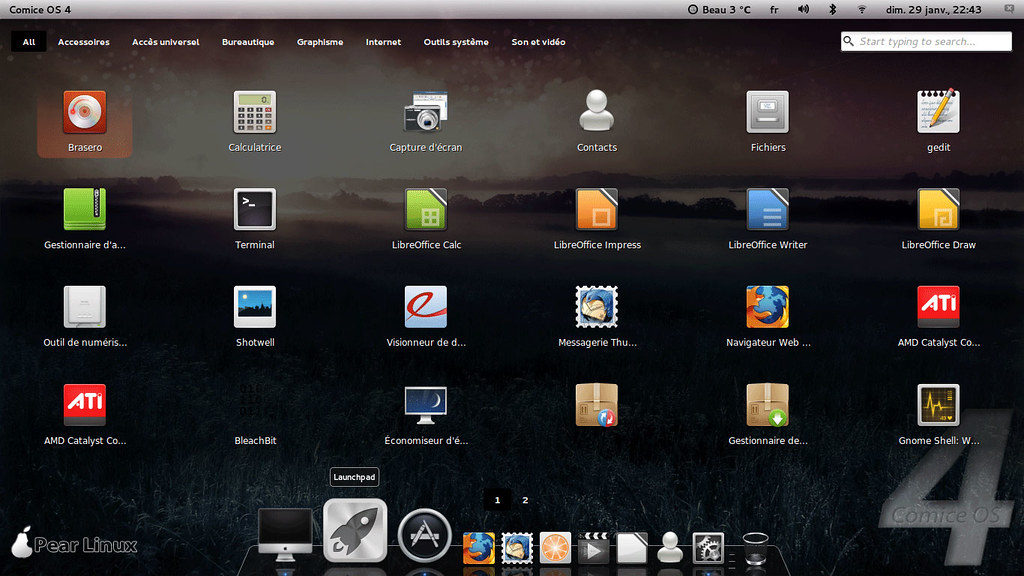
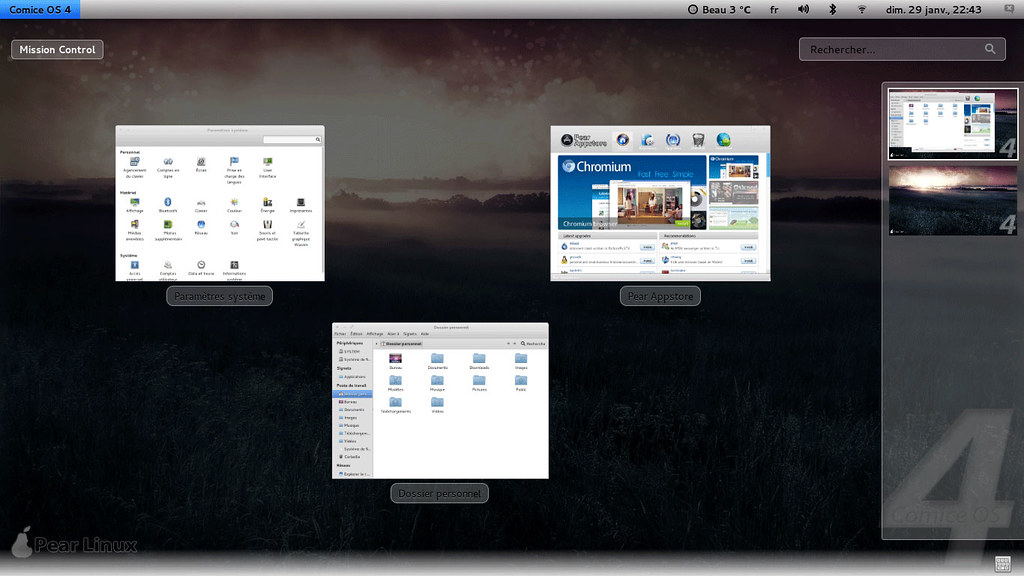
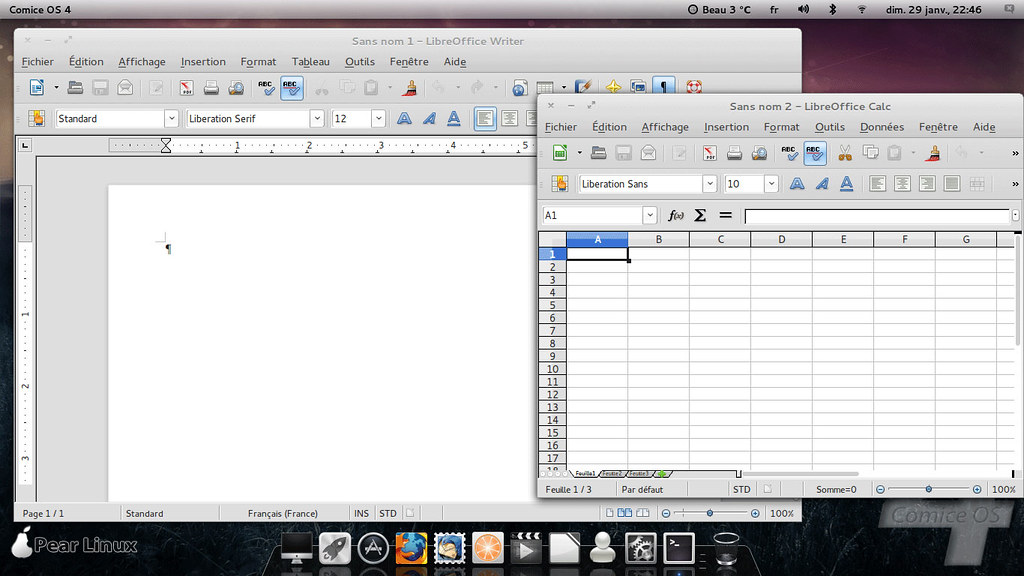
Pear OS 4, a new version of the Ubuntu-based Linux distribution of many names, including Pear Linux or Comice OS, has been released: "Comice OS 4 - available now. New features at a glance: Comice OS Shell, Pear Appstore, Skype, LibreOffice. Pear Appstore is one of the most highlighted applications of Comice OS. Installing new application is just an one-click thing. It supports parallel downloading, resuming downloads, update notification and cache cleaning. Comice Shell is a modification of GNOME Shell according to visions of Pear Linux. Mission Control allows you to view running applications and the various workspaces used. Click the Launchpad icon in your dock and your open windows fade away, replaced by a view of all the applications on your PC. Each application is represented by an icon, and Launchpad creates as many pages of application icons as you need." See the release announcement and the features page for more information.

Desktop Edition Screen-Shots

macbuntu


linux mac

mac os ubuntu

mac4lin

macbuntu

pear os x

Download:
Pear Comice_OS_4_x32-build-01a07.iso (1,070MB, MD5, torrent)
Pear Comice_OS_4_x64-build-01a07.iso (1,250kB, MD5, torrent)
SourceForge Mirrors:
Pear Comice_os_4_x32
Pear Comice_os_4_x64
Other Mirrors:
Pear Comice_os_4_x32_BETA_2
Pear Comice_os_4_x64_BETA_2

KDE Edition Screen-Shots


Download KDE Beta edition:
Pear Comice_os_4_x32
Torrent: Pear Comice_os_4_x32
SourceForge Mirrors:
Pear comice_os_4_x32

NetBook Edition Screen-Shots

mac os


ubuntu mac

pear os

Download Netbook Edition:
Pear Comice OS Netbook 32bit (Latest)
Pear Comice_os_4_netbook_BETA_1

Enjoy, Here is the Site of Pear OS.


Just the Life of Eddie Copyright © 2012 Best Celebrity Wallpaper -- Powered by Blogger