Warung Bebas
Showing posts with label precise pangolin themes. Show all posts

Thursday, 5 April 2012

Install Elementary 3.0 Gtk Theme on Ubuntu 12.04/11.10/Linux Mint (GTK 3)

Install Elementary 3.0 Gtk 3 Theme on Ubuntu 12.04 Precise/11.10 Oneiric/Linux Mint 12

elementary theme

Changes in Elementary Gtk theme 3.0 version:
  • GTK3 support, including :backdrop class, but there�s no dark theme yet
  • elementary now uses the Unico GTK3 engine
  • Granite support (which is used by many applications that will be default in the elementary OS Luna, such as BeatBox, etc.)
  • Dropped GTK2 classes for GTK3 apps so there�s no more support for applications like Nautilus elementary and others (so any application that has a GTK3 version doesn�t have support for GTK2 anymore)
  • The default placement is now close:maximize
  • The maximize button has been changed from the �+� (typically used to mean new) to two opposing arrows
  • And More.

To install Elementary Theme via Noobslab PPA on Ubuntu/Mint GTK3 open Terminal (Press Ctrl+Alt+T) and copy the following commands in the Terminal:
  • sudo add-apt-repository ppa:noobslab/themes
  • sudo apt-get update
  • sudo apt-get install elementary-theme
Enjoy

Wednesday, 22 February 2012

Install Tempered Glass Theme on Ubuntu/Linux Mint for Gnome Shell/Cinnamon

Install Tempered Glass Theme on Ubuntu 12.04 Precise/Ubuntu 11.10 Oneiric/Linux Mint/Any Linux for Gnome Shell/Cinnamon

ubuntu themes

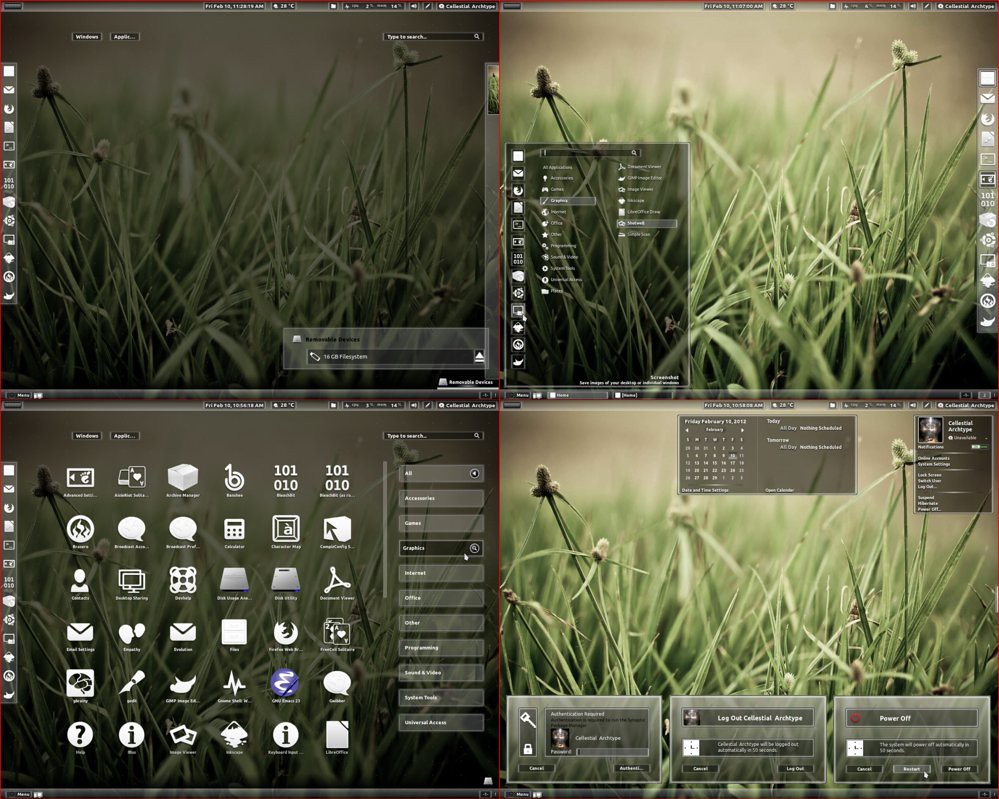
Tempered Glass (Gnome Shell 3.2.1 - 3.2.2.1 Theme) is a combination of white and dark shades of glass. The usual set of extensions (Windowlist, Menu, Dock, Bottompanel and Windowoverlay) are all supported. I tried to maintain strictly shades of glass everywhere so just note me on any issue and I will look at ajustments.
THEME IS COMPATIBLE WITH ALL LINUX DISTROS USING GNOME SHELL 3.2.1 - 3.2.2.1

First Download Theme Wallpaper
2nd Here is the Awoken Icons

>> Install Tempered Glass theme on Gnome Shell open Terminal (Press Ctrl+Alt+T) and copy the following commands in the Terminal:
  • mkdir ~/.themes
  • wget -O tempered_glass_gs.zip http://dl.dropbox.com/u/53319850/NoobsLab.com/tempered_glass_gs.zip
  • unzip tempered_glass_gs.zip -d ~/.themes
  • or use ppa
  • sudo add-apt-repository ppa:noobslab/themes
  • sudo apt-get update
  • sudo apt-get install tempered-gs-shell
Install Extension Theme
  • wget -O gs_extension.zip http://dl.dropbox.com/u/53319850/NoobsLab.com/tempered_gs_extensions.zip
  • unzip gs_extension.zip -d ~/.local/share/gnome-shell/extensions
  • or use ppa
  • sudo add-apt-repository ppa:noobslab/themes
  • sudo apt-get update
  • sudo apt-get install temp-gs-ext

>> Install Tempered Glass theme on Cinnamon open Terminal (Press Ctrl+Alt+T) and copy the following commands in the Terminal:
  • mkdir ~/.themes
  • wget -O tempered_glass_cinn.zip  http://dl.dropbox.com/u/53319850/NoobsLab.com/tempered_glass_cinnamon.zip
  • unzip tempered_glass_cinn.zip -d ~/.themes
  • or use ppa
  • sudo add-apt-repository ppa:noobslab/themes
  • sudo apt-get update
  • sudo apt-get install tempered
Install Extension Theme
  • wget -O cinm_extension.zip  http://dl.dropbox.com/u/53319850/NoobsLab.com/tempered_cinnamon_extension.zip
  • unzip cinm_extension.zip -d ~/usr/share/cinnamon/extensions
  • or use ppa
  • sudo add-apt-repository ppa:noobslab/themes
  • sudo apt-get update
  • sudo apt-get install extension
Now Install Gnome Tweak Tool to change theme:
  • sudo apt-get install gnome-tweak-tool
Go to menu and search "advance settings" and open it, If you already have than change it with gnome-tweak-tool. That's it.

Sunday, 19 February 2012

Install Hybrid Daw Theme in Ubuntu/Linux Mint (Gnome Shell + GTK3/2)

Install Hybrid Daw Theme in Ubuntu 12.04 Precise Pangolin/Ubuntu 11.10 Oneiric/Linux Mint for Gnome Shell + GTK 3/2

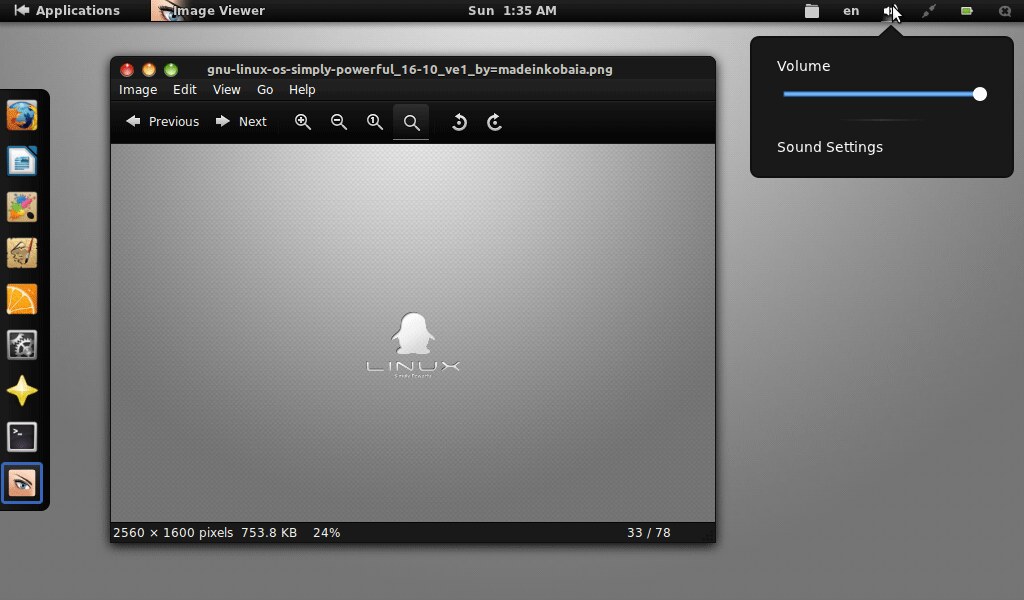
This Theme is support Gnome Shell, You can easily install this theme by terminal. With this Theme you need Extension Theme and Wallpaper to make look more beautiful. First of all theme installation than follow topic.

1: Theme Installation

Ubuntu 12.04 themes

First of all Download these 2 Deb Package files.
1: Gnome-Shell-Extensions-Common_3.2.0
2: Gnome-Shell-Extensions-User-Theme_3.2.0

To install Hybrid Daw theme on Gnome shell open Terminal (Press Ctrl+Alt+T) and copy the following commands in the Terminal:
  • sudo add-apt-repository ppa:noobslab/themes
  • sudo apt-get update
  • sudo apt-get install hybrid
  • sudo apt-get install hybrid-extension
  • or do following
  • mkdir ~/.themes
  • wget http://dl.dropbox.com/u/53319850/NoobsLab.com/hybrid_theme.zip
  • unzip hybrid_theme.zip -d ~/.themes

2: Dock Extension Theme Installation

Ubuntu precise theme

To install Hybrid Daw theme on Gnome shell open Terminal (Press Ctrl+Alt+T) and copy the following commands in the Terminal:
  • wget http://dl.dropbox.com/u/53319850/NoobsLab.com/hybrid-extension.zip
  • unzip hybrid-extension.zip -d ~/.local/share/gnome-shell/extensions

3: Download Wallpaper

This collection include for Desktop+Smartphone+Table Wallpapers
Download Wallpapers

4: If you want to install nice Icons See this Awoken Icons

Finally! Now enter first command for set buttons than following command to install Gnome Tweak Tool:
  • gconftool-2 --set /desktop/gnome/shell/windows/button_layout --type string "close,minimize,maximize:"
  • sudo apt-get install gnome-tweak-tool
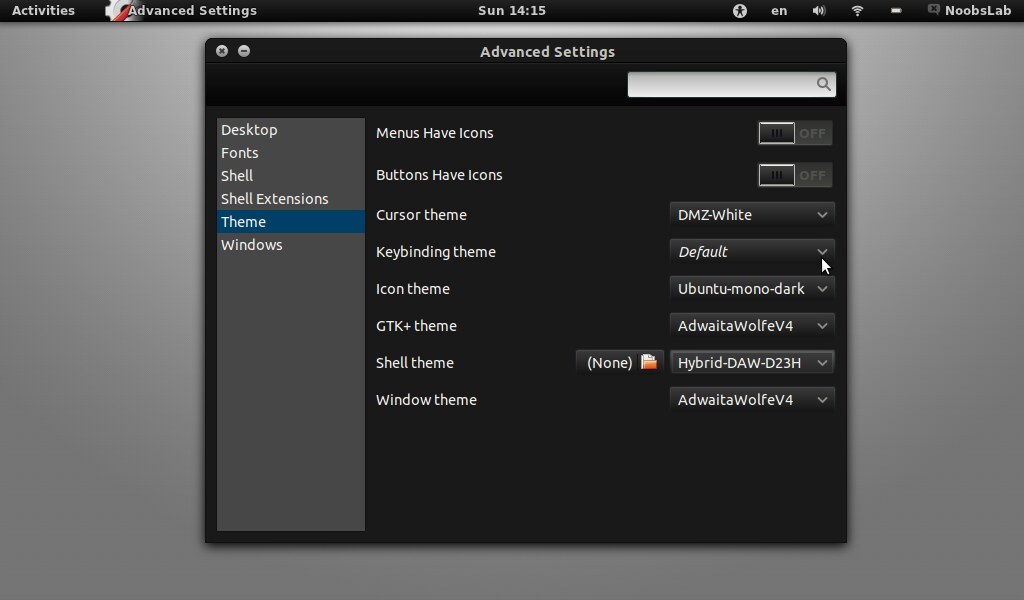
Now go to menu and search "Advance Setting" and open than change your theme. After Change of Theme restart Gnome Shell (Press Alt+F2 and enter "r") or logout and login back.


That's it. Enjoy

Saturday, 11 February 2012

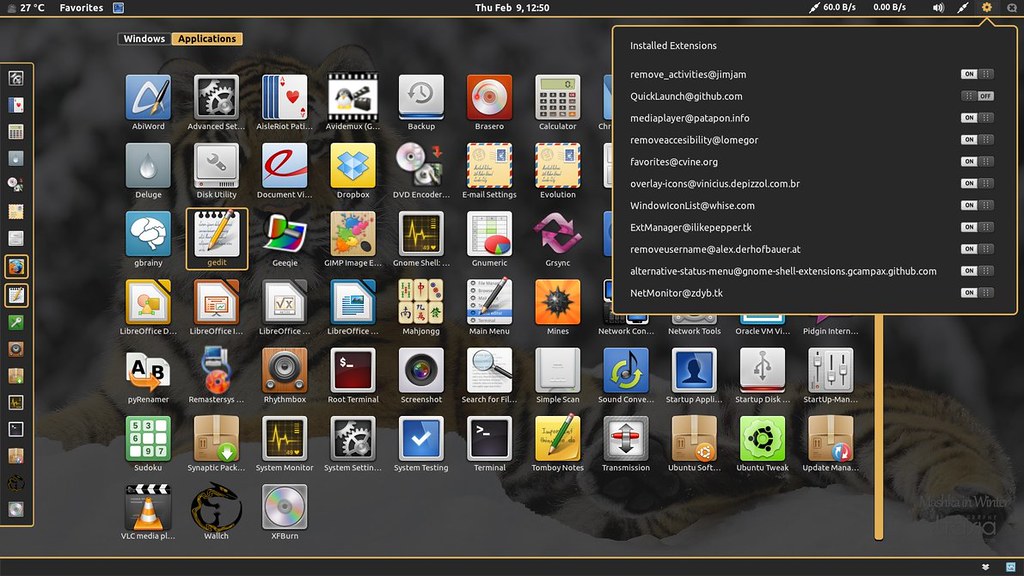
TigerGS Gnome Shell Theme for Ubuntu/Linux Mint/Fedora

Install TigerGS Gnome Shell Theme for Ubuntu 12.04/11.10/Linux Mint/Fedora

Gnome Shell themes

To install TigerGS theme on Gnome shell open Terminal (Press Ctrl+Alt+T) and copy the following commands in the Terminal:
  • mkdir ~/.themes
  • wget http://dl.dropbox.com/u/53319850/tigergs.zip
  • unzip tigergs.zip -d ~/.themes
Now enter the following command to install Gnome Tweak Tool:
  • sudo apt-get install gnome-tweak-tool
Now open Tweak tool and change theme, That's it

Sunday, 5 February 2012

Adwaita Cupertino Theme with icons for Ubuntu 12.04/11.10

Install Adwaita Cupertino Theme like Mac OS with icons for Ubuntu 12.04 Precise Pangolin/Ubuntu 11.10 Oneiric Ocelot


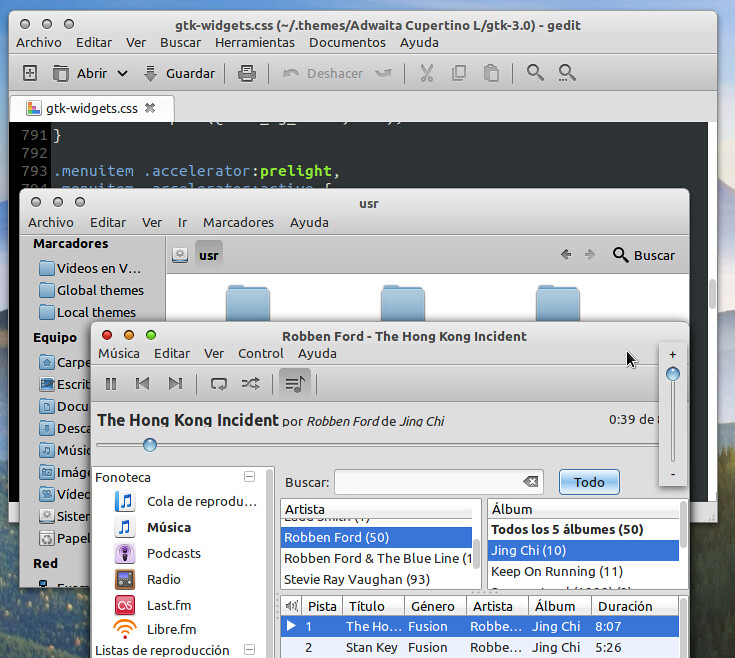
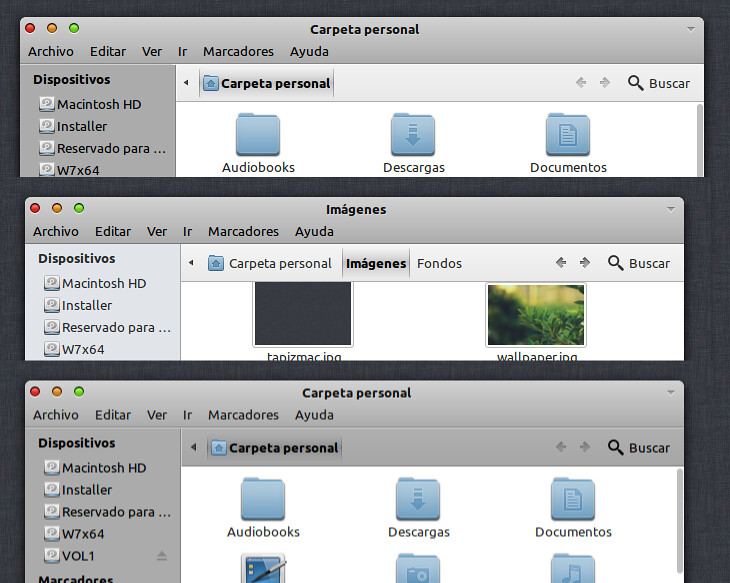
It is based on the theme Adwaita GTK3, changing colors to set the cupertino style

- Tested in GNOME 3.2 and Unity
There are 2 versions, one based on the colors of Snow Leopard and the other Lion. Option border or borderless

Version for unity due to global-menu and design of nautilus.

* IMPORTANT *
- GTK3 theme ported to unico-engine, GTK2 theme uses the Murrine and Pixmap engines
- Inside the theme folder there is a readme.txt file with some really simple instructions (styles for nautilus, glassy buttons, Unity top panel transparent mac style)
- "Adwaita Cupertino SL and L" is borderless by default in Gnome Shell (in Unity edges is always)
If you want the version with borders, select in gnome-tweak-tool -> Window theme -> "Adwaita Cupertino (SL or L) Unity" and in GTK+ theme "Adwaita Cupertino (SL or L)"

To install open Terminal (Press Ctrl+Alt+T) and copy the following commands in the Terminal:
Install Theme
  • mkdir ~/.themes
  • wget  http://dl.dropbox.com/u/53319850/Ubuntu_Themes/Adwaita-Cupertino.tar.gz
  • tar -xzvf Adwaita-Cupertino.tar.gz -C ~/.themes
Install Icons
  • mkdir ~/.icons
  • wget http://dl.dropbox.com/u/53319850/Ubuntu_Icons/Faenza-Cupertino.tar.gz
  • tar -xzvf  Faenza-Cupertino.tar.gz -C ~/.icons

Now apply Theme and Icons:
Install Gnome Tweak Tool with following command:
  • sudo apt-get install gnome-tweak-tool
Now go to dash and search for "Advance Settings" and open it.


Just the Life of Eddie Copyright © 2012 Best Celebrity Wallpaper -- Powered by Blogger