Warung Bebas
Showing posts with label linux icons. Show all posts

Friday, 10 August 2012

Install Opal-ACYL icons in Ubuntu/Linux Mint (PPA)

Install Opal-ACYL icons in Ubuntu 12.10/12.04/11.10/11.04/10.10/10.04/Linux Mint 13/12/11/10/9

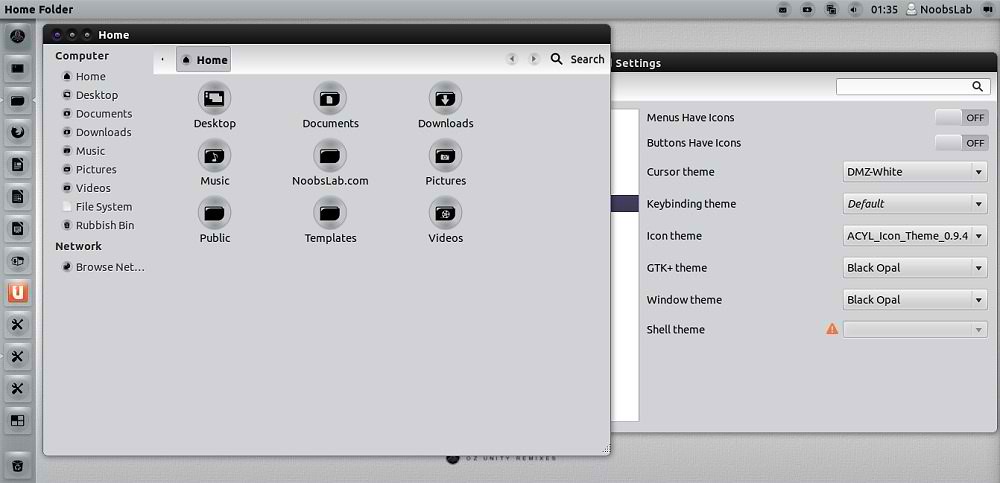
Black Opal is really cool distro by Ultimate Edition team. These icons suits dark/silver or any other kind of themes.
Here you can find Black-Opal Theme for Ubuntu/Linux Mint.
You can use these Tools to change Icons: Gnome Tweak ToolUbuntu Tweak

ubuntu icons

To install Opal -ACYL Icons in Ubuntu/Linux Mint open Terminal (Press Ctrl+Alt+T) and copy the following commands in the Terminal:
  • sudo add-apt-repository ppa:noobslab/icons
  • sudo apt-get update
  • sudo apt-get install acyl-icons
That's it, Enjoy

Thursday, 19 July 2012

Install Malys-Ex icons 1.1 in Ubuntu/Linux Mint (New Update)

Install Malys-Ex icons 1.1 in Ubuntu 12.10/Ubuntu 12.04/11.10/11.04/10.10/10.04/Linux Mint/Ubuntu based distro (New Update)

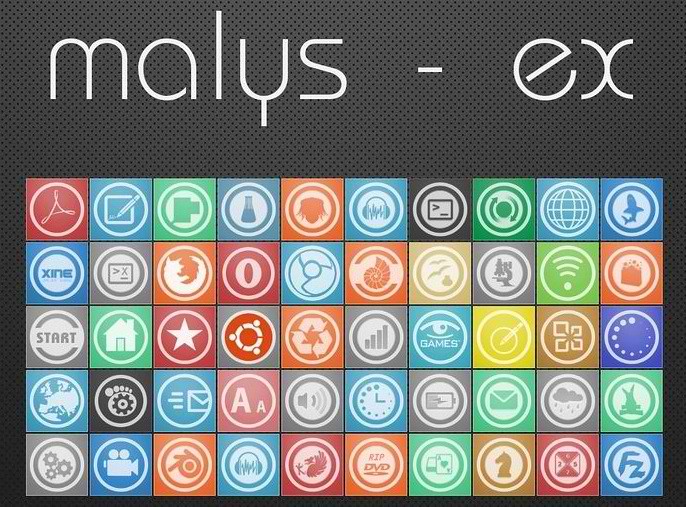
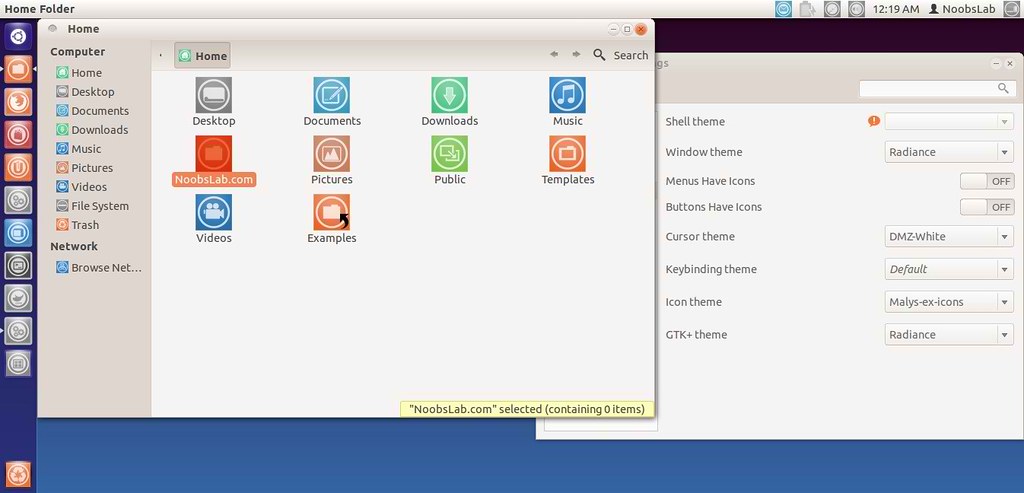
Previously shared Malys icons and themes, Malys is really nice theme and icons creator for linux. Personally I like his work and using his themes + icons personally. Hope you will like his work.

malys icons

ubuntu icons

To install Malys-ex-icons on Ubuntu/Mint open Terminal (Press Ctrl+Alt+T) and copy the following commands in the Terminal:
  • sudo add-apt-repository ppa:noobslab/icons
  • sudo apt-get update
  • sudo apt-get install malys-ex
That's it, Enjoy.
Source: Malys-ex

Sunday, 15 July 2012

Install Faience Icons in Ubuntu/Linux Mint

Install Faience Icons in Ubuntu 12.04/Ubuntu 11.10/Any Ubuntu Version/Linux Mint 13/12

Faience is a Work In Progress that include a Gnome-Shell theme and an icon theme based on Faenza. A GTK2/3 theme will be available later.

faience icon theme

faience orig

Changelog of this version:
  • New apps: Blender, Compiz Config Settings Manager, Desura, File-roller, Gajim, Gmail, Google Music Frame, Mail notification, System monitor
  • New mimetyes: Archive, Deb package, Rpm package, 7zip, Jar, Gzip, Ace, Rar, Zip
  • New icons sizes: 64x64 and 96x96
  • Symbolic weather icons reworked
  • Fixes some missing links

To install Faience icon theme open Terminal (Press Ctrl+Alt+T) and copy the following commands in the Terminal:
  • sudo add-apt-repository ppa:tiheum/equinox
  • sudo apt-get update
  • sudo apt-get install faience-icon-theme
That's it, enjoy

Tuesday, 10 July 2012

Install Azenis Dark Icons in Ubuntu/Linux Mint/Ubuntu Based Distributions

Install Azenis Dark Icons in Ubuntu 12.04/12.10/11.10/11.04/Linux Mint/Ubuntu Based Distributions

ubuntu icons

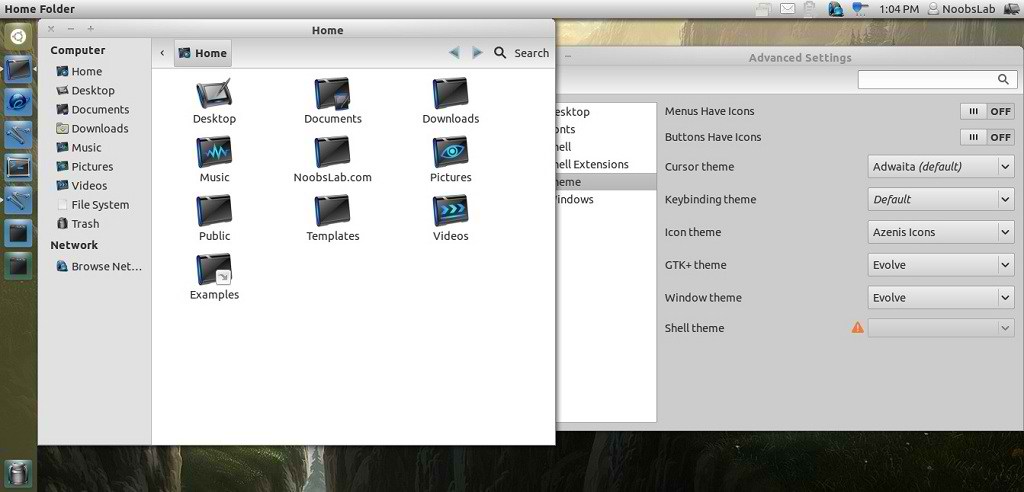
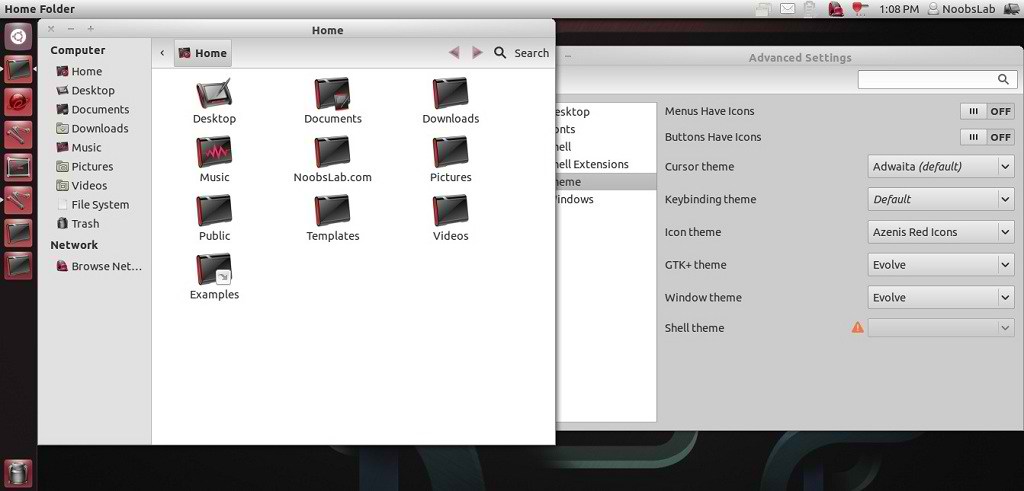
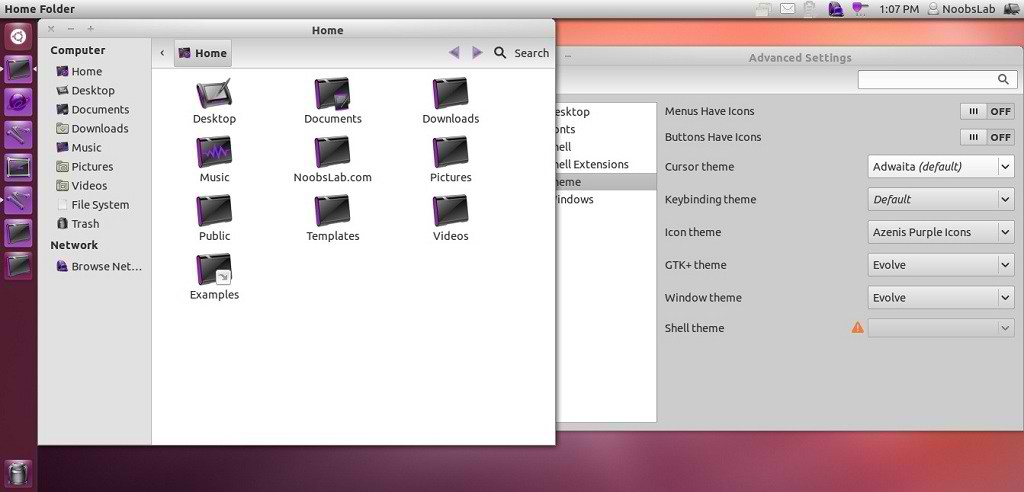
Azenis Icons are available in four different colors, Main Blue Icons, Red Icons, Orange Icons and Purple Icons. Azenis Icons are for those people who like dark icons. Author gave his last update for Azenis icons in 2010, So there is supposed to be some icons missing in new Ubuntu/other distro versions.

You can use these Tools to change icons: Gnome Tweak ToolUbuntu Tweak

1: Azenis Blue Icons

ubuntu icons

To install Azenis Blue icons in Ubuntu/Linux Mint open Terminal (Press Ctrl+Alt+T) and copy the following commands in the Terminal:
  • mkdir ~/.icons
  • wget -O azenis-blue-icons.zip http://dl.dropbox.com/u/53319850/NoobsLab.com/azenis-blue-icons.zip
  • unzip azenis-blue-icons.zip -d ~/.icons

2: Azenis Orange Icons

ubuntu dark icons

To install Azenis Orange icons in Ubuntu/Linux Mint open Terminal (Press Ctrl+Alt+T) and copy the following commands in the Terminal:
  • mkdir ~/.icons
  • wget -O azenis-orange-icons.zip http://dl.dropbox.com/u/53319850/NoobsLab.com/azenis-orange-icons.zip
  • unzip azenis-orange-icons.zip -d ~/.icons

3: Azenis Red Icons

ubuntu icons

To install Azenis Red icons in Ubuntu/Linux Mint open Terminal (Press Ctrl+Alt+T) and copy the following commands in the Terminal:
  • mkdir ~/.icons
  • wget -O azenis-red-icons.zip http://dl.dropbox.com/u/53319850/NoobsLab.com/azenis-red-icons.zip
  • unzip azenis-red-icons.zip -d ~/.icons

4: Azenis Purple Icons

linux icons

To install Azenis Purple icons in Ubuntu/Linux Mint open Terminal (Press Ctrl+Alt+T) and copy the following commands in the Terminal:
  • mkdir ~/.icons
  • wget -O azenis-purple-icons.zip http://dl.dropbox.com/u/53319850/NoobsLab.com/azenis-purple-icons.zip
  • unzip azenis-purple-icons.zip -d ~/.icons
That's it, Enjoy
Source: Azenis Icons

Sunday, 1 July 2012

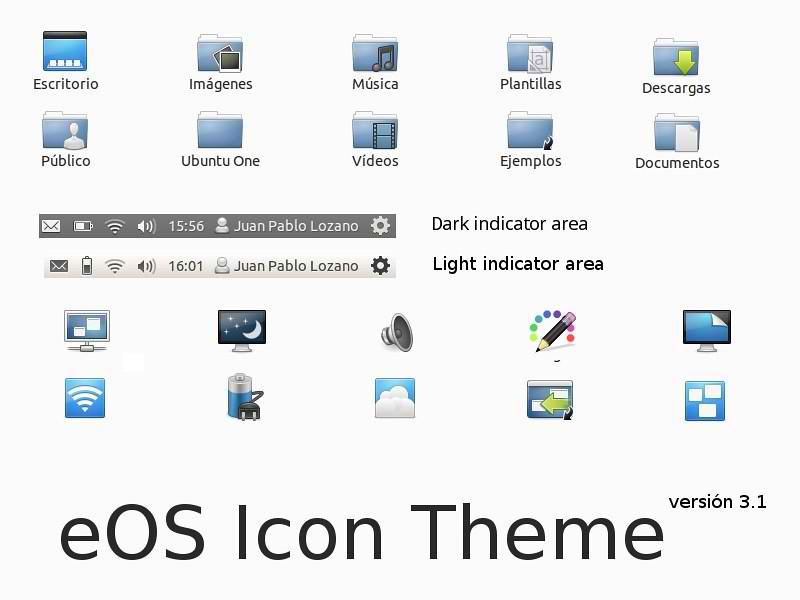
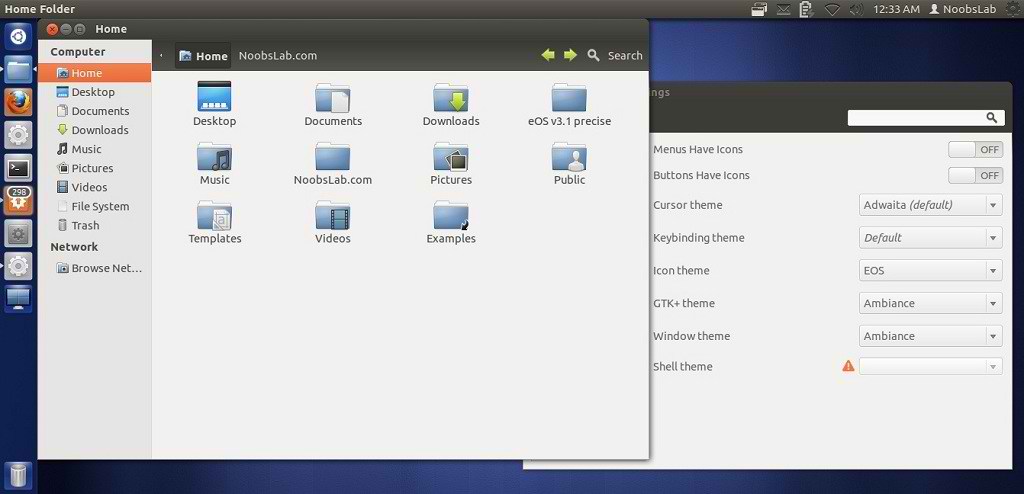
Install eOS Blue Icons in Ubuntu/Linux Mint

Install eOS Icons in Ubuntu 12.10 Quantal/Ubuntu 12.04/Ubuntu 11.10 Oneiric/Ubuntu 11.04/Ubuntu 10.10/Linux Mint versions

ubuntu icons
ubuntu blue icons

Here you can find more icons.
You can use These Tools to change icons/themes: Gnome Tweak ToolUbuntu Tweak

To install eOS Icons in Ubuntu/Linux Mint open Terminal (Press Ctrl+Alt+T) and copy the following commands in the Terminal:
  • mkdir ~/.icons
  • wget -O eos-icons.tar.gz http://dl.dropbox.com/u/53319850/NoobsLab.com/eos-icons.tar.gz
  • tar -zxvf eos-icons.tar.gz -C ~/.icons
That's it, Enjoy

Saturday, 23 June 2012

Install nouveGnome icons in Ubuntu/Linux Mint/Any Distro

Install nouveGnome icons in Ubuntu 12.10/12.04/11.10/11.04/Linux Mint/Any Distro

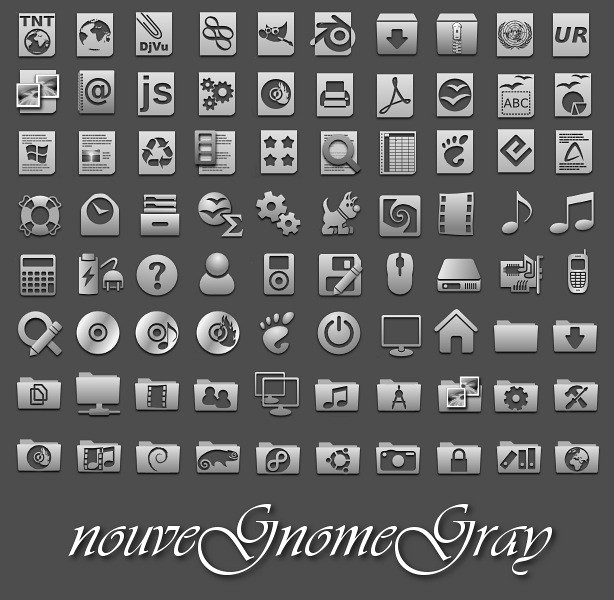
nouveGnome icons are really nice, These icons are available in two color sets. One set is colorful and the second set is grayish. It looks cool with different themes. You can install these icons on any linux distro such as Ubuntu, Mint, Arch, Fedora and Others. Here are more nice icons try them.

You can use These Tools to change icons: Gnome Tweak Tool, Ubuntu Tweak

1: nouveGnome Gray Icons

ubuntu icons

Install nouveGnome Gray icons on Ubuntu/Mint/Any distro open Terminal (Press Ctrl+Alt+T) and copy the following commands in the Terminal:
  • mkdir ~/.icons
  • wget -O nouveGnomeGray.zip http://dl.dropbox.com/u/53319850/NoobsLab.com/nouveGnomeGray.zip
  • unzip nouveGnomeGray.zip -d ~/.icons && sudo rm nouveGnomeGray.zip
Use Gnome Tweak Tool or Ubuntu Tweak to Change icons


2: nouveGnome Color Icons

linux icons

Install nouveGnome Color icons on Ubuntu/Mint
/Any distro open Terminal (Press Ctrl+Alt+T) and copy the following commands in the Terminal:
  • mkdir ~/.icons
  • wget -O nouveGnome.zip http://dl.dropbox.com/u/53319850/NoobsLab.com/nouveGnome.zip
  • unzip nouveGnome.zip -d ~/.icons && sudo rm nouveGnome.zip
Use Gnome Tweak Tool or Ubuntu Tweak to Change icons
That's it, Enjoy

Wednesday, 6 June 2012

Install Malys-ex icons in Ubuntu/Linux Mint (New Icons)

Install Malys-ex icons in Ubuntu 12.10/12.04/11.10/11.04/10.10/10.04/Linux Mint 13/12/11/10/9/other Ubuntu based distributions

Previously shared Malys icons and themes, Malys is really nice theme and icons creator for linux. Personally I like his work and using his themes + icons personally. Hope you will like his work.

malys icons

ubuntu icons

To install Malys-ex-icons on Ubuntu/Mint open Terminal (Press Ctrl+Alt+T) and copy the following commands in the Terminal:
  • sudo add-apt-repository ppa:noobslab/icons
  • sudo apt-get update
  • sudo apt-get install malys-ex
That's it, Enjoy.
Source: Malys-ex

Sunday, 3 June 2012

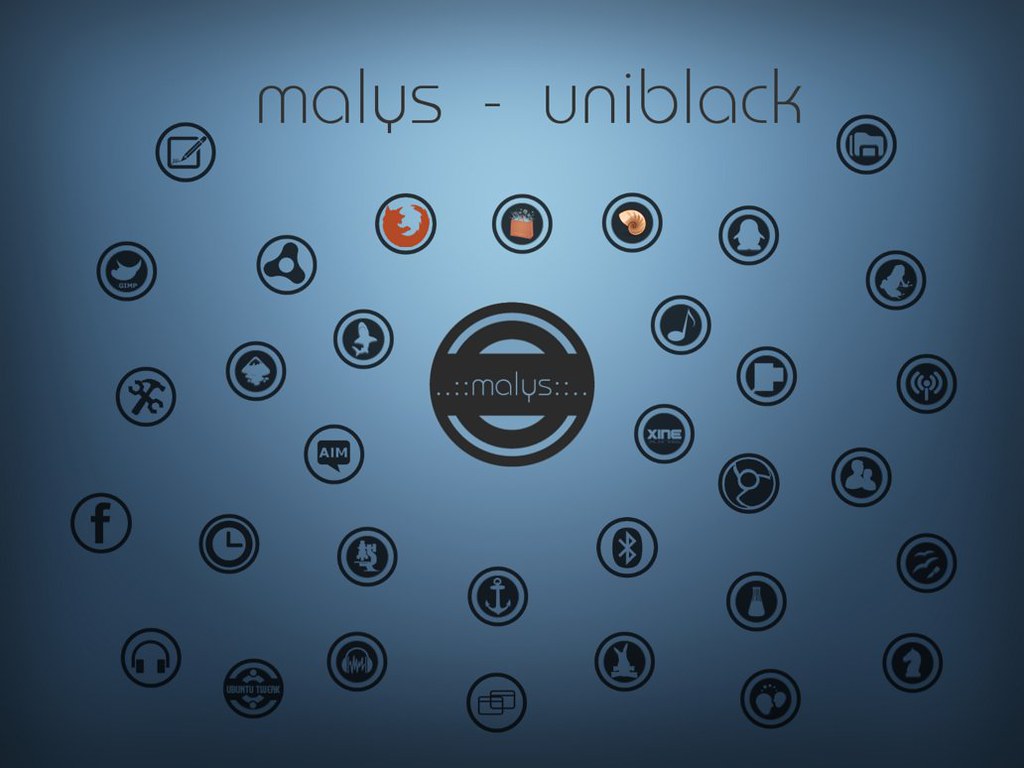
Malys Black/Blue Icons Updated to version 1.6 for Ubuntu/Linux Mint via PPA

Install Malys Blue/Black Icons on Ubuntu 12.10/12.04/11.10/11.04/10.10/10.04/Linux Mint/or any Ubuntu based Distribution

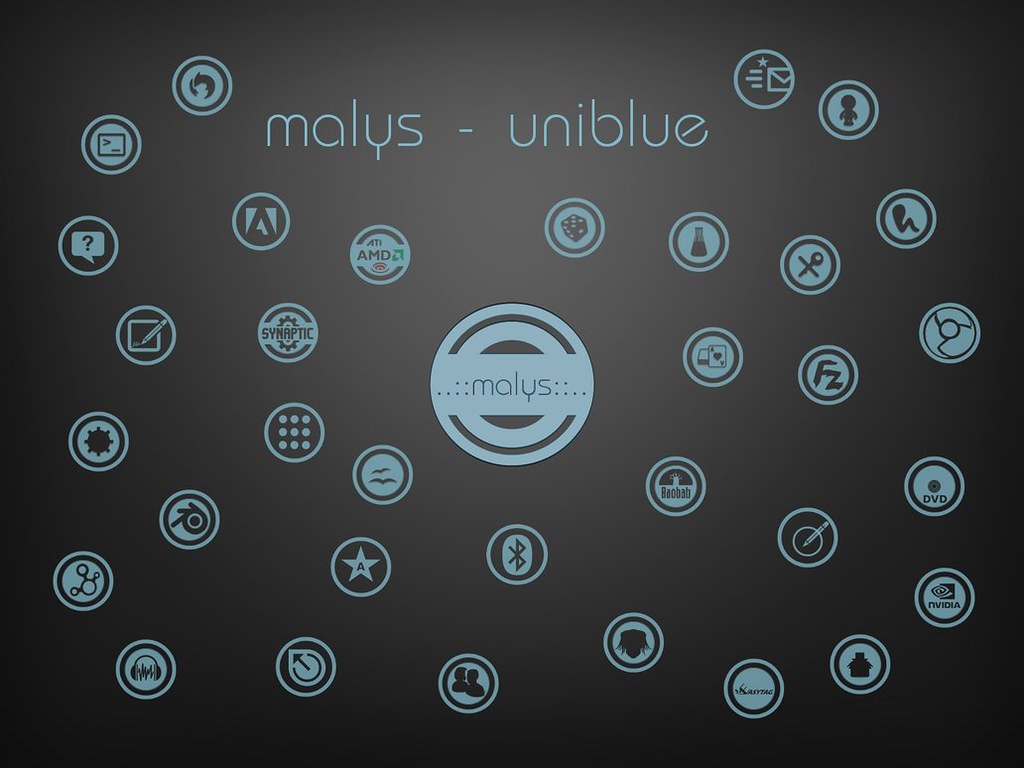
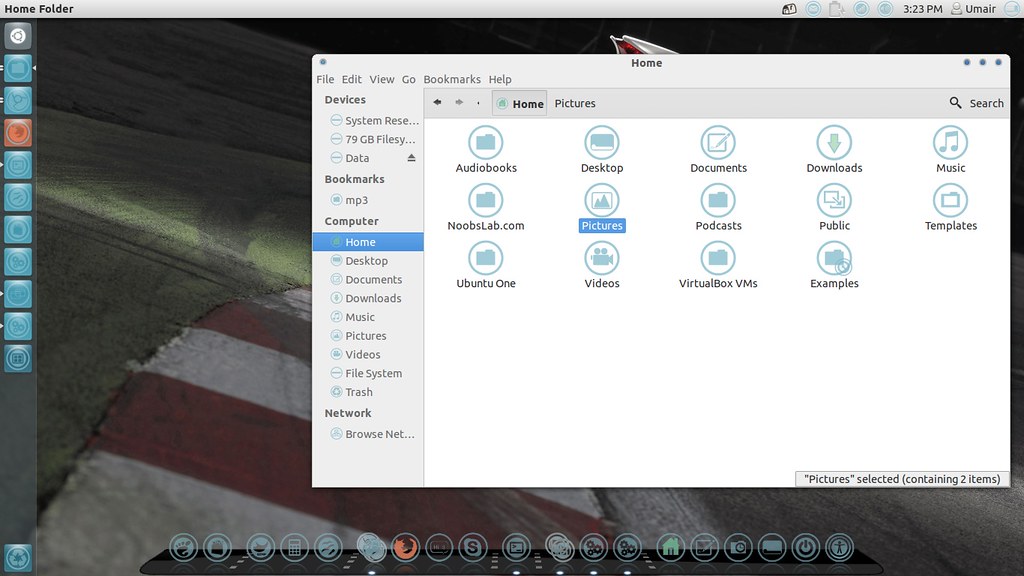
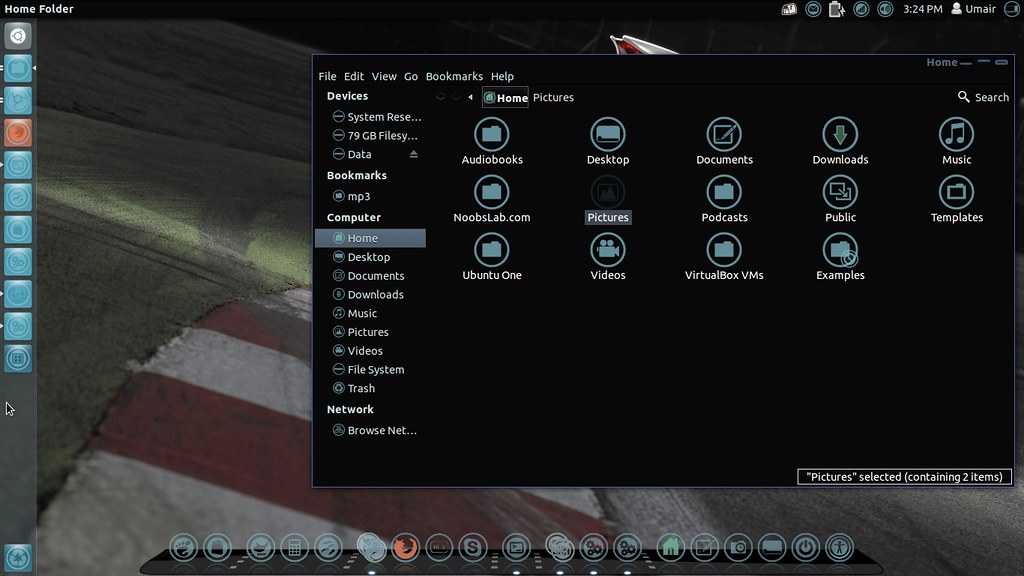
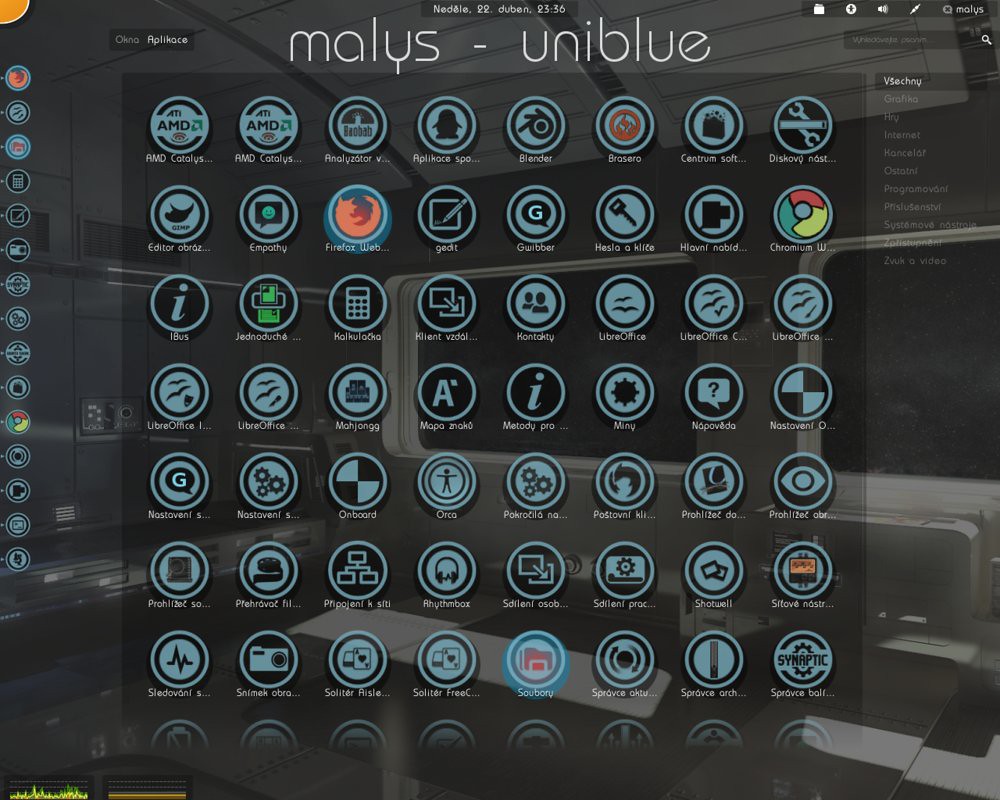
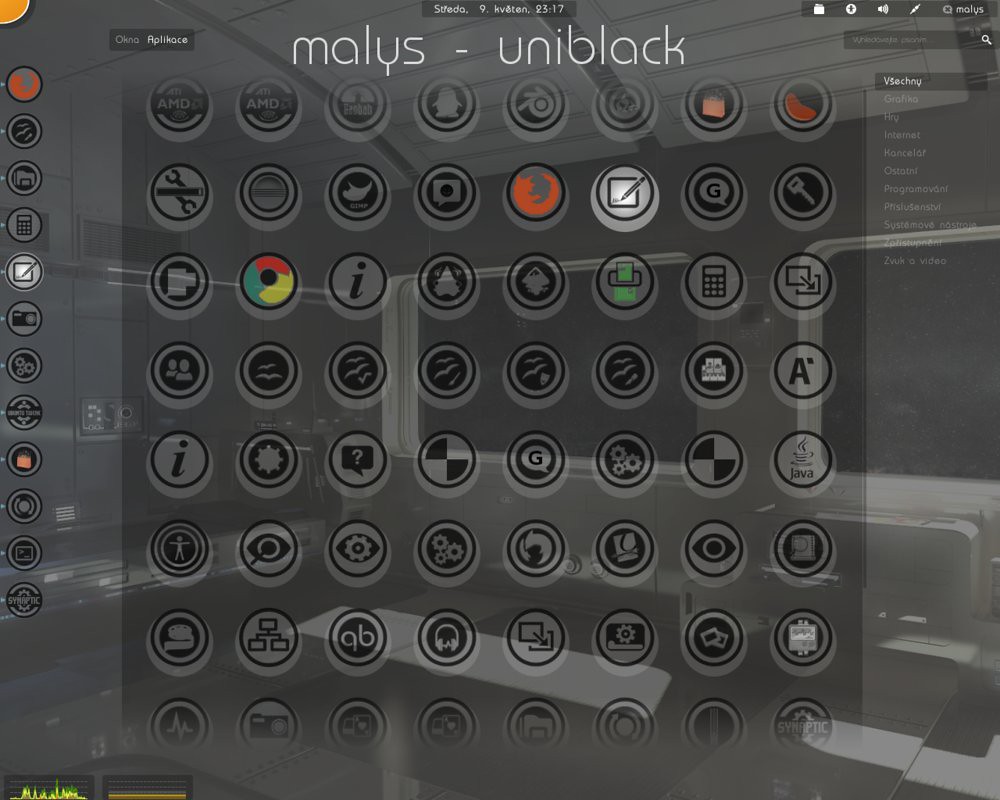
Malys UniBlue/UniBlack Icons updated to ver1.6 and added new icons in this version. For other distro's check source links.
Install Tools to change icons: Gnome-Tweak-ToolUbuntu-Tweak

Malys UniBlue Icons

ubuntu icons

linux icons

ubuntu icons

To install Malys-Uniblue-Icons on Ubuntu/Mint open Terminal (Press Ctrl+Alt+T) and copy the following commands in the Terminal:
  • sudo add-apt-repository ppa:noobslab/icons
  • sudo apt-get update
  • sudo apt-get install malys-uniblue

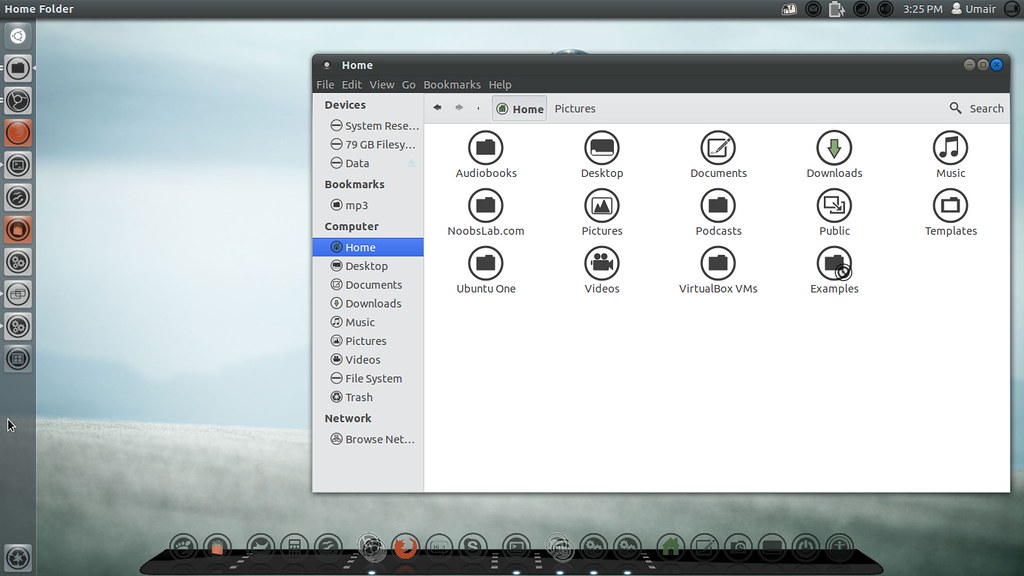
Malys UniBlack Icons

ubuntu icons

ubuntu blue icons

To install Malys-UniBlack-Icons on Ubuntu/Mint open Terminal (Press Ctrl+Alt+T) and copy the following commands in the Terminal:
  • sudo add-apt-repository ppa:noobslab/icons
  • sudo apt-get update
  • sudo apt-get install malys-uniblack
That's it, Enjoy

Sunday, 13 May 2012

Install Malys Blue/Black Icons on Ubuntu/Linux Mint - via PPA

Install Malys Blue/Black Icons on Ubuntu 12.10/12.04/11.10/11.04/10.10/10.04/Linux Mint/or any Ubuntu based Distribution

Install Tools to change icons: Gnome-Tweak-ToolUbuntu-Tweak

Malys UniBlue Icons

ubuntu icons

linux icons

ubuntu icons

To install Malys-Uniblue-Icons on Ubuntu/Mint open Terminal (Press Ctrl+Alt+T) and copy the following commands in the Terminal:
  • sudo add-apt-repository ppa:noobslab/icons
  • sudo apt-get update
  • sudo apt-get install malys-uniblue

Malys UniBlack Icons

ubuntu dark icons

ubuntu blue icons

ubuntu icons

To install Malys-UniBlack-Icons on Ubuntu/Mint open Terminal (Press Ctrl+Alt+T) and copy the following commands in the Terminal:
  • sudo add-apt-repository ppa:noobslab/icons
  • sudo apt-get update
  • sudo apt-get install malys-uniblack
That's it, Enjoy

Sunday, 15 April 2012

Install FS Icons on Ubuntu/Linux Mint

Install FS Icons on Ubuntu Versions/Linux Mint Versions

FS Icons:
ubuntu icons

A new look, smooth and modern, for your Linux workspace. It works in both Gnome as KDE.
Combinations:
- Gnome
- Humanity
- Humanity Dark
- Ubuntu Mono Dark
- Ubuntu Mono Light
- Oxygen

To Install FS Icons on Ubuntu/Linux Mint open Terminal (Press Ctrl+Alt+T) and copy the following commands in the Terminal:
  • mkdir ~/.icons
  • wget http://dl.dropbox.com/u/53319850/NoobsLab.com/fs_icons.tar.gz
  • tar -xzvf fs_icons.tar.gz -C ~/.icons

FS Icons Ubuntu:
icons

Based on this previous release (0.1) and being developed parallel to the main project FS Icons, FS Icons Ubuntu proposes a new look, smooth and modern icons for Ubuntu.
There are three packages for version 0.2+:
- fs-ubuntu-icons (main package)
- fs-ubuntu-icons-mono-dark (Combination)
- fs-ubuntu-icons-mono-light (Combination)

To Install FS Ubuntu Icons on Ubuntu/Linux Mint open Terminal (Press Ctrl+Alt+T) and copy the following commands in the Terminal:
  • sudo add-apt-repository ppa:kroq-gar78/ppa
  • sudo apt-get update
  • sudo apt-get install fs-icons-ubuntu fs-icons-ubuntu-mono-dark fs-icons-ubuntu-mono-light
Use Gnome Tweak Tool to Change Icons

Sunday, 18 March 2012

Install Faenza Icons 1.2 on Ubuntu/Linux Mint (New Release)

Install Faenza Icons 1.2 on Ubuntu 12.04/11.10/11.04/Linux Mint (New Release)

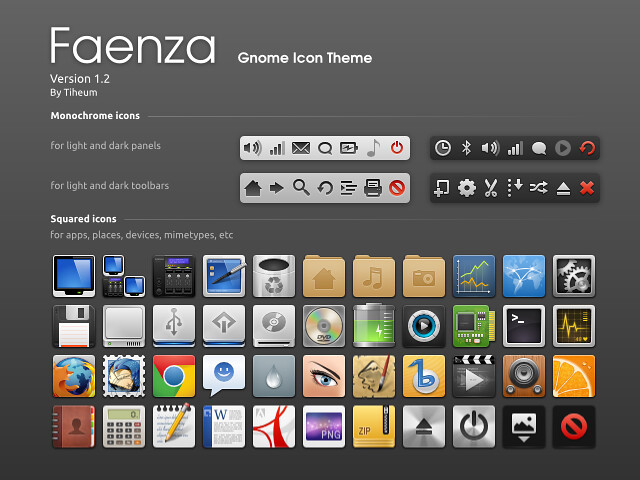
This icon theme for Gnome provides monochromatic icons for panels, toolbars and buttons and colourful squared icons for devices, applications, folder, files and Gnome menu items.
An installation script let you choose the logo of your favorite distribution and the appearance of the main menu icon (Gnome/distrib, monochrome/colour).
Several themes are included to fit with light or dark panels, menus and tool-bars.

faenza icons

New in Faenza Ver 1.2:
  • New apps: Desura, Gajim, Google Music Frame, Mail notification
  • New icons sizes: 64x64 and 96x96
  • Fixes the specific folders icons replaced by the standard one
  • Fixes some missing links

To install Faenza icons in Ubuntu/Linux Mint open Terminal (Press Ctrl+Alt+T) and copy the following commands in the Terminal:
  • sudo add-apt-repository ppa:tiheum/equinox
  • sudo apt-get update
  • sudo apt-get install faenza-icon-theme
After Installation open Gnome-Tweak-Tool to change icons, if you don't have install with following command:
  • sudo apt-get install gnome-tweak-tool
For other Distro's Download Faenza Icons from author page.


Just the Life of Eddie Copyright © 2012 Best Celebrity Wallpaper -- Powered by Blogger