Warung Bebas
Showing posts with label player. Show all posts

Wednesday, 21 November 2012

Install Xnoise 0.2.13 Player in Ubuntu 12.10/12.04/Linux Mint (New Release)

Install Xnoise 0.2.13 lightweight Media Player in Ubuntu 12.10 Quantal/Ubuntu 12.04 Precise/11.10 Oneiric/Linux Mint 13/12

Xnoise, a lightweight music player with minimal interface has been updated bringing in many new features and fixes. Xnoise is written in Vala and supports video playback making it one stop media application. Xnoise is a media player for GTK+ with a slick GUI, great speed and lots of features.

xnoise
Features:
  • Fast searchable media library
  • Music and Video support
  • 'Smart playlists' for last played and most played tracks
  • ID3 tag editing
  • Automatic album art fetching
  • 'Now playing' pane
  • State restore
  • Can play any GStreamer media
  • Media key support
  • Lightweight and speedy
  • Plugins for UbuntuOne Music Store, MPRIS, LastFm (album art and scrobbling), Lyrics fetching, Notifications, Ubuntu Soundmenu, and so on.
  • And more!
What's new in this Release:
  • Add new Album Art view with search
  • New Xnoise Icon (icon by Reda Lazri)
  • Recreated 'Now Playing' image rendering with reflections
  • Add weblink to keyboard shortcuts in help menu
  • Add Ctr-B keybinding for toggling album art view
  • Use symbolic icon in volume slider
  • Implement MPRIS 2 seek
  • Mingw compatibility fixes
  • Enable support for more media types
  • Update translations
  • Bug fixes

To Install Xnoise Media Player in Ubuntu/Linux Mint Open Terminal (Press Ctrl+Alt+T) and copy the following commands in the Terminal:
  • sudo add-apt-repository ppa:shkn/xnoise
  • sudo apt-get update
  • sudo apt-get install xnoise
For other distro's check out site of Xnoise.
Enjoy

Thursday, 1 November 2012

Install Xnoise 0.2.13 Player in Ubuntu 12.10/12.04/11.10/Linux Mint (New Release)

Install Xnoise 0.2.13 lightweight Media Player in Ubuntu 12.10 Quantal/Ubuntu 12.04 Precise/11.10 Oneiric/Linux Mint 13/12

Xnoise, a lightweight music player with minimal interface has been updated bringing in many new features and fixes. Xnoise is written in Vala and supports video playback making it one stop media application. Xnoise is a media player for GTK+ with a slick GUI, great speed and lots of features.

xnoise
Features:
  • Fast searchable media library
  • Music and Video support
  • 'Smart playlists' for last played and most played tracks
  • ID3 tag editing
  • Automatic album art fetching
  • 'Now playing' pane
  • State restore
  • Can play any GStreamer media
  • Media key support
  • Lightweight and speedy
  • Plugins for UbuntuOne Music Store, MPRIS, LastFm (album art and scrobbling), Lyrics fetching, Notifications, Ubuntu Soundmenu, and so on.
  • And more!
What's new in this Release:
  • Add new Album Art view with search
  • New Xnoise Icon (icon by Reda Lazri)
  • Recreated 'Now Playing' image rendering with reflections
  • Add weblink to keyboard shortcuts in help menu
  • Add Ctrl-B key-binding for toggling album art view
  • Use symbolic icon in volume slider
  • Implement MPRIS 2 seek
  • Mingw compatibility fixes
  • Enable support for more media types
  • Update translations
  • Bug fixes

To Install Xnoise Media Player in Ubuntu/Linux Mint Open Terminal (Press Ctrl+Alt+T) and copy the following commands in the Terminal:
  • sudo add-apt-repository ppa:shkn/xnoise
  • sudo apt-get update
  • sudo apt-get install xnoise
For other distro's check out site of Xnoise.
Enjoy

Saturday, 27 October 2012

Install VLC 2.0.4 Media Player in Ubuntu 12.10/12.04/Mint (New Release)

Install VLC 2.0.4 Media Player in Ubuntu 12.10 Quantal and Vlc 2.0.3 for Ubuntu 12.04 Precise Pangolin/11.10 Oneiric Ocelot/Linux Mint 13/12

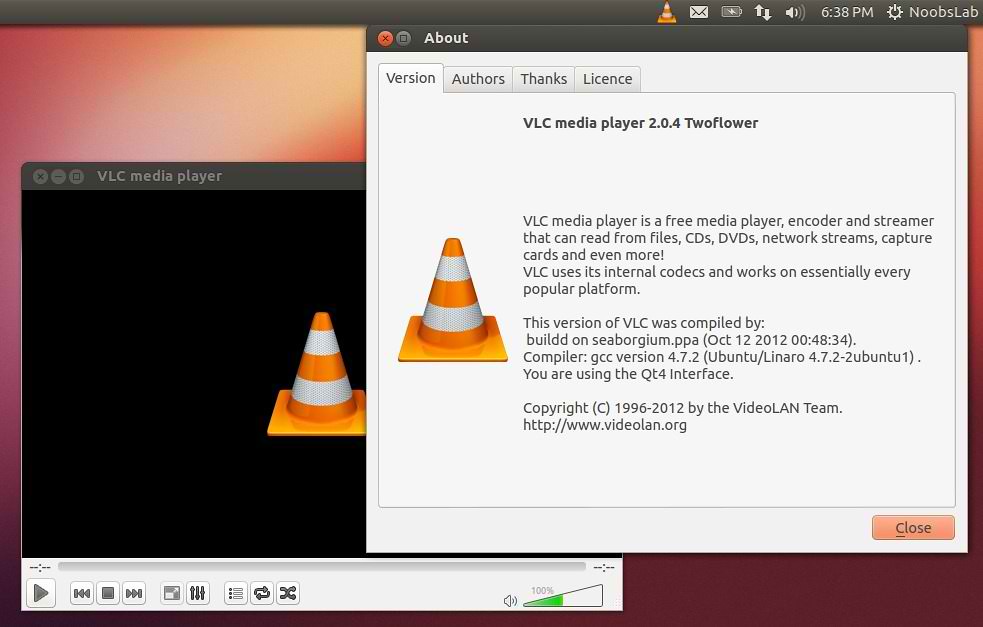
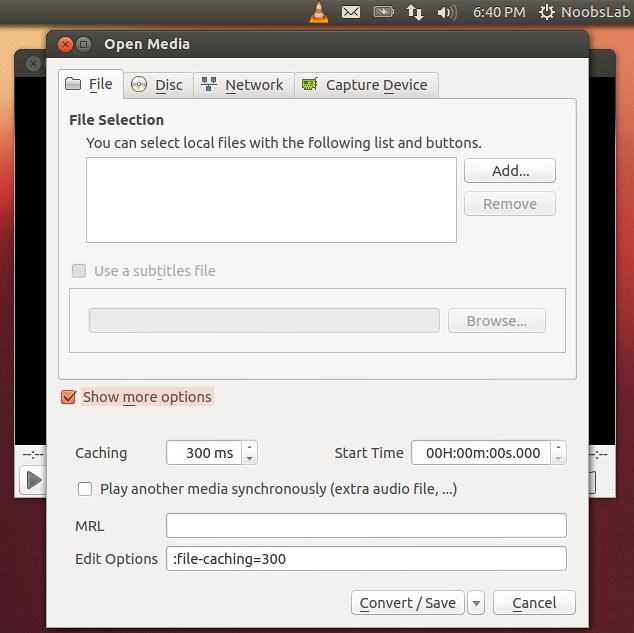
VLC media player (initially VideoLAN Client) is a highly portable multimedia player for various audio and video formats (MPEG, DivX/Xvid, Ogg, and many more) as well as DVDs, VCDs, and various streaming protocols. However in recent years it has also become a extremely powerful server to stream live and on demand video in several formats to our network and the Internet.
vlc

vlc

vlc

Features:
  • Simple, fast and powerful media player.
  • Plays everything: Files, Discs, Webcams, Devices and Streams.
  • Plays most codecs with no codec packs needed:
    • MPEG-2, DivX, H.264, MKV, WebM, WMV, MP3...
  • Runs on all platforms: Windows, Linux, Mac OS X, Unix...
  • Completely Free, 0 spyware, 0 ads and no user tracking.
  • Can do media conversion and streaming.
  • More info.
What's new in this release:
  • Fixes for splitted RAR, MKV segmented, mp4 and Real media files playback.
  • Enhancements in HLS, Blu-Ray and various codecs support
  • Fixes for subtitles auto-detection
  • Fixes on Qt, skins2 and web interfaces
  • Support for HiDPI, aka Retina Display
  • Support for H264 v4l2 devices on Linux
  • Translations updates and new Scottish Gaelic translation

To install VLC in Ubuntu/Linux Mint open Terminal (Press Ctrl+Alt+T) and copy the following commands in the Terminal:
  • sudo add-apt-repository ppa:videolan/stable-daily
  • sudo apt-get update
  • sudo apt-get install vlc
That's it, Enjoy
Source: videolan

Install Clementine Player in Ubuntu 12.10/12.04/Linux Mint (New Release)

Install Clementine Player in Ubuntu 12.10 Quantal/Ubuntu 12.04 Precise /Ubuntu 11.10/11.04/10.10/10.04/Linux Mint (New Release)

Clementine is a modern music player and library organizer. Clementine is a multi-platform music player. It is inspired by Amarok 1.4, focusing on a fast and easy-to-use interface for searching and playing your music.
clementine

clementine
Features:
  • Search and play your local music library.
  • Listen to internet radio from Spotify, Grooveshark, Last.fm, SomaFM, Magnatune, Jamendo, SKY.fm and Digitally Imported, and Icecast.
  • Create smart playlists and dynamic playlists.
  • Tabbed playlists, import and export M3U, XSPF, PLS and ASX.
  • CUE sheet support.
  • Play audio CDs.
  • Visualisations from projectM.
  • Lyrics and artist biographies and photos.
  • Transcode music into MP3, Ogg Vorbis, Ogg Speex, FLAC or AAC.
  • Edit tags on MP3 and OGG files, organise your music.
  • Fetch missing tags from MusicBrainz.
  • Download missing album cover art from Last.fm and Amazon.
  • Cross-platform - works on Windows, Mac OS X and Linux.
  • Native desktop notifications on Linux (libnotify) and Mac OS X (Growl).
  • Remote control using a Wii Remote, MPRIS or the command-line.
  • Copy music to your iPod, iPhone, MTP or mass-storage USB player.
  • Queue manager.
See Changelog here.

To install Clementine in Ubuntu/Linux Mint open Terminal (Press Ctrl+Alt+T) and copy the following commands in the Terminal:
  • sudo add-apt-repository ppa:me-davidsansome/clementine
  • sudo apt-get update
  • sudo apt-get install clementine
For other Distro's see Download Page.
That's it, Enjoy

Saturday, 6 October 2012

Install SMPlayer 0.8.1 in Ubuntu/Linux Mint

Install SMPlayer 0.8.1 with YouTube and Mplayer support in Ubuntu 12.10/Ubuntu 12.04/11.10/11.04/10.10/10.04/9.10/9.04/All Linux Mint versions

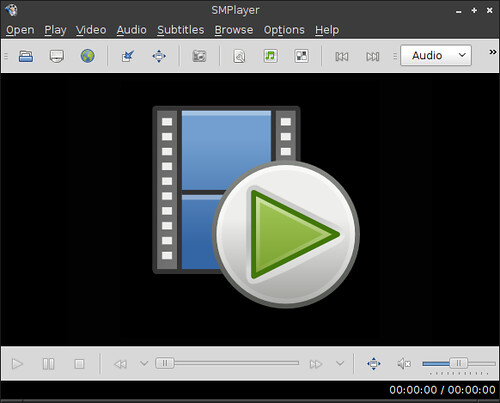
SMPlayer is a complete media player for Windows and Linux. It uses the award-winning MPlayer as playback engine which is capable of playing most video and audio formats (avi, mkv, wmv, mp4, mpeg... see list). It uses its own codecs, so you don't need to install any codec packs.
One of the most interesting features of SMPlayer: it remembers the settings of all files you play. So you start to watch a movie but you have to leave... don't worry, when you open that movie again it will resume at the same point you left it, and with the same settings: audio track, subtitles, volume...
List of Features:
  • Complete preferences dialog, where you can change the key shortcuts, colors and fonts of the subtitles, and many more.
  • Filters. Many video and audio filters are available: deinterlace, postprocessing, denoise... and even a karaoke filter (voice removal).
  • Seeking by mouse wheel. You can use your mouse wheel to go forward or backward in the video. The mouse buttons can also be customized.
  • Video equalizer, allows you to adjust the brightness, contrast, hue, saturation and gamma of the video image.
  • Multiple speed playback. You can play at 2X, 4X... and even in slow motion.
  • Audio and subtitles delay adjustment. Allows you to sync audio and subtitles.
  • Advanced options, such as selecting a demuxer or video & audio codecs.
  • Possibility to search and download subtitles from opensubtitles.org.
  • It can play Youtube videos. A Youtube browser is included, which allows to easily download Youtube videos too.
  • Translations: currently SMPlayer is translated into more than 30 languages, including Spanish, German, French, Italian, Russian, Chinese, Japanese....
  • Possibility to change the style and icon set of the interface.
  • Free and opensource. SMPlayer is under the GPL license.

To install SMPlayer in Ubuntu/Linux Mint open Terminal (Press Ctrl+Alt+T) and copy the following commands in the Terminal:
  • sudo add-apt-repository ppa:rvm/smplayer
  • sudo apt-get update
  • sudo apt-get install smplayer smtube smplayer-themes
That's it, Enjoy


Saturday, 22 September 2012

Install Nuvola Player 2.0 in Ubuntu/Linux Mint (New Release)

Install Nuvola Player 2.0 in Ubuntu 12.04 Precise/Ubuntu 11.10 Oneiric/Linux Mint 13/12 and Nuvola Player 1.1.0 in Ubuntu 11.04/10.04 via PPA

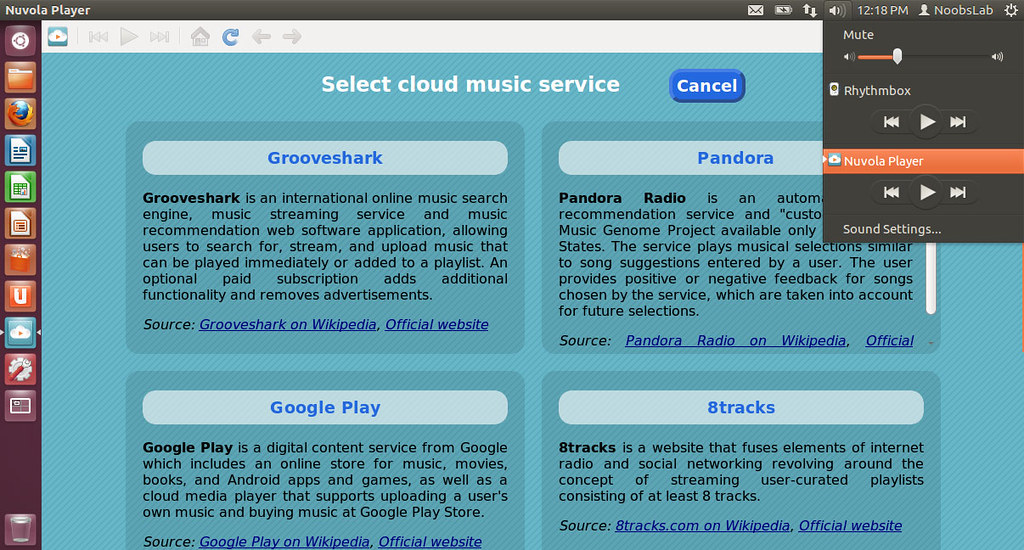
Nuvola Player runs a web interface of cloud music services in its own window and provides integration with a Linux desktop (multimedia keys, system tray, media player applets, dock menu, notifications and more).Nuvola Player is an open-source project licensed under GNU GPL 3 and written mainly in Vala (the core) and JavaScript (service integrations).

nuvola

What's in this release:
  • Michael Mims created integration of Amazon Cloud Player.
  • New service selector screen is based on a mock-up.
  • Last.fm Scrobbling extension shows information about currently playing song to Last.fm without a need of third-party user scripts.
  • Lyrics extension provides a pane with lyrics of a currently playing song.
  • control Nuvola Player from terminal via command nuvolaplayer-client
  • Maintainers of service integrations can use service-specific settings.
  • Troubleshooting actions were moved to Preferences dialog, tab Advanced.
  • Links to bug tracker, blueprints and questions were replaced by single link to support page.
  • Links to Google+, Facebook and Twitter page were moved to About dialog.
  • "Only toolbar" user interface mode is default and follows Elementary-like style. Other user interface modes are preserved.
  • Google Play, 8tracks and Amazon Cloud Player use HTML5 audio support for playback instead of Flash plugin.
  • JavaScript API 2.0
  • WebKit WebView Inspector
  • Introduced web plugin blocker that blocks all web plugin object not necessary for playback.
  • Dynamic HTTP(S) proxy resolver is used by default. It respects proxy settings in GNOME including Proxy Auto configuration (PAC).
  • Removed nuvolaplayer -Q/--quit command line argument, use nuvolaplayer-client quit instead.
  • Removed support for user scripts.
  • Removed support for Ubuntu 10.10 Sound Indicator (Sound Indicator in Ubuntu 11.04 and later is still supported).
  • Services 8tracks, Grooveshark and Hype Machine are orphaned.
  • Added Add/Remove service functionality.

To install Nuvola Player in Ubuntu/Linux Mint open Terminal (Press Ctrl+Alt+T) and copy the following commands in the Terminal:
  • sudo add-apt-repository ppa:nuvola-player-builders/stable
  • sudo apt-get update
  • sudo apt-get install nuvolaplayer
Download Source from here for other Distributions.
Source: Nuvola player

Monday, 3 September 2012

Install Xnoise 0.2.9 lightweight Media Player in Ubuntu/Linux Mint (New Release)

Install Xnoise 0.2.9 lightweight Media Player in Ubuntu 12.10 Quantal/Ubuntu 12.04 Precise/11.10 Oneiric/Linux Mint 13/12

Xnoise, a lightweight music player with minimal interface has been updated bringing in many new features and fixes. Xnoise is written in Vala and supports video playback making it one stop media application. Xnoise is a media player for GTK+ with a slick GUI, great speed and lots of features.

xnoise
Features:
  • Fast searchable media library
  • Music and Video support
  • 'Smart playlists' for last played and most played tracks
  • ID3 tag editing
  • Automatic album art fetching
  • 'Now playing' pane
  • State restore
  • Can play any GStreamer media
  • Media key support
  • Lightweight and speedy
  • Plugins for UbuntuOne Music Store, MPRIS, LastFm (album art and scrobbling), Lyrics fetching, Notifications, Ubuntu Soundmenu, and so on.
  • And more!
What's new in this Release:
  • Redesign GUI for Settings-Dialog and for Add-Media-Dialog
  • use strip function on artist and album imports
  • Extend media import API
  • Extend item handler API
  • Add fix for window hiding/howing (Tal)
  • Update portugse translation (Sergio Marques)
  • Activate standard item handlers for dynamic playlists, too
  • Context menus for dynamic playlists
  • Add query interface for dynamic playlists
  • Fix keyboard opened menus for tracklist and musicbrowser
  • Use nautilus feature (if available) for file indication
  • Add FAQ entry to help menu
  • Magnatune: add support for �speechless� streaming with user login
  • Magnatune: album downloads for registered users
  • Magnatune: add online change monitoring
  • Magnatune: use album images in Magnatune plugin
  • Magnatune: use genre in search/filtering
  • Magnatune: change store location of db
  • Update packaging data
  • Replace hard coded keycodes with the (now available) Gdk.Key.* constants
  • Recommend tumbler thumbnailing in packaging
  • Update debian package creation script (Tal)
  • Code cleanups
  • Various bug fixes

To Install Xnoise Media Player in Ubuntu/Linux Mint Open Terminal (Press Ctrl+Alt+T) and copy the following commands in the Terminal:
  • sudo add-apt-repository ppa:shkn/xnoise
  • sudo apt-get update
  • sudo apt-get install xnoise
For other distro's check out site of Xnoise.
Enjoy
 

Just the Life of Eddie Copyright © 2012 Best Celebrity Wallpaper -- Powered by Blogger