Warung Bebas
Showing posts with label vlc. Show all posts

Friday, 14 December 2012

VLC 2.0.5 Released, Install in Ubuntu 12.10/12.04/Linux Mint

Install VLC 2.0.5 Media Player in Ubuntu 12.10 Quantal/13.04 Raring/Linux Mint 14 and VLC 2.0.3 for Ubuntu 12.04 Precise Pangolin/11.10 Oneiric Ocelot/Linux Mint 13/12

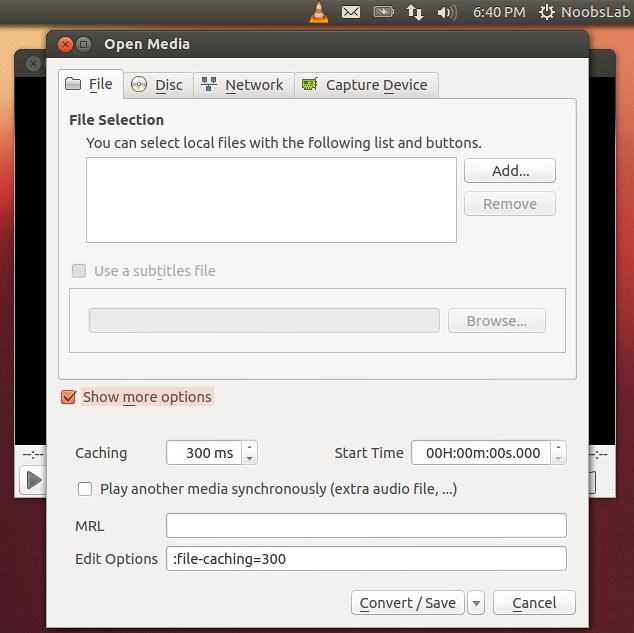
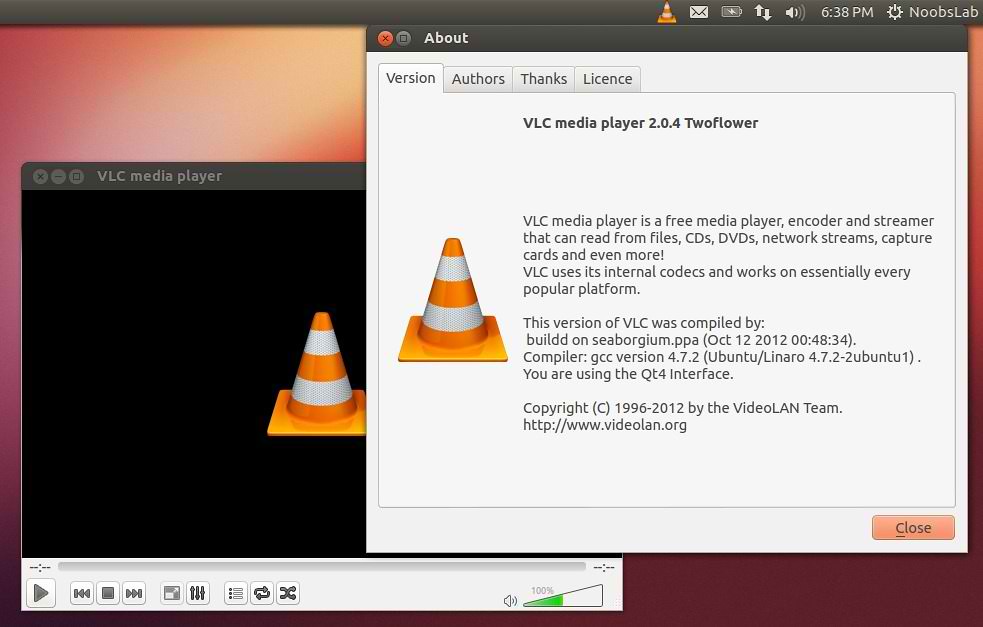
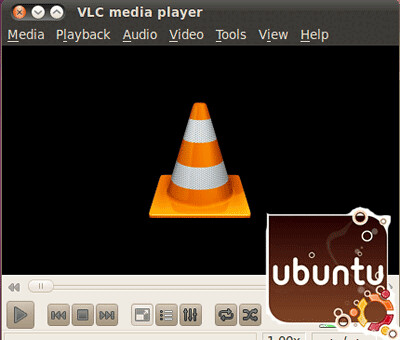
VLC media player (initially VideoLAN Client) is a highly portable multimedia player for various audio and video formats (MPEG, DivX/Xvid, Ogg, and many more) as well as DVDs, VCDs, and various streaming protocols. However in recent years it has also become a extremely powerful server to stream live and on demand video in several formats to our network and the Internet.
vlc

vlc

Features:
  • Simple, fast and powerful media player.
  • Plays everything: Files, Discs, Webcams, Devices and Streams.
  • Plays most codecs with no codec packs needed:
    • MPEG-2, DivX, H.264, MKV, WebM, WMV, MP3...
  • Runs on all platforms: Windows, Linux, Mac OS X, Unix...
  • Completely Free, 0 spyware, 0 ads and no user tracking.
  • Can do media conversion and streaming.
  • More info.
What's new in this release:
  • Improve reliability for RTSP streams sent by some IP cameras
  • Fix DVB-S delivery system detection
  • Fix playback initial synchronization with PulseAudio
  • Fix file output bug affecting floating point on big endian systems
  • Fix crash in Freetype with embedded fonts
  • Fix wrong aspect ratio in some cases
  • Fix Mpeg-2 audio and video encoders initialization
  • Fix crash with some embedded subtitle fonts
  • Fix SWF potential crash on malformed files
  • Fix some MKV crashes when ordered editions have empty or broken links
  • Fix division by 0 in AIFF demuxer
  • Fix buffer overflow in HTML subtitles parser
  • Fix crash with some embedded subtitle fonts

To install VLC in Ubuntu/Linux Mint open Terminal (Press Ctrl+Alt+T) and copy the following commands in the Terminal:
  • sudo add-apt-repository ppa:videolan/stable-daily
  • sudo apt-get update
  • sudo apt-get install vlc
That's it, Enjoy
Source: videolan

Saturday, 27 October 2012

Install VLC 2.0.4 Media Player in Ubuntu 12.10/12.04/Mint (New Release)

Install VLC 2.0.4 Media Player in Ubuntu 12.10 Quantal and Vlc 2.0.3 for Ubuntu 12.04 Precise Pangolin/11.10 Oneiric Ocelot/Linux Mint 13/12

VLC media player (initially VideoLAN Client) is a highly portable multimedia player for various audio and video formats (MPEG, DivX/Xvid, Ogg, and many more) as well as DVDs, VCDs, and various streaming protocols. However in recent years it has also become a extremely powerful server to stream live and on demand video in several formats to our network and the Internet.
vlc

vlc

vlc

Features:
  • Simple, fast and powerful media player.
  • Plays everything: Files, Discs, Webcams, Devices and Streams.
  • Plays most codecs with no codec packs needed:
    • MPEG-2, DivX, H.264, MKV, WebM, WMV, MP3...
  • Runs on all platforms: Windows, Linux, Mac OS X, Unix...
  • Completely Free, 0 spyware, 0 ads and no user tracking.
  • Can do media conversion and streaming.
  • More info.
What's new in this release:
  • Fixes for splitted RAR, MKV segmented, mp4 and Real media files playback.
  • Enhancements in HLS, Blu-Ray and various codecs support
  • Fixes for subtitles auto-detection
  • Fixes on Qt, skins2 and web interfaces
  • Support for HiDPI, aka Retina Display
  • Support for H264 v4l2 devices on Linux
  • Translations updates and new Scottish Gaelic translation

To install VLC in Ubuntu/Linux Mint open Terminal (Press Ctrl+Alt+T) and copy the following commands in the Terminal:
  • sudo add-apt-repository ppa:videolan/stable-daily
  • sudo apt-get update
  • sudo apt-get install vlc
That's it, Enjoy
Source: videolan

Friday, 12 October 2012

Install VLC 2.0.3 in Ubuntu 12.10/12.04/11.10/Linux Mint

Install VLC 2.0.3 Media Player in Ubuntu 12.10 Quantal/Ubuntu 12.04 Precise Pangolin/11.10 Oneiric Ocelot/Linux Mint 13/12

VLC media player (initially VideoLAN Client) is a highly portable multimedia player for various audio and video formats (MPEG, DivX/Xvid, Ogg, and many more) as well as DVDs, VCDs, and various streaming protocols. However in recent years it has also become a extremely powerful server to stream live and on demand video in several formats to our network and the Internet.
vlc

vlc

vlc

Features:
  • Simple, fast and powerful media player.
  • Plays everything: Files, Discs, Webcams, Devices and Streams.
  • Plays most codecs with no codec packs needed:
    • MPEG-2, DivX, H.264, MKV, WebM, WMV, MP3...
  • Runs on all platforms: Windows, Linux, Mac OS X, Unix...
  • Completely Free, 0 spyware, 0 ads and no user tracking.
  • Can do media conversion and streaming.
  • More info.

To install VLC in Ubuntu/Linux Mint open Terminal (Press Ctrl+Alt+T) and copy the following commands in the Terminal:
  • sudo add-apt-repository ppa:videolan/stable-daily
  • sudo apt-get update
  • sudo apt-get install vlc
That's it, Enjoy
Source: videolan

Thursday, 2 August 2012

Install VLC 2.0.3 in Ubuntu/Linux Mint (New Release)

Install VLC 2.0.3 in Ubuntu 12.10 Quantal/Ubuntu 12.04 Precise Pangolin/11.10 Oneiric Ocelot/Linux Mint

VLC media player (initially VideoLAN Client) is a highly portable multimedia player for various audio and video formats (MPEG, DivX/Xvid, Ogg, and many more) as well as DVDs, VCDs, and various streaming protocols. However in recent years it has also become a extremely powerful server to stream live and on demand video in several formats to our network and the Internet.

vlc

To install VLC on Ubuntu/Linux Mint open Terminal (Press Ctrl+Alt+T) and copy the following commands in the Terminal:
  • sudo add-apt-repository ppa:videolan/stable-daily
  • sudo apt-get update
  • sudo apt-get install vlc
Here is the site of VLC. That's it

Sunday, 1 July 2012

Install VLC 2.0.2 in Ubuntu/Linux Mint (New Release)

Install VLC 2.0.2 in Ubuntu 12.10 Quantal/Ubuntu 12.04 Precise Pangolin/11.10 Oneiric Ocelot/Linux Mint

VLC media player (initially VideoLAN Client) is a highly portable multimedia player for various audio and video formats (MPEG, DivX/Xvid, Ogg, and many more) as well as DVDs, VCDs, and various streaming protocols. However in recent years it has also become a extremely powerful server to stream live and on demand video in several formats to our network and the Internet.

vlc

The 2.0.2 version was released few days ago, with following changes:
  • Support for MxPEG files and streams
  • New features in the Mac OS X interface for more customization
  • Numerous fixes in the Qt, the Mac OS and the skins interfaces.
  • Fixes for HTTP Live Streaming, CDDB, UDP/RTP support.
  • Security issues SA-1201 and SA-1202.
  • Limited support for Bluray discs menus.
  • Numerous fixes for MKV support.
  • Fix for splitted RAR files playback.
  • Numerous bugs fixes.
  • Codec and 3rd party libraries security updates.
  • Release notes

To install VLC on Ubuntu/Linux Mint open Terminal (Press Ctrl+Alt+T) and copy the following commands in the Terminal:
  • sudo add-apt-repository ppa:videolan/stable-daily
  • sudo apt-get update
  • sudo apt-get install vlc
Here is the site of VLC. That's it

Saturday, 31 March 2012

Install VLC 2.0.1 on Ubuntu 12.04 Precise/11.10 Oneiric/Linux Mint

Install VLC 2.0.1 on Ubuntu 12.04 Precise Pangolin/11.10 Oneiric Ocelot/Linux Mint

VLC media player (initially VideoLAN Client) is a highly portable multimedia player for various audio and video formats (MPEG, DivX/Xvid, Ogg, and many more) as well as DVDs, VCDs, and various streaming protocols. However in recent years it has also become a extremely powerful server to stream live and on demand video in several formats to our network and the Internet.

vlc

The 2.0.1 version was released few days ago, with following changes:
  • Support for MxPEG files and streams
  • New features in the Mac OS X interface for more customization
  • Numerous fixes in the Qt, the Mac OS and the skins interfaces.
  • Fixes for HTTP Live Streaming, CDDB, UDP/RTP support.
  • Security issues SA-1201 and SA-1202.
  • Limited support for Bluray discs menus.
  • Numerous fixes for MKV support.
  • Fix for splitted RAR files playback.
  • Numerous fixes for more than 120 bugs.
  • Codec and 3rd party libraries security updates.
  • Release notes

To install VLC on Ubuntu/Linux Mint open Terminal (Press Ctrl+Alt+T) and copy the following commands in the Terminal:
  • sudo add-apt-repository ppa:videolan/stable-daily
  • sudo apt-get update
  • sudo apt-get install vlc
Here is the site of VLC. That's it

Monday, 20 February 2012

Install VLC 2.0 TwoFlower on Ubuntu/Linux Mint (New Released)

Install VLC 2.0 on Ubuntu 11.10 Oneiric Ocelot/Linux Mint

VLC media player (initially VideoLAN Client) is a highly portable multimedia player for various audio and video formats (MPEG, DivX/Xvid, Ogg, and many more) as well as DVDs, VCDs, and various streaming protocols. However in recent years it has also become a extremely powerful server to stream live and on demand video in several formats to our network and the Internet.


To install VLC on Ubuntu/Linux Mint open Terminal (Press Ctrl+Alt+T) and copy the following commands in the Terminal:
  • sudo add-apt-repository ppa:n-muench/vlc
  • sudo apt-get update
  • sudo apt-get install vlc
Here is the site of VLC. That's it
 

Just the Life of Eddie Copyright © 2012 Best Celebrity Wallpaper -- Powered by Blogger